

Pricing and availability
We compare 600+ stores and found this item at 1 store. Prices updated .


* Product prices and availability are updated by Equipboard every 24hrs and are subject to change. Equipboard may receive compensation for purchases made at participating retailers linked on this site. This compensation does not affect what products or prices are displayed, or the order of prices listed. For more information, please refer to our affiliate disclosure.
Description
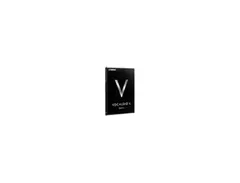
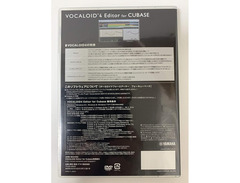
Unleash your creativity with the Yamaha Vocaloid 4 Editor, the premier software for vocal synthesis enthusiasts and professional music producers alike. Designed to expand your musical horizons, this powerful DAW software allows you to create realistic vocal tracks with ease, using its sophisticated vocal synthesis engine. Tailor each note with precision, adjusting parameters like pitch, vibrato, and dynamics to achieve the perfect sound. Whether you're crafting a pop hit or an experimental piece, the Yamaha Vocaloid 4 Editor provides the tools needed to bring your vocal ideas to life.
With its intuitive interface, the Vocaloid 4 Editor is accessible for both beginners and advanced users. It seamlessly integrates with your existing music production setup, supporting VST and AU plugins for further customization. The editor also features a library of voices, giving you a variety of vocal tones to choose from and the ability to purchase additional voice banks to broaden your sonic palette.
Key Features:
- Advanced vocal synthesis engine for realistic vocal production
- Intuitive user interface for streamlined workflow
- Compatibility with VST and AU plugins for enhanced flexibility
- Built-in library of diverse vocal tones
- Adjustable parameters for pitch, vibrato, and dynamics
- Expandable voice bank options for a wide range of styles
- Seamless integration with existing DAW setups
Videos

Chris' Tutorials
Introduction to Making Vocaloid Music for Beginners in Vocaloid4
Introduction to Making Vocaloid Music for Beginners in Vocaloid4
Chris' Tutorials

【New VOCALOID4 EDITOR】Trailer + VY1V4's Voice Samples 【New Editor】

Laralissia
Vocaloid 4 editor tutorial (vibrato)

Synthetic Vocalist-p
Reviews
Owner Insights
We analyzed real musician discussions from forums and Reddit to find what players love, question, and tweak about Yamaha Vocaloid 4 Editor.
Software and compatibility
Features and functionality
User experience
-
Many users learn Vocaloid 4 by experimentation, despite basic tutorials being available, indicating a hands-on approach is beneficial.
Source
Value and pricing
-
Vocaloid 4 is no longer easily available for purchase, making it potentially more valuable for users who prioritize extensive customization.
Source
Critic Reviews
5.0 out of 5
Based on 2 Reviews and 17 Ratings


amaze
the #1 thing i use. in reality, it's a kinda glitchy, sad program, but it's lovely. it supports VBs from V2 as well, so woo!
Genre Usage
Based on how artists on Equipboard use this gear, it is most commonly found in the following genres.
More Yamaha DAW Software


$225.00 - $599.00
in DAW Software Rank


$268.00 - $349.00
in DAW Software Rank


-m.webp?v=1784973641)
$99.99 - $344.00
in DAW Software Rank


$99.00 - $399.99
in DAW Software Rank


$139.00 - $179.00
in DAW Software Rank


$398.00
in DAW Software Rank
-m.webp?v=1784973637)
$409.00 - $499.00
in DAW Software Rank


$119.00 - $295.00
in DAW Software Rank


$209.00 - $329.99
in DAW Software Rank


$199.00
in DAW Software Rank


$0.00
in DAW Software Rank


$515.00 - $579.99
in DAW Software Rank


.png?v=1784755332)


$75.00
in DAW Software Rank


$359.00 - $449.00
in DAW Software Rank


$199.99
in DAW Software Rank
.jpg?v=1784450238)


$129.00 - $179.00
in DAW Software Rank


$395.00 - $499.00
in DAW Software Rank


$136.00 - $179.00
in DAW Software Rank

$139.99 - $199.99
in DAW Software Rank


$366.00 - $579.99
in DAW Software Rank


$579.99
in DAW Software Rank


$209.00 - $269.00
in DAW Software Rank


$149.00 - $201.00
in DAW Software Rank


$579.99
in DAW Software Rank


$375.00 - $399.95
in DAW Software Rank
Artist usage


Community setups


Similar


Gear Guides










Most Popular DAW Software
Most Popular Brands
-
Added to Equipboard on by
 emarboom
GearIQ 128
-

