

Pricing and availability
We compare 600+ stores and found this item at 3 stores. Prices updated .
Store
Reviews
Price


Average Price: $470
High-end/Boutique
$149
$400+
Price Tier
Budget
Standard
High-end
Price History
Based on price data from 3 merchants for "Image-Line FL Studio All Plug-Ins Edition". Prices shown reflect NEW condition. Tracking began Apr 2, 2026.
* Product prices and availability are updated by Equipboard every 24hrs and are subject to change. Equipboard may receive compensation for purchases made at participating retailers linked on this site. This compensation does not affect what products or prices are displayed, or the order of prices listed. For more information, please refer to our affiliate disclosure.
Description
Unlock the full potential of your musical creativity with the Image Line FL Studio 21 All Plug-Ins Edition. Whether you're a seasoned producer or just starting on your musical journey, this DAW software offers a comprehensive suite of tools designed to inspire and empower. Imagine a world where you have lifetime free updates, ensuring you're always equipped with the latest features and functionalities. Dive into intuitive producing, remixing, loop programming, and mixing like never before.
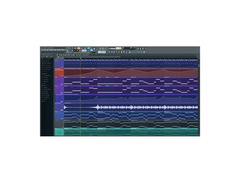
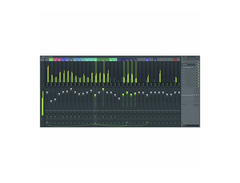
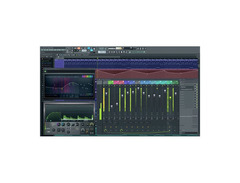
FL Studio 21 offers a seamless pattern- and track-based workflow, allowing you to switch between modes effortlessly. The software comes loaded with an integrated Edison audio editor for advanced editing needs, and Newtone for precise monophonic pitch and timing corrections. Its mixer supports 10 effects per channel, offering rich and dynamic soundscapes. With over 14 instruments, 8 tools/generators, and more than 60 effects, your creative options are virtually limitless.
For those who enjoy the fine details, FL Studio 21 provides simultaneous support for step sequencing and piano roll creation. Plus, it includes 11 tools for sample playback and manipulation, like Granulizer, Slicex, and Wave Traveller. With support for various audio formats, including WAV, MP3, and AIFF, and the ability to operate as a standalone application or VSTi, this is the ultimate tool for any music enthusiast.
Key Features:
- Lifetime free updates for the latest version
- Integrated Edison audio editor for advanced editing
- Monophonic pitch and timing correction with Newtone
- Full automation of all parameters
- Simultaneous pattern- and track-based operation
- Step sequencer with 4 to 64 steps or piano roll to create sequences
- Includes 11 tools for sample playback and manipulation
- 14 instruments, 8 tools/generators, and over 60 effects included
- Mixer with 10 effects per channel
- Support for ReWire and ASIO drivers
- Operates as a standalone application or VSTi
- Supported audio formats: WAV, MP3, OGG, WavPack, AIFF, REX
Product specs
| Available since | January 2021 |
| max. Samplerate (kHz) | 192 kHz |
| Max. resolution in bit | 32 bit |
| Hardware In/Outs | 103 |
| Audio Tracks | 125 |
| MIDI Tracks | 500 |
| Instrument Tracks | 500 |
| Floating-point Resolution | 32 bit |
| Pitch | Yes |
| Clip-Matrix | Yes |
| Notation | No |
| Video-Playback | Yes |
| Surround Support | No |
| Virtual Instruments | 60 |
| Effects | 14 |
| Library (GB) | 2 GB |
| AAX DSP | No |
| AAX native | No |
| ARA | No |
| Audio Units | No |
| VST2 | Yes |
| VST3 | Yes |
| Download | 1 |
| Audio Import Formats | AIFF, FLAC, MP3, OGG, SF2, WAV |
| Audio Export Formats | MP3, OGG, WAV |
| Copy protection | Online activation |
FAQs
-
What are the standout features of the Image-Line FL Studio 21 All Plug-Ins Edition?
-
This edition includes all native plug-ins, support for time signatures, in situ rendering, and multiple arrangements. It also features a refined Graph Editor, enhanced Channel Sampler, and new plug-ins, providing a comprehensive music production environment.
-
Is FL Studio 21 All Plug-Ins Edition compatible with macOS?
-
Yes, FL Studio 21 All Plug-Ins Edition is fully compatible with macOS and supports both VST and AU plug-ins, ensuring seamless integration with your Mac-based setup.
-
Does FL Studio 21 All Plug-Ins Edition support third-party plug-ins?
-
Yes, it supports third-party VST2, VST3, and AU instrument and effects plug-ins, allowing you to expand your creative possibilities with additional tools and effects.
-
How does FL Studio 21 handle project organization and workflow?
-
The software features a flexible Playlist for arranging audio, automation, and note data, a feature-packed Piano Roll for sequencing, and a Browser to organize project data efficiently, streamlining your workflow.
-
Can FL Studio 21 All Plug-Ins Edition be used for live performances?
-
Yes, it includes live DJ control for powerful live performance and clip-triggering, making it suitable for both studio production and live settings.
-
What are the audio import and export formats supported by FL Studio 21?
-
FL Studio 21 supports audio import formats such as AIFF, FLAC, MP3, OGG, SF2, and WAV, and allows exporting in MP3, OGG, and WAV formats, providing flexibility in handling audio files.
Videos

Thozi
FL Studio Unboxing [All PLugins]
![Video thumbnail for FL Studio Unboxing [All PLugins] by Thozi](https://img.youtube.com/vi/_IF9imfDJBM/mqdefault.jpg)
FL Studio Unboxing [All PLugins]
Thozi
Reviews
PROS
-
Lifetime updates ensure continuous access to the latest features
-
One-time purchase model avoids ongoing subscription fees
-
Seamless integration with various external devices
-
Large and active user community for support and tips
-
Particularly powerful on Windows systems
CONS
-
Bugs present on Mac can disrupt workflow
-
Confusion over native plugin access despite "All Plug-Ins" label
Owner Insights
We analyzed real musician discussions from forums and Reddit to find what players love, question, and tweak about Image-Line FL Studio All Plug-Ins Edition.
Use cases and applications
-
The All Plug-Ins Edition is ideal for those committed to mastering FL Studio's stock plugins, providing a comprehensive suite for long-term exploration and creativity.
Source -
Gross Beat and Pitcher are highlighted as valuable for users interested in auto-tune effects and time manipulation, enhancing creative possibilities.
Source -
Morphine and Sakura are valued for quick sound design, making them appealing for those focusing on rapid audio creation.
Source
Features and functionality
-
DirectWave and Toxic Biohazard are specifically mentioned for their unique sound capabilities, which some users find difficult to replicate with other plugins.
Source -
The Transporter plugin is noted for its ability to create Flume-like sound beds, making it appealing for producers interested in innovative, modern sound design.
Source -
Harmor is highlighted as a powerful additive synth, often causing users to rewire FL Studio in other DAWs just to utilize it.
Source -
Transporter is praised for its unique granular looping capabilities, creating time-based loops with minimal latency, adding value for sound design enthusiasts.
Source
User experience
-
Several users express relief at not dealing with trial mode reminders, appreciating the freedom to utilize all features without restrictions.
Source -
LuxVerb is seen as a standout reverb, though users often complement it with third-party options like Valhalla for varied soundscapes.
Source -
Owners appreciate the convenience of having a comprehensive plugin library readily available within FL Studio, eliminating the need to search for external plugins.
Source
Value and pricing
-
Some users find the All Plug-Ins Edition more cost-effective than purchasing individual plugins separately, particularly during sales like Black Friday.
Source -
Purchasing during sales, like Black Friday, can significantly reduce costs, with some users reporting discounts as high as 50%.
Source -
The All Plug-Ins Edition offers free lifetime updates, including all future plugins, making it appealing for long-term investment.
Source
Software and compatibility
Comparisons
Critic Reviews
5.0 out of 5
Based on 1 Review and 3 Ratings

277
Best DAW in World
My all-time favourite DAW and very flexible DAW in World. Using it from last 10 years.
Artist usage
Add artist

Album Usage
The Image-Line FL Studio All Plug-Ins Edition has been featured on the following albums:

Barbed Wire Dragonfly
4lung (2024)

Put Some New Wings & Horns On Whoever
4lung (2023)

The New 4lung Album
4lung (2022)

Songs I Probably Won't Get Sued For
4lung (2022)

Odds & Ends For Autumn
4lung (2022)

Sentimental Illness
4lung (2021)

Hole
4lung (2021)

I Think I Could Hear More of What God Is Trying To Tell Me If I Allow My Self To Dream Again
4lung (2021)

Blue Collar Street Racing Tour
4lung (2020)

The Cage of Consumptive Compulsion
4lung (2020)

Stimulacrum
4lung (2020)

Selected Idiot Works, Vol. 2
4lung (2018)

Selected Idiot Works, Vol. 1
4lung (2018)

Rat King World Champion
4lung (2018)

Laser Lemon
4lung (2016)

Gay Aunt Jane's Wacky Knife Play Fortress
4lung (2016)
Genre Usage
Based on how artists on Equipboard use this gear, it is most commonly found in the following genres.
More Image-Line DAW Software

$139.00 - $179.00
in DAW Software Rank


$129.00 - $189.00
in DAW Software Rank

$209.00 - $269.00
in DAW Software Rank


$91.00 - $99.00
in DAW Software Rank


$225.00 - $599.00
in DAW Software Rank


$268.00 - $349.00
in DAW Software Rank


-m.webp?v=1784455242)
$99.99 - $344.00
in DAW Software Rank


$99.00 - $399.99
in DAW Software Rank


$398.00
in DAW Software Rank
-m.webp?v=1784455238)
$409.00 - $499.00
in DAW Software Rank


$119.00 - $295.00
in DAW Software Rank


$209.00 - $329.99
in DAW Software Rank


$199.00
in DAW Software Rank


$0.00
in DAW Software Rank


$515.00 - $579.99
in DAW Software Rank


.png?v=1784755332)


$75.00
in DAW Software Rank


$199.99
in DAW Software Rank
.jpg?v=1784450238)


$395.00 - $499.00
in DAW Software Rank


$136.00 - $179.00
in DAW Software Rank

$139.99 - $199.99
in DAW Software Rank


$366.00 - $579.99
in DAW Software Rank


$579.99
in DAW Software Rank


$149.00 - $201.00
in DAW Software Rank


$579.99
in DAW Software Rank


$375.00 - $399.95
in DAW Software Rank

$139.00 - $249.00
in DAW Software Rank


Accessories & Related Items




Community setups


Similar


Gear Guides










Most Popular DAW Software
Most Popular Brands
-
Added to Equipboard on by
 lukkyfukk
GearIQ 47
-


