

Pricing and availability


* Product prices and availability are updated by Equipboard every 24hrs and are subject to change. Equipboard may receive compensation for purchases made at participating retailers linked on this site. This compensation does not affect what products or prices are displayed, or the order of prices listed. For more information, please refer to our affiliate disclosure.
Description
Unleash your musical creativity with Yamaha XGworks 3.0, a robust digital audio workstation (DAW) software designed for both novice musicians and seasoned producers. Known for its seamless integration with Yamaha's XG technology, this software offers a comprehensive suite of tools perfect for composing, arranging, and editing music. Whether you're crafting a symphony or mixing modern beats, XGworks 3.0 provides a flexible platform to bring your musical ideas to life.
This versatile DAW supports a wide range of MIDI and audio tracks, making it compatible with various instruments and plug-ins. Its intuitive interface allows for easy navigation and efficient workflow. You can quickly access editing tools and effects, ensuring you spend more time creating and less time searching through menus. The software's compatibility with other Yamaha instruments enhances its functionality, allowing for a more immersive production experience.
Key Features:
- Comprehensive MIDI and audio track support for diverse production needs
- Seamless integration with Yamaha's XG technology
- User-friendly interface for efficient workflow
- Compatible with various Yamaha instruments and plug-ins
- Extensive library of sounds and effects for creative flexibility
- Advanced editing tools for precise music production
- Multi-language support for global accessibility
- Available for various operating systems, including Windows and Mac
Videos

Casper tutorSynth
How to sort drum element in Style - XGworks
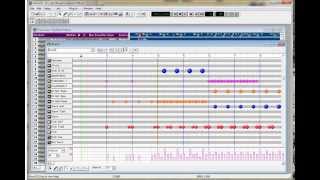
How to sort drum element in Style - XGworks
Casper tutorSynth
Reviews
Owner Insights
We analyzed real musician discussions from forums and Reddit to find what players love, question, and tweak about Yamaha XGworks 3.0.
Software and compatibility
-
XGworks 3.0 with DX200 Editor can facilitate patch uploads, but presets may need reloading via the rotary encoder for changes to take effect.
Source -
USB to MIDI cables are often unreliable for SysEx data; direct connections or vintage interfaces like the 2003 MOTU Midi Express XT might offer better results.
Source
Setup and maintenance
5.0 out of 5
Based on 1 Review and 1 Rating

1118
Brought my MU10 back to life!
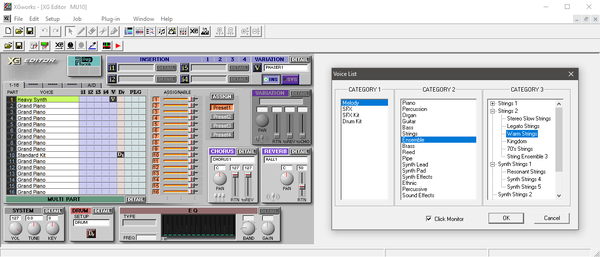
For many years, my venerable Yamaha MU10 has been hobbled by my lack of knowledge that its XG tones and functions can be accessed and controlled without its proprietary host cable. In fact, they can be controlled via a standard MIDI cable, so I set up XGworks 3.0, which runs fine on Windows 10 and has preset configurations for each XG synth. Selecting the XG tones and editing the XG parameters of my MU10 via USB through my almost-as-ancient M-Audio Radium 61, XGworks has unleashed the full power of this still-impressive unassuming little beige box.
Artist usage
Add artist
Genre Usage
Based on how artists on Equipboard use this gear, it is most commonly found in the following genres.
More Yamaha DAW Software



$225.00 - $599.00
in DAW Software Rank


$268.00 - $349.00
in DAW Software Rank


-m.webp?v=1784973641)
$99.99 - $344.00
in DAW Software Rank


$99.00 - $399.99
in DAW Software Rank


$139.00 - $179.00
in DAW Software Rank


$398.00
in DAW Software Rank
-m.webp?v=1784973637)
$409.00 - $499.00
in DAW Software Rank


$119.00 - $295.00
in DAW Software Rank


$209.00 - $329.99
in DAW Software Rank


$199.00
in DAW Software Rank


$0.00
in DAW Software Rank


$515.00 - $579.99
in DAW Software Rank


.png?v=1784755332)


$75.00
in DAW Software Rank


$359.00 - $449.00
in DAW Software Rank


$199.99
in DAW Software Rank
.jpg?v=1784450238)


$129.00 - $179.00
in DAW Software Rank


$395.00 - $499.00
in DAW Software Rank


$136.00 - $179.00
in DAW Software Rank

$139.99 - $199.99
in DAW Software Rank


$366.00 - $579.99
in DAW Software Rank


$579.99
in DAW Software Rank


$209.00 - $269.00
in DAW Software Rank


$149.00 - $201.00
in DAW Software Rank


$579.99
in DAW Software Rank


$375.00 - $399.95
in DAW Software Rank
Community setups


Similar


Gear Guides










Most Popular DAW Software
Most Popular Brands
-
Added to Equipboard on by
shimronGearIQ 1118
-


