
Pricing and availability
We compare 600+ stores and found this item at 2 stores. Prices updated .


Price History
Based on price data from 1 merchant for "Acoustica Mixcraft 9". Prices shown reflect NEW condition. Tracking began Apr 2, 2026.
* Product prices and availability are updated by Equipboard every 24hrs and are subject to change. Equipboard may receive compensation for purchases made at participating retailers linked on this site. This compensation does not affect what products or prices are displayed, or the order of prices listed. For more information, please refer to our affiliate disclosure.
Description
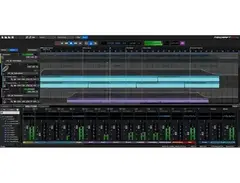
Acoustica Mixcraft 9 is the reliable choice for Windows-based music producers seeking a powerful yet intuitive DAW. Designed with both beginners and seasoned professionals in mind, Mixcraft 9 offers a seamless music production experience. Its AI-powered Stem Separation tool is a game-changer, allowing you to effortlessly isolate vocals, instruments, and beats, bringing a new dimension to your remixing projects.
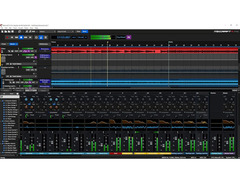
The software's user-friendly interface is complemented by a scalable design that simplifies navigation, making it easier to explore its robust set of features. With advanced audio and MIDI routing, Mixcraft 9 provides flexibility for complex arrangements and compositions. The natively integrated Melodyne ensures your vocals are perfectly tuned, while the Quick Access panel streamlines your workflow by letting you swiftly add and manage effects and instruments.
Mixcraft 9 also features drag-and-drop automation for an enhanced workflow, an updated project start window with pre-set templates, and improved MIDI controller support. Whether you're crafting tracks from scratch or refining edits, Mixcraft 9's comprehensive suite of tools, including video editing capabilities, makes it an all-in-one solution for all your creative needs.
Key Features:
- AI-powered Stem Separation tool for easy remixing
- Natively integrated Melodyne for pitch correction
- Scalable interface with simplified navigation
- Advanced audio and MIDI routing
- Quick Access panel for efficient workflow management
- Drag-and-drop automation
- Enhanced MIDI controller support
- Video editing capabilities
- Pre-set project templates for various tasks
Product specs
| Software Type | DAW |
| Platform | PC |
| Upgrade/Full | Full |
| Download/Boxed | Download |
| Bit Depth | 64-bit |
| Format | VST, VST3 |
| Hardware Requirements - PC | Intel Core i5 / Quad-core or higher, 8GB RAM minimum |
| OS Requirements - PC | Windows 10 or later |
FAQs
-
What are the system requirements for Acoustica Mixcraft 9?
-
Acoustica Mixcraft 9 requires a PC with Windows 10 or later, an Intel Core i5 or higher (quad-core recommended), and at least 8GB of RAM.
-
Is Acoustica Mixcraft 9 compatible with VST plugins?
-
Yes, Acoustica Mixcraft 9 supports both VST and VST3 plugin formats, allowing for a wide range of third-party plugin integration.
-
Can Acoustica Mixcraft 9 be used for professional music production?
-
Yes, Mixcraft 9 is designed for both beginners and professionals, offering a comprehensive set of features suitable for professional music production.
-
Does Acoustica Mixcraft 9 offer any built-in virtual instruments?
-
Yes, Mixcraft 9 includes a variety of built-in virtual instruments, providing users with a wide range of sounds for music creation.
-
Is Acoustica Mixcraft 9 available as a download or boxed version?
-
Acoustica Mixcraft 9 is available as a download, providing convenient access and installation for users.
Videos

Mixcraft
Mixcraft 9: New Features

Mixcraft 9: New Features
Mixcraft
Why Choose Mixcraft for your DAW software - 3 reasons Acoustica Mixcraft 9 Pro Studio makes sense

GuitarBasement
![Video thumbnail for Acoustica Mixcraft 9 - What's new [Music] by Products Explorer](https://img.youtube.com/vi/8dh2hk4INw8/mqdefault.jpg)
Acoustica Mixcraft 9 - What's new [Music]

Products Explorer
Future Garage Tutorial | How I Made The Acoustica Mixcraft 9 Demo Track!

Venus Theory

Producing, Recording, and Mixing in Mixcraft Pro Studio 9 | Beginners MUST WATCH

Taylor Krom OFFICIAL
![Video thumbnail for Mixcraft 9 - What You Should Know [Acoustica Mixcraft] by Products Explorer](https://img.youtube.com/vi/r4hVPt3mLvw/mqdefault.jpg)
Mixcraft 9 - What You Should Know [Acoustica Mixcraft]
Products Explorer
Reviews
PROS
-
Intuitive workflow for recording and MIDI editing
-
Excellent value for the price point
-
Easy to use with a low CPU load
-
Strong VST compatibility for extra flexibility
-
Continually improved with each version update
-
Ideal for both beginners and professionals
-
Great for audio editing, surpassing Audacity
-
Effective noise removal and vocal warping features
CONS
-
Limited built-in synths for EDM production
-
Not widely adopted for EDM in general
Owner Insights
We analyzed real musician discussions from forums and Reddit to find what players love, question, and tweak about Acoustica Mixcraft 9.
Features and functionality
-
Mixcraft 9 offers a highly intuitive workflow and a user-friendly interface, making it particularly suitable for beginners and those transitioning from simpler software like GarageBand.
Source -
Mixcraft lacks take lanes and comping features, which are considered essential by some users for effective vocal and instrument recording and editing.
Source
Comparisons
-
Users note that Mixcraft lacks advanced audio editing capabilities found in DAWs like Ableton and Studio One, but excels in MIDI programming and mixing workflows.
Source -
Users transitioning from Mixcraft to Ableton note significant improvements in MIDI device routing and plugin management, favoring Ableton's capabilities.
Source
Software and compatibility
-
Mixcraft 9 reportedly struggles with high CPU usage and stability when handling VST3 plugins, leading to frequent crashes and audio glitches.
Source -
Windows updates reportedly caused Mixcraft 9 to become unstable, with fatal errors when loading projects, prompting users to upgrade to Mixcraft 10 for improved stability.
Source -
Mixcraft users sometimes experience MIDI playback latency, which may be related to PC optimization rather than the software itself.
Source -
Mixcraft's inability to zoom sufficiently into waveforms can complicate precise audio editing, particularly for tasks like multitrack drum editing.
Source
Use cases and applications
-
Ideal for live recording, Mixcraft 9 is praised for its ease in routing and handling DI guitar recordings, despite limitations in handling some third-party plugins.
Source -
Mixcraft is adept at handling simple audio and MIDI tasks, making it a suitable choice for beginners learning DAW basics.
Source
User experience
-
Many users experience instability with Mixcraft 9, particularly when using complex plugins like iZotope's Ozone, leading to crashes and audio dropouts.
Source -
Post-upgrade, users found Mixcraft 10 to be significantly more stable compared to Mixcraft 9, with fewer issues even after Windows updates.
Source -
Long-term users report that Mixcraft's interface allows for casual editing, such as recording and MIDI editing, while multitasking.
Source
Critic Reviews
4.5 out of 5
Based on 6 Reviews and 26 Ratings

269
Very good for mixing, mashups and audio editing.
For editing audio, this software has a much better workflow than Audacity in my opinion. I can remove noise, warp vocals, drums, anything like that, and also put the VST's I install into it.
Version: Acoustica Mixcraft 7
201
Easy like Sunday morning.
Super simple DAW without a huge CPU load. Does everything the big kids do, just a little stirpped down. Works just fine for demoing.
Version: Acoustica Mixcraft 8
67
The "Green" Party
No one really uses this program for EDM, but I personally love it and have used it from the start. I download most of my VSTs from other sources, but Mixcraft lays everything out so easily for you.
Version: Acoustica Mixcraft 7
95
Great for basic mixing
I use Mixcraft 8 for a lot of shit now. Mostly fucking around with MIDIs for a laugh. But the VST compatibility and some of the options for MIDIs have me hooked.
Version: Acoustica Mixcraft 8
The best for Crafting of other music
This is the first software in my life, I was good of crafting music before.
Version: Acoustica Mixcraft 8
Artist usage
Add artist

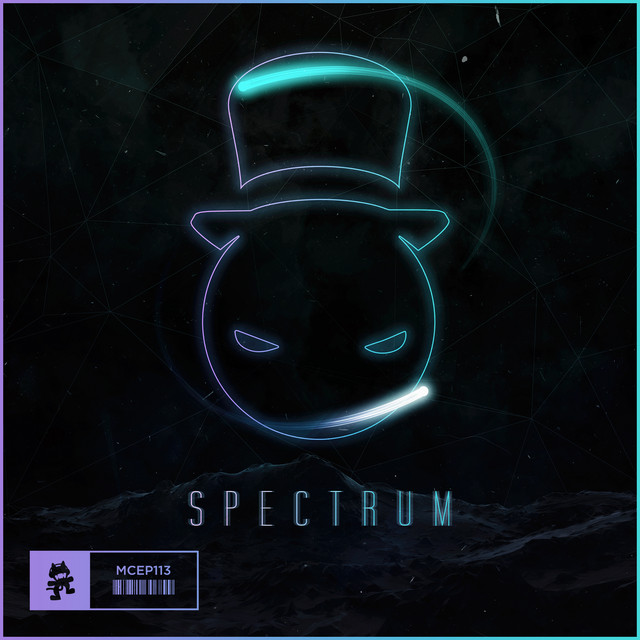
He used Mixcraft to produce Spectrum, as used in this video.

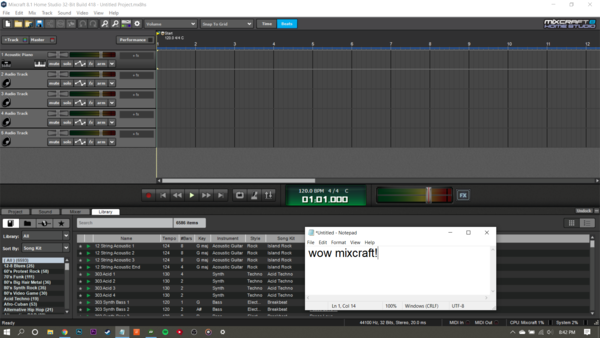
MrCuriousQ (Quentin Robles) uses Acoustica Mixcraft 9, a versatile DAW he acquired on Steam, as shown in the user-uploaded photo.


Album Usage
The Acoustica Mixcraft 9 has been featured on the following albums:
Genre Usage
Based on how artists on Equipboard use this gear, it is most commonly found in the following genres.
Used With
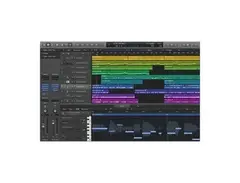
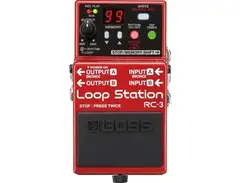
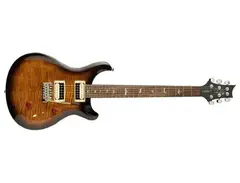
Based on how musicians on Equipboard use Acoustica Mixcraft 9, it is most commonly used with the following gear.





More Acoustica DAW Software

$149.00
in DAW Software Rank


$225.00 - $599.00
in DAW Software Rank


$268.00 - $349.00
in DAW Software Rank


-m.webp?v=1784455242)
$99.99 - $344.00
in DAW Software Rank


$99.00 - $399.99
in DAW Software Rank


$139.00 - $179.00
in DAW Software Rank


$398.00
in DAW Software Rank
-m.webp?v=1784455238)
$409.00 - $499.00
in DAW Software Rank


$119.00 - $295.00
in DAW Software Rank


$209.00 - $329.99
in DAW Software Rank


$199.00
in DAW Software Rank


$0.00
in DAW Software Rank


$515.00 - $579.99
in DAW Software Rank


.png?v=1784755332)


$359.00 - $479.00
in DAW Software Rank


$199.99
in DAW Software Rank
.jpg?v=1784450238)


$129.00 - $189.00
in DAW Software Rank


$395.00 - $499.00
in DAW Software Rank


$136.00 - $179.00
in DAW Software Rank

$139.99 - $199.99
in DAW Software Rank


$366.00 - $579.99
in DAW Software Rank


$579.99
in DAW Software Rank


$209.00 - $285.00
in DAW Software Rank


$149.00 - $201.00
in DAW Software Rank


$579.99
in DAW Software Rank


$375.00 - $399.95
in DAW Software Rank

$139.00 - $249.00
in DAW Software Rank


$479.00 - $528.00
in DAW Software Rank
Accessories & Related Items




Community setups


Similar


Gear Guides










Most Popular DAW Software
Most Popular Brands
-
Added to Equipboard on by
.jpg?v=1784736721) gchiaren
gchiarenGearIQ 37849
-


