This page about Akai APK 261 is a stub. You can help improve it:


Pricing and availability




* Product prices and availability are updated by Equipboard every 24hrs and are subject to change. Equipboard may receive compensation for purchases made at participating retailers linked on this site. This compensation does not affect what products or prices are displayed, or the order of prices listed. For more information, please refer to our affiliate disclosure.
Description
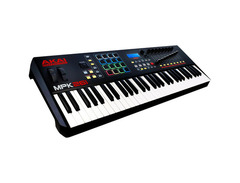
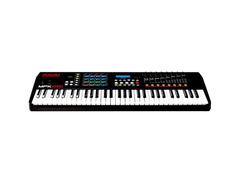
Unleash your musical genius with the Akai APK 261, a versatile MIDI keyboard controller that seamlessly blends tactile control with cutting-edge software to elevate your music production experience. Featuring 61 semi-weighted keys with aftertouch, this keyboard offers a genuine piano-like feel, ensuring your performances are as expressive as they are dynamic. Dive into beat-making bliss with 16 backlit MPC-style pads, each ready to transform your rhythm ideas into reality, courtesy of classic MPC functions like Note Repeat and Full Level.
Designed for musicians who crave control, the Akai APK 261 boasts 24 assignable Q-Link controls, including 8 knobs, 8 faders, and 8 switches. These intuitive tools are pre-mapped for seamless use with the included Ableton Live Lite and MPC Beats software, but they can also be customized for any DAW setup, granting you the freedom to sculpt your sound precisely as you envision it.
The Akai APK 261 isn't just about hardware prowess; it also comes with an impressive software suite. The Ableton Live Lite provides a platform for composing and performing, while MPC Beats enriches your beat-making with over 2GB of sounds. This combination ensures that whether you're laying down tracks in the studio or performing live, you'll never run out of creative options.
Plug-and-play connectivity via USB means the Akai APK 261 is always ready to roll without the need for an external power source. Its sleek, lightweight design makes it the perfect companion for musicians on the move, ensuring your creative flow is never interrupted.
Key Features:
- 61 semi-weighted keys with aftertouch for expressive playability
- 16 backlit MPC-style pads with classic MPC functions
- 24 assignable Q-Link controllers (8 knobs, 8 faders, 8 switches)
- Includes Ableton Live Lite and MPC Beats software
- USB connectivity for easy plug-and-play setup
- Portable design for music production on the go
Product specs
| Number of keys | 61 |
| Action | Synth |
| Key size | Full-size |
| Velocity sensitive | Yes |
| Aftertouch | Yes |
| MIDI I/O | Yes |
| USB | Yes |
| Pedal inputs | Yes |
| Gate out | Yes |
| iOS compatibility | Yes |
| Audio I/O | Yes |
| Other | Not specified |
| Encoders | 8 |
| Faders | 8 |
| Drum pads | 16 |
| Pitch bend/Modulation | Both |
| DAW transport | Yes |
| Number of presets | Not specified |
| Display | LCD |
| Bundled Software | Yes |
| Chord play | Not specified |
| Arpeggiator | Yes |
| Step Sequencer | Not specified |
| Width | 35.6" |
| Height | 3.4" |
| Depth | 12" |
| Weight | 15.1 lb. |
FAQs
-
What type of keys does the Akai APK 261 have?
-
The Akai APK 261 features 61 semi-weighted, full-size keys with aftertouch, providing a responsive playing experience suitable for both studio and live performances.
-
How many drum pads are included on the Akai APK 261?
-
The Akai APK 261 includes 16 RGB-illuminated MPC-style pads, each with 4 banks, allowing for a total of 64 assignable pads for dynamic beat-making and sample triggering.
-
Is the Akai APK 261 compatible with iOS devices?
-
Yes, the Akai APK 261 is compatible with iOS devices, enabling seamless integration with your mobile music production setup.
-
What connectivity options are available on the Akai APK 261?
-
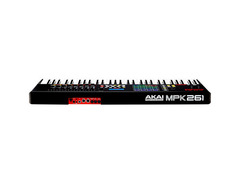
The Akai APK 261 offers USB-MIDI and 5-pin MIDI input and output, along with pedal inputs and audio I/O, providing versatile connectivity for various studio and live applications.
-
Does the Akai APK 261 include an arpeggiator?
-
Yes, the Akai APK 261 features an arpeggiator, which can enhance your music production by automatically creating complex patterns and sequences.
Videos

DLPeace
Akai MPK 261 Review #1

Akai MPK 261 Review #1
DLPeace
Reviews
Owner Insights
We analyzed real musician discussions from forums and Reddit to find what players love, question, and tweak about Akai APK 261.
Setup and maintenance
-
When using a wall power adapter, ensure it is 6V DC, 1A, center-positive to avoid compatibility issues.
Source -
Velocity curve can be adjusted from -50 to +50, altering the force needed for full velocity.
Source -
Aftertouch sensitivity requires substantial pressure, potentially fatiguing for extended use.
Source
Features and functionality
-
The MPK 261 can be powered by any 5V USB plug-in charger, such as a standard cellphone charger, without issues.
Source -
The MPK 261 has 8 sliders, whereas some users prefer 9 for separate master volume control.
Source -
Gain adjustment ranges from -20 to +20, impacting the overall velocity sensitivity.
Source
Comparisons
User experience
5.0 out of 5
Based on 0 Reviews and 1 Rating
Artist usage
Add artist
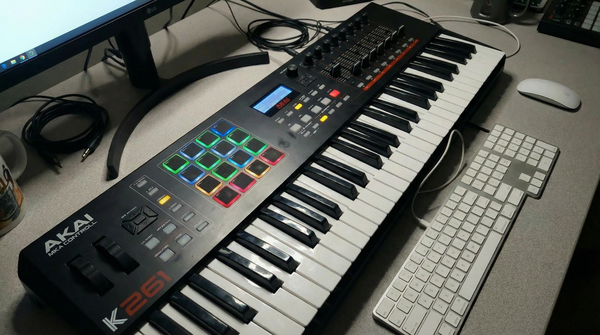
Cobra Maltase has been documented using the Akai APK 261, which became his essential tool during college for transforming brief moments into music. The MPK261 was integral to his creative process, allowing him to play in real time and maintain an emotional connection to his work. As he transitioned to more structured studio sessions, the MPK261 remained central, functioning as both an instrument and a control surface. This allowed him to perform rhythms naturally and shape sounds in real time, ensuring a hands-on and intuitive approach to music creation. Proof of this usage is supported by an image available on Equipboard.
Genre Usage
Based on how artists on Equipboard use this gear, it is most commonly found in the following genres.
Popular Music Gear

$939.00 - $999.99
in Production & Groove Rank

$793.00 - $799.00
in Audio Samplers Rank

$449.00 - $1,299.00
in Production & Groove Rank


-m.webp?v=1784333212)
$460.00
in Production & Groove Rank


$1,499.00 - $1,899.99
in Production & Groove Rank
.jpg?v=1784591665)


$299.00 - $350.00
in MIDI Pad Controllers Rank


$350.00 - $728.00
in Production & Groove Rank


$439.00
in Production & Groove Rank


$32.80 - $59.00
in MIDI Keyboard Controllers Rank


-m.webp?v=1784651824)
$408.45 - $469.00
in MIDI Keyboard Controllers Rank


$76.07 - $89.00
in MIDI Keyboard Controllers Rank


-m.webp?v=1784646159)
$69.50 - $119.00
in MIDI Pad Controllers Rank


$39.00 - $177.00
in MIDI Pad Controllers Rank


$149.00 - $286.27
in Production & Groove Rank
.jpg?v=1784574736)


$91.80 - $275.77
in MIDI Pad Controllers Rank


$1,491.00 - $2,299.00
in Production & Groove Rank


$321.08 - $899.00
in Production & Groove Rank


.jpeg?v=1784225997)

$134.99 - $269.00
in MIDI Keyboard Controllers Rank


-m.webp?v=1784645976)
$84.27
in Looper Effects Pedals Rank


$699.00 - $1,299.00
in Production & Groove Rank


$99.00 - $99.99
in MIDI Keyboard Controllers Rank


$80.00
in DAW Controllers Rank


$153.09
in Production & Groove Rank


$289.00 - $499.00
in MIDI Keyboard Controllers Rank


$107.35
in MIDI Keyboard Controllers Rank


$56.16 - $257.00
in MIDI Pad Controllers Rank


$30.06
in MIDI Pad Controllers Rank


$214.70 - $399.99
in MIDI Keyboard Controllers Rank

-m.webp?v=1784646611)
$75.40 - $145.00
in MIDI Keyboard Controllers Rank


$85.30 - $119.00
in Production & Groove Rank

.jpg?v=1783774944)


$178.92
in Audio Samplers Rank


$166.00 - $399.00
in MIDI Keyboard Controllers Rank


$70.00 - $399.70
in MIDI Keyboard Controllers Rank

$425.28
in Audio Samplers Rank


$954.24
in Production & Groove Rank


$225.00
in Production & Groove Rank


$3,000.00
in Production & Groove Rank


$4,174.80
in Production & Groove Rank


$1,103.34
in Audio Samplers Rank
.png?v=1784615088)

$83.50
in MIDI Pad Controllers Rank


Community setups


Similar


Most Popular Brands
-
Added to Equipboard on by
SsonicgraffitiGearIQ 157
-


