-s.webp?v=1784353080)


-xl.webp?v=1784353080)
Pricing and availability
We compare 600+ stores and found this item at 10 stores. Prices updated .
Store
Reviews
Price









Average Price: $101
Standard/Professional
$99
$300+
Price Tier
Budget
Standard
High-end
Price History
Based on price data from 7 merchants for "Akai MPD218". Prices shown reflect NEW condition. Tracking began Apr 2, 2026.
* Product prices and availability are updated by Equipboard every 24hrs and are subject to change. Equipboard may receive compensation for purchases made at participating retailers linked on this site. This compensation does not affect what products or prices are displayed, or the order of prices listed. For more information, please refer to our affiliate disclosure.
Description
Akai MPD218 MIDI Pad Controller
Unleash your creativity with the Akai MPD218, a straightforward and practical USB pad controller, perfect for producers, musicians, and DJs alike. This controller is equipped with 16 ultra-sensitive Thick Fat MPC pads, providing an incredibly responsive user experience with their unmistakable thick and fat feel. With three banks, these pads give you the command of up to 48 controls at your fingertips.
Adding to the tactile control, the MPD218 also features six assignable 360-degree potentiometers across three banks, allowing you to manipulate up to 18 parameters such as volume, pan, filter cutoff, and more. Experience the classic MPC Note Repeat and Full Level, and instantly switch between 16 configurable presets to suit your workflow.
Class compliant USB ensures a hassle-free connection with your computer or iOS device, making setup a breeze. Plus, there's no need for an AC adapter, as the MPD218 is USB powered. This pad controller also comes with a software package that includes free titles from Ableton, Akai Professional, and Sonivox.
Key Features:
- 16 ultra-sensitive Thick Fat MPC pads with three banks for up to 48 controls
- Six assignable 360-degree potentiometers with three banks for up to 18 parameter controls
- Classic MPC functions such as Note Repeat and Full Level
- 16 configurable presets for tailored control
- USB powered and class compliant for easy connection with computer or iOS device
- Software package includes free titles from Ableton, Akai Professional, and Sonivox
- iOS compatible via Camera Connection Kit (sold separately)
Owner's manual
Akai MPD218 User ManualProduct specs
| Type | Pad Controller |
| Pads | 16 x Backlit MPC pads |
| MIDI I/O | USB |
| USB | 1 x Type B |
| Hardware Requirements - Mac | Intel Multicore processor, 2GB RAM minimum |
| Hardware Requirements - PC | Multicore processor, 2GB RAM minimum, ASIO compatible |
| OS Requirements - Mac | OS X 10.7 or later |
| OS Requirements - PC | Windows 7 SP1 or later |
| Power Supply | USB bus powered |
| Height | 1.6" |
| Width | 9.4" |
| Depth | 7.9" |
| Weight | 1.65 lbs. |
FAQs
-
Is the Akai MPD218 compatible with popular DAWs like Ableton Live and FL Studio?
-
Yes, the Akai MPD218 is compatible with most major DAWs, including Ableton Live and FL Studio, allowing seamless integration for music production.
-
How does the Akai MPD218 connect to a computer?
-
The Akai MPD218 connects to a computer via a USB Type B port, which also powers the device, eliminating the need for an external power supply.
-
What are the main features of the Akai MPD218's pads?
-
The Akai MPD218 features 16 backlit MPC pads that are velocity-sensitive, providing a responsive and dynamic playing experience for beat making and live performances.
-
Can the Akai MPD218 be used with an iPad?
-
Yes, the Akai MPD218 can be connected to an iPad using a Lightning to USB Camera Adapter, enabling it to operate in low-power mode for mobile music production.
-
What are the system requirements for using the Akai MPD218 with a computer?
-
For Mac, the Akai MPD218 requires OS X 10.7 or later with an Intel Multicore processor and 2GB RAM. For PC, it requires Windows 7 SP1 or later with a multicore processor, 2GB RAM, and ASIO compatibility.
Videos

XpressPads Finger Drumming
AKAI MPD 218 Review (Quick & Dirty)
AKAI MPD 218 Review (Quick & Dirty)
XpressPads Finger Drumming
Akai Pro MPD 218 (Demo)

Blupoint Music
Akai MPD218 MIDI Drum Controller Review and Tutorial

Your Home Recording
Akai MPD218 - Review after 4 years + feature overview (note repeat, scales and more)

Dominik „Wodzu” Bodzek

Akai MPD 218 Midi Controller - Review

Northwest Reviews
Reviews
PROS
-
Lightweight and portable, no power outlet needed
-
Pads are very sensitive and of good quality
-
Compatible with popular DAWs like GarageBand
-
Includes free VST programs enhancing value
-
Easy to use and program for beginners and pros
-
Durable build quality and solid feel
-
Can be used standalone without mandatory software
-
Offers dynamic finger drumming experience
-
Comes with software for additional functionality
-
Rubberized feet prevent movement during use
CONS
-
Editor software can be clunky for Mac users
-
Lacks backlit colors for pad identification
-
Adjacent pads may trigger if hit too hard
-
Limited to no RGB lighting for pads
-
Some users experience double hits or ghosting
-
Reported latency issues affecting playability
-
Instructions and setup can be confusing
-
After-touch may cause unintended choke effects
-
Build quality and responsiveness could be better
-
Some desire more knobs for control
Owner Insights
We analyzed real musician discussions from forums and Reddit to find what players love, question, and tweak about Akai MPD218.
Build quality
-
Some owners mention pad sensitivity issues, requiring thin tape modifications for improved response.
Source
Features and functionality
-
The MPD218 lacks an integrated drum library browser, frustrating users who rely on complete standalone functionality.
Source -
For finger drumming, the MPD218 pads are preferred over keys, as they retain the tactile feel lost when playing drums on a keyboard.
Source -
The MPD226 features LED indicators that show the current pad bank, which is not available on the MPD218, providing better visual feedback during performance.
Source
Comparisons
-
Users compare the MPD218 to Maschine Mikro Mk3, noting the latter's superior capabilities but lack of Linux compatibility.
Source -
For those with a $200 budget, a Midi Fighter 3D might be preferable due to its instant response and lack of double-trigger issues.
Source -
The MPD226 offers additional pots, faders, and transport controls compared to the MPD218, enhancing its versatility for users who need more control options.
Source
Software and compatibility
User experience
-
Reports indicate inconsistent quality control, with some units requiring immediate returns or replacements to meet expectations.
Source -
Owners using the MPD218 for four years report high satisfaction, with only minor issues like double-triggering, which can be easily fixed.
Source -
Some owners of the MPD226 have experienced initial pad glitches that eventually resolved, highlighting potential setup or adjustment periods.
Source
Setup and maintenance
-
Tightening or loosening screws underneath the MPD218 can resolve double-triggering issues, ensuring smoother performance.
Source
Critic Reviews
4.5 out of 5
Based on 18 Reviews and 84 Ratings

182
Not very sensitive/consistent pads
Bought for my first pad controller as a beginner producer.
I didn't want to believe QuestForGroove's negative youtube review of the MPD218 but unfortunately, he seems to know what he's talking about. I'd recommend checking out his videos before buying this or any other pad controller.
On my controller, there was one pad that was noticeably less sensitive than the others. Also, the pads in general were not as sensitive as I had hoped. You had to give them good intentional taps but I suppose some people may like that. Both of these factors resulted in pads often not registering my taps.
I've heard the quality control with the MPD218s is very hit or miss now more so than when it was first released. So I may have just gotten a bad one. And still, it was useable and a great tool for creativity. The rubbery feel of the pads is nice and would've liked to keep them had it not been for the sensitivity issues.
But, I ended up returning the MPD218 for a Maschine Mikro MK3 and the pads are much more sensitive and consistent.
I wouldn't recommend the MPD218 unless you feel like rolling the dice on getting a quality batch. There are other pads in this price range I'd try instead like the Presonus Atom or the Xjam Pro.
Preferred Settings + Usage:
The endless encoder knobs feel premium.
78
An instrument is an extension of the body
Any instrument can be a good instrument if you connect with it. Your body eventually finds a way to bond with it and you learn to get the most out of it. Sure, build quality is not ideal, and there's loads of room for improvements. For what it is, though, it's a very affordable entry intro fingerdrumming and triggering samples. I've been able to pull off performances with this and used it in recordings as well. It hasn't let me down.
Preferred Settings + Usage:
I love using the note repeat function.
.png?v=1768759501)
239
Great controller. I still use it in my live sets.
Four by four drum pad with six knobs. I use it as an FX sampler in the style of Mujuice, Kulakostas, Latenot. The first four knobs are responsible for the sampler effects, and the fifth is responsible for the swing of the drums. The first controller in my setup.
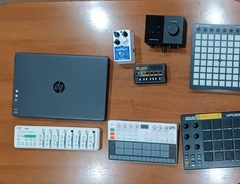
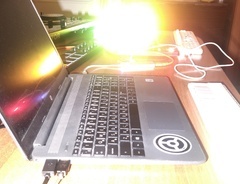
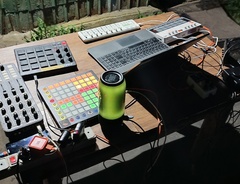
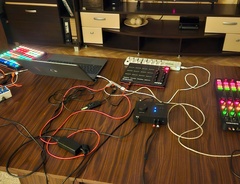
106
A simple drum pad, but one of the best.
Velocity-sensitive fat MPC style drum pads, plenty of customisation options, multiple pad/encoder banks and reliable performance make this drum pad my favourite to play on. It's a simple bit of kit, it does what it says it will do - pretty much as well as it could, so I've found it to be an excellent addition. Too much vibration on the surface underneath the controller itself (sometimes caused by playing too aggressively) can cause some trigger issues, where a random pad will also be triggered as well as the one you want, but this is easily solved by just putting it on a more sturdy surface - it's not a controller fault really. I also haven't found a proper use for the endless encoders - to be honest, I'd prefer low profile potentiometers, as found on the Akai MPK Mini MK2, but that's just personal preference really.

174
Double triggering SOAB
This one is pretty useless to me, as it registers double hits sporadically, not a specific pad, just any pad now and then, making it a PITA to use for laying down beats. Use the Presonus Atom instead.

116
a very sleek and elegant drum pad
words cannot describe how simple this wonderful little device is to use. it's a two-in-one masterpiece. you have 16 pads to assign whatever sound you desire, 6 faders to control whichever bus/mixer track you plan to control, and a button that enables full level (playing at 100% volume). i recommend this to everyone. c:


124
Almost perfect
Akai still makes the best pads, however this model is known for ghosting and double tapping issues. After taking it apart multiple times, the sensitivity is kinda fucky. Yet its still better than 99% of midi drum pads.
Artist usage
Add artist

Yvette Young discusses her use of the Akai MPD218 at the 20:30 mark in her YouTube video titled "pack for tour with me (w board rundown)."


In this YouTube video at 1:13, an Akai MPD218 can be seen in Tash Sultana’s setup.


Scott shows it off on his story
.jpg?v=1784328262)

In the making of his song Guillotine. You see him using it quite a few times throughout leading to the final production of his song. At 19:19 is when you can clearly see he's using the AKAI.


You can see Pewdiepie using the MPD218 to trigger samples throughout the video.


In this video Logic is seen using a Akai MPD218 to chop up a sample.


he uses it in his own studio https://youtu.be/rE7FyJJQzAc?t=60

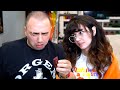
In this Youtube Video of Mizkifs stream, You can see the Akai MPD218 right next to Slushii at 3:22:43.


Thomas Dolby's Akai MPD218 can be seen at 4:29.

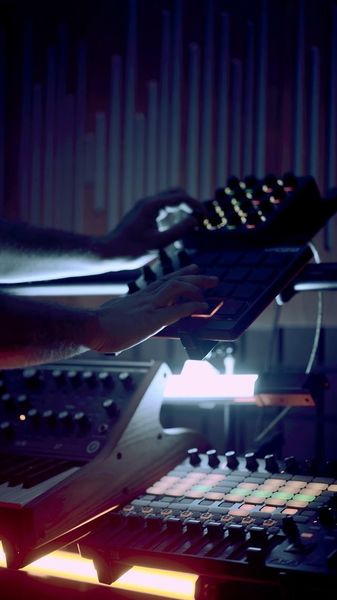
In this instagram reel you can see him using AKAI MPD 218 as a sampler

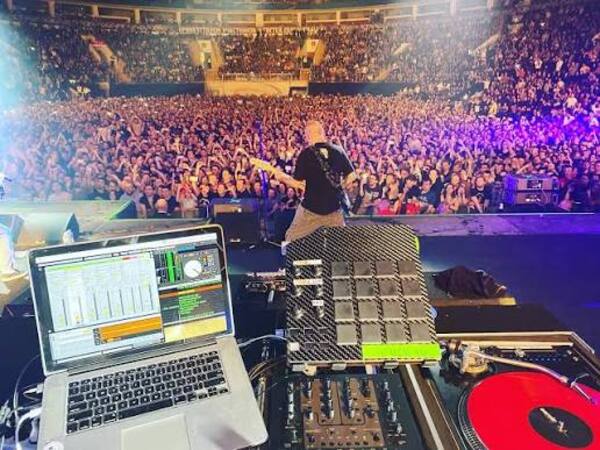
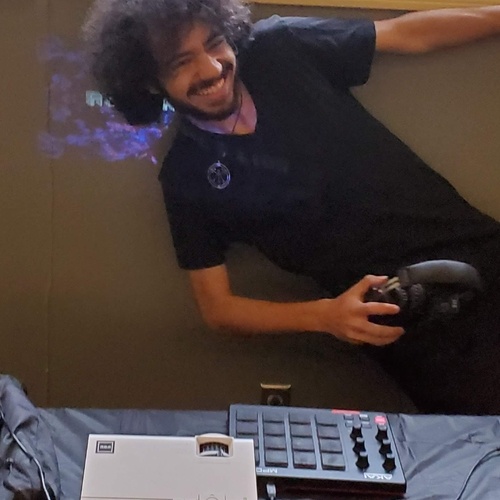
In the provided photo, Leors Dimants is seen using a modified Akai MPD218 in his DJ setup.


Album Usage
The Akai MPD218 has been featured on the following albums:


Genre Usage
Based on how artists on Equipboard use this gear, it is most commonly found in the following genres.
Used With
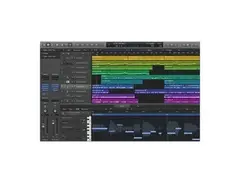
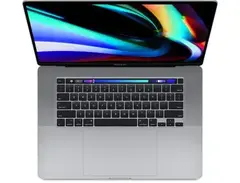
Based on how musicians on Equipboard use Akai MPD218, it is most commonly used with the following gear.




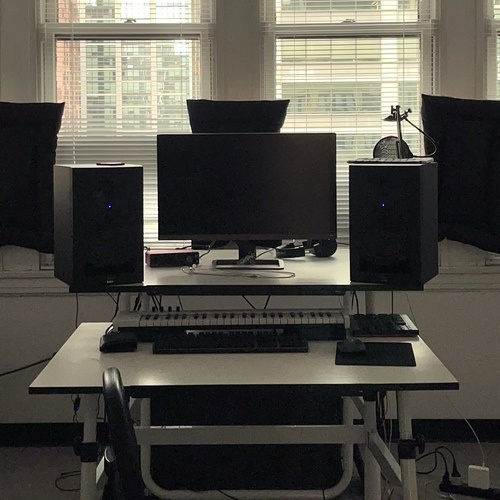
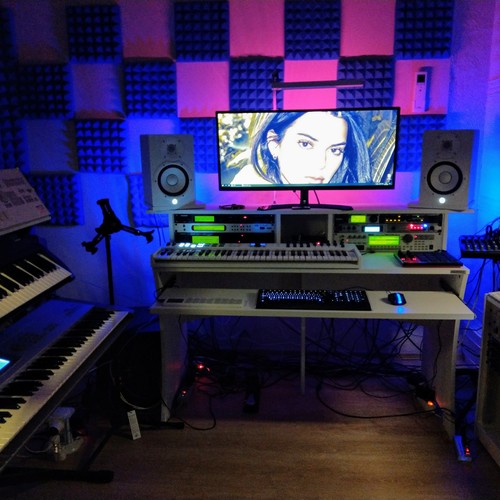
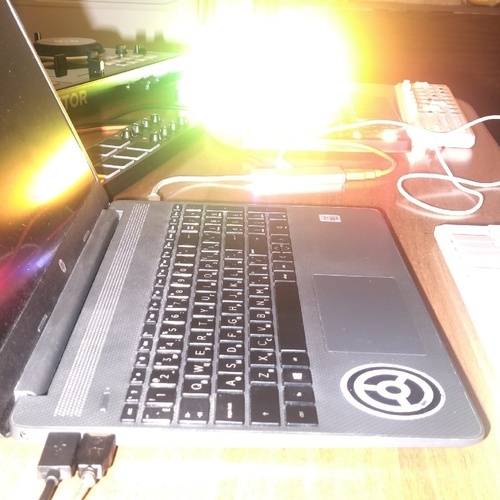
Community setups
Show yours




.jpg?v=1783710652)

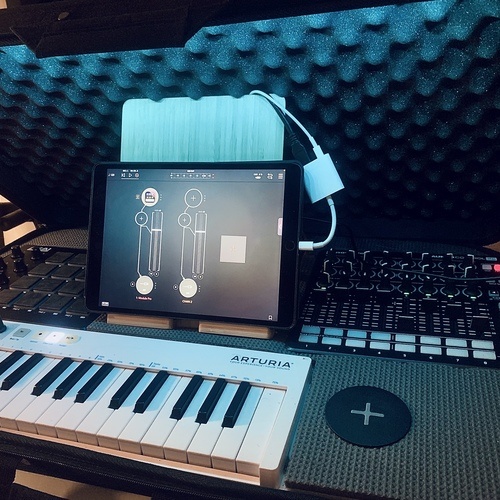

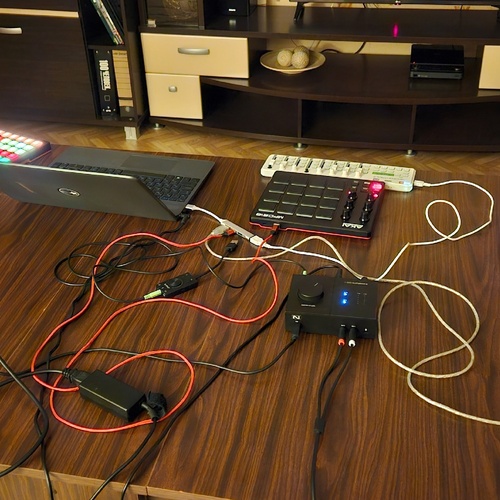
Similar
Add recommendation2 alternative and related items for Akai MPD218, curated by the Equipboard community.

$103.00 - $149.99
The Presonus Atom seems to have more sensitive and consistent pads than the MPD218 as shown quite clearly in the linked video.

$30.13
More Akai MIDI Pad Controllers

$299.00 - $350.00
in MIDI Pad Controllers Rank


$39.00 - $177.00
in MIDI Pad Controllers Rank


$91.80 - $275.77
in MIDI Pad Controllers Rank


$30.13
in MIDI Pad Controllers Rank


$53.63 - $257.00
in MIDI Pad Controllers Rank


$83.69
in MIDI Pad Controllers Rank


$90.00 - $295.00
in MIDI Pad Controllers Rank


$64.00
in MIDI Pad Controllers Rank


$50.00
in MIDI Pad Controllers Rank


$49.89 - $177.00
in MIDI Pad Controllers Rank


-m.webp?v=1784334695)
$119.56
in MIDI Pad Controllers Rank


$119.56
in MIDI Pad Controllers Rank


$39.00 - $59.00
in MIDI Pad Controllers Rank


$39.99
in MIDI Pad Controllers Rank


$100.00
in MIDI Pad Controllers Rank

$249.00 - $299.00
in MIDI Pad Controllers Rank


-m.webp?v=1784332443)
$101.63 - $799.00
in MIDI Pad Controllers Rank


.jpg?v=1784159850)

$408.99
in MIDI Pad Controllers Rank


$239.11 - $349.99
in MIDI Pad Controllers Rank


$23.91 - $216.30
in MIDI Pad Controllers Rank


$150.00 - $229.99
in MIDI Pad Controllers Rank


.jpeg?v=1784317465)

$40.00 - $299.00
in MIDI Pad Controllers Rank


$30.00 - $129.99
in MIDI Pad Controllers Rank


$478.23
in MIDI Pad Controllers Rank


$180.00 - $777.00
in MIDI Pad Controllers Rank
.jpeg?v=1784330336)


$118.00 - $124.70
in MIDI Pad Controllers Rank


$50.00
in MIDI Pad Controllers Rank


$82.50 - $269.00
in MIDI Pad Controllers Rank


$25.00
in MIDI Pad Controllers Rank


$179.34 - $189.99
in MIDI Pad Controllers Rank


$145.00 - $269.99
in MIDI Pad Controllers Rank


$129.99 - $134.88
in MIDI Pad Controllers Rank


$40.33 - $89.99
in MIDI Pad Controllers Rank


$81.07 - $129.99
in MIDI Pad Controllers Rank


$796.28 - $999.00
in MIDI Pad Controllers Rank


$55.00
in MIDI Pad Controllers Rank


Accessories & Related Items




-s.webp?v=1784353835)




-s.webp?v=1784353503)



Most Popular MIDI Pad Controllers
Most Popular Brands


