


Pricing and availability
We compare 600+ stores and found this item at 2 stores. Prices updated .
Store
Reviews
Price




* Product prices and availability are updated by Equipboard every 24hrs and are subject to change. Equipboard may receive compensation for purchases made at participating retailers linked on this site. This compensation does not affect what products or prices are displayed, or the order of prices listed. For more information, please refer to our affiliate disclosure.
Description
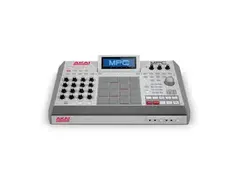
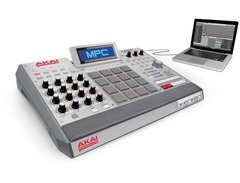
Experience the fusion of classic craftsmanship and modern technology with the Akai Professional MPC Renaissance Controller. This versatile powerhouse combines the legendary MPC workflow with cutting-edge software, creating a seamless blend of tactile hardware and digital innovation. Perfectly suited for both nostalgic producers and forward-thinking beatmakers, the MPC Renaissance redefines music production with its robust design and intuitive interface.
At the heart of the MPC Renaissance are 16 genuine, velocity-sensitive pads, allowing you to craft beats with precision and flair. The 16 Q-Link encoders, each equipped with LED indicators, provide extensive control over your parameters, ensuring you stay in command of your creative vision. The adjustable backlit LCD screen offers clear and immediate feedback, while the vintage mode lets you emulate the iconic sounds of the MPC3000 and MPC60, adding a touch of classic warmth to your modern beats.
Designed for seamless integration, the MPC Renaissance includes a built-in four-channel USB 2.0 audio interface and two-port USB hub, making it a central hub for your studio setup. Whether you're working standalone or as a plugin within your favorite DAW, this controller delivers an unparalleled production experience.
Key Features:
- Integrated hardware/software system with genuine MPC pads and Q-Link controls
- Adjustable backlit LCD screen for real-time feedback
- Vintage Mode for emulating classic MPC sound
- Built-in four-channel USB 2.0 audio interface
- 128-track sequencing capability with MPC Software
- Two MIDI inputs and four MIDI outputs
- Up to eight pad banks, more than any previous MPC
- 9GB+ sound library including classic MPC3000 sounds
- Compatible with Mac and PC, with support for VST, AU, and RTAS plugins
Product specs
| Brand | Akai |
| Model | MPC Renaissance Groove Production Studio |
| Finish | Grey |
| Year | 2012 - 2019 |
| Made In | United States |
| Categories | Drum Machines, Samplers |
| Analog / Digital | Digital |
| MIDI I/O | MIDI Input, MIDI Output, USB MIDI |
| Number of Pads | 16 Pads |
| Polyphony | 128 Voices |
FAQs
-
Does the Akai MPC Renaissance require a computer to function?
-
Yes, the MPC Renaissance is designed to work as a controller with integrated software on a Mac or PC, providing a hybrid experience that combines hardware control with the flexibility of software.
-
What are the connectivity options available on the MPC Renaissance?
-
The MPC Renaissance offers MIDI Input and Output, USB MIDI, and other standard connections for integrating with your studio setup, allowing for versatile connectivity with various devices.
-
How many pads does the Akai MPC Renaissance have, and are they velocity-sensitive?
-
The MPC Renaissance features 16 velocity-sensitive pads, allowing for expressive performance and dynamic beat-making.
-
Is the Akai MPC Renaissance suitable for live performances?
-
Yes, the MPC Renaissance is well-suited for live performances, offering robust hardware controls and seamless integration with software for dynamic live sets.
-
What kind of software is included with the MPC Renaissance?
-
The MPC Renaissance comes with MPC Software, providing a comprehensive production environment with features like sampling, sequencing, and effects for creating complete tracks.
-
Can the MPC Renaissance be used for both sampling and sequencing?
-
Yes, the MPC Renaissance is designed for both sampling and sequencing, making it a versatile tool for music production and beat creation.
Videos

AkaiProVideo
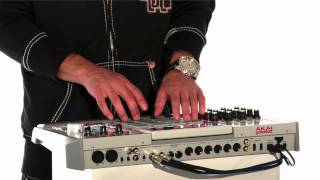
Introducing MPC Renaissance
Introducing MPC Renaissance
AkaiProVideo
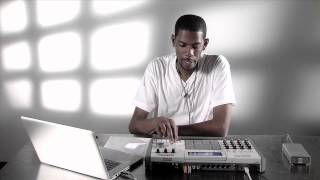
MPC University | Getting Started With MPC Renaissance
AkaiProVideo
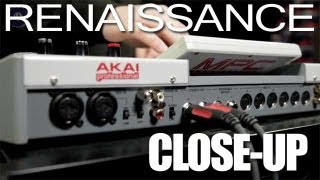
In-depth look: AKAI MPC Renaissance

sonicstate
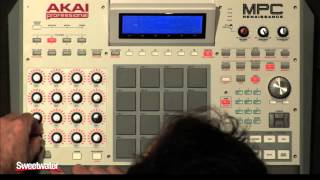
Akai MPC Renaissance Groove Production Workstation Demo - Sweetwater Sound

Sweetwater
MPC Renaissance Feature Demonstration

DV247 Music Store UK TV
MPC Renaissance...... The Features & Why You need it.

Showtime Solutions TV
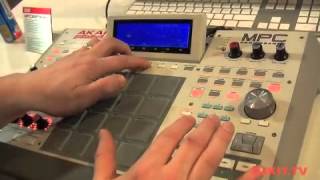
Akai MPC Renaissance Music Production Controller - in depth with DJkit.tv Musikmesse 2012

djkit®
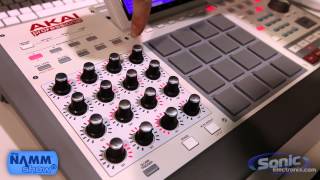
Akai Professional MPC Renaissance Music Production Controller | NAMM 2013

Sonic Electronix
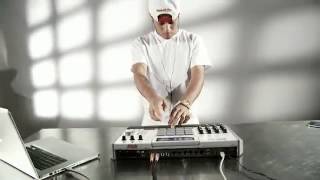
Akai MPC Renaissance Music Production Controller

Gear4music Guitars
Reviews
PROS
-
Fuses classic MPC feel with modern features
-
Excellent build quality, feels like a true MPC
-
Packed with classic and new MPC drum sounds
-
Intuitive workflow enhances creativity
-
Includes a vast library of sounds, drums, samples, and VST instruments
-
Features like vintage mode authentically replicate classic MPC sound
-
Integrates well with PC and MAC setups
-
Portable for live shows, bringing studio power onstage
-
Continuous software updates and improvements
-
Touch-sensitive pads and rotary faders for precise control
CONS
-
Lacks native Mac support, causing inconvenience to Mac users
-
Size and requirement to be plugged in can be cumbersome
-
Software experience may be challenging for beginners
-
Misses standalone functionality, always requires a computer connection
Owner Insights
We analyzed real musician discussions from forums and Reddit to find what players love, question, and tweak about Akai Professional MPC Renaissance Controller.
Software and compatibility
-
The MPC Renaissance cannot run with Apple's M1 and M2 processors, limiting its use with newer Macs.
Source -
Renaissance units come with MPC 1.0 software, requiring a $99 upgrade to MPC 2.0 for audio track recording.
Source -
Compatible with Windows 10/11, but specific MPC Software versions are required for different MacOS versions due to its age.
Source -
Owners report that the MPC Renaissance became incompatible with MacOS Big Sur, requiring users to stay on older operating systems like Catalina for functionality.
Source
Comparisons
-
The Renaissance lacks touchscreen integration, a feature highlighted in newer MPC models, which helps reduce reliance on mouse and keyboard.
Source -
The SP404 is recommended by some as a superior alternative for those seeking different soundscapes or facing compatibility problems with the Renaissance.
Source
User experience
-
Some users still find the Renaissance enjoyable for its old-school feel and integration with other DAWs, offering a creative workflow similar to classic models like the MPC 2500xl or 3000.
Source -
Owners report satisfaction with the build quality and classic design, similar to flagship models like the MPC X.
Source -
Owners express a strong attachment to the Renaissance for its unique sound and feel, despite the hassle of needing older hardware for compatibility.
Source
Use cases and applications
-
The Renaissance is favored by those seeking a DAW with a hardware-like experience, specifically for real-time FX processing, looping, and fine-tuning audio tracks.
Source -
Can be used as a standalone-like unit when connected to a laptop or PC, providing a hybrid workflow experience.
Source -
Some users continue to successfully use the Renaissance with older, dedicated Macs, emphasizing its utility when paired with legacy systems for a vintage experience.
Source
Value and pricing
-
A used Renaissance can be found for around $260, offering a cost-effective alternative to more expensive models like the MPC One or Live 2.
Source -
It's noted that used Renaissance units are priced slightly lower than used MPC One models, but purchasing involves risk due to compatibility issues with newer systems.
Source
Critic Reviews
4.5 out of 5
Based on 14 Reviews and 58 Ratings

75
I hate it and love it at the same time.
Its so chucked full of features, and the build quality is great - It FEELS like a MPC. Its nice not having to track my beats to get them in Ableton. But for me its just too big and i miss the ability to work without having it plugged into a computer. Its a lot of wires having to be plugged in for my taste.
If they had added offline-capability and cut away the whole Q-link section on the left, i would be keeping this all the way to the grave.

427
Very dope for it's era!
After a long hiatus from all things MPC, I came back after becoming greatly frustrated with Maschine. This was about MPC 1.8 and after I realizing how I missed working with an actual MPC there was no going backward. My Renaissance stays in its original box nowadays since I have my MPC X to work with but every now and then I bring it out for a little fun.
Next level beat producing, while keeping that old school feel.
From the day i received this, i've been in love with it. The fact that it's a controller, doesn't change how old school you can get with this. Packed with a ton of CLASSIC MPC drum sounds (MPC 2000xl, MPC 5000, Etc.), along with percussive files and FX's make this machine just so much more better. Not only can you use this in the comfort of your own home, but you can also take this with you to shows to wow the crowd. My Ren has seen multiple shows, and each time the crowd ate it up and the excitement of playing live MPC grew. This is what makes me "speak", what makes me get out my beats to the world, and i couldn't ask for anything better.

100
Wonderful Foundation
I am really impressed with the Renaissance. I'm not a native MPC user; so, being able to host everything with Pro Tools or Vienna Ensemble Pro is great. I never have to physically use the MPC if it's not desired. The functionality is extremely versatile!

208
Akai MPC Renaissance- Best investment for making beats!
I waited years to get one of the Akai Products to make music! Always worked with software compared to hardware! I bought mine at Guitar Center and I also purchased 2 Yamaha footswitch to utilize the features with making beats efficiently. The recording through xlr cable to Mic is a nice feature as well as a rca input I link up with mixer from my laptop as well! 5 out of 5! And the Akai Mpkmini is nice to use with plugins. Possibly will upgrade the keyboard!

139
Akai MPC Renaissance Drum Maching & Sampler
Long time MPC user, from the Mpc 3000 to Mpc 2000 to the Mpc 2000xl and now the Mpc Renaissance. Why switch the process if it ain't broke.

793
Great Machine! Has a very good workflow to me, wouldn't trade it for anything.
This controller is great. I never had an older MPC but with the Renaissance I feel like I'm getting the best features from them all. The software has been updated dramatically and is still improving. I would make no sense economically to make another stand alone MPC.

114
A workstation beast, but complex
A tad complex, but the Renaissance is in like 80 per cent of today's music I'd say. I love this thing to pieces, but it is not for beginners. If you want the MPC sound, check out the AKAI MPC STUDIO and work your way up! <3


Artist usage
Add artist

"We run everything through Ableton and control it with the APC stuff Akai makes which is great. We also use bass guitar, a couple of drum machines, MPC for vocal samples, a synth and percussion at moment."


A gift from Akai to Flying Lotus.


Kaskade tweets about being a new owner of the Akai MPC Renaissance Controller.


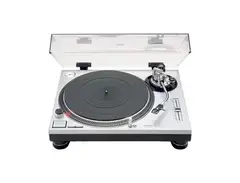
To the left of his Rega P3 turntable, Steve Angello has a Akai MPC Renaissance Controller.


In his photo "Just moved into my LA studio...the fun begins!", the Akai MPC Renaissance controller can be spotted. 1:06 into a YouTube video titled "Dirty South - Speed of Life - Making the Album" he can briefly be seen using it.


This instrument is seen on the right hand side of a video Timbaland posted on Instagram. He was playing a trapp beat on top of what sounded like a disco sample using the MPC Renaissance Controller.


In this Instagram video clip, Noah "40" Shebib shows some of his studio gear, the fist being an Akai Professional MPC Renaissance Controller.

.jpg)


In this Documentary Premo is seen using a Akai Professional MPC Renaissance Controller around 1:05.


“I’m using hardware. I don’t use software to make beats,” who listed the Akai MPC Renaissance, 2500 and 2000XL as some of the machines he uses. “I’ve been doing it like this for years. Regardless of what’s out there right now, Pro-Tools, Fruity Loops and stuff like that, I don’t do those programs. Something about the drum machine…I love tapping.” - See more at: http://hiphopwired.com/2013/10/25/pete-rock-doesnt-use-software-make-beats-respects-kanye-wests-direction-video/#sthash.jqPEjGoG.dpuf


In this video, Alchemist is seen in the studio where a MPC Renaissance can be spotted at 1:18.

Album Usage
The Akai Professional MPC Renaissance Controller has been featured on the following albums:



Genre Usage
Based on how artists on Equipboard use this gear, it is most commonly found in the following genres.
Used With
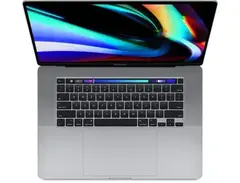
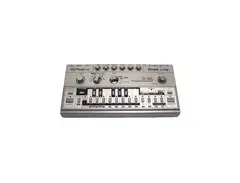
Based on how musicians on Equipboard use Akai Professional MPC Renaissance Controller, it is most commonly used with the following gear.




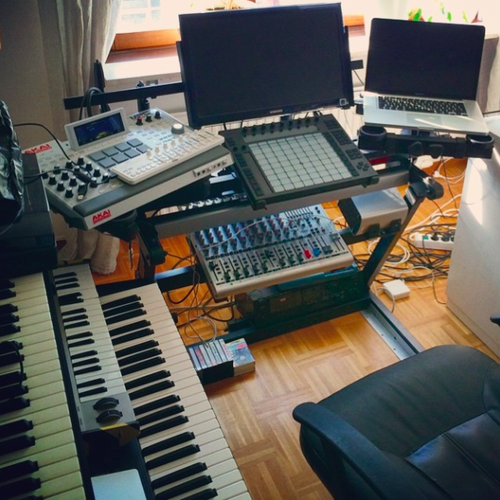
Community setups
Show yours
Similar
Add recommendation1 alternative for Akai Professional MPC Renaissance Controller, curated by the Equipboard community.

$1,487.35 - $2,299.00
More Akai Production & Groove

$939.00 - $999.99
in Production & Groove Rank
-m.webp?v=1784818735)
$475.00
in Production & Groove Rank


$1,499.00 - $1,899.99
in Production & Groove Rank
.jpg?v=1784733415)


$350.00 - $728.00
in Production & Groove Rank


$450.00
in Production & Groove Rank


$149.00 - $285.57
in Production & Groove Rank

.jpg?v=1784733418)

$1,487.35 - $2,299.00
in Production & Groove Rank


$320.16 - $899.00
in Production & Groove Rank


$699.00 - $1,299.00
in Production & Groove Rank


$152.12
in Production & Groove Rank


$85.30 - $119.00
in Production & Groove Rank

.jpg?v=1783774944)


$952.49
in Production & Groove Rank


$225.00
in Production & Groove Rank


$3,000.00
in Production & Groove Rank


$4,000.00
in Production & Groove Rank


$642.99 - $899.00
in Production & Groove Rank


$535.45
in Production & Groove Rank


$972.13 - $1,499.00
in Production & Groove Rank


$575.00
in Production & Groove Rank


$1,159.99 - $1,499.00
in Production & Groove Rank


$3,200.00
in Production & Groove Rank


$220.00 - $428.00
in Production & Groove Rank


in Production & Groove Rank


$139.99 - $278.00
in Production & Groove Rank


-m.webp?v=1784845735)
$568.00 - $699.00
in Production & Groove Rank
.jpg?v=1784640202)

$715.00
in Production & Groove Rank


$149.00 - $199.00
in Production & Groove Rank

$835.00
in Production & Groove Rank


-m.webp?v=1784819517)
$550.00
in Production & Groove Rank


$110.25
in Production & Groove Rank


$199.00 - $399.00
in Production & Groove Rank
![Akai MPC 4000 [Blue]](https://images.equipboard.com/uploads/item/image/42853/akai-mpc-4000-blue-m.webp?v=1784819060)
$535.45
in Production & Groove Rank


$1,149.00 - $2,599.00
in Production & Groove Rank


$100.00
in Production & Groove Rank


$475.00
in Production & Groove Rank


Accessories & Related Items


-s.webp?v=1784818695)
Gear Guides





Most Popular Production & Groove
Most Popular Brands
-
Added to Equipboard on by
 equipboard
GearIQ 4934
-


