

Pricing and availability
We compare 600+ stores and found this item at 9 stores. Prices updated .
Store
Reviews
Price









Price History
Based on price data from 3 merchants for "Akai MPC Live II". Prices shown reflect NEW condition. Tracking began Apr 2, 2026.
* Product prices and availability are updated by Equipboard every 24hrs and are subject to change. Equipboard may receive compensation for purchases made at participating retailers linked on this site. This compensation does not affect what products or prices are displayed, or the order of prices listed. For more information, please refer to our affiliate disclosure.
Description
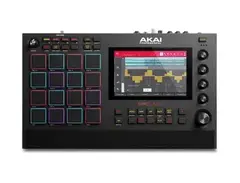
Meet the Akai MPC Live II, an all-in-one music production rig designed for musicians on the go. This standalone sampler and sequencer is a versatile and powerful tool for any music creator, offering a plethora of features packed into a compact, portable unit.
Powered by an onboard lithium-ion battery, the MPC Live II is fully equipped to let your creativity run wild wherever inspiration strikes. This unit is the first MPC to feature built-in stereo monitor speakers, designed to deliver clear, balanced audio for evaluating your productions. With these, you can immerse yourself in your creative process without having to connect external speakers.
The MPC Live II boasts a high-resolution 7" multi-touch display, 16 velocity-sensitive RGB pads, and dedicated knobs and buttons meticulously laid out for an intuitive workflow. This unit is powered by Akai Professional's MPC 2 Software, transforming the MPC Live II into a self-contained production center.
Key Features:
- Standalone MPC capable of operation without a computer
- Built-in stereo monitor speakers for clear audio playback
- Onboard lithium-ion battery for up to six hours of portable operation
- 16 velocity-sensitive RGB pads for intuitive control
- 7" multi-touch display for easy navigation and workflow
- Powered by Akai Professional's MPC 2 Software
- 16GB of internal storage for samples, loops, and beats
- Full-size SD card slot and 2.5" SATA drive connector for storage expansion
- Pro-level I/O for integration with various gear, including turntables, studio equipment, and MIDI controllers
- Wi-Fi and Bluetooth connectivity for cable-free control of software on your computer or mobile device
- MPC 2.10 software platform support including audio track recording, real-time time stretching, and pitch shift.
Product specs
| Type | Beat Production Workstation with Built-in Speakers |
| Internal Sound Engine | Multicore system with plugin instruments, multi-sampled keygroup instruments, and drum expansion libraries |
| Screen | 7" Multi-touch display |
| Pads | 16 x Velocity-sensitive RGB Pads, Full-sized |
| Other Controllers | 4 x Encoder Q-Link Knobs |
| Sounds | 10GB pre-installed content including 3 MPC instrument plugins, multi sampled keygroup instruments and drum expansion libraries |
| Sequencer | 128-track MIDI, 8-track Audio |
| Looper | Yes |
| Sampling | Advanced Sampling & Audio Editing/Recording, Auto Sample |
| Analog Inputs | 2 x 1/4" TRS (L/R), 1 x Dual RCA Stereo |
| Analog Outputs | 2 x 1/4" (master L/R), 4 x 1/4" TRS |
| Headphones | 1 x 1/4" TRS |
| MIDI I/O | 2 x In, 2 x Out, USB, Bluetooth |
| Other I/O | Ethernet (Link), 4 x 1/8" (stereo CV/Gate) |
| USB | 2 x Type A 3.0, 1 x Type B |
| Bluetooth | Yes (MIDI) |
| Storage | 2GB RAM, 16GB Onboard Storage, SD Card Slot, Expandable SSD 2.5" Bay |
| Software | MPC 2 software |
| Compatibility | VST compatible (controller mode) |
| OS Requirements - Mac | OS X 10.13 or later |
| OS Requirements - PC | Windows 8.1 or later |
| Power Source | 19V DC power supply (included) / Lithium-ion Rechargeable Battery (up to 4 hours) |
| Height | 1.8" |
| Width | 16.2" |
| Depth | 9.6" |
| Weight | 7.45 lbs. |
FAQs
-
Is the Akai MPC Live II truly standalone, or does it require a computer?
-
The Akai MPC Live II is a fully standalone music production center, meaning it does not require a computer to operate. It can function independently with its built-in software and hardware capabilities.
-
What are the built-in speaker capabilities of the Akai MPC Live II?
-
The Akai MPC Live II features built-in monitors, which provide a convenient way to monitor your music production without external speakers. These speakers are designed to offer a balanced sound for on-the-go music creation.
-
How does the Akai MPC Live II integrate with other studio equipment?
-
The Akai MPC Live II offers extensive connectivity options, including MIDI, USB, and CV/Gate outputs, allowing seamless integration with other studio gear like synthesizers and drum machines.
-
Can the Akai MPC Live II be used with popular DAWs?
-
Yes, the Akai MPC Live II can be used in controller mode with popular DAWs such as Ableton Live and Logic Pro, providing flexibility for both standalone and integrated workflows.
-
What is the storage capacity of the Akai MPC Live II?
-
The Akai MPC Live II comes with 16GB of internal storage and supports SD cards and external USB drives, allowing for expanded storage options for your projects and samples.
Videos

AkaiProVideo
Akai Professional MPC Live II | Overview
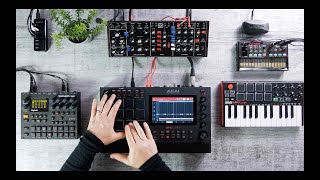
Akai Professional MPC Live II | Overview
AkaiProVideo
This thing rocks

Pogomix
MPC Live II | Getting Started
AkaiProVideo
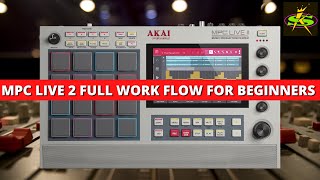
AKAI MPC LIVE 2 FULL WORKFLOW Instructional Video

SampleKings
MPC Live II | Making our Beat
AkaiProVideo
AKAI MPC Live ii Sampling Tips! Beginner & Advanced

Ave Mcree
MPC Live II | Slicing Samples
AkaiProVideo
I GOT THE MPC LIVE II ! (Review + Outdoor Cook Up)

L.Dre
MPC Live II | Music Production for Wherever Inspiration Strikes
AkaiProVideo
MPC LIVE 2 REVIEW

Ollie Loops
MPC Live II | Recording Audio Tracks
AkaiProVideo
MPC Live II | Step Seq + CV Gate
AkaiProVideo
AKAI MPC LIVE II - A Hiphop Producer Review
Ave Mcree
MPC Live II | Clips & Live Performance
AkaiProVideo
MPC LIVE II Longterm Review

Dylan Paris
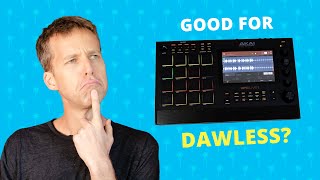
Good for dawless? // MPC LIVE 2 standalone review

Mike Gano
Reviews
PROS
-
Intuitive, fast UI upgrade from older MPC models
-
Portable with built-in battery and speakers, ideal for use anywhere
-
Standalone capability, reducing need for computer DAW
-
Versatile: acts as sampler, sequencer, and MIDI controller
-
High-quality, diverse plugin range and effects
-
Continuous updates from Akai add value and features
-
Excellent build quality; sturdy and reliable for live use
-
Integrated speakers facilitate easy listening and arranging
-
Simplifies workflow, making music production more accessible
-
Expansive connectivity options including class compliant audio interfaces
CONS
-
Steep learning curve for new users
-
Menu diving and screen navigation can be complex
-
Built-in speakers not monitor quality; limited for professional mixing
-
Positioning of Q knobs can be confusing, affecting ease of use
-
Limited live performance improvisation due to sequence-based workflow
-
Integration into hybrid setups with DAWs can be challenging
-
Saving samples is not straightforward, requiring menu navigation
Owner Insights
We analyzed real musician discussions from forums and Reddit to find what players love, question, and tweak about Akai MPC Live II.
Use cases and applications
-
The modular workflow allows for flexibility, such as using a single sequence to craft a complete song, beneficial for specific music styles like ambient and techno.
Source -
The MPC Live II is noted as perfect for around-the-house portability, allowing spontaneous use with its battery and built-in speaker, despite being heavy and large.
Source
Software and compatibility
-
USB-MIDI connection is possible between the OP-1 and MPC Live II, which expands compatibility without needing a computer.
Source -
Registration and management of plugins, expansions, and licenses can be cumbersome, impacting initial setup ease.
Source -
Disabling Track Mute Automation, Auto Save, and Time Correction reduces, but doesn't eliminate, double-triggering, indicating a possible firmware-level bug.
Source
Other
-
The MPC Live II maintains its value over time due to the robust ecosystem and regular updates, making it a solid long-term investment.
Source -
Akai's support suggested using compressed air for debris under pads, despite the design using a sealed rubber mat, highlighting questionable support advice.
Source
Comparisons
-
The Akai Force is suggested for those requiring more advanced sequencing power compared to the MPC Live II or One, albeit without the portability benefits.
Source -
The Novation Circuit Tracks and Circuit Rhythm are noted as alternatives, offering battery power but lacking built-in speakers.
Source -
Owners switching to gear like the Deluge report better reliability and support, despite the MPC Live II's marketed performance-readiness.
Source
User experience
-
Owners highlight the MPC Live II's continued firmware updates, which add new functionality, ensuring it remains a relevant tool even years after purchase.
Source -
Transitioning from DAW to hardware, users find the sampler impressive but acknowledge a learning curve tied to the device's extensive capabilities.
Source -
Some owners report the MPC Live II has frequent freezes and glitches, disrupting workflow and rendering it unreliable for live use.
Source
Features and functionality
-
Piano-roll editing on the MPC Live II can be cumbersome unless using an external MIDI keyboard for note input, with minor adjustments made on the roll.
Source -
Sporadic double-triggering occurs in Track Mute mode, impacting live performances by toggling tracks on/off with a single pad hit.
Source -
The internal speaker is praised for its quality given the size, and the battery life is estimated to deliver about 5-6 hours of use.
Source
Critic Reviews
5.0 out of 5
Based on 7 Reviews and 14 Ratings

Perfect.
Workflow fits my needs exactly. Just plug in and play. Whether that’s sampling vinyls from my turntable, from my phone, or live instruments, it really is as simple as plug in and go.
Preferred Settings + Usage:
I had a pretty standard workflow until I made the switch to the 3.0 update. Now I almost exclusively work from the Arranger

3579
Great instrument at a great price but... some workflow issues in a hybrid setup.
Don't get me wrong, the MPC Live 2 is a great instrument at a great price but...
The good: It's extremely sturdy and stable. Never broke down on me, never crashed. Build like a thank. Roadworthy. It's extremely good in what an MPC is expected to do: Sampling, sample editing/processing, assigning them to pads and sequence them. And with the big screen you can really see what you are doing. Even the plug-ins are quite good and definitely get the job done. If you can't it's not the box but you ;-) This generation of the MPC also has an extensive sequencer. And the MPC Live 2 is the most portable one as it has batteries and speakers build-in.
The less good: There's still quite some menu diving and navigating on the large LCD screen. The large screen is good in the sense that you can properly edit samples without a computer but still it does not really feel like a DAW-less setup. They should consider some kind of "performance" mode where they simplify the UI by hiding all the features you wouldn't typically need during a performance and keep the UI lean and clean. I actually like the low-res, no-touch, LCD on my Push 3 better... It just gives the right level of feedback you need without distracting you. What is also a bit annoying is that the Q knobs are positioned vertically while on the screen they often control a row of vertical parameters/knobs. I never really got used to that. The MPC X doesn't have this issue as it has 16 Q knobs to control the 16 parameters. The "next sequence" workflow: It's not possible to fire some individual "clips" or improvise by combining various clips live (like you'd do in Ableton/Bitwig sessions). You have to predefine these tracks/clips in fixed "sequences" and then hop from one sequence to the next. Obviously you can still mute individual tracks in a sequence but it's more difficult to improvise live by bringing in tracks/clips earlier or to make new combinations on the fly. Difficult to seamlessly integrate into a hybrid setup. It's hard to move from DAW to hardware and back. I like to noodle around on hardware, then move to the DAW (Ableton) to refine it and migrate the set back to the hardware set to perform. And finally back to Logic to record/mix/master. This is extremely difficult to achieve here. This workflow works much more smoothly with Push 3.
In a nutshell: if you're a finger drummer, have a sample based workflow, like to work without a computer and also want to MIDI sequence or even use CV to drive your MIDI synths and Eurorack. And even use some internal synths. The MPC is as good as it gets! Consider the One if you need something smaller/cheaper. Or the X if you want less menu diving or less confusing Q-knobs (and you have the space and money). The keys series are a bit confusing to me... why not hook it up to your Master keyboard if/when needed but keep the MPC portable?
But if you have a hybrid setup and are used to the Ableton/Bitwig workflow, I'd seriously consider a Push 3...

181
very cool go-to piece of kit!
I've owned MPC Live 2 for about 6 months. Before buying it I was relatively unskilled with this type of device. I use it together with an AKAI MPK mini mk3 four to five times a week in 'standalone mode' primarily as a sequencer, to compose songs & loops, and make backing tracks for use in band settings or solo performances.
I use it mostly when I can't be bothered with Ableton Live, or carrying around lots of additional hardware items, e.g. Ableton Push2, a large keyboard/synth, audio interface, laptop, drum machine, cables, etc. I have many situations where the gear quantity and weight must be minimal.
Likes: - In Standalone mode, there are NO POP-UP DISTRACTIONS e.g. the news, internet, email, Facebook, Youtube, whatever. You can concentrate exclusively on using the device! - Easy to transport in a backpack. - Battery-powered; you can take this anywhere e.g., around the house, park, cafe, etc. I take mine all over the place to sketch out ideas using the internal instruments and audio. - If I want to pimp sounds later it's easy enough to connect it to another device and let the recorded MIDI use external sounds. (The included sounds are ok, however, my Yamaha Montage is much better.) - The internal speakers are very convenient. The touch-sensitive drum pads are a good size.
Not for everyone: - MPC Live 2 is massively capable. If you are new to this type of device expect it to take a while (maybe a few weeks/months) to learn how to drive it. MPC Live 2 is not a tool for people with short concentration spans or for folks who don't want to invest time learning how's, what's, where's, and why's about it, PLUS, all the other devices that they might connect to it. - While it works with Audio, for my applications I'm more impressed with its other features.
Summary: By comparison, it would seem that the MPC Live 2 is easier to achieve results with than a DAW (Ableton) over the same learning period. This arises perhaps as the MPC Live 2 can function as a completely standalone instrument. In standalone mode using internal instruments and the built-in connections & speakers/headphones, you can bypass much of the set-up & system option selection guesswork that a DAW requires to get started and just move on with making music. The portability of the unit and the multiple applications that it fulfils make it a go-to piece of kit!

1277
Excellent!
This box has solved nearly every issue I have had with sequencing. Sampling is a breeze. It's intuitive to use. People find me more attractive since I added it to my studio. My grandmother will now listen to at least 30 seconds of my music without screaming at me (great improvement!). I think my legs have actually grown longer since buying this but I might be wrong. Anyways, I like it.

212
Complex Groovebox
Saving individual samples is illogically done. You can't save samples right from the sampling screen. You have to menu dive before you end up saving your samples. The machine itself is just complex and its a lot of switching around with screens, luckily its a touch screen. I always have to keep the manual in reach somewhere when I play with it. There is always something that I dont know, dont understand or its somewhere three screens over before I can do it. Too complex to get the 5 star rating.
107
Love this damn thing
I ordered one the month it came out a year ago and Guitar Center ran out of it, I still returned to this product a year later. This is my favorite product ever because it does everything and anything imaginable and I see why people are addicted to the MPC lineup now especially this version in recent years, it really is like having a studio in your backpack, highly recommended

64
I love this device
I have owned the Live 2 for nearly 2 years, I use it as the brain of my set-up when using external synths, but quite often on it's own if i am vacationing
The new plugins offer a fair amount of sound possibilities and it is seemingly quite a rugged piece of gear
Artist usage
Add artist
.jpg)
On this Instagram post, Metro is using the AKAI MPC Live II (Supreme Edition).

.jpg)
It was seen in the clip they posted when announcing their tour for MORE D4TA as well as several other posts on their insta


During a performance with the Colorado Symphony titled "36 Chambers of Shaolin" and "A Ballet Through Mud," RZA is clearly seen using an Akai MPC Live II on his workstation. This is evident in the front, left quadrant of his desk as shown in the YouTube video by Taylor B. Heydman.


In this video we can see Fred again using a MPC Live II on stage during his live performance at Glastonbury.

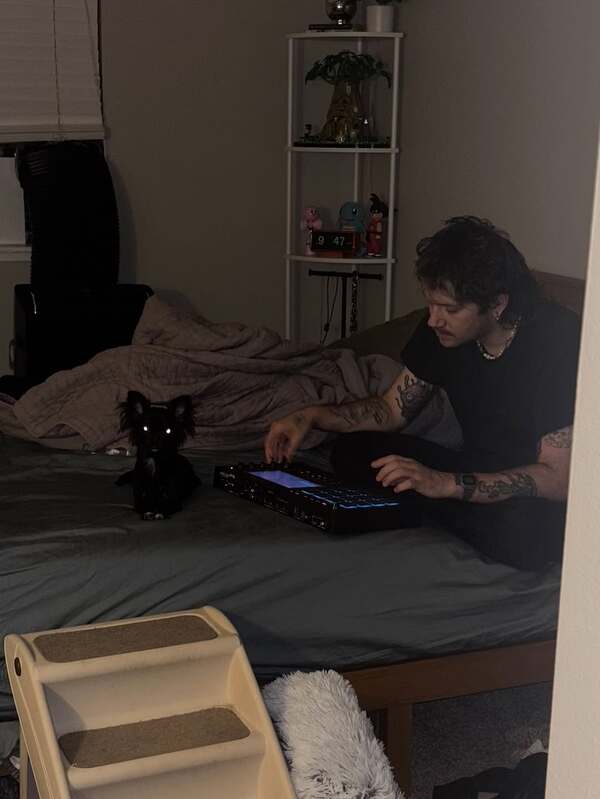
In a photo posted by MUST DIE! on Instagram, the artist is seen using the Akai MPC Live II.

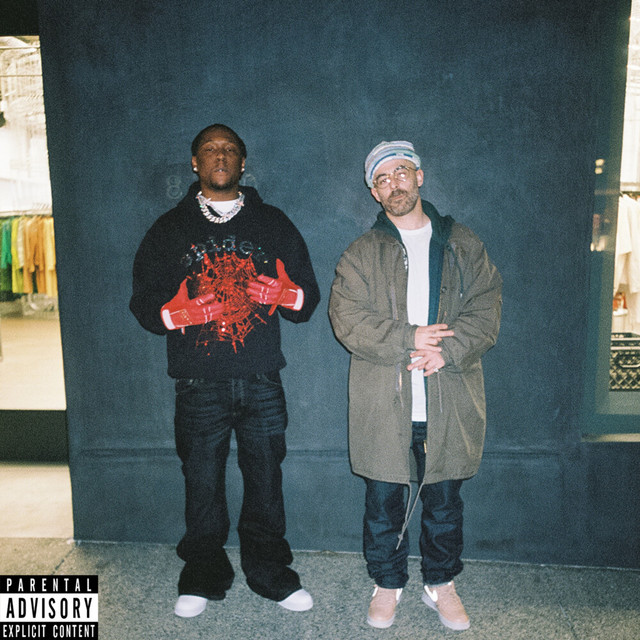
In the official music video for "Slipping Into Darkness" with The Alchemist, Hit-Boy can be seen using an Akai MPC Live II.


In this Live performance throughout the YouTube Video. Doruk Öztürkcan can be seen using an Akai MPC Live II judging by the knob layout, screen and connections on the back of the unit.
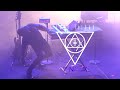
Joel Niño, Jr is confirmed to use the Akai MPC Live II during live performances, including the concert at the Death Disco Indoor Festival 2024 at Fuzz Club in Athens, Greece, as documented by Lord Elric on YouTube.


In the video titled "My Music Production & Live Stream Studio Tour 2025!" by Sarah, The !llstrumentalist, the MPC Live II is listed in the description as part of the studio gear used.

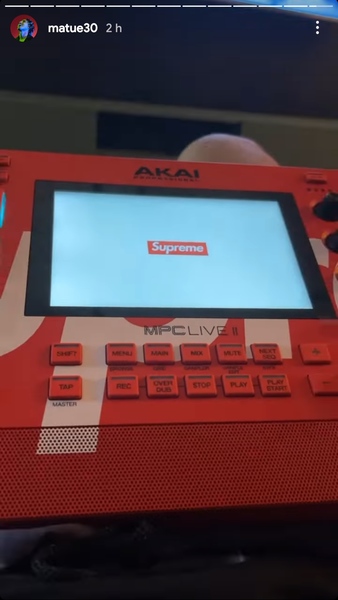
English: In this story posted by the artist on his Instagram, you can see the MPC Live II that was produced by the partnership Supreme x Akai.
Português: Nesse story postado pelo artista em seu Instagram é possível ver o MPC Live II que foi produzido pela parceria Supreme x Akai.


In a video clip shared by GroovyPark on Instagram, Lil Moshpit from GroovyRoom uses the Akai MPC Live II to create the drum patterns for their track “Yes or No (feat. Huhyunjin of LE SSERAFIM, CRUSH)”, which debuted on January 17, 2024.
Album Usage
The Akai MPC Live II has been featured on the following albums:




Genre Usage
Based on how artists on Equipboard use this gear, it is most commonly found in the following genres.
Used With
Based on how musicians on Equipboard use Akai MPC Live II, it is most commonly used with the following gear.


Community setups
Show yours



Similar
Add recommendation2 alternative and related items for Akai MPC Live II, curated by the Equipboard community.

$745.00 - $1,425.48
It has similar features (sampling, drumpads, midi sequencing, audio mixing, build-in synths...) but easier to integrate if you have an Ableton based hybrid setup where you'd like to seemlesly move from DAW to DAW-less setup and back...

$1,499.00 - $1,899.99
More Akai Production & Groove

$939.00 - $999.99
in Production & Groove Rank

$400.00 - $1,299.00
in Production & Groove Rank


-m.webp?v=1784818735)
$475.00
in Production & Groove Rank


$1,499.00 - $1,899.99
in Production & Groove Rank
.jpg?v=1784733415)


$350.00 - $728.00
in Production & Groove Rank


$450.00
in Production & Groove Rank


$149.00 - $285.57
in Production & Groove Rank
.jpg?v=1784733418)


$1,487.35 - $2,299.00
in Production & Groove Rank


$320.16 - $899.00
in Production & Groove Rank


$152.12
in Production & Groove Rank


$85.30 - $119.00
in Production & Groove Rank

.jpg?v=1783774944)


$952.49
in Production & Groove Rank


$225.00
in Production & Groove Rank


$3,000.00
in Production & Groove Rank


$4,000.00
in Production & Groove Rank


$642.99 - $899.00
in Production & Groove Rank


$535.45
in Production & Groove Rank


$972.13 - $1,499.00
in Production & Groove Rank


$575.00
in Production & Groove Rank


$1,159.99 - $1,499.00
in Production & Groove Rank


$3,200.00
in Production & Groove Rank


$220.00 - $428.00
in Production & Groove Rank


in Production & Groove Rank


$139.99 - $278.00
in Production & Groove Rank


-m.webp?v=1784845735)
$568.00 - $699.00
in Production & Groove Rank
.jpg?v=1784640202)

$715.00
in Production & Groove Rank


$149.00 - $199.00
in Production & Groove Rank

$835.00
in Production & Groove Rank


-m.webp?v=1784819517)
$550.00
in Production & Groove Rank


$110.25
in Production & Groove Rank


$199.00 - $399.00
in Production & Groove Rank
![Akai MPC 4000 [Blue]](https://images.equipboard.com/uploads/item/image/42853/akai-mpc-4000-blue-m.webp?v=1784819060)
$535.45
in Production & Groove Rank


$1,149.00 - $2,599.00
in Production & Groove Rank


$100.00
in Production & Groove Rank


$475.00
in Production & Groove Rank


Accessories & Related Items

-s.webp?v=1784818703)


-s.webp?v=1784813424)




Gear Guides





Most Popular Production & Groove
Most Popular Brands
-
Added to Equipboard on by
 kkolar
GearIQ 121523
-


