


Pricing and availability
We compare 600+ stores and found this item at 5 stores. Prices updated .
Store
Reviews
Price






Average Price: $43
Budget/Beginner
$200
$501+
Price Tier
Budget
Standard
High-end
* Product prices and availability are updated by Equipboard every 24hrs and are subject to change. Equipboard may receive compensation for purchases made at participating retailers linked on this site. This compensation does not affect what products or prices are displayed, or the order of prices listed. For more information, please refer to our affiliate disclosure.
Description
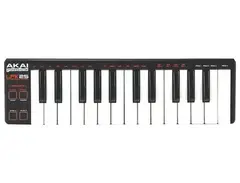
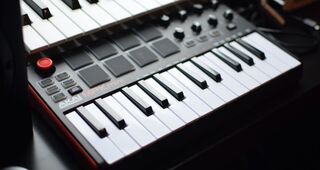
Introducing the Akai LPK25, a compact and portable USB-MIDI controller designed for the modern musician, producer, and DJ. With this device, you no longer need a studio to let your creativity soar; this keyboard gives you the power to create and perform anywhere.
The Akai LPK25 is a scaled-down version of the renowned MPK series of keyboard performance controllers, but don't let its small size fool you. It comes packed with features that make it a versatile tool for any music creator. A built-in arpeggiator assists in generating quick and inspiring melodic ideas, while the sustain, octave up and down, and tap tempo controls make it easy to manipulate your sound on the fly.
The Akai LPK25 is plug-and-play compatible with both Mac and PC, requiring no software driver installation. It also features four programmable memory banks for saving and recalling settings, perfect for switching between different software programs.
Key Features:
- USB-MIDI controller suitable for virtually all audio software
- 25 velocity-sensitive mini-keyboard keys
- Features an arpeggiator, sustain button, octave up and down, and tap tempo controls
- Plug-and-play USB connection compatible with Mac and PC, no driver installation required
- Compact enough to comfortably fit in a backpack or laptop bag
- Four programmable memory banks for easy recall of settings
- Ability to send note information or program changes from keys
- Comes with editor software for Mac and PC
- USB bus powered, eliminating the need for additional power cables
Product specs
| Brand | Akai |
| Model | LPK25 |
| Finish | Black |
| Year | 2012 - 2025 |
| Categories | Keyboard MIDI Controllers |
| Key Size | Mini |
| Keyboard Action | Synth Action |
| MIDI I/O | USB MIDI |
| Number of Keys | 25 Keys |
FAQs
-
How do I connect the Akai LPK25 to my computer?
-
You can connect the Akai LPK25 to your computer using a USB cable. Simply plug the USB cable into the LPK25 and the other end into your computer's USB port. No additional drivers are required for most systems.
-
Does the Akai LPK25 require external power?
-
No, the Akai LPK25 does not require external power. It is powered via USB, which means it draws power directly from your computer when connected.
-
Can the Akai LPK25 be used with iOS devices?
-
Yes, the Akai LPK25 can be used with iOS devices, but you will need an appropriate adapter, such as the Apple Camera Connection Kit, to connect the USB cable to your iOS device.
-
Is the Akai LPK25 compatible with all DAWs?
-
The Akai LPK25 is compatible with most major DAWs, including Ableton Live, Logic Pro, and FL Studio. It functions as a standard MIDI controller, allowing it to integrate easily with various software.
-
Does the Akai LPK25 have velocity-sensitive keys?
-
Yes, the Akai LPK25 features velocity-sensitive keys, allowing for expressive playing by responding to the force with which keys are pressed.
Videos

TheDSPproject
Akai LPK25 review - The DSP Project
Akai LPK25 review - The DSP Project
TheDSPproject
Akai Pro LPK25: Overview

AkaiProVideo
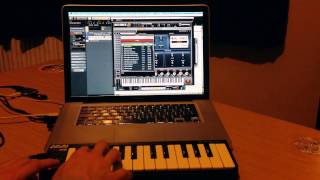
Akai LPK25 Making a Beat and Review

TECC-CHECK

Is This Keyboard Still Viable!?? (Akai LPK 25 Review!)

John Mike

Akai LPK 25 Portable USB MIDI Keyboard - Review & Demo

PMTVUK
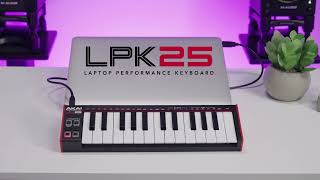
The LPK25 Laptop Performance Keyboard | Akai Professional
AkaiProVideo
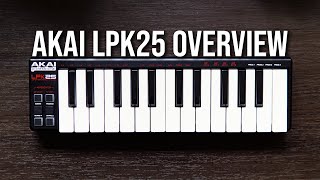
Little, But MIGHTY - Akai LPK25 OVERVIEW

Zach Wirchak

Akai LPK25 Laptop Performance Keyboard Overview | UniqueSquared.com

UniqueSquared

An Honest review on the Akai LPK 25

McSwain Music
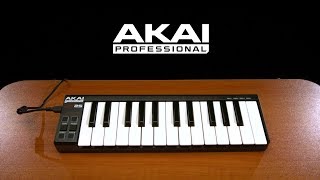
Akai LPK25 Laptop Performance Keyboard | Gear4music

Gear4music Guitars
Reviews
PROS
-
Exceptionally compact and portable, fits in small bags
-
Quick and easy setup, plug and play with no fuss
-
Velocity-sensitive keys allow for expressive playing
-
Compatible with a wide range of software and devices
-
Built-in arpeggiator enhances creativity
-
Affordable, offering good value for entry-level MIDI use
-
Solid build quality, doesn't feel cheap
-
USB powered, convenient for travel and on-the-go use
-
Ideal for quick chord progressions and melody sketching
-
Octave control expands playable range
CONS
-
USB port connection can be loose, causing disconnections
-
Small keys can make playing difficult for some users
-
Some users report non-responsive velocity sensitivity
-
Flimsy USB input prone to damage and connection issues
-
Lacks pitch bend control, limiting expression
-
Arpeggiator tempo may not sync correctly with some software
-
Can experience delayed sound output in certain DAWs
-
Limited keys may not suffice for advanced users
-
Keys feel "sticky" compared to other controllers
-
Lack of sensitivity in registering velocity for some users
Owner Insights
We analyzed real musician discussions from forums and Reddit to find what players love, question, and tweak about Akai LPK25.
Features and functionality
-
The LPK25 lacks pitch and modulation controls, which some owners find limiting for live performance but manageable with software manipulation.
Source -
The MPK25 and LPK25 share the same keyboard mechanism, but the MPK25 includes a pitch bend knob, adding functionality for live performance compared to the LPK25.
Source -
The M-Vave SMK-25 Mini is highlighted for its smart chord feature and Bluetooth capability, making it appealing for users seeking these specific functions.
Source
Setup and maintenance
-
Avoid wrapping the USB cable around the keyboard during transport to prevent damage to the mini-USB socket.
Source -
Combining the LPK25 with an LPD8 controller can be cumbersome due to having two USB cables, which could be less convenient for portable setups.
Source -
Users recommend using a case or wrapping the LPK25 in a towel to prevent sideways pressure on keys during travel, avoiding potential damage.
Source
User experience
-
Some owners dislike the key feel, describing them as "plastic flippers," and prefer alternatives like the Arturia Microlab for a better tactile experience.
Source
Use cases and applications
-
Ideal for travel and simple note entry in DAWs, but not recommended for users who heavily rely on pitch bending in live settings.
Source -
Owners note that the LPK25 excels in travel scenarios due to its lightweight and compact design, but it's less ideal for studio setups requiring detailed velocity control.
Source -
The Akai LPK25 is favored for actual playability over the NanoKey2, which is better suited for step-entry of single melodic lines.
Source
Build quality
Comparisons
-
The Arturia Microlab offers a better key feel and includes pitch and modulation strips, though it's slightly less compact.
Source -
The Korg NanoKey2 is slimmer but less keyboard-like, resembling a laptop keyboard, which can impact playability compared to the Akai LPK25.
Source -
The Keith McMillen K-Board is noted as more responsive and durable than the NanoKey2, though slightly more expensive, making it a preferable alternative for travel.
Source -
The K-Board is touted as being more suitcase-friendly than the LPK25, with a noted durability claim of surviving being run over by a truck.
Source
Critic Reviews
4.0 out of 5
Based on 48 Reviews and 253 Ratings

1778
Good budget midi keyboard
The velocity sensitivity on these things is basically non-existent, but the portability and low price point still make this a good buy for mobile work or in a home studio with limited desk space.

1093
Suitable with newer version of DAW
Pros - It is able to change any octaves. - Can detect the velocity of notes while playing it softer or harder.
Cons - Arpeggios tempo can't define the valid BPM and notes go wrong. - It delays the sound while playing on it (FL Studio 11).

116
elegant and minimal midi keyboard
the fact that 25 keys are present and octave control exists is absolutely insane. it may not seem that drastic but if you produce in a small environment and have nowhere to place a huge midi piano, then yes. this majestic keyboard is for you.

129
Kezdésnek nem rossz.
Sajnos a potmétereket hiányolom róla, de ez tényleg csak egy midi kybrd. Annak viszont megfelel, ha az ember utazás közben szeretne alkotni valamit.

Decent little keyboard
Nice and solid construction, does the job pretty well, but tends to lose its connection from time to time. Lack of a pitch bend control is the only serious flaw though. I use this mostly for working out note sequences in the studio, rather than for performance or anything like that, and for that it's perfect.

363
Cheap and cheerful
A simple well made midi keyboard made to fit the profile of most laptops. Running off a usb bus power it can be taken anywhere and used easily with any computer

199
Akai LPK25 MIDI controller
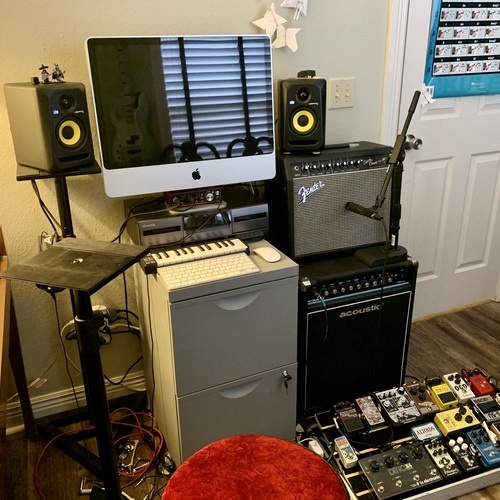
This little guy sits right between my iMac and bluetooth keyboard. It's always plugged in, and ready to go for whenever I launch Reason or Logic. It's light, simple, looks great easy to play, and overall just really convenient. I also like to take it on trips and compose on the go.


126
Great when writing on the move
I love this little controller. I've taken it with me on many trips. The controller fits on top of my 13" Macbook Pro perfectly and gives me the ability to add arps to any instrument. Fits into any backpack easily. Will always keep this controller.
Artist usage
Add artist

In a photo from Photobucket, Martin Garrix is seen using the Akai LPK25 MIDI keyboard controller during a collaboration with Headhunterz.


While he uses larger keyboard controllers in the studio, this Akai Pro LPK25 is his go-to in his mobile studio setup. "I have this in my bag. This is my best friend. Really. Like I sleep with it. That's what I use most of the time."


This is the MIDI keyboard Nicky Romero uses when producing tracks on the road and away from his studio. In an Instagram photo he posted he said "Making a track with my new love.. Akai LPK25 #HotelroomSessionsLA"


This Instagram photo by Sebastian Ingrosso shows Axwell using the Akai LPK25 MIDI Keyboard in the studio, next to his MacBook.


Flume's setup includes an Akai LPK25 here, which he picks up and re-orients 8 seconds into the video (revealing the Akai LPK25 logo in the process).


The MIDI keyboard above Kaskade's computer keyboard is an LPK 25. The item can be seen throughout the video, but you can see it very clearly at 29:03


We spotted this Akai LPK25 in a photo of Steve Angello working in the studio.



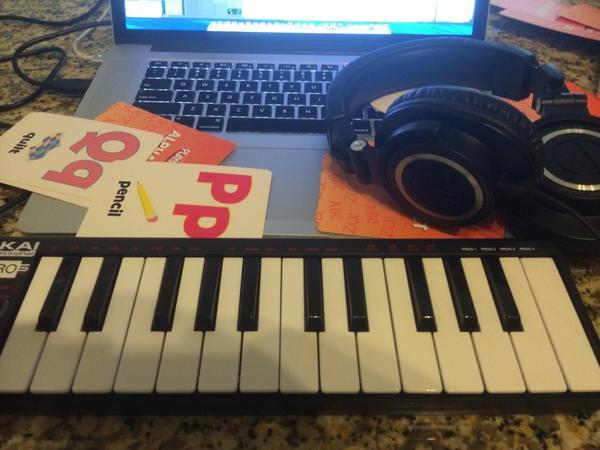
In a user-uploaded photo, Ray Toro is seen with an Akai LPK25 MIDI keyboard, highlighting his use of this gear in his setup.


In a photo from Hardnews, Headhunterz is seen using the Akai LPK25, highlighting its role in his music production setup.


In this Instagram story posted by Dirty South, he posts his "studio on the road," which includes an Akai LPK25 MIDI Keyboard.


Album Usage
The Akai LPK25 has been featured on the following albums:



Genre Usage
Based on how artists on Equipboard use this gear, it is most commonly found in the following genres.
Used With
Based on how musicians on Equipboard use Akai LPK25, it is most commonly used with the following gear.



-s.webp?v=1784991548)
-s.webp?v=1784991797)

-s.webp?v=1784991534)
Community setups
Show yours



More Akai MIDI Keyboard Controllers
-m.webp?v=1785064751)
$398.88 - $469.00
in MIDI Keyboard Controllers Rank


$76.07 - $159.00
in MIDI Keyboard Controllers Rank


$134.99 - $269.00
in MIDI Keyboard Controllers Rank


$99.00 - $99.99
in MIDI Keyboard Controllers Rank


$289.00 - $499.00
in MIDI Keyboard Controllers Rank


$106.89
in MIDI Keyboard Controllers Rank


$213.79 - $399.99
in MIDI Keyboard Controllers Rank


-m.webp?v=1785069809)
$75.40 - $145.00
in MIDI Keyboard Controllers Rank


$218.84 - $399.00
in MIDI Keyboard Controllers Rank


$70.00 - $399.70
in MIDI Keyboard Controllers Rank


$110.29
in MIDI Keyboard Controllers Rank


$199.00
in MIDI Keyboard Controllers Rank


$79.99 - $99.00
in MIDI Keyboard Controllers Rank


$159.00
in MIDI Keyboard Controllers Rank


$129.00 - $169.00
in MIDI Keyboard Controllers Rank


$19.45 - $139.00
in MIDI Keyboard Controllers Rank


$27.93 - $189.00
in MIDI Keyboard Controllers Rank
.JPG?v=1784922055)


$85.67 - $89.00


$149.99 - $682.00


$79.00 - $99.00


$129.00 - $169.00


$76.07 - $106.89

$406.62 - $469.00


$98.94 - $269.00


Similar


Gear Guides






Most Popular MIDI Keyboard Controllers
Most Popular Brands
-
Added to Equipboard on by
 equipboard
GearIQ 4934
-


