

Pricing and availability
We compare 600+ stores and found this item at 1 store. Prices updated .


Price History
Based on price data from 1 merchant for "GGD Studio Cabs: Zilla Edition". Prices shown reflect NEW condition. Tracking began Apr 2, 2026.
* Product prices and availability are updated by Equipboard every 24hrs and are subject to change. Equipboard may receive compensation for purchases made at participating retailers linked on this site. This compensation does not affect what products or prices are displayed, or the order of prices listed. For more information, please refer to our affiliate disclosure.
Description
Discover a realm of sonic possibilities with the GGD Studio Cabs: Zilla Edition. This cutting-edge amp simulator plugin brings the raw power of nine meticulously crafted guitar cab sims directly to your digital workspace. Recorded at the renowned Middle Farm Studios, this impulse response library offers an expansive suite of tonal options, designed to elevate your sound to professional levels.
Each of the Zilla Edition's cabs features seven independent channels that allow you to effortlessly sculpt your ideal soundscape. Blend and balance your tone with seven versatile microphones, featuring both close and far positions, all while maintaining perfect phase coherence. Whether you're a guitarist looking to expand your tone arsenal or a producer in search of that elusive sound quality, this plugin offers an unparalleled level of flexibility and precision.
Once you’ve dialed in your perfect mix, easily export your custom settings for use in other applications or hardware IR loaders. This makes the GGD Studio Cabs: Zilla Edition not just a tool, but an integral part of your creative workflow. Explore a universe of sonic textures and create a signature sound that’s uniquely yours.
Key Features:
- 9 high-quality guitar cab simulations
- Recorded at Middle Farm Studios for authentic sound reproduction
- 7 independent channels for detailed sound customization
- 7 blendable microphones with close and far positions
- Phase-coherent IRs for seamless microphone combination
- Exportable settings for use in other applications or hardware IR loaders
Product specs
| Software Type | Zilla Guitar Cabs |
| Platform | Mac, PC |
| Upgrade/Full | Full |
| Download/Boxed | Download |
| Bit Depth | 64-bit |
| Format | AudioSuite, AAX, AU, VST3, Standalone |
| Authorization Type | iLok Account |
| Hardware Requirements - Mac | Intel Core 2 Duo or higher, 4GB RAM minimum |
| Hardware Requirements - PC | Intel Core 2 Duo / AMD Athlon 64 X2 or higher, 4GB RAM minimum |
| OS Requirements - Mac | macOS 10.12 or later |
| OS Requirements - PC | Windows 7 SP1 or later |
FAQs
-
What are the main features of the GGD Studio Cabs: Zilla Edition plugin?
-
The GGD Studio Cabs: Zilla Edition offers high-quality Zilla guitar cabinet simulations, available in AudioSuite, AAX, AU, VST3, and standalone formats. It provides a realistic amp simulation experience with customizable microphone placements and cabinet options.
-
Is the GGD Studio Cabs: Zilla Edition compatible with my DAW?
-
Yes, the GGD Studio Cabs: Zilla Edition is compatible with any DAW that supports AudioSuite, AAX, AU, or VST3 plugin formats, making it versatile for most digital audio workstations.
-
What are the system requirements for running GGD Studio Cabs: Zilla Edition on a Mac?
-
To run GGD Studio Cabs: Zilla Edition on a Mac, you'll need macOS 10.12 or later, an Intel Core 2 Duo or higher, and a minimum of 4GB RAM.
-
Does the GGD Studio Cabs: Zilla Edition require an iLok for authorization?
-
Yes, the GGD Studio Cabs: Zilla Edition requires an iLok account for authorization, providing secure and flexible licensing.
-
Can I use the GGD Studio Cabs: Zilla Edition on a standalone basis?
-
Yes, the GGD Studio Cabs: Zilla Edition can be used as a standalone application, offering flexibility for guitarists who prefer not to use a DAW for practice or live performance.
Videos

GetGood Drums
GGD Studio Cabs: Zilla Edition Walkthrough
GGD Studio Cabs: Zilla Edition Walkthrough
GetGood Drums
AWESOME CAB/MIC TONES, IN THE BOX! GGD STUDIO CABS ZILLA EDITION

Pete Thorn
GGD Studio Cabs: Zilla Edition
GetGood Drums
GGD Studio Cabs Zilla Edition cab pack - the first time we use it.

Zilla Cabs
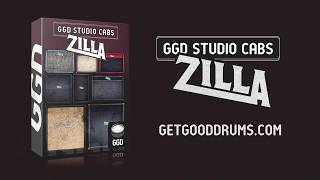
GGD Studio Cabs: Zilla Edition is here!
GetGood Drums
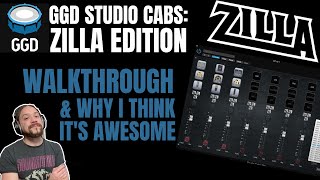
GGD Studio Cabs: Zilla Edition - Walkthrough and Why I Think It's Awesome!

James Arter Music
Reviews
Owner Insights
We analyzed real musician discussions from forums and Reddit to find what players love, question, and tweak about GGD Studio Cabs: Zilla Edition.
Features and functionality
-
GGD Studio Cabs: Zilla Edition allows exporting presets as IR files, which can be loaded directly into other software like Neural DSP, optimizing performance.
Source -
The IR loader in GGD Studio Cabs is praised as notably efficient, justifying the purchase even without considering the quality of the included IRs.
Source -
GGD Studio Cabs offer standalone app functionality, allowing real-time monitoring without relying solely on DAW integration.
Source -
Standalone GGD software allows exporting 500ms IRs quickly, bypassing DAW complexities and ensuring smooth integration with Helix.
Source
Software and compatibility
-
Users report that GGD cabs can dramatically reshape the sound of Neural plugins with different IRs, offering a versatile audio toolkit.
Source -
Users often face issues with IR files from GGD being too long for certain devices like QC; trimming them is necessary for compatibility.
Source -
Exported presets from GGD can be converted to .syx files using tools like Fractal Cab Lab for compatibility with Fractal FM9's user banks.
Source -
Some users report successful integration of about 40 GGD presets into the FM9's user banks, enhancing cabinet options significantly.
Source -
Early versions of Zilla Cabs lacked export options; users should ensure they have the updated version for full functionality.
Source
Use cases and applications
-
Combining a 4x12 cab with a 1x12 or 2x12 for midrange enhancement is recommended for achieving a balanced tone.
Source
Comparisons
-
GGD cabs are considered superior to Ownhammer IRs in taming overly bright cabinets, with a smoother and high-quality sound profile.
Source
Value and pricing
-
Users note that GGD rarely offers sales; taking advantage of discounts when available is recommended, as they are infrequent.
Source
User experience
-
Real-time monitoring requires disabling direct monitoring to ensure only the DAW channel is heard, avoiding a fizzy sound.
Source
Based on 0 Reviews and 0 Ratings
Genre Usage
Based on how artists on Equipboard use this gear, it is most commonly found in the following genres.
More Amp Simulator Plugins

$199.00 - $219.00
in Amp Simulator Plugins Rank


$199.99 - $479.98
in Amp Simulator Plugins Rank


$33.00 - $34.99
in Amp Simulator Plugins Rank


$49.00 - $99.00
in Amp Simulator Plugins Rank


$0.00
in Amp Simulator Plugins Rank


$199.99
in Amp Simulator Plugins Rank


$105.00 - $299.99
in Amp Simulator Plugins Rank


$399.99
in Amp Simulator Plugins Rank

$39.99 - $75.00
in Amp Simulator Plugins Rank

$161.00 - $299.00
in Amp Simulator Plugins Rank

$53.00 - $299.00
in Amp Simulator Plugins Rank


$95.00 - $99.00
in Amp Simulator Plugins Rank

$0.00
in Amp Simulator Plugins Rank

$450.00
in Amp Simulator Plugins Rank


in Amp Simulator Plugins Rank


$33.00 - $35.99
in Amp Simulator Plugins Rank

$69.00 - $1,649.99
in Amp Simulator Plugins Rank

$43.00 - $49.00
in Amp Simulator Plugins Rank

$39.99
in Amp Simulator Plugins Rank


$49.00 - $329.00
in Amp Simulator Plugins Rank

$29.00 - $399.00
in Amp Simulator Plugins Rank
.jpg?v=1784685191)

$43.00 - $49.00
in Amp Simulator Plugins Rank

$29.99 - $34.99
in Amp Simulator Plugins Rank


$144.00
in Amp Simulator Plugins Rank


$105.00
in Amp Simulator Plugins Rank


$91.00 - $99.00
in Amp Simulator Plugins Rank

$39.99 - $75.00
in Amp Simulator Plugins Rank

$39.00 - $99.00
in Amp Simulator Plugins Rank

$29.99 - $1,289.99
in Amp Simulator Plugins Rank


$99.00
in Amp Simulator Plugins Rank

$29.99 - $75.00
in Amp Simulator Plugins Rank

in Amp Simulator Plugins Rank


in Amp Simulator Plugins Rank


$25.00 - $49.00
in Amp Simulator Plugins Rank
Accessories & Related Items


Artist usage


Community setups


Similar


Gear Guides









Most Popular Brands
-
Added to Equipboard on by
 magnuskallar
GearIQ 42
-

