

Pricing and availability


* Product prices and availability are updated by Equipboard every 24hrs and are subject to change. Equipboard may receive compensation for purchases made at participating retailers linked on this site. This compensation does not affect what products or prices are displayed, or the order of prices listed. For more information, please refer to our affiliate disclosure.
Description
Unlock the full potential of your mixes with the Logic Pro Channel EQ, a versatile and powerful EQ plugin designed for music producers and sound engineers. This high-resolution, 8-band equalizer is an essential tool in your digital audio workstation, delivering pristine sound quality and surgical precision to your audio projects. Whether you're sculpting frequencies on a single track or adjusting the tonal balance of an entire mix, the Logic Pro Channel EQ offers intuitive controls and visual feedback to streamline your workflow.
The plugin's flexible interface displays a real-time frequency analyzer, allowing you to visualize and manipulate your audio with pinpoint accuracy. With its zero-latency processing, the Logic Pro Channel EQ ensures that your adjustments are applied instantaneously, making it ideal for both live and studio environments. Each of the eight bands can be individually adjusted for frequency, gain, and Q-factor, providing you with the precision needed to fine-tune any audio signal.
Compatible with Logic Pro's extensive suite of audio tools, this EQ plugin integrates seamlessly into your existing setup, enhancing your creative possibilities. Whether you're a seasoned professional or an aspiring producer, the Logic Pro Channel EQ is an indispensable asset in achieving a polished and professional sound.
Key Features:
- High-resolution, 8-band EQ for detailed sound shaping
- Real-time frequency analyzer for visual feedback
- Zero-latency processing for live and studio applications
- Intuitive controls with adjustable frequency, gain, and Q-factor
- Seamless integration with Logic Pro's audio suite
- Ideal for both individual tracks and full mixes
Videos

MusicTechHelpGuy
Logic Pro #26 - Channel EQ
Logic Pro #26 - Channel EQ
MusicTechHelpGuy
Why Logic's Trusty Channel EQ is Awesome - 30 Days WLPR Series

Why Logic Pro Rules
Reviews
Owner Insights
We analyzed real musician discussions from forums and Reddit to find what players love, question, and tweak about Logic Pro Channel EQ.
Features and functionality
-
It's noted that the Channel EQ becomes difficult to adjust when bands overlap, making selection tricky without moving them apart.
Source -
Some users wish for the ability to solo bands in Logic's Channel EQ, which would enhance its usability for detailed adjustments.
Source -
The Channel EQ is often paired with Logic's Vintage EQs for tonal coloration, leveraging their emulations of Neve, API, and Pultec hardware.
Source
Comparisons
-
Logic's Channel EQ is described as a clean, neutral workhorse, contrasting with the character imparted by vintage EQs included in Logic or third-party plugins like FabFilter Pro-Q.
Source -
Crave EQ and Toneboosters' Equalizer 4 are cited as third-party alternatives offering features like mid/side per band and faster workflows, not present in Logic’s Channel EQ.
Source
Software and compatibility
-
Users report that Ozone plugins can significantly bog down system performance, especially the "master assistant" feature, compared to the lightweight nature of Logic's Channel EQ.
Source
Use cases and applications
-
Logic's Channel EQ is frequently used for surgical tasks such as hi/lo pass filtering and quick broad cuts, with vintage EQs reserved for adding character.
Source -
Users frequently employ the Channel EQ for separating bass elements, utilizing its straightforward interface for targeted frequency cuts.
Source
4.5 out of 5
Based on 1 Review and 5 Ratings
Artist usage
Add artist
On 1:34 we can see this plug-in on his MacBook


In this video he used channel EQ plug-in in his track'oh amazing bass'.

At 3:09 in the video, Firebeatz can be seen using Logic Pro's Channel EQ plugin.


At 31:07 in the video, MAKJ can be seen using Logic Pro's Channel EQ plug-in.


In the Tape Notes Podcast episode titled "A. G. Cook Finds His Perfect Guitar Tone in 'Serenade'," A. G. Cook is seen using the Logic Pro Channel EQ within his Logic Pro session.

.jpg)
Lost Frequencies showcases the use of the Logic Pro Channel EQ in an Instagram post, where he shares his excitement about debuting a new intro for Creamfields Chile.


Mentioned by sound engineer Trevor Muzzy in this Sound on Sound interview about the production of "Starships".
"You can see that the pre-chorus and chorus vocals have a lot of timing and comp edits. They were imported directly from the session I cut the vocals in. I did not merge or consolidate them, they just are the way they are. There's quite a lot going on with the vocals. I tried to create a nice basic vocal sound using the inserts, and once they sat well in the track, most of the sonic variations between the sections came from the sends. There was no tuning on the rapping, but the sung vocals in this track had a fair amount of tuning with the Logic Pitch Corrector plug-in on the inserts. The tuning is part of the sound of the record, with vocals needing to be very, very precise. In some cases, we pitched them up or down for vocal effects. Logic Pitch Corrector is a little harder-sounding than Auto-Tune, but it has its own distinct sound that we liked for the vocals in this track. It really fits the song.
"The other inserts on most of the vocals were all Waves: the C1 compressor, SSL Channel, Renaissance Channel, De-Esser, Renaissance Compressor, API 2500, and the Logic Channel EQ. The C1 compressor is the first in line on several lead vocals, and it does the same Pensado trick I used on the guitars, which is to compress a specific band — in the case of the verse lead vocal, around 2849Hz — focusing on notes that sounded a little harsh. It smooths this problem out more elegantly than using an EQ. Then the signal goes through the R Channel with some basic EQ, cutting significantly at 281Hz. Again, it was a matter of removing some less pleasant things to let the nice aspects shine. I bypassed the compressor in the R Channel. I needed a bit of de-essing, and the Waves De-Esser is a great all-purpose de-esser, in this case working at 5634Hz with the side-chain set to high-pass.
"There were two more compressors on her vocal. There was no science behind this, it was just a matter of experimenting to find a unique sound. The first is the Renaissance Compressor, which I love and which is set to a fast attack time and takes off about 6dB, so quite subtle, not too intense. The API 2500 is set pretty aggressively and you can hear it pumping a little bit on the vocal. It was already in the session — it had been used on the demo vocal. I pulled it over to Nicki's channel and liked what it was doing, so I adjusted it to fit her vocal. Finally, the Channel EQ notches quite a lot around 600Hz and a little bit more around 235Hz, just carving out some low-mids to make the vocal sit better in the track.
"Regarding the sends, there are some really distinct things happening here. The main lead vocal was similar throughout the song, but I tweaked it as it went along. The pre-chorus and chorus vocals all have Bus 1, which went to the same Altiverb effect that I had on the drums, to add some ambience to the vocal. The rap verses are much drier. Bus 35 is the Waves Doubler, which gives a bit of spread to the lead vocal — I used this on the rap as well as on the sung vocals. Bus 4 is the Waves CLA with a drastic telephone effect. That was another effect that was there from the demo version and added a cool quality. Bus 50 is the [Sound Toys] Echo Boy, which is the main plug-in I use for delay throws, whenever I want to repeat a word. In this case it's on a quarter-note Echoplex setting. It's a single, mono echo that I panned a little bit to the side. Bus 7 has the Waves VX1 Maserati Vocal Enhancer, and that was, again, a plug-in I inherited. It is set to a very compressed, bright vocal sound that I brought in and out to add some sparkle to the sound when necessary.
"Bus 6 has the main reverb in the track, which you are hearing in the pre-chorus and chorus, and which is a Lexicon Plate plug-in on the 'VocalPlate2' preset. It's a really bright, over-the-top plate sound that is not trying to blend in but that's actually brightening the vocal up a lot. It's loud and wet. Busses 16 and 29 are different stereo delays: the Waves SuperTap was already in the session and I kept it, and the other is a standard Logic stereo delay that I use all the time on vocals. Bus 3 is the Logic Bitcrusher, which gives the vocals a grainy sound. The vocals already had an aggressive sonic quality to them because of the 251-TG2-1176 chain, and the Bitcrusher enhanced that. It's nasty, there's nothing nice about a bit-crusher, and it adds a bit of attitude. I used it on some of the background vocals as well, like in the second verse, where you have the pitch effects. You can hear it in the very processed harmony vocals that come in. That was something we added when we were doing the final vocal comp and arrangement. It gave that second verse some more life and helped the track build. The background vocals are a very big part of the hook vocal sound as well, and, for example, track 140 has many effects on it. That actually contains the vocals of the demo singers. Nicki's lead and background vocals are dominant, but in the chorus the background vocals from Mohombi and Wayne Hector added to the crowd feeling. The chorus vocals are really big in this track, and they were part of that.”

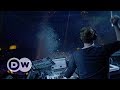
In this YouTube video at 4: 03 Felix Jaehn can be seen using Channel EQ, which is a stock plugin of Logic Pro X.


Fabfilter Pro-Q2 and channel eq are both of the plugins he uses for EQing.

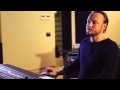
John Christian can be clearly using the Logic Pro 9 Channel EQ in this part of the video. He even explains that he used "Channel eq from logic inside".


Used on Minogue's vocals for "Dancing", as stated by producer Sky Adams in this July 2018 Sound on Sound interview.
"My vocal chain on the Kylie bus begins with a Logic Channel EQ, with a high?pass at 69Hz; I also boost 285Hz and 3100Hz. Next is the Waves CLA Vocals, with which I again boost some high end and add some compression, and a tiny bit of reverb; altogether it enhances the vocals a bit. The third plug?in is the Waves Butch Vig Vocals, with the de?esser and compressor both at 50 percent and adding some presence and air, all to give it some sharpness. For some reason Butch Vig gives a nice saturation and clarity on vocals, but I find that it only works on the Aston microphone. With every other mic I’ve used it tends to sound too distorted.
“The next plug?in is a Waves dbx 160 for some more compression, then the Waves SSL G?master bus compressor, set to a ratio of 2, attack 1 and release 3, and the Waves C4 multiband set to the Pensado preset, adding above 8kHz, the Waves API 560 EQ adding yet more high end, and the Waves RVox, with the compressor set to 4.2. I find that the RVox really helps to bring the vocal to the front.
“My main reverb in this session, which I used mostly on the vocals, and my favourite reverb in general, is the Toraverb. It’s really hard to find a good reverb, but I freaking love it, and I use it on almost everything. It has a wonderful tail off, and also a delay that works really well. ‘Crystal Cave’ is a favourite preset, which I use mainly on vocals. I don’t mind using the same reverb on everything, but in addition I sometimes use Logic’s Space Designer, which also has a great sound, and a wonderful tail that you can crank all the way up. The latest update, the Chronoverb, is amazing.”

Album Usage
The Logic Pro Channel EQ has been featured on the following albums:


Genre Usage
Based on how artists on Equipboard use this gear, it is most commonly found in the following genres.
Used With
Based on how musicians on Equipboard use Logic Pro Channel EQ, it is most commonly used with the following gear.
-s.webp?v=1784642521)



More EQ Plugins

$169.00 - $199.00
in EQ Plugins Rank


$63.00 - $271.00
in EQ Plugins Rank


-m.webp?v=1784699366)
$37.00 - $39.99
in EQ Plugins Rank


$1,015.75 - $1,195.00
in EQ Plugins Rank


$34.99 - $49.99
in EQ Plugins Rank


$29.99 - $30.00
in EQ Plugins Rank


$24.50 - $49.00
in EQ Plugins Rank

$33.00 - $34.99
in EQ Plugins Rank


$33.00 - $34.99
in EQ Plugins Rank

.jpg?v=1784328016)


$80.00 - $99.00
in EQ Plugins Rank


$33.00 - $35.99
in EQ Plugins Rank


$34.99 - $85.00
in EQ Plugins Rank


$95.00 - $109.00
in EQ Plugins Rank


$33.00 - $34.99
in EQ Plugins Rank


$0.00
in EQ Plugins Rank


$33.00 - $35.99
in EQ Plugins Rank


$49.00 - $124.00
in EQ Plugins Rank

$33.00 - $34.99
in EQ Plugins Rank


$39.00
in EQ Plugins Rank


$39.00 - $49.00
in EQ Plugins Rank
.jpeg?v=1784574735)


$29.99 - $30.00
in EQ Plugins Rank

$179.00 - $199.00
in EQ Plugins Rank

$33.00 - $34.99
in EQ Plugins Rank


$95.00 - $129.00
in EQ Plugins Rank


$0.00
in EQ Plugins Rank


$29.99 - $34.99
in EQ Plugins Rank


$37.00
in EQ Plugins Rank


$22.00 - $99.00
in EQ Plugins Rank


$33.00 - $249.00
in EQ Plugins Rank
Community setups


Similar


Gear Guides




.jpg)





Most Popular Brands
-
Added to Equipboard on by
 nalsegia
GearIQ 59
-


