This page about Moog Animoog Z app is a stub. You can help improve it:


Pricing and availability


* Product prices and availability are updated by Equipboard every 24hrs and are subject to change. Equipboard may receive compensation for purchases made at participating retailers linked on this site. This compensation does not affect what products or prices are displayed, or the order of prices listed. For more information, please refer to our affiliate disclosure.
Description
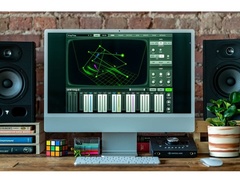
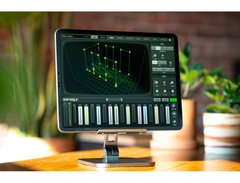
Dive into the world of dynamic sound exploration with the Moog Animoog Z app, a cutting-edge synth plugin that merges classic analog warmth with futuristic digital innovation. Designed for musicians who crave both versatility and depth, this app is perfect for crafting unique soundscapes that push the boundaries of creativity. Harnessing Moog’s proprietary Anisotropic Synth Engine, the Animoog Z app allows you to navigate through an expansive sonic terrain, capturing every nuance of your musical expression.
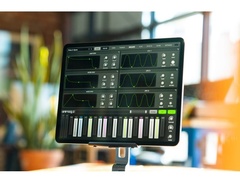
With its intuitive interface, the Animoog Z is accessible to both beginners and seasoned producers, offering a seamless experience whether you’re composing in the studio or performing live. The app’s deep modulation capabilities and extensive library of presets provide a canvas for endless experimentation. Real-time manipulation of sound parameters lets you create evolving textures and intricate rhythms, ensuring your music remains fresh and dynamic.
The Moog Animoog Z app is compatible with most DAWs and integrates smoothly into your existing setup, making it a versatile addition to your musical toolkit. Whether you're looking to craft ambient soundscapes or punchy bass lines, this app delivers the rich, immersive sound Moog is renowned for.
Key Features:
- Proprietary Anisotropic Synth Engine for multi-dimensional sound exploration
- Intuitive user interface suitable for all skill levels
- Extensive library of presets for quick inspiration
- Real-time modulation capabilities for dynamic sound manipulation
- Seamless integration with most DAWs
- Versatile sound design options suitable for various musical genres
Product specs
| Plugin Format | VST, AU, AAX |
| Operating Systems | Mac |
Videos

Moog Music
Animoog Z | Suzanne Ciani | Currents

Animoog Z | Suzanne Ciani | Currents
Moog Music
Animoog Z | Introduction & New Features
Moog Music
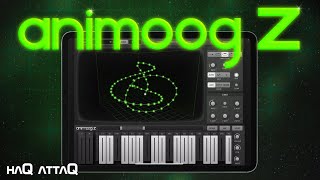
I Love Animoog Z | Top 5 Features | haQ attaQ Docutorial

Jakob Haq
Animoog Z Synthesizer - NEW - AUv3 - Multi-Dimensional Sound - Walkthrough & Tutorial

The Sound Test Room

Moog Animoog Z - the iPhone review

Molten Music Technology
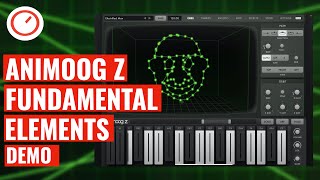
Moog Animoog Z Synthesizer Fundamental Elements Expansion Pack Sound Demo (iOS/macOS VST3 AUv3)

SYNTH ANATOMY
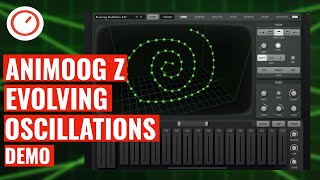
Moog Animoog Z Synthesizer Evolving Oscillations Expansion Pack Sound Demo (iOS/macOS)
SYNTH ANATOMY
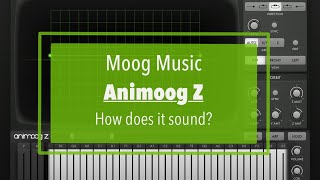
Moog Music Animoog Z - Tutorial/Demo Part 1: how does it sound?

SoundForMore Tutorials

Playing Animoog Z (Moog iOS App) on Erae Touch versatile MPE MIDI Controller

embodme
Reviews
Owner Insights
We analyzed real musician discussions from forums and Reddit to find what players love, question, and tweak about Moog Animoog Z app.
Features and functionality
-
Animoog Z lacks a built-in recorder but includes a looper in the effects section, allowing users to record and playback their sessions.
Source -
Animoog Z is recommended for its broader sound palette, suitable for various musical elements like bass, leads, and polyphonic melodies.
Source -
The MiniFuse 1 interface is recommended for seamless connectivity, offering an extra USB port for simultaneous audio and MIDI controller connections.
Source
Software and compatibility
-
Some users experience bugs when integrating Animoog Z with GarageBand on older iPads, suggesting potential compatibility issues with legacy hardware.
Source -
Connecting the iPad via USB/Lightning and enabling it through "Audio Midi Settings" allows recording through Voice Recorder, though monitoring during playback isn't possible.
Source -
Users experience freezing issues when using a Korg Wavestate's keybed with Animoog Z, particularly after latching the arpeggiator for over 5 minutes.
Source
Use cases and applications
-
For recording and exporting, the looper can be used to capture audio, with a share button available for easy export of recorded loops.
Source -
Users suggest combining Animoog Z with apps like Drambo and LayR for enhanced multitimbral capabilities, using AUM to manage parallel sound sources efficiently.
Source -
Sampling Moog apps into a Polyend Tracker is a favored approach for sequencing, as some users face reliability issues with USB MIDI keyboards on iOS.
Source
User experience
-
Users find the looper a reliable method for recording within Animoog Z, despite initial attempts with GarageBand proving problematic.
Source -
Users recommend a hardware MIDI controller for better control, as touchscreen knob adjustments can be cumbersome, particularly for detailed sound shaping.
Source -
Bluetooth MIDI connectivity via WIDI Master is reported to be reliable, offering a wireless solution for controlling Animoog Z without issues.
Source
Comparisons
-
Animoog Z offers a 16-voice polyphony compared to Mini Moog D's 4-voice, making it more versatile for complex compositions.
Source
Critic Reviews
Based on 0 Reviews and 0 Ratings
Artist usage
Add artist

Featured in this November 23, 2021 video by Moog Music Inc.
Electronic music pioneer and modular synthesis icon Suzanne Ciani invites you inside her seaside home studio for a dynamic improvised composition that demonstrates the unique sonic character of Animoog Z integrated with her Buchla modular system.
In the hands of one of Animoog’s earliest adopters, “Currents” presents a captivating representation of the evolved app’s striking new visual and auditory features, incorporating imported and enhanced presets from the original Animoog. An “unexpectedly powerfully expressive tool” for live performance, according to Ciani, Animoog has been a staple of the five-time Grammy award-nominated composer’s musical repertoire for years.
Album Usage
The Moog Animoog Z app has been featured on the following albums:

Genre Usage
Based on how artists on Equipboard use this gear, it is most commonly found in the following genres.
Used With
Based on how musicians on Equipboard use Moog Animoog Z app, it is most commonly used with the following gear.

More Moog Synth Plugins


$69.00
in Synth Plugins Rank

$479.00
in Synth Plugins Rank


$139.00 - $179.00
in Synth Plugins Rank


$148.00
in Synth Plugins Rank


$69.99 - $189.00
in Synth Plugins Rank


$99.00
in Synth Plugins Rank


$99.00
in Synth Plugins Rank

-m.webp?v=1784973604)
$94.00 - $99.00
in Synth Plugins Rank


$58.00 - $69.00
in Synth Plugins Rank


$49.00 - $149.00
in Synth Plugins Rank


$59.00
in Synth Plugins Rank

$199.00
in Synth Plugins Rank


$69.00 - $100.00
in Synth Plugins Rank


$99.00 - $129.00
in Synth Plugins Rank


$99.00 - $149.00
in Synth Plugins Rank


$99.00
in Synth Plugins Rank


$47.00 - $99.00
in Synth Plugins Rank


$99.00
in Synth Plugins Rank

$165.25 - $177.00
in Synth Plugins Rank


$49.99 - $99.99
in Synth Plugins Rank


$26.00 - $29.00
in Synth Plugins Rank


$0.00
in Synth Plugins Rank


$179.00
in Synth Plugins Rank


$49.00 - $199.00
in Synth Plugins Rank

-m.webp?v=1784973606)
$99.00 - $149.00
in Synth Plugins Rank


$479.00
in Synth Plugins Rank


$149.00
in Synth Plugins Rank


$0.00
in Synth Plugins Rank


-m.webp?v=1784973604)
$99.00 - $149.00
in Synth Plugins Rank


-m.webp?v=1784973631)
$49.00 - $149.00
in Synth Plugins Rank


$69.00 - $100.00
in Synth Plugins Rank


$125.00 - $149.00
in Synth Plugins Rank
Community setups


Similar


Gear Guides









Most Popular Synth Plugins
Most Popular Brands
-
Added to Equipboard on by
 eyeseeofficial
GearIQ 161580
-


