

Pricing and availability
We compare 600+ stores and found this item at 1 store. Prices updated .


Average Price: $49
Budget/Beginner
$79
$200+
Price Tier
Budget
Standard
High-end
Price History
Based on price data from 1 merchant for "Moog Minimoog Model D app". Prices shown reflect NEW condition. Tracking began Apr 2, 2026.
* Product prices and availability are updated by Equipboard every 24hrs and are subject to change. Equipboard may receive compensation for purchases made at participating retailers linked on this site. This compensation does not affect what products or prices are displayed, or the order of prices listed. For more information, please refer to our affiliate disclosure.
Description
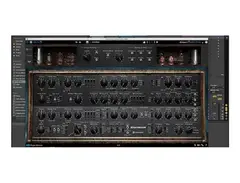
The Moog Minimoog Model D app brings the iconic sound of the legendary Minimoog synthesizer straight to your digital audio workstation (DAW). This revered piece of music history, known for its rich analog tones, has been expertly emulated to deliver the same warm, fat sound that has inspired countless musicians. Whether you're a seasoned synth enthusiast or new to the world of electronic music, the Model D app offers a seamless way to explore the powerful capabilities of the original hardware.
Thanks to its precise emulation, you can enjoy all the classic features that made the Minimoog a staple in studios worldwide. From the unique module-to-module coupling to the distinctive feedback effect, this app captures every nuance that sets the Minimoog apart. With added enhancements like an extra LFO, sample and hold, and the ability to switch between note priorities, the app offers both vintage authenticity and modern flexibility.
Designed to run natively on virtually any DAW, the app ensures near-zero latency, making it perfect for live performances and studio sessions alike. You don't need any additional hardware to experience the authentic Minimoog sound—just load the app and start crafting your next masterpiece.
Key Features:
- Faithful emulation of the Moog Minimoog Model D
- Authentic Moog oscillators, ladder filters, and extreme resonance
- Module-to-module coupling and nonlinearities like the feedback effect
- Additional LFO, sample and hold, and note priority options
- Runs on any DAW with near-zero latency
- No additional hardware required for operation
Product specs
| Software Type | Moog Minimoog Synthesizer |
| Platform | Mac, PC |
| Upgrade/Full | Full |
| Download/Boxed | Download |
| Bit Depth | 64-bit |
| Format | AAX, AU, VST3 (UAD Native) |
| Authorization Type | iLok Account Required (UADx Native version) |
| Hardware Requirements - Mac | Intel Core 2 Duo or higher, 4GB RAM minimum |
| Hardware Requirements - PC | Intel Core 2 Duo / AMD Athlon 64 X2 or higher, 4GB RAM minimum |
| OS Requirements - Mac | macOS 10.15 or later |
| OS Requirements - PC | Windows 10 or later |
FAQs
-
What are the key features of the Moog Minimoog Model D app?
-
The Moog Minimoog Model D app features a virtual recreation of the classic Minimoog synthesizer, offering 500 presets, a 32-note polyphony, and an arpeggiator. It also includes effects and supports AAX, AU, and VST3 formats.
-
Is the Moog Minimoog Model D app compatible with my DAW?
-
Yes, the Moog Minimoog Model D app is compatible with popular DAWs that support AAX, AU, and VST3 plugin formats, making it versatile for various production environments.
-
What are the system requirements for running the Moog Minimoog Model D app on a Mac?
-
To run the Moog Minimoog Model D app on a Mac, you need macOS 10.15 or later, an Intel Core 2 Duo processor or higher, and a minimum of 4GB RAM.
-
Does the Moog Minimoog Model D app require an iLok account for authorization?
-
Yes, the Moog Minimoog Model D app requires an iLok account for authorization when using the UADx Native version.
-
Can the Moog Minimoog Model D app be used on Windows PCs?
-
Yes, the Moog Minimoog Model D app can be used on Windows 10 or later PCs with an Intel Core 2 Duo or AMD Athlon 64 X2 processor and a minimum of 4GB RAM.
Videos

Moog Music
Minimoog Model D App
Minimoog Model D App
Moog Music
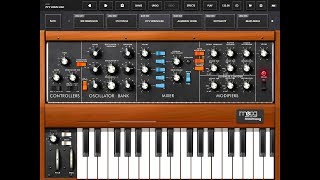
MOOG MINIMOOG Model D - Demo for the iPad - Supports AUv3 - Awesome

The Sound Test Room
Minimoog App vs Model D Review

Starsky Carr
Moog Minimoog Model D Synthesizer For iOS (AUv3) - First Look | SYNTH ANATOMY

SYNTH ANATOMY
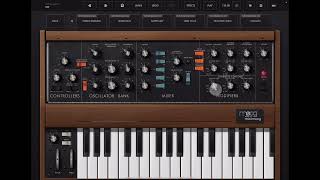
Moog Minimoog Model D - Walkthrough & Sound Design Tutorial for iOS
The Sound Test Room
Model D iOS App | Gestures Explained
Moog Music
Model D iOS App | Preset Management
Moog Music
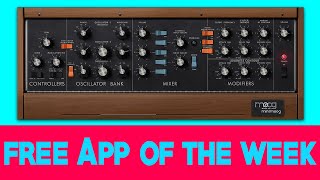
Minimoog Model D - Free App of the Week

The GarageBand Guide
Reviews
PROS
-
Authentic Moog filter sound captures classic 70's - 80's vibe
-
Developed in collaboration with Moog for genuine sound quality
-
Affordable alternative to expensive physical Minimoog
-
Convenient presets and customizable options expand creative possibilities
-
Easy to integrate into various music projects
-
High-quality sound that retains the essence of the original
CONS
Owner Insights
We analyzed real musician discussions from forums and Reddit to find what players love, question, and tweak about Moog Minimoog Model D app.
Use cases and applications
-
StreamByter and AUM setup allows for multi-timbral capabilities, with each voice having distinct characteristics, enhancing creative potential.
Source -
The app has been used successfully in album recordings, indicating its professional sound quality.
Source -
The app is particularly favored for its ARP effect and patch saving capabilities, providing convenience in sound exploration and storage.
Source
Features and functionality
-
The app's presets are praised for their quality, with users expressing particular enjoyment of their "dope" sound.
Source -
Users note the presence of an ARP latch and Key hold switch for maintaining arpeggiated chords.
Source -
The app includes a built-in looper, although some users find it clumsy and prefer using it within a DAW or AUM.
Source -
The app allows individual filter envelope triggering per voice, distinguishing it from paraphonic setups where all oscillators share a filter.
Source -
The app can run multiple instances using AUv3, enabling polyphony by using the AUM and StreamByter apps to manage MIDI note distribution.
Source -
The Moog app offers additional features like optional polyphony and Moog effects, which are not available in the analog Behringer Model D.
Source
User experience
-
Some users report the interface is cramped on an iPhone, though connecting a MIDI controller enhances usability.
Source -
The tactile experience of the Behringer Model D's knobs and patch points is described as more engaging, despite the Moog app's strong performance in terms of sound.
Source -
Using a MIDI controller with the Moog app can alleviate some of the challenges associated with programming on small screens, such as on an iPhone.
Source
Software and compatibility
-
It's possible to use a Keystep with an iPhone to control the app using a Lightning to USB adapter.
Source -
The app can be controlled from a DAW using IDAM, allowing iOS devices to act as a plugin without needing a separate audio interface.
Source -
An iPad Pro is recommended for optimal performance when using the app with four-voice polyphony, as it utilizes around 60% of CPU capacity.
Source -
The app is commended for its expressiveness in using portamento/glide, allowing for smooth runs and streaks, making it comparable to a budget MPE (MIDI Polyphonic Expression) solution.
Source
Comparisons
-
The Moog Model D app is praised for its sound quality, but the Behringer Model D is noted for having superior envelopes and filters, making the sound more distinct in blind tests.
Source
Critic Reviews
5.0 out of 5
Based on 0 Reviews and 9 Ratings
Artist usage
Add artist

Genre Usage
Based on how artists on Equipboard use this gear, it is most commonly found in the following genres.
Used With
Based on how musicians on Equipboard use Moog Minimoog Model D app, it is most commonly used with the following gear.

More Moog Synth Plugins


$69.00
in Synth Plugins Rank

$479.00
in Synth Plugins Rank


$139.00 - $179.00
in Synth Plugins Rank


$149.00
in Synth Plugins Rank


$69.99 - $189.00
in Synth Plugins Rank


.jpeg?v=1784328264)

$99.00
in Synth Plugins Rank


$99.00
in Synth Plugins Rank

-m.webp?v=1784455204)
$95.00 - $99.00
in Synth Plugins Rank


$59.00
in Synth Plugins Rank

$58.00 - $69.00
in Synth Plugins Rank


$49.00 - $149.00
in Synth Plugins Rank


$199.00
in Synth Plugins Rank


$69.00 - $100.00
in Synth Plugins Rank


$101.00 - $129.00
in Synth Plugins Rank


$149.00
in Synth Plugins Rank


$99.00
in Synth Plugins Rank


$47.00 - $99.00
in Synth Plugins Rank


$165.25 - $177.00
in Synth Plugins Rank


$49.99 - $99.99
in Synth Plugins Rank


$26.00 - $29.00
in Synth Plugins Rank


-m.webp?v=1784526712)

$0.00
in Synth Plugins Rank


$179.00
in Synth Plugins Rank


$49.00 - $199.00
in Synth Plugins Rank


$479.00
in Synth Plugins Rank

-m.webp?v=1784556009)
$149.00
in Synth Plugins Rank


$149.00
in Synth Plugins Rank


$0.00
in Synth Plugins Rank


-m.webp?v=1784525408)
$119.00 - $149.00
in Synth Plugins Rank


-m.webp?v=1784525939)
$49.00 - $152.00
in Synth Plugins Rank


$69.00 - $100.00
in Synth Plugins Rank


$125.00 - $149.00
in Synth Plugins Rank
Accessories & Related Items




Community setups


Similar


Gear Guides







Most Popular Synth Plugins
Most Popular Brands
-
Added to Equipboard on by
 kurt_ader
GearIQ 477
-

