

Pricing and availability
We compare 600+ stores and found this item at 2 stores. Prices updated .


Average Price: $149
Standard/Professional
$49
$150+
Price Tier
Budget
Standard
High-end
Price History
Based on price data from 2 merchants for "Native Instruments Choir: Omnia Essentials Virtual Instrument Plug-in". Prices shown reflect NEW condition. Tracking began Apr 2, 2026.
* Product prices and availability are updated by Equipboard every 24hrs and are subject to change. Equipboard may receive compensation for purchases made at participating retailers linked on this site. This compensation does not affect what products or prices are displayed, or the order of prices listed. For more information, please refer to our affiliate disclosure.
Description
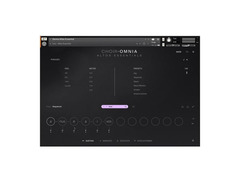
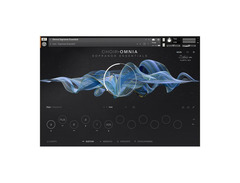
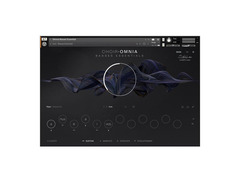
Unlock the full potential of your compositions with the Native Instruments Choir: Omnia Essentials Virtual Instrument Plug-in. Perfectly crafted for composers and producers, this Kontakt Instrument brings the rich, emotive power of a choir directly into your digital audio workstation. Recorded at the renowned Sofia Session Studio, 40 individual singers contribute their voices to form four distinct sections: soprano, alto, tenor, and bass. This plug-in offers a remarkable degree of control over articulations, expressions, and syllables, making it an indispensable tool for crafting cinematic scores or atmospheric soundscapes.
The Choir: Omnia Essentials is equipped with the revolutionary Syllabuilder engine, which allows for seamless creation and customization of vocal lines within its built-in sequencer. The Polyphonic True Legato script ensures smooth transitions between notes, maintaining authenticity and depth in your compositions. Whether you're scoring a film, creating ambient music, or working on your next big project, this plug-in provides intuitive interfacing to keep your creative process flowing smoothly.
Compatible with any Kontrol keyboard, this virtual choir instrument offers seamless integration and control. Dive into an ocean of vocal possibilities and elevate your music to new heights with Choir: Omnia Essentials.
Key Features:
- Moldable choir plug-in suitable for cinematic, atmospheric, and other musical genres.
- Four independent choir sections: soprano, alto, tenor, and bass.
- Onboard Syllabuilder engine for exclusive control over vocal expressions and syllables.
- Polyphonic True Legato script for authentic note transition.
- Full compatibility with existing Kontrol keyboards.
- Recorded with 40 individual singers for authentic vocal textures.
- Built-in articulations and expressions for enhanced realism.
Product specs
| Software Type | Instrument and Effects library |
| Platform | Mac, PC |
| Upgrade/Full | Full |
| Download/Boxed | Download |
| Bit Depth | 64-bit |
| Format | AAX, VST3, AU |
| Hardware Requirements - Mac | Intel Core i5 / Apple Silicon or higher, 4GB RAM or more recommended |
| Hardware Requirements - PC | Intel Core i5 / AMD Ryzen 5 or higher, 4GB RAM or more recommended |
| OS Requirements - Mac | macOS 11 or later, Kontakt Player Required |
| OS Requirements - PC | Windows 10 or later, Kontakt Player Required |
FAQs
-
What type of vocal sounds can I create with Native Instruments Choir: Omnia Essentials?
-
Native Instruments Choir: Omnia Essentials offers a wide range of choral sounds, including full choirs, solo voices, and various vocal textures, ideal for creating cinematic and orchestral compositions.
-
Is Native Instruments Choir: Omnia Essentials compatible with my DAW?
-
Yes, Native Instruments Choir: Omnia Essentials is compatible with any DAW that supports AAX, VST3, or AU formats, such as Ableton Live, Logic Pro, and Pro Tools.
-
What are the system requirements for running Native Instruments Choir: Omnia Essentials on a Mac?
-
To run Native Instruments Choir: Omnia Essentials on a Mac, you need macOS 11 or later, an Intel Core i5 or Apple Silicon processor, and at least 4GB of RAM. It also requires the Kontakt Player.
-
Can I use Native Instruments Choir: Omnia Essentials on a Windows PC?
-
Yes, you can use Native Instruments Choir: Omnia Essentials on a Windows PC with Windows 10 or later, an Intel Core i5 or AMD Ryzen 5 processor, and a minimum of 4GB RAM. The Kontakt Player is also required.
-
Does Native Instruments Choir: Omnia Essentials require any additional software to function?
-
Yes, Native Instruments Choir: Omnia Essentials requires the Kontakt Player, which is a free software platform provided by Native Instruments for running their virtual instruments.
Videos

PULSE Music
Native Instruments | Choir Omnia: Essentials | Full Walkthrough
Native Instruments | Choir Omnia: Essentials | Full Walkthrough
PULSE Music
Reviews
Owner Insights
We analyzed real musician discussions from forums and Reddit to find what players love, question, and tweak about Native Instruments Choir: Omnia Essentials Virtual Instrument Plug-in.
Features and functionality
User experience
-
Users reported that the manual lacks explanations for certain functions, like the "X" and "-" marks affecting syllable continuation.
Source -
The installation process for Choir: Omnia can be exceptionally lengthy, with users reporting that Native Access sometimes indicates installation completion without actually finishing the process.
Source
Software and compatibility
-
Some users experience system-specific issues, like crashes and incorrect sequence starts, which may require additional troubleshooting.
Source -
A workaround for installation issues involves using the legacy Native Access 1 product manager, which has resolved similar problems for other Native Instruments products.
Source -
Users recommend using the "repair" library function in Native Access to address missing file issues, which has been effective in identifying and resolving single missing file problems.
Source -
Updating to the latest version of Kontakt 7 has resolved installation issues for some users, highlighting the importance of maintaining up-to-date software.
Source
Based on 0 Reviews and 0 Ratings
More Native Instruments Kontakt Instrument

$95.00 - $99.00
in Kontakt Instrument Rank


$99.34 - $143.00
in Kontakt Instrument Rank


-m.webp?v=1784876583)
$166.00 - $199.00
in Kontakt Instrument Rank


$99.00
in Kontakt Instrument Rank


$269.00 - $299.00
in Kontakt Instrument Rank


$29.00
in Kontakt Instrument Rank

$28.00
in Kontakt Instrument Rank

$28.00
in Kontakt Instrument Rank


$29.70 - $95.00


$149.50 - $272.00


Accessories & Related Items
-s.webp?v=1784876583)




Artist usage


Community setups


Similar


Gear Guides









Most Popular Kontakt Instrument
Most Popular Brands
-
Added to Equipboard on by
 equipboard
GearIQ 4934
-


