This page about Apple Logic Space Designer Reverb is a stub. You can help improve it:


Pricing and availability


* Product prices and availability are updated by Equipboard every 24hrs and are subject to change. Equipboard may receive compensation for purchases made at participating retailers linked on this site. This compensation does not affect what products or prices are displayed, or the order of prices listed. For more information, please refer to our affiliate disclosure.
Description
Elevate your audio production to a new dimension with the Apple Logic Space Designer Reverb, the definitive reverb plugin that seamlessly integrates into your Logic Pro ecosystem. Renowned for its real-time convolution process, this plugin ensures your tracks resonate with a lifelike ambiance, mimicking the acoustics of real-world spaces from intimate studios to grand cathedrals. By melding your input signal with meticulously recorded impulse responses (IRs), Space Designer enables you to craft an authentic reverb experience as if you recorded directly in the sampled environment.
But the magic doesn't stop there. With over 1,000 impulse responses at your fingertips, ranging from real rooms and halls to iconic reverb units, the potential for creative exploration is boundless. Additionally, the plugin allows you to import your own IR files in AIFF, WAV, or SDII formats, or even synthesize custom impulse responses, providing a sandbox for sound design that's as expansive as your imagination.
The Space Designer's interface is intuitive, featuring smooth curving envelopes and a 4-mode filter with resonance, allowing for precise control over your reverb's character. Its comprehensive parameter set ensures that whether you're aiming for realism or experimental textures, your sonic vision is well within reach.
Key Features:
- Real-time convolution reverb for unparalleled realism
- Library of over 1,000 impulse responses including legendary reverb units
- Supports AIFF, WAV, and SDII formats for IR import
- Synthesis engine for creating custom impulse responses
- 32-bit internal resolution with sample rates up to 192 kHz
- Innovative smooth curving envelopes and intuitive graphical editing
- Integrated 4-mode filter with resonance for precise sound shaping
FAQs
-
What type of reverb is the Apple Logic Space Designer?
-
The Apple Logic Space Designer is a convolution reverb, which allows it to recreate realistic acoustic environments by using impulse responses from real-world spaces.
-
Is the Space Designer reverb demanding on CPU resources?
-
While convolution reverbs like Space Designer can be CPU-intensive, modern DAWs and computers generally handle them well, allowing multiple instances without significant performance issues.
-
Can Space Designer be used for both indoor and outdoor acoustic simulations?
-
Yes, Space Designer can simulate a wide range of environments, including both indoor and outdoor spaces, thanks to its extensive library of impulse responses.
-
Does Space Designer come pre-installed with Logic Pro?
-
Yes, Space Designer is included with Logic Pro, providing users with a powerful convolution reverb tool right out of the box.
-
Can I load custom impulse responses into Space Designer?
-
Yes, Space Designer allows users to load custom impulse responses, enabling further customization and flexibility in creating unique reverb effects.
Videos

MusicTechHelpGuy
Logic Pro X - #71 - Mixing (part13): Space Designer Plug-in (Convolution Reverb)
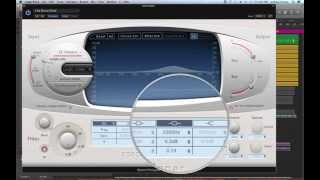
Logic Pro X - #71 - Mixing (part13): Space Designer Plug-in (Convolution Reverb)
MusicTechHelpGuy
How to Use SPACE DESIGNER in Logic Pro X (STOCK REVERB)

CrabLord
Logic Pro X - Space Designer - Create Custom Reverbs!
MusicTechHelpGuy
Logic Tips – Introducing Space Designer

MusicTech
Reviews
Owner Insights
We analyzed real musician discussions from forums and Reddit to find what players love, question, and tweak about Apple Logic Space Designer Reverb.
Features and functionality
-
Space Designer users recommend saving personalized presets like the 1.3s Medium Hall and 1.9s Jazz Club to streamline workflow amidst overwhelming options.
Source -
Space Designer allows library expansion by adding new impulse responses, enhancing its versatility compared to plugins with fixed presets.
Source -
Space Designer's filter envelope can achieve similar sounds to Chromaverb's damping EQ, offering diverse sound design possibilities.
Source
User experience
-
Convolution reverbs in Space Designer excel on live, dynamic instruments but can sound unnatural on static sounds like drum machine snares.
Source
Use cases and applications
-
Space Designer is favored for natural-sounding reverbs in folky music, often using a single reverb type across a project for cohesion.
Source -
Automating reverb busses can add movement to tracks, such as increasing volume before a chorus for dynamic effect.
Source -
Applying modulation effects like chorus or tremolo on reverb can create more realistic, 3D-sounding effects.
Source
Comparisons
-
Valhalla reverbs, especially the Room and Plate, are noted for straightforward use and superior sound compared to Space Designer, but TAL Reverb 2 offers similar control over highs and lows.
Source -
Space Designer complements Valhalla by offering realistic spaces without modulation, whereas Valhalla excels in algorithmic reverbs with modulated tails.
Source
Mods and upgrades
-
Users recommend adjusting Space Designer's low/high pass around 170Hz and 5.6kHz to mimic original hardware units better.
Source
4.0 out of 5
Based on 0 Reviews and 11 Ratings
Artist usage
Add artist

At 32:55 in the video, Steve Angello opens Apple's Space Designer Reverb.


At 5:37, on the channel bus group, we see "Space Dsn" fourth from the top of the left-most channel strip on the screen. This is one of Logic's built-in reverb plugins.


At 16:00 in the video, Sander van Doorn can be seen using the Apple Space Designer Reverb.


At 18:00 in the video, MAKJ can be seen using Logic Pro's Space Designer plug-in.


"Effect plug-ins I use regularly are the UAD DreamVerb (for backgroundish vocals or softer solo instruments) and even Logic’s built-in Space Designer. In most cases, these are used on instruments considered as the background tracks in a mix. When it comes to my favorite special effects, yes, there it is: Voice Machine. Discontinued, but I like what it can add to the human voice, violins, flutes, and even drum loops or atmospheric pads."


At 14:00 in this video, Space Designer can be seen on a channel in the far right of the mixer within Logic Pro.


“A lot of the reverbs in that section were made using Space Designer in Logic,” Price explains. “I used to have an Akai S1100 sampler, which had this really good reverb preset on it called Cavernous. I always missed that sound, so I recorded some impulses through Space Designer, but what I didn't realize was that I accidentally had a Yamaha SPX-90 chorus stuck on the mixer, so the impulses got recorded with this chorus effect on it. But that ended up giving them this great swirling effect, which created a lot of that revolving panorama in the song.”


My whole secret is in post processing and proper layering. Instead or worrying about synthesis, I really like to get into totally screwing up sounds that already exist and slapping them on top of each other haha. My go to plugins are Ohmicide, Logic X's Space Designer, and valhalla shimmer to top it all off.


Used for vocals on Another Country, as stated by mix engineer Kevin Savigar in this February 2016 Sound on Sound interview.
"I did very little to Rod’s lead vocals during the mix. I just had the CLA Vocals plug-in on him, with a bit of ‘spank’ compression and some reverb, and a Waves De-Esser, and that was it. I used the same plug-ins on his harmony vocal, where he sings a third above his lead vocal. I think it’s the first time he has ever done a harmony vocal with himself. It’s a great sound. The backing vocals also have the CLA Vocals plug-in, on the ‘Start Me Up’ preset, plus the Tape Delay on the ‘ohs’, and they’re all sent to an effect track with the Logic Stereo Delay and Space Designer. The latter had a ‘Vocal Delay’ preset, which adds some air and room to the backing vocals."


Album Usage
The Apple Logic Space Designer Reverb has been featured on the following albums:


Genre Usage
Based on how artists on Equipboard use this gear, it is most commonly found in the following genres.
Used With
Based on how musicians on Equipboard use Apple Logic Space Designer Reverb, it is most commonly used with the following gear.

-s.webp?v=1784815476)


More Apple Reverb Plugins


$38.00 - $349.00
in Reverb Plugins Rank


$29.99 - $49.00
in Reverb Plugins Rank


$179.00 - $199.00
in Reverb Plugins Rank


$37.00 - $39.99
in Reverb Plugins Rank


$0.00
in Reverb Plugins Rank


$37.00 - $39.99
in Reverb Plugins Rank


$149.00
in Reverb Plugins Rank


$75.00 - $535.00
in Reverb Plugins Rank


-m.webp?v=1783581851)

$29.99 - $30.00
in Reverb Plugins Rank

$58.00 - $69.00
in Reverb Plugins Rank


$139.00 - $149.00
in Reverb Plugins Rank


$62.00 - $69.00
in Reverb Plugins Rank

$0.00
in Reverb Plugins Rank

$49.00 - $199.00
in Reverb Plugins Rank


$47.00 - $49.00
in Reverb Plugins Rank

$0.00
in Reverb Plugins Rank

$37.00 - $39.99
in Reverb Plugins Rank


$95.00 - $99.00
in Reverb Plugins Rank

$34.99
in Reverb Plugins Rank


$37.00 - $39.99
in Reverb Plugins Rank


$99.00
in Reverb Plugins Rank


$29.00 - $38.00
in Reverb Plugins Rank

$95.00 - $99.00
in Reverb Plugins Rank

$93.00 - $99.00
in Reverb Plugins Rank

$69.00 - $169.00
in Reverb Plugins Rank

$47.00 - $199.00
in Reverb Plugins Rank
-m.webp?v=1784689486)


$99.00 - $105.00
in Reverb Plugins Rank

$99.00
in Reverb Plugins Rank


$33.00 - $249.00
in Reverb Plugins Rank


$43.00 - $45.00
in Reverb Plugins Rank


$59.00
in Reverb Plugins Rank

$59.00
in Reverb Plugins Rank

$29.99 - $95.00
in Reverb Plugins Rank

$68.00 - $299.00
in Reverb Plugins Rank
Community setups


Similar


Gear Guides









Most Popular Reverb Plugins
Most Popular Brands
-
Added to Equipboard on by
 odysseyeurobeat
GearIQ 1708
-


