

Pricing and availability


* Product prices and availability are updated by Equipboard every 24hrs and are subject to change. Equipboard may receive compensation for purchases made at participating retailers linked on this site. This compensation does not affect what products or prices are displayed, or the order of prices listed. For more information, please refer to our affiliate disclosure.
Description
Elevate your sound editing experience with Audio Hijack, a versatile digital audio workstation (DAW) software designed for musicians and audio enthusiasts. This intuitive software enables seamless recording and manipulation of audio from any application on your computer, making it a powerful tool for podcasters, musicians, and sound engineers alike.
Audio Hijack offers an easy-to-navigate interface that allows users to capture audio from a variety of sources, including microphones, streaming services, and system audio, all with a simple drag-and-drop workflow. Its unique block-based design lets you construct your audio pipeline visually, making complex setups simple to manage and customize. Whether you're looking to create high-quality recordings, apply audio effects, or broadcast live, Audio Hijack provides the flexibility you need to bring your projects to life.
The software also supports a range of audio formats and offers advanced features like time-shifting and audio effects chaining. With its robust support for third-party plugins, you can expand its capabilities even further to suit your creative needs.
Key Features:
- Capture audio from any application or system audio on Mac.
- Block-based design for intuitive and flexible audio processing.
- Supports a wide range of audio formats, including MP3, AAC, AIFF, WAV, and FLAC.
- Integrates seamlessly with third-party audio plugins for expanded functionality.
- Real-time audio effects and processing capabilities.
- Ideal for recording podcasts, live streaming, and music production.
- Time-shifting feature for precise audio editing.
- User-friendly interface with drag-and-drop functionality.
Videos

Audio for Content Creators
Audio Hijack: Process, Record, and Stream with Ease | AUDIO TUTORIAL
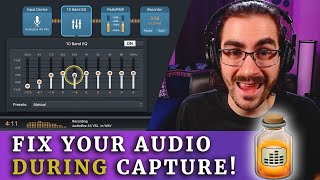
Audio Hijack: Process, Record, and Stream with Ease | AUDIO TUTORIAL
Audio for Content Creators
Loopback vs Audio Hijack - Whats the Difference?

TDCatTech
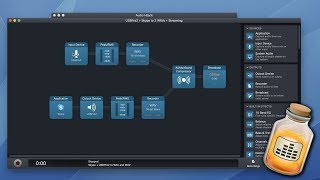
How I Record Podcasts with Audio Hijack

512 Pixels
How To Use Audio Hijack For Noise Cancellation & Audio Routing On Mac

Take One Tech... with Alec
The Best Mac App for Podcasts: Audio Hijack 4 Updated!

Stephen Robles
Audio Hijack & Loopback Tutorial for Advanced Mac Recordings

Riversidefm
The Basics of Audio Hijack

Rogue Amoeba
How To Boost Your Mic Quality For Zoom Calls: A Step-by-Step Guide to Using Audio Hijack & Loop Back

Michael Pitluk
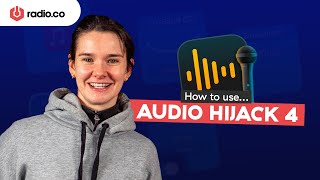
Broadcast Your Mac Audio Using Audio Hijack

Radio.co
Reviews
Owner Insights
We analyzed real musician discussions from forums and Reddit to find what players love, question, and tweak about Audio Hijack.
Features and functionality
-
Audio Hijack offers powerful audio routing with a graphical interface, allowing users to build different audio paths and compare settings easily.
Source -
Audio Hijack includes a powerful scripting API, offering advanced customization options for users who want to automate or program specific audio processes.
Source -
Audio Hijack offers the ability to precisely route audio from specific apps to designated output devices, enhancing user control over audio streams.
Source -
Audio Hijack and Loopback are highlighted as valuable for users needing detailed audio routing and manipulation features.
Source
Software and compatibility
-
SoundSource integrates seamlessly with active input and output devices, minimizing audio interruptions when it becomes active, attributed to its ACE daemon.
Source -
SoundSource's persistent implementation of plugins allows for individual mixing and processing of different audio sources, providing granular control over each source without loading them per session.
Source -
Audio Hijack now supports macOS 14.4 without disabling SIP, utilizing the AudioHardwareCreateProcessTap API, previously requiring lower security settings.
Source
Use cases and applications
-
Audio Hijack is recommended for rare recording needs, such as recording online meetings that don't allow native recording, with flexible audio routing making the process easier.
Source -
Audio Hijack simplifies recording specific audio streams, such as web videos, without capturing system sounds like notifications, making it ideal for focused recording tasks.
Source -
For recording interviews, it's suggested to explore alternatives like Riverside for clearer audio, as landline calls can inherently limit quality.
Source
Value and pricing
-
Some users find SoundSource's $49 price hefty, especially when combined with additional plugin costs like CanOpener's $80, but see Audio Hijack as offering more features for the money.
Source
User experience
-
Audio Hijack can be set up to run in a "set and forget" manner, similar to SoundSource, making it less cumbersome for daily use than initially perceived.
Source -
Some users have successfully utilized Audio Hijack for over a decade, appreciating continuous feature updates and expanded functionality.
Source
Setup and maintenance
-
In previous versions, disabling SIP was required during installation, but this step is no longer necessary with the latest update on macOS 14.4.
Source
Critic Reviews
5.0 out of 5
Based on 1 Review and 5 Ratings

5453
Always handy...
It's grown up since I 1st started using it. It's improvements aren't such a big deal for me tho. It shines in it's simplicity. Grab random bits & clips quickly and easily.
I might start using it more for Screencasts in the future tho...might get into it's options more as that progresses.
Artist usage
Add artist


Genre Usage
Based on how artists on Equipboard use this gear, it is most commonly found in the following genres.
Used With
Based on how musicians on Equipboard use Audio Hijack, it is most commonly used with the following gear.



More DAW Software

$225.00 - $599.00
in DAW Software Rank


$268.00 - $349.00
in DAW Software Rank


-m.webp?v=1783936843)
$99.99 - $344.00
in DAW Software Rank


$398.00
in DAW Software Rank

$99.00 - $399.99
in DAW Software Rank


$179.00
in DAW Software Rank


-m.webp?v=1783936839)
$409.00 - $499.00
in DAW Software Rank


$119.00 - $298.00
in DAW Software Rank


$209.00 - $329.99
in DAW Software Rank


$199.00
in DAW Software Rank


$0.00
in DAW Software Rank


$359.00 - $579.99
in DAW Software Rank


$199.99
in DAW Software Rank
.jpg?v=1783709979)


.png?v=1784107687)


$75.00
in DAW Software Rank


$449.00 - $479.00
in DAW Software Rank


$129.00 - $189.00
in DAW Software Rank


$395.00 - $499.00
in DAW Software Rank


$136.00 - $179.00
in DAW Software Rank

$139.99 - $199.99
in DAW Software Rank


$366.00 - $579.99
in DAW Software Rank


$579.99
in DAW Software Rank


$245.00 - $285.00
in DAW Software Rank


$149.00 - $201.00
in DAW Software Rank

$477.00 - $528.00
in DAW Software Rank


$375.00 - $399.95
in DAW Software Rank

$579.99
in DAW Software Rank


$138.00 - $249.00
in DAW Software Rank


$79.00
in DAW Software Rank
Community setups


Similar


Gear Guides









Most Popular Brands
-
Added to Equipboard on by
 warp
warpGearIQ 807
-


