

Pricing and availability
We compare 600+ stores and found this item at 1 store. Prices updated .
Store
Reviews
Price




* Product prices and availability are updated by Equipboard every 24hrs and are subject to change. Equipboard may receive compensation for purchases made at participating retailers linked on this site. This compensation does not affect what products or prices are displayed, or the order of prices listed. For more information, please refer to our affiliate disclosure.
Description
Micro.Clock Tap Tempo Controller
The Disaster Area micro.clock is an intelligent tap tempo and clock source for your pedalboard. Synchronize two tap-tempo compatible pedals plus control one additional device with tap tempo, MIDI, or control voltage. The micro.clock leverages our advanced SMARTClock technology in a tiny package – just 3.6″ x 1.5″ x 1.6″ (93 x 38 x 42mm.) Tap the footswitch to set the master clock tempo. The micro.clock will then send taps to your devices to lock them in to your music. Selectable subdivisions let you tap in quarter-notes and set your devices to dotted-eighths, eight-notes, or triplets! Tap the knob to view or change the subdivisions or output settings for each output, then hold the knob to save the current settings to a preset. Hold the footswitch down to advance to the next preset. You can even set the number of accessible presets so that you only use what you need. Each tempo preset allows you to specify a tempo in BPM or milliseconds, as well as subdivisions or toggle settings for each of the three outputs. You can also set the micro.clock to send a MIDI Program Change to an external MIDI device. Have a pedal that needs an odd or unusual configuration for tempo control? The micro.clock works with devices that accept a normally-open or normally-closed footswitch, and can even send 0-3.3V control voltage that works with pedals with expression control of delay / tempo. Check with your pedal builder for details on their expression options!
Features Blue LED display shows tempo in Beats Per Minute or milliseconds. Two (2) isolated optical relay powered Tempo Outputs or Function Switch Outputs. One MultiJack connectors can function as Tempo Outputs, Function Switch Outputs, Control Voltage Output (0-3.3V,) Footswitch Inputs, or MIDI Outputs. MIDI Clock output synchronizes a connected MIDI device Multi-Jack functions as tap tempo input, Control Voltage Output, third Tempo Output, or additional MIDI output (requires adaptor cables.) Internal DIP switches to customize each output. Tap Tempo mode with selectable tap subdivisions for each output. Up to 99 user-accessible presets. Receives external MIDI clock from a computer or other device, Tempo Outputs sync to incoming clock. Sends tap signals and clock from 30-240 beats per minute. Available subdivisions include Quarter, Dotted Eighth, Quarter Triplet, and Eighth Notes Runs on standard 9V power, 60mA minimum. Compatibility – Tap Outputs The SMARTClock Gen3 is compatible with virtually every pedal or effects unit equipped with a remote tap tempo input jack. In toggle mode, the SMARTClock outputs can work as a “fixed expression” control with many devices. Please note that some devices may require the use of a TRS / stereo cable or to have the SMARTClock’s pull-up resistors enabled for certain functions.
Product specs
| Brand | Disaster Area Designs |
| Model | micro.clock |
| Finish | Various |
| Year | 2018 - 2024 |
| Made In | United States |
| Categories | Controller, Expression and Volume Pedals |
FAQs
-
What is the primary function of the Disaster Area micro.clock?
-
The Disaster Area micro.clock is designed to provide a stable clock signal for synchronizing effects pedals and other gear, ensuring precise timing and coordination in complex pedal setups.
-
How does the micro.clock improve my effects pedal setup?
-
By providing a consistent clock signal, the micro.clock helps eliminate timing discrepancies between your effects pedals, leading to tighter, more synchronized performances.
-
Is the Disaster Area micro.clock compatible with all effects pedals?
-
The micro.clock is compatible with most effects pedals that accept an external clock input, making it a versatile addition to many pedalboards.
-
Does the micro.clock require a specific power supply?
-
The Disaster Area micro.clock can be powered using a standard 9V DC power supply, which is common for most pedalboards.
-
Can the micro.clock be used with MIDI-enabled devices?
-
Yes, the micro.clock can synchronize with MIDI-enabled devices, providing a reliable clock source for both MIDI and non-MIDI gear.
Videos

PedalCasters
Disaster Area Designs - micro.clock
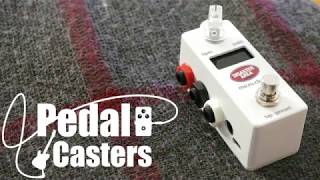
Disaster Area Designs - micro.clock
PedalCasters
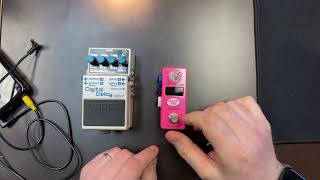
Disaster Area micro.clock Setup with Boss Delay Pedals

Disaster Area Designs
MIDI Minute: Clock With A Dedicated Clock Device

chase bliss
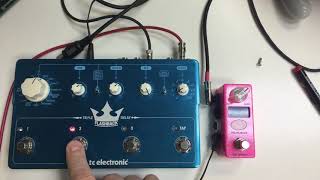
Micro.clock Triple Delay
Disaster Area Designs
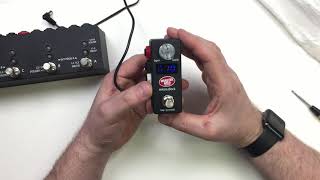
micro.clock & DPC 8EZ Setup
Disaster Area Designs
Reviews
Owner Insights
We analyzed real musician discussions from forums and Reddit to find what players love, question, and tweak about Disaster Area micro.clock.
Features and functionality
-
The Disaster Area micro.clock can sync multiple delay pedals and provide a BPM readout with subdivisions, working seamlessly with notable models like the Boss DD-8 and Keeley Eccos.
Source -
It has presets for setting BPMs and tap divisions, and supports output type adjustments to accommodate different pedal configurations (normally-open, normally-closed).
Source -
The micro.clock can send tap tempo to Walrus Arp 87 and Walrus Monument while distributing MIDI clock data via Morningstar MC8.
Source -
The micro.clock enhances the usefulness of pedals without native tap division options by providing quarter, eighth, and triplet presets, significantly improving functionality.
Source
Software and compatibility
-
It works well with the Belle Epoch Deluxe and supports various TRS configurations, which can be essential for compatibility with specific pedals like the Meris Polymoon.
Source -
Users have successfully integrated the micro.clock with Morningstar MC6 to manage MIDI flow to pedals like Strymon El Capistan and Boss DD-200.
Source -
Using the micro.clock with the TC Electronic Flashback II requires a special cable that sends Ring and Ground due to the pedal's unique external tap tempo setup.
Source
User experience
-
Some users noted a digital noise issue when powering the micro.clock through an MXR DC-brick, highlighting potential power supply noise considerations.
Source -
Owners appreciate the micro.clock's ability to balance complex features with essential functions, helping avoid option paralysis while maximizing the utility of their pedalboards.
Source
Use cases and applications
-
Ideal for syncing delays and tremolos, the micro.clock is also praised for its ability to integrate with band setups, especially in syncing effects with external sequencers.
Source -
The micro.clock is used effectively with an MC6 to maintain tap tempo persistence across various setups, including analog delays.
Source
Other
-
The micro.clock’s BPM display is praised for its visibility in outdoor gigs, suggesting its utility in live performance environments.
Source
5.0 out of 5
Based on 0 Reviews and 1 Rating
Genre Usage
Based on how artists on Equipboard use this gear, it is most commonly found in the following genres.
More Effects Pedal Accessories

$185.70 - $219.00
in Effects Pedal Accessories Rank


$239.00 - $279.00
in Effects Pedal Accessories Rank


$129.50 - $179.99
in Effects Pedal Accessories Rank


$3.99 - $5.60
in Effects Pedal Accessories Rank

$149.00 - $169.00
in Effects Pedal Accessories Rank


$137.00 - $150.00
in Effects Pedal Accessories Rank


$190.00 - $229.99
in Effects Pedal Accessories Rank


$89.00 - $152.00
in Effects Pedal Accessories Rank


$191.97 - $219.00
in Effects Pedal Accessories Rank

.jpg?v=1784070940)


$99.00 - $105.99
in Effects Pedal Accessories Rank


$110.00 - $199.00
in Effects Pedal Accessories Rank


$279.99 - $299.99
in Effects Pedal Accessories Rank


$209.00 - $253.00
in Effects Pedal Accessories Rank


$39.36 - $49.00
in Effects Pedal Accessories Rank


$105.00 - $199.00
in Effects Pedal Accessories Rank


$145.00 - $279.00
in Effects Pedal Accessories Rank


$132.97 - $169.99
in Effects Pedal Accessories Rank


$94.00 - $169.00
in Effects Pedal Accessories Rank


$230.00 - $289.00
in Effects Pedal Accessories Rank


$42.00
in Effects Pedal Accessories Rank


$436.28 - $903.97
in Effects Pedal Accessories Rank


$30.59 - $49.99
in Effects Pedal Accessories Rank


$49.00 - $72.00
in Effects Pedal Accessories Rank


$263.36
in Effects Pedal Accessories Rank


$299.00 - $549.99
in Effects Pedal Accessories Rank
.jpg?v=1784070940)


$169.00 - $189.00
in Effects Pedal Accessories Rank


$99.99 - $111.00
in Effects Pedal Accessories Rank


$6.99 - $47.00
in Effects Pedal Accessories Rank


$119.99 - $129.99
in Effects Pedal Accessories Rank


$171.00 - $215.00
in Effects Pedal Accessories Rank

$71.00 - $92.49
in Effects Pedal Accessories Rank


$6.99 - $33.19
in Effects Pedal Accessories Rank


$26.00 - $33.19
in Effects Pedal Accessories Rank


$39.99
in Effects Pedal Accessories Rank


$69.99 - $98.00
in Effects Pedal Accessories Rank


$71.00
in Effects Pedal Accessories Rank


$70.10 - $76.76
in Effects Pedal Accessories Rank
.jpg?v=1784021941)


$219.00 - $309.99
in Effects Pedal Accessories Rank
.png?v=1784159851)


$80.00
in Effects Pedal Accessories Rank


$169.00 - $214.00
in Effects Pedal Accessories Rank

.jpg?v=1783959167)

Accessories & Related Items


Artist usage


Community setups


Similar


Gear Guides






Most Popular Brands
-
Added to Equipboard on by
 gomes21
GearIQ 287
-


