

Pricing and availability
We compare 600+ stores and found this item at 1 store. Prices updated .
Store
Reviews
Price




Price History
Based on price data from 1 merchant for "ERM Multiclock". Prices shown reflect NEW condition. Tracking began Apr 7, 2026.
* Product prices and availability are updated by Equipboard every 24hrs and are subject to change. Equipboard may receive compensation for purchases made at participating retailers linked on this site. This compensation does not affect what products or prices are displayed, or the order of prices listed. For more information, please refer to our affiliate disclosure.
Description
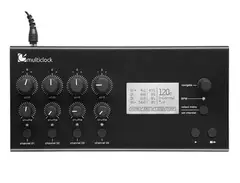
The ERM Multiclock is your ultimate ally in achieving perfect synchronization across your digital and analog musical gear. This 4-channel clock generator is designed to seamlessly integrate and synchronize MIDI, DAW, DIN Sync, analogue sequencers, and even tape machines. Whether you're in the studio or on stage, the Multiclock ensures that your equipment speaks the same rhythmic language.
Unleash the power of precision with its included plugin (VST, AU, AAX), providing exact DAW synchronization. Each channel of the Multiclock allows for individually adjustable time offset and shuffle, offering flexibility and creativity in your rhythm. The selectable time signature and clock divider per channel further enhance your control, making it ideal for complex arrangements.
Featuring a built-in class-compliant USB MIDI interface, the Multiclock offers connectivity and convenience. The adjustable speed ranges from 30 to 300 BPM, making it adaptable to any musical style. The device is equipped with an LC display, shift and shuffle controls, and a status LED. Additionally, each channel boasts a mute button for quick changes during live performances.
For those seeking to add more texture to their sound, the synchronizable LFO with 5 selectable waveforms on channel 1 offers creative modulation options. The memory capacity of 30 presets per channel means you can save and recall your favorite settings with ease, ensuring consistent performance every time.
Key Features:
- 4-channel clock generator for MIDI, DAW, DIN Sync, analogue sequencers, and tape machines
- Plugin (VST, AU, AAX) for precise DAW synchronization
- Individually adjustable time offset and shuffle per channel
- Selectable time signature/clock divider per channel
- Built-in class-compliant USB MIDI interface
- Adjustable speed: 30 - 300 BPM
- LC display with shift and shuffle controls
- Synchronizable LFO with 5 waveforms for channel 1
- Memory for 30 presets per channel
- Multiple connectivity options including MIDI in & out, and USB-B port
Product specs
| Available since | September 2023 |
Videos

Ricky Tinez
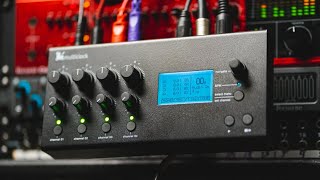
Why Hybrid studios Suck. // E-RM Multiclock thoughts
Why Hybrid studios Suck. // E-RM Multiclock thoughts
Ricky Tinez

E-RM multiclock lessons with Foehn & Jerome - Machine Modes

E-RM Erfindungsbüro
Tight MIDI Sync with the E-RM Multiclock and RME Audio Interfaces | Blueprints Episode #06

RME Audio

How to PROPERLY use your Multiclock with a DAW.
Ricky Tinez
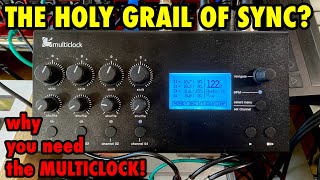
E-RM Multiclock: 10 Reasons Why You Need It for your studio! REVIEW

Wine&Synths
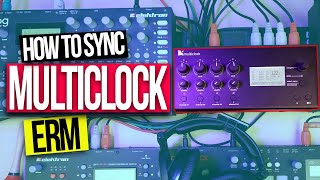
How to Sync the ERM Multiclock with Sequencers and Audio Interface

Mayen Music
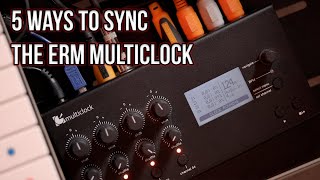
5 Ways to Sync the ERM Multiclock
Mayen Music
Reviews
PROS
-
Super tight, accurate clocking for precise synchronization.
-
Essential for live setups, enabling smooth transitions and reliable performance.
-
Handles multiple sync protocols: MIDI, DIN SYNC, Audio sync.
-
Independent shuffle and delay controls on each channel for creative flexibility.
-
Eliminates latency, enhancing external gear integration.
-
Allows seamless hot swapping and restarting of tracks during live performances.
-
Syncs with various machines, even those with timing discrepancies.
-
Acts as a central hub, connecting modern and vintage gear seamlessly.
-
Swing knobs add creative rhythmic variations to your setup.
-
Resilient signal, resistant to interference and disruptions.
CONS
-
Difficult to synchronize as a slave with DAWs like Bitwig without sacrificing outputs.
-
Initial setup with DAWs like Logic can be problematic without support.
-
Requires additional plugins for DAW synchronization, adding complexity.
Owner Insights
We analyzed real musician discussions from forums and Reddit to find what players love, question, and tweak about ERM Multiclock.
Software and compatibility
-
Some users experience different shift value requirements across Ableton projects, potentially due to VST and plugin-induced latency variations.
Source -
Overbridge, using an audio-based sync approach, can introduce around 40 ms of latency when integrating with Live, affecting MIDI sequences.
Source -
Using Ableton's latency compensation settings properly is crucial, as improper setup can lead to significant timing errors, especially when using devices like the Sub 37 via USB.
Source -
It's recommended to slave the Multiclock to its plugin or samples, rather than using Ableton as the master clock, to avoid jitter.
Source
User experience
-
A user reports that ERM Multiclock customer support can be cryptic, with unresolved sync issues even after years of usage.
Source -
Some users find the ERM Multiclock requires frequent shift adjustments, like changing settings from +33 to +24 to maintain sync, indicating potential inconsistencies in operation.
Source -
A common method for measuring sync accuracy involves resampling the master channel and checking alignment over extended periods; some users report drift when switching projects.
Source -
Managing latency differences between multiple synths is a common challenge; Multiclock helps stabilize clock timing but requires careful setup.
Source
Features and functionality
-
There's a workaround for ERM Multiclock to start synced devices on the first beat using track offset adjustments; otherwise, it may start a bar late.
Source -
The ERM Multiclock outputs via four MIDI-DIN ports, necessitating a MIDI thru box for setups with more than four synths.
Source -
The ERM Multiclock's POS mode allows only positive shift values; users attempt to add negative delay via Ableton, but this doesn't affect Multiclock timing.
Source
Comparisons
-
The Midronome, now called Nome, is praised as a jitter-free alternative to the ERM Multiclock, with solid performance in syncing hardware with Live.
Source -
Alternatives like E-RM MIDIclock, Conductive Labs MRCC, and iConnectivity mioXL are mentioned, though Multiclock is often considered superior for syncing DAWs and external gear.
Source
Use cases and applications
Other
-
Owners should consider individual latency of each synth, as Multiclock helps stabilize but doesn't eliminate latency issues entirely.
Source
Critic Reviews
5.0 out of 5
Based on 4 Reviews and 6 Ratings
Be On Time, Stay On Time. Here's where the Germans are beating the Swiss.
It's one of those 'why didn't I think of that' pieces of gear that once you'v implement it in your workflow, you pretty much feel nekkid without it. Ok, so you've got 4 midi ports you say? Imagine something that glues todays world to the past. In my Analog Kitchen live setup, this is the absolute boss. It fires my TR909, Octatrack, Toraiz Pioneer Dave Smith AS-1 (I know, I realise I did that there...) Funny enough, there also dyn/sync on port 1 and where it's advertised as a Daw Compadre to help out getting things sync with a DAW, I prefer to use it as the hub for all things out of sync. One button fires the clock and the four on of buttons patiently wait for the bar to end before they fire off. I speak to a lot of live artists and we all suffer at times to make smooth transitions. Well, look no further. Also a nice feature is the swing knobs. I turned my 606 into a minimal machine Gaiser v Ritchie style. This thing is CIA, the better it works, the less you notice it. It does it's shizzle that reliably. Incoming audio or midi could master the master clock and glue the rest together and the pitch knobs make you dj your analog boxes. Darn, now why didn't I think of that.

Thanks to this baby my old Juno, my drum machine, my new Prophet will sync together through Logic. This box felt like the mashine that could make that happen.
Had a little problems with the installation into Logic and how to set everything up. But with some help from the support a little back and forth I finally made in work. Now it feels like I can't live with out it. Thanks guys!

131
The Best for MIDI, DIN & DAW Syncing.
Hands down the ultimate in clocking. Does not skip a beat. Independent shuffle and positive & Negative value delays, start/stop all on each channel! MIDI, DIN SYNC, Audio sync & more. Also has an audio input TRS jack to sync your DAW via a free E-RM plugin (or get creative and even clock sync to a live drummer).

Artist usage
Add artist

Steve: “Ableton is god and all the tempos are coming from that. Basically, in Logic, Ableton, and pretty much all of the DAWs, the MIDI clock source is a bit unreliable. So this is a pretty new bit of kit.
“You have a little plugin in your DAW that allows the Multiclock to know what BPM it’s using. Then it spits out four MIDI clocks, so the two DJ samplers and the analogue synth are clocked to Ableton and when the BPM changes within Ableton the samplers change BPM as well. Then I’m using a Moogerfooger analogue delay and an RV-5 digital reverb for additional effects.”


You can see route 94 posted his Erm multiclock. No cables just midi

Genre Usage
Based on how artists on Equipboard use this gear, it is most commonly found in the following genres.
Used With
Based on how musicians on Equipboard use ERM Multiclock, it is most commonly used with the following gear.




-s.webp?v=1784127443)
Similar
Add recommendation1 alternative for ERM Multiclock, curated by the Equipboard community.

More MIDI Interfaces

$89.55 - $285.00
in MIDI Interfaces Rank
.jpeg?v=1784159848)
.png?v=1784107687)


$54.99 - $69.00
in MIDI Interfaces Rank


$99.95 - $549.96
in MIDI Interfaces Rank


$354.00 - $525.38
in MIDI Interfaces Rank


$174.00 - $226.87
in MIDI Interfaces Rank


$177.00 - $199.99
in MIDI Interfaces Rank

$45.99 - $324.63
in MIDI Interfaces Rank


$129.99 - $139.00
in MIDI Interfaces Rank


$348.00 - $399.99
in MIDI Interfaces Rank


$222.00
in MIDI Interfaces Rank


$29.99 - $48.00
in MIDI Interfaces Rank


$118.00 - $139.00
in MIDI Interfaces Rank


$350.00
in MIDI Interfaces Rank


$80.00
in MIDI Interfaces Rank


$69.95 - $89.00
in MIDI Interfaces Rank


$34.99 - $39.99
in MIDI Interfaces Rank


$95.00 - $130.90
in MIDI Interfaces Rank

$56.00 - $78.40
in MIDI Interfaces Rank

$40.00 - $124.95
in MIDI Interfaces Rank

$19.00 - $82.28
in MIDI Interfaces Rank


$95.00 - $130.90
in MIDI Interfaces Rank

$44.45 - $52.94
in MIDI Interfaces Rank

$73.00 - $99.99
in MIDI Interfaces Rank


$39.00 - $39.99
in MIDI Interfaces Rank

$169.99 - $219.00
in MIDI Interfaces Rank


$168.00 - $240.90
in MIDI Interfaces Rank

$39.00 - $451.07
in MIDI Interfaces Rank


$101.08
in MIDI Interfaces Rank


$148.24 - $158.00
in MIDI Interfaces Rank


$99.95
in MIDI Interfaces Rank


$268.66
in MIDI Interfaces Rank


$29.95 - $58.95
in MIDI Interfaces Rank

$44.49 - $99.99
in MIDI Interfaces Rank

$48.38 - $149.00
in MIDI Interfaces Rank

$59.00 - $69.99
in MIDI Interfaces Rank

$215.00 - $249.99
in MIDI Interfaces Rank


$99.99
in MIDI Interfaces Rank


$88.99 - $99.99
in MIDI Interfaces Rank

$148.31 - $152.00
in MIDI Interfaces Rank
Community setups


Most Popular Brands
-
Added to Equipboard on by
 kirill_monocle
GearIQ 50
-

