
Pricing and availability
We compare 600+ stores and found this item at 9 stores. Prices updated .
Store
Reviews
Price








Price History
Based on price data from 7 merchants for "Mackie Big Knob Studio Command System". Prices shown reflect NEW condition. Tracking began Apr 2, 2026.
* Product prices and availability are updated by Equipboard every 24hrs and are subject to change. Equipboard may receive compensation for purchases made at participating retailers linked on this site. This compensation does not affect what products or prices are displayed, or the order of prices listed. For more information, please refer to our affiliate disclosure.
Description
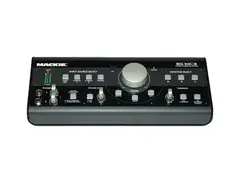
Introducing the Mackie Big Knob Studio Command System, your go-to audio control center that perfectly marries functionality with an impressive design. This powerhouse is more than just a big knob; it's your comprehensive solution for studio monitor selection, input source selection, talkback, and headphone control. With this robust command system, you'll have complete control over your music, whether you're rocking out to your favorite vinyl on your turntable or producing your next big hit. With its four stereo inputs, two headphone inputs, and an incredible 8 input channels and 16 output channels, the Mackie Big Knob is a must-have for any serious music enthusiast or professional.
Key Features:
- Comprehensive control system for studio monitor selection, and input source selection
- Convenient talkback and headphone control
- Four stereo inputs for diverse music sources
- Two headphone inputs for versatile listening options
- 8 input channels and 16 output channels for extensive connectivity
- Phono preamp for turntable connection
Owner's manual
Mackie Big Knob Studio Command System User ManualProduct specs
| Input Channels | 3 x sources |
| Output Channels | 2 x stereo monitors |
| Analog Inputs | 2 x 1/4" TRS (line), 2 x XLR-1/4" combo (mic), 1 x 1/8" (aux in) |
| Analog Outputs | 4 x 1/4" (monitors A/B), 2 x 1/4" (2-track) |
| Headphones | 2 x 1/4" |
| USB | 1 x Type B |
| Computer Connectivity | USB |
| Talkback | Built-in |
| A/D Resolution | Up to 24-bit/192kHz |
| Software | Traktion |
| Compatibility | Mac, Windows |
| Form Factor | Desktop |
| Power Supply | 18V DC power supply (included) |
| Height | 3.2" |
| Width | 9.9" |
| Depth | 6.4" |
| Weight | 3.5 lbs. |
FAQs
-
What are the main connectivity options for the Mackie Big Knob Studio Command System?
-
The Mackie Big Knob Studio offers USB connectivity for computer interfacing, along with analog inputs including 2 x 1/4" TRS, 2 x XLR-1/4" combo, and 1 x 1/8" aux in. It also provides analog outputs for two stereo monitors and two 1/4" headphone jacks.
-
Is the Mackie Big Knob Studio compatible with both Mac and Windows systems?
-
Yes, the Mackie Big Knob Studio is compatible with both Mac and Windows operating systems, allowing for versatile use across different computer setups.
-
Does the Mackie Big Knob Studio include a talkback feature?
-
Yes, the Mackie Big Knob Studio includes a built-in talkback feature, which is useful for communicating with performers in a studio setting.
-
Can the Mackie Big Knob Studio handle high-resolution audio?
-
The Mackie Big Knob Studio supports audio resolutions up to 24-bit/192kHz, making it suitable for high-resolution audio recording and playback.
-
How many input channels does the Mackie Big Knob Studio Command System support?
-
The Mackie Big Knob Studio supports three input sources, allowing you to connect multiple audio devices simultaneously for flexible studio management.
Videos

onlyfactorydirect
Big Knob Mackie
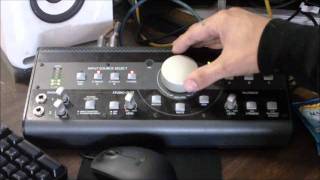
Big Knob Mackie
onlyfactorydirect
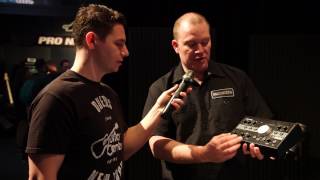
Mackie Big Knob Controllers

Guitar Center
Reviews
PROS
-
Seamless switching between multiple audio sources and monitors
-
Built-in talkback mic adds unique communication capability
-
High-quality audio signal clarity without added noise
-
Versatile connectivity with multiple input and output options
-
Sturdy construction with a satisfying main volume knob
-
Supports a wide range of devices with direct connections
-
Independent dual headphone outputs with mix bus
-
Convenient tabletop design with easy-to-use controls
-
Includes phono preamp for direct turntable connection
-
Compact design saves desk space while offering extensive functionality
CONS
-
Inconsistent build quality; some knobs feel cheap and wiggle
-
Volume imbalance at low levels, leading to channel discrepancies
-
Mic preamps are noisy and lack power compared to competitors
-
Runs hot, potentially affecting longevity and performance
-
Lacks Mac-specific driver support, causing compatibility issues
-
Audio pops and crackles during power on/off and input switching
-
Some units experience channel and static issues over time
-
Volume knob too sensitive, easily bumped
-
Talkback feature not routable to certain outputs
-
Frequent issues with headphone output balance and clarity
Owner Insights
We analyzed real musician discussions from forums and Reddit to find what players love, question, and tweak about Mackie Big Knob Studio Command System.
Build quality
-
Some users report the knob and other controls becoming crackly after a few years, with one user noting the unit can become unusually warm.
Source
Setup and maintenance
Comparisons
-
The Heritage Baby RAM, at $149, offers stepped volume control, which is noted to be more reliable than the rotary knob on the $69 Big Knob Passive.
Source -
The Mackie Big Knob Studio's headphone amplification may be less powerful than dedicated amps, prompting some users to consider external amps for demanding headphones like the Argon MK3s.
Source
User experience
Use cases and applications
-
For those needing headphone outputs, consider active monitor controllers, as passive options like the Big Knob Passive lack built-in headphone amplification.
Source -
Users attempt to use the Big Knob as a pseudo-patchbay, routing multiple audio sources like stereo synths and turntables through one stereo output for simplified recording and monitoring.
Source
Features and functionality
-
The Mackie Big Knob Studio allows multiple headphones and speakers to be controlled through one device, providing flexibility for varied audio setups.
Source -
The Mackie Big Knob includes a built-in phono preamp, which can be particularly beneficial for integrating a turntable into a studio setup without requiring additional equipment.
Source -
The Big Knob's source inputs are designed to route audio through outputs into an interface, but users should be cautious of feedback when recording directly into a DAW.
Source
Software and compatibility
-
The Mackie can function as a USB interface, but some users explore external DACs for potentially superior audio quality, using optical inputs to bypass the onboard DAC.
Source -
Concerns about potential feedback loops arise when connecting both input sources and outputs via the Big Knob, suggesting careful routing and monitoring settings are necessary to avoid audio issues.
Source
Critic Reviews
4.5 out of 5
Based on 9 Reviews and 56 Ratings

179
Great control unit
Monitor Selection When it comes to mixing, pros know it’s best to get a second, and third, opinion. So Big Knob lets you quickly switch between 3 pairs of studio monitors, or 2 studio monitors and a subwoofer, or studio monitors and a home stereo, or any other combination of powered speakers.
Source Selection On the input side, Big Knob lets you connect up to 4 stereo input sources at once. This means you can simultaneously connect to your computer/DAW outputs, CD player, cassette deck and even a turntable using the premium onboard RIAA preamp. You can even connect keyboards, guitars, drum machines, samplers - anything you’d like to hear - through your monitors. This makes Big Knob great for comparing your mixes-in-progress to your favorite CDs, for archiving your old LPs, jamming along to your favorite tune, and lots more.
Talkback Section & Headphone Control With its built-in Talkback mic and spring-loaded activation switches, Big Knob lets you quickly communicate with musicians in both the studio and tracking room - no more hand signals through the glass! Big Knob also sports two high-powered headphone outputs with a discrete headphone mix bus, solving the communications needs of most computer-based studios.
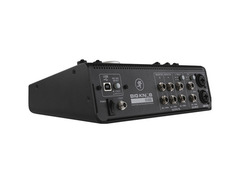
All the Right Connections Although its shiny silver knob is a head-turning feature, Big Knob's rear panel is equally impressive. There you’ll find three distinct Monitor outputs with individual level control; 2-Track A and 2-Track B stereo outputs with level selection switches; a DAW stereo output for your computer; a Studio output with level control; a Phones Mix input with level selection switch; 2-Track A and 2-Track B Stereo Source inputs with level control; a DAW Mix input from your computer with level control; and even a Phono input with level control for direct connection to your turntable.
Sound Quality Because Big Knob plays a crucial link between recording output(s) and studio monitors, we placed the utmost importance on pristine, no-compromise sound quality. For this reason, Big Knob features ultra low-noise op amps, extremely low-tolerance components and state-of-the-art surface mount technology. All of this ensures superb sound in critical listening environments and long-term reliability - even under daily, and nightly, studio use.
Tabletop level control / monitor switcher / source selector & talkback box Big, convenient volume knob for precise level adjustments Switch amongst 3 sets of studio monitors Built-in Talkback microphone for easy communication with musicians Monitor 4 independent Stereo inputs including one for your turntable Dual Headphone outputs with independent volume controls and headphone mix bus Phono preamp for direct turntable connection High-end studio sound quality and robust construction Perfect for computer-based studios Humorous product name ensures years of off-color studio humor

141
very agile studio monitor control
This is an excellent device for studio control, if you have multiple monitoring systems and multiple input types, all can be controlled by the push of a button. Headphone amp has High Output amplifier.Each output has individual trimmers so you can balance the levels between each set.

292
static
So I just bought a MBK and had to take it back, because it was making my monitors sound funky. People say that its just a Mackie thing, so it kind of pushed me to go for the presonus one cuz, I just don't have time and patience anymore when it comes to gear that its supposed to make your life easier haha! so, I wouldnt recomend it, but that's just my experience.

214
Sorry which monitors do you use? I have a couple of yamaha hs 7 and I'm wondering if the Mackie will work with them...
292
yamaha. checkout the presonus one

Life saver
This thing is a life saver with my multi monitor setup. I also use it to route audio from different computers into my studio system during collabs.


Very useful for monitoring
I love the quick access to talkback, volume, mono, mute. Super useful.
This review has been translated automatically into English. See original

Artist usage
Add artist

In the video titled "Avicii – The Creative Journey of Forever Yours," at the 3:40 mark on the left, Avicii can be seen with the Mackie Big Knob Studio Command System (2005 version) on his workstation.


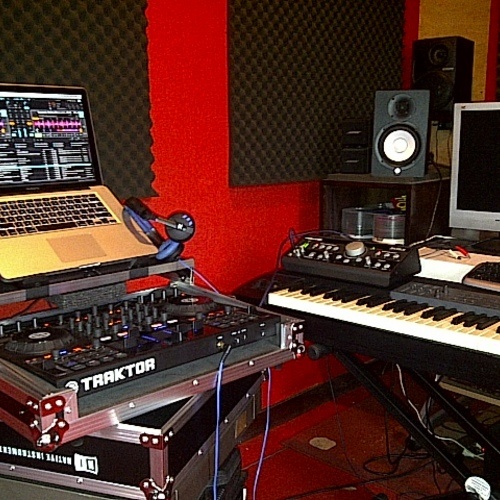
You can see the Mackie Big Knob Studio Command System on the right hand side of his laptop in this photo.


The Mackie Big Knob makes an appearance on Diplo's desk in his studio.


Aoki uses the Big Knob to control the volume of the mix going into his studio monitors.

In a photo Knife Party posted of their DJ setup in the studio, the Mackie Big Knob can be spotted above a Pioneer DJM-2000 Mixer.


In an interview with Dubspot at SXSW, a Mackie Big Knob Studio Command System is visible on Flying Lotus' desk, highlighting its role in his studio setup.


The Mackie Big Knob can be seen clearly in Steve Angello's studio at 0:27 in an interview with Future Music.

At 3:07, You Can Clearly See The Mackie Big Knob Studio Command System.


Dr. Dre's engineer is seen in front of a Mackie Big Knob at 1:20 minutes in.
.jpeg?v=1784831401)
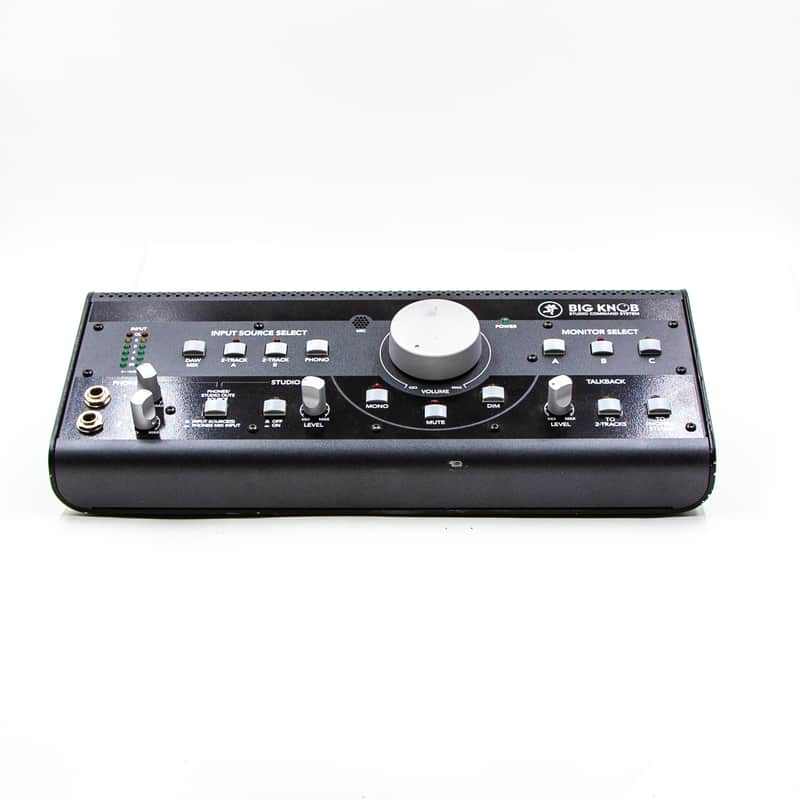
A Reverb listing identifies this Mackie Big Knob Studio Command System as having been owned by Mark Hoppus.

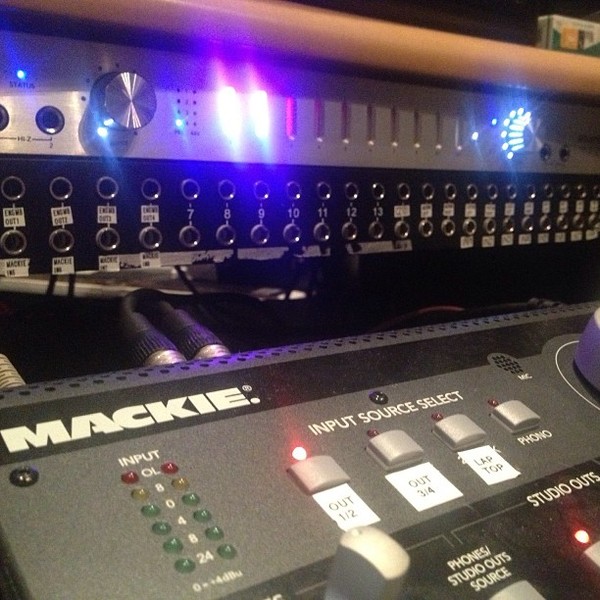
The Mackie Big Knob can be seen in several photos Deorro posts of his studio gear setup.


Album Usage
The Mackie Big Knob Studio Command System has been featured on the following albums:


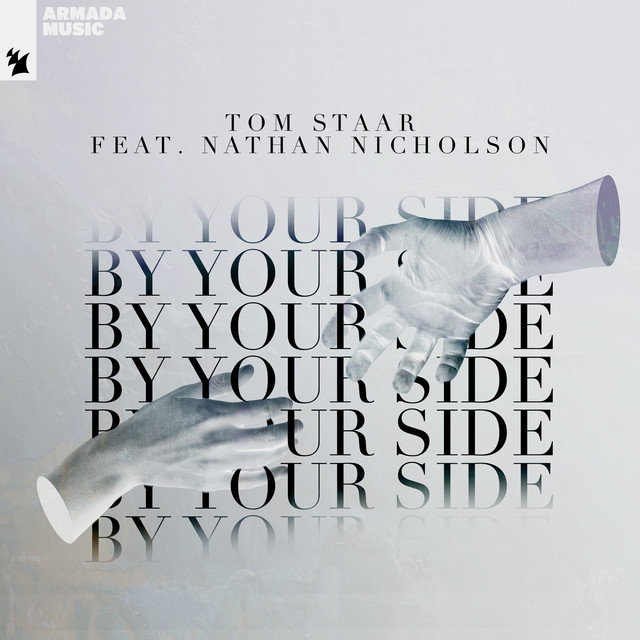





Genre Usage
Based on how artists on Equipboard use this gear, it is most commonly found in the following genres.
Used With
Based on how musicians on Equipboard use Mackie Big Knob Studio Command System, it is most commonly used with the following gear.



-s.webp?v=1784818721)

Community setups
Show yours
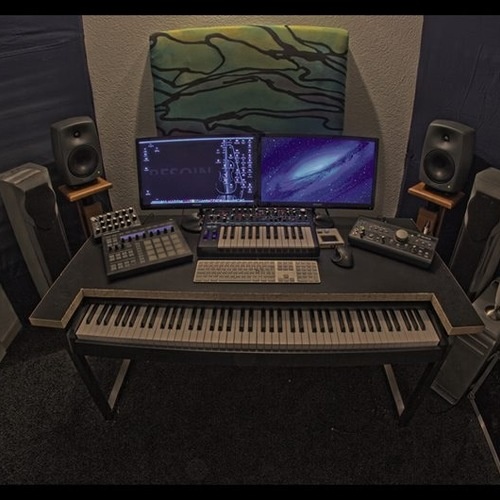




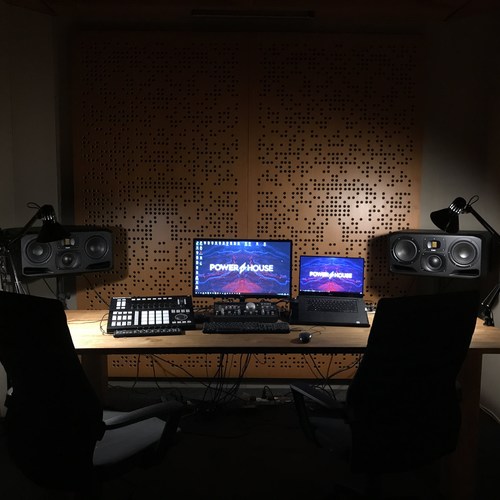
More Mackie Studio Monitor Management

$52.35 - $69.99
in Studio Monitor Management Rank


$180.43 - $249.99
in Studio Monitor Management Rank


$261.38 - $349.99
in Studio Monitor Management Rank


$563.00 - $692.99
in Studio Monitor Management Rank


$2,499.00 - $2,749.00
in Studio Monitor Management Rank


$269.00 - $367.99
in Studio Monitor Management Rank


$55.82 - $367.99
in Studio Monitor Management Rank


$799.00 - $999.00
in Studio Monitor Management Rank


$766.00 - $899.00
in Studio Monitor Management Rank


$186.00 - $199.00
in Studio Monitor Management Rank


$174.04 - $189.00
in Studio Monitor Management Rank


$1,549.00
in Studio Monitor Management Rank


$352.00 - $719.99
in Studio Monitor Management Rank


$35.70 - $108.32
in Studio Monitor Management Rank

$103.52 - $269.99
in Studio Monitor Management Rank


$217.00 - $299.00
in Studio Monitor Management Rank

$91.70 - $139.00
in Studio Monitor Management Rank

$825.00 - $999.00
in Studio Monitor Management Rank


$1,099.00 - $1,399.00
in Studio Monitor Management Rank


$39.00 - $299.00
in Studio Monitor Management Rank

$333.00 - $399.00
in Studio Monitor Management Rank

$45.00 - $107.99
in Studio Monitor Management Rank

$4,749.00
in Studio Monitor Management Rank


$3,598.00 - $4,749.00
in Studio Monitor Management Rank


$169.00
in Studio Monitor Management Rank

$4,749.00
in Studio Monitor Management Rank


$699.00 - $999.00
in Studio Monitor Management Rank

$1,999.00 - $2,395.00
in Studio Monitor Management Rank


$235.00 - $349.99
in Studio Monitor Management Rank


$6,997.00
in Studio Monitor Management Rank


$245.00 - $379.99
in Studio Monitor Management Rank

$46.90 - $500.00
in Studio Monitor Management Rank

$3,356.00 - $4,194.00
in Studio Monitor Management Rank


$2,499.00 - $2,749.00
in Studio Monitor Management Rank

.jpg?v=1784733418)

$297.47 - $679.00
in Studio Monitor Management Rank

$38.00
in Studio Monitor Management Rank

$46.00 - $89.99
in Studio Monitor Management Rank

$34.85 - $63.90
in Studio Monitor Management Rank


$189.00 - $199.99
in Studio Monitor Management Rank
Accessories & Related Items


Similar


Gear Guides






Most Popular Studio Monitor Management
Most Popular Brands
-
Added to Equipboard on by
 equipboard
GearIQ 4934
-


