

Pricing and availability
We compare 600+ stores and found this item at 4 stores. Prices updated .
Store
Reviews
Price


Average Price: $415
Standard/Professional
$300
$801+
Price Tier
Budget
Standard
High-end
Price History
Based on price data from 3 merchants for "Genelec Loudspeaker Manager". Prices shown reflect NEW condition. Tracking began Apr 2, 2026.
* Product prices and availability are updated by Equipboard every 24hrs and are subject to change. Equipboard may receive compensation for purchases made at participating retailers linked on this site. This compensation does not affect what products or prices are displayed, or the order of prices listed. For more information, please refer to our affiliate disclosure.
Description
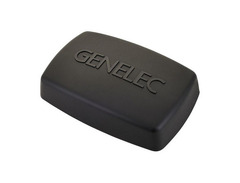
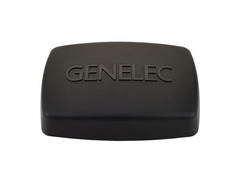
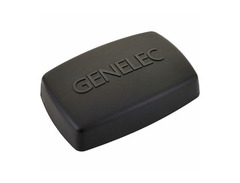
Unlock the full potential of your Genelec SAM studio monitors with the Genelec Loudspeaker Manager (GLM), a seamless blend of sophisticated software and intuitive hardware, designed to perfect your audio landscape. Whether you're working with the acclaimed 8300 series loudspeakers or the dynamic 7300 series subwoofers, the GLM system is your backstage pass to sonic excellence.
The GLM software offers an intuitive interface that allows you to control levels, distance delays, and frequency balances across an expansive network of up to 40 speakers. This remarkable capability ensures your audio output is harmonized to perfection, regardless of the complexity of your setup. Meanwhile, the AutoCal hardware works its magic by automatically measuring, analyzing, and fine-tuning your speaker settings, ensuring optimal performance with minimal effort on your part.
Join countless audio professionals who trust the GLM system to enhance their studio environment with precision and ease. With the factory-calibrated Genelec 8300A acoustic measurement microphone included, achieving studio-grade sound has never been more accessible.
Key Features:
- Comprehensive monitor-control networking system for seamless speaker connectivity
- Supports up to 40 networked 8200/8300 series monitors or 7200/7300 series subwoofers
- AutoCal technology for automated measurement, analysis, and adjustment
- Includes factory-calibrated Genelec 8300A acoustic measurement microphone
- User-friendly GLM software for adjustments of levels, distance delays, and frequency balances
Videos

Genelec Official Channel
Using GLM | Walkthrough GLM 4
Using GLM | Walkthrough GLM 4
Genelec Official Channel
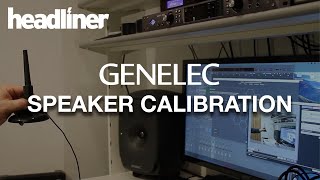
Genelec GLM 4.1 Software Speaker Calibration Demo

Headliner

Genelec Loudspeaker Manager (GLM)

proaudio.tv DE
SAM for Home Audio | Auto-calibrating Genelec's high-end systems
Genelec Official Channel

#GLM4 Loudspeaker Manager Software I Features and Benefits
Genelec Official Channel

Introducing Genelec GLM 4 loudspeaker manager software
Genelec Official Channel
SAM for Home Audio | Genelec Loudspeaker Manager explained
Genelec Official Channel
Reviews
PROS
-
Clean and intuitive user interface
-
Quick and easy calibrations, improving room sound
-
Enhances imaging and detail in music production
-
Allows for precise EQ adjustments, enhancing audio quality
-
Effective phase alignment calibration between monitors and sub
-
Manages up to 30 monitors and subwoofers
-
Offers adjustment of levels, distance delays, and EQ
-
Includes Symmetrical Placement EQ and AutoCal automated calibration
-
Stores parameters and settings for convenience
-
Compatible with both Mac and PC, including Beta versions for newer OS
CONS
-
Does not add gain to address dips, only attenuates peaks
-
Considered a necessary additional purchase for Genelec speaker owners
-
Some may find the product expensive
Owner Insights
We analyzed real musician discussions from forums and Reddit to find what players love, question, and tweak about Genelec Loudspeaker Manager.
Features and functionality
-
The Genelec Loudspeaker Manager (GLM) software calibrates speakers from 0Hz to 20,000Hz, optimizing frequency response based on room acoustics.
Source -
GLM calibration allows settings to be saved to the speakers, eliminating the need for a continuous connection to a PC.
Source -
The RME ADI-2 Pro is recommended for its AES output, allowing simultaneous use of speakers and headphones with integrated EQ for each output.
Source -
The Genelec 9320A Reference Controller eliminates the need for the GLM kit, integrating seamlessly with Genelec speakers for precise control but is considered pricey.
Source -
GLM software allows users to store correction curves directly in the monitors, enabling unplugging of all GLM equipment after setup.
Source
User experience
Software and compatibility
-
GLM is praised for correcting acoustic issues, such as a +12dB problem in the 60-90Hz range, without needing a subwoofer.
Source -
A digital output interface with a 96 kHz sample rate matches the DSP sampling rate of the Genelec 8330A, ensuring optimal performance.
Source -
The GLM software supports 16 filters per channel, along with two high shelf and two low shelf filters, offering extensive control over sound customization.
Source
Comparisons
Use cases and applications
-
Genelecs are noted for their precise and neutral sound, which can reveal flaws in poorly produced music, making them ideal for both studio and Hi-Fi listening.
Source -
Genelec's room correction is praised for effectively eliminating boomy bass, making them suitable for untreated spaces like apartments.
Source
Value and pricing
-
Users highlight the high cost of the Genelec 9320A Reference Controller and RME ADI-2 Pro but emphasize their comprehensive features and quality as worth the investment.
Source
5.0 out of 5
Based on 1 Review and 1 Rating

171
Simply Amazing !
The GLM™ 1.0 Genelec Loudspeaker Manager is a monitor control networking system that manages connectivity to all 8200 Series monitors and 7200 Series subwoofers on the network – up to 30 – from cabling and labelling to complete definitions.
The GLM software features adjustment of levels, distance delays and flexible room response compensation equalization as well as Symmetrical Placement EQ™ with the state-of-the-art and robust AutoCal™ automated calibration system. Standard system configurations are provided as well as provision for customised user setups. All parameters and settings are stored in system setup files or saved in each individual monitor or subwoofer if the GLM network needs to be disconnected.
More Genelec Active & Passive Monitors
-m.webp?v=1784818702)
$769.00 - $2,150.00
in Active & Passive Monitors Rank


$276.00 - $599.99
in Active & Passive Monitors Rank


.jpg?v=1784763257)

$555.00 - $1,260.50
in Active & Passive Monitors Rank


$449.00 - $1,387.64
in Active & Passive Monitors Rank


$875.00 - $1,266.51
in Active & Passive Monitors Rank


.jpeg?v=1784756862)

$875.00
in Active & Passive Monitors Rank


$1,404.00 - $1,444.00
in Active & Passive Monitors Rank


-m.webp?v=1784818713)
$1,498.00
in Active & Passive Monitors Rank


$3,499.00 - $4,950.00


$2,333.00 - $3,675.00


$1,799.00 - $2,875.00


$1,206.00 - $1,895.00


$843.18 - $2,250.00


$1,467.99 - $2,195.00


$566.00 - $2,245.00


$1,399.00 - $2,195.00


$4,399.00 - $5,850.00


$1,799.00 - $2,775.00


$3,675.00 - $5,900.00


Accessories & Related Items

-s.webp?v=1784818916)




Artist usage


Community setups


Similar


Gear Guides





Most Popular Active & Passive Monitors
Most Popular Brands
-
Added to Equipboard on by
paoloalibertiGearIQ 171
-



