

Pricing and availability
We compare 600+ stores and found this item at 10 stores. Prices updated .
Store
Reviews
Price









Average Price: $261
Standard/Professional
$150
$501+
Price Tier
Budget
Standard
High-end
Price History
Based on price data from 6 merchants for "Apogee Element Control". Prices shown reflect NEW condition. Tracking began Apr 2, 2026.
* Product prices and availability are updated by Equipboard every 24hrs and are subject to change. Equipboard may receive compensation for purchases made at participating retailers linked on this site. This compensation does not affect what products or prices are displayed, or the order of prices listed. For more information, please refer to our affiliate disclosure.
Description
Introducing the Apogee Element Control, a powerful sound interface for the modern musician looking for the perfect blend of software control and hardware convenience. This innovative device sits at the heart of your music creation process, providing seamless access to all I/O controls and settings for your Element hardware through a user-friendly software application for Mac.
Whether you're recording, mixing, or mastering, the Element Control offers the power and flexibility to adjust and manage your input/output levels, configure up to three different low-latency mixers, and much more. At the same time, it maintains a small footprint on your screen space with its Essentials window, allowing you to keep your focus on your DAW window.
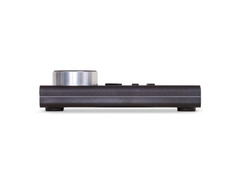
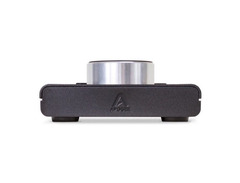
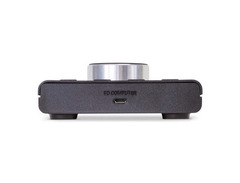
But the Element Control isn't just about software. It also delivers the tactile satisfaction of hardware control through the Apogee Control hardware remote. Featuring eight configurable buttons and a control knob, the remote lets you manage a wide range of settings effortlessly, connecting directly to your Mac via a simple USB cable.
Key Features:
- Software control application for Mac, offering comprehensive control over all I/O controls and settings of your Element hardware
- Essentials Window that provides a minimalistic view of your hardware settings, requiring less screen space
- Apogee Control hardware remote with eight configurable buttons and a control knob
- Direct connection to Mac via USB cable for the hardware remote
- Compatibility with Element 24, 46, and 88 audio interfaces
- Ability to configure up to three different low-latency mixers
- Option to select input type and adjust input/output levels
Product specs
| Type | Element Controller |
| Encoders/Pots | Single encoder control |
| Soft Keys | 8 buttons |
| Computer Connectivity | USB |
| USB | 1 x Type Micro-B |
| Software | Apogee Control 2 |
| Hardware Requirements - Mac | Mac Core Audio |
| OS Requirements - Mac | OS X 10.10 or later |
| Height | 1" |
| Width | 3.8" |
| Depth | 5.8" |
FAQs
-
What is the primary function of the Apogee Element Control?
-
The Apogee Element Control is a hardware remote designed to control Apogee's Element, Ensemble, and Symphony audio interfaces, providing tactile access to key functions.
-
How does the Apogee Element Control connect to a computer?
-
The Apogee Element Control connects to a computer via a USB Type Micro-B port, ensuring seamless integration with compatible devices.
-
What software is required to use the Apogee Element Control?
-
The Apogee Element Control requires Apogee Control 2 software and is compatible with Mac systems running OS X 10.10 or later.
-
Can the Apogee Element Control be used with Windows operating systems?
-
No, the Apogee Element Control is designed specifically for use with Mac systems and is not compatible with Windows operating systems.
-
How many soft keys are available on the Apogee Element Control?
-
The Apogee Element Control features 8 soft keys, allowing users to customize and access various functions quickly.
Videos

Apogee Electronics
Apogee Element Control Tutorial - Low Latency Recording with Reverb
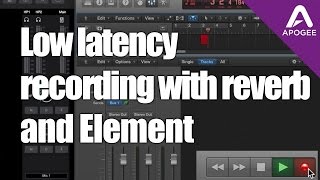
Apogee Element Control Tutorial - Low Latency Recording with Reverb
Apogee Electronics
Apogee Element Control for Mac - Overview
Apogee Electronics
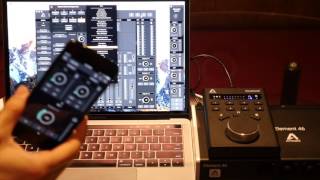
Apogee Element Control

TheStollies
Reviews
PROS
-
Enhances workflow efficiency, especially for home recording
-
Easy to configure for individual setups
-
Quick, tactile control reduces reliance on mouse/software
-
Solid build quality and aesthetically pleasing
-
Multiple assignable buttons and a well-designed volume knob
-
Zero latency for real-time control
-
Facilitates easy switching between inputs/outputs during recording and playback
-
Compatible with a range of Apogee interfaces for expanded control options
-
Useful as a monitor controller with customizable options via the Apogee Control App
CONS
-
Requires an additional USB port
-
Not included with Apogee Element series, extra investment needed
-
The included USB cable is very short, likely requiring an extension
-
Some users find the buttons can occasionally stick
-
Initial setup and button programming can be confusing
-
Price may be prohibitive for some, considering its function as an accessory
Owner Insights
We analyzed real musician discussions from forums and Reddit to find what players love, question, and tweak about Apogee Element Control.
Features and functionality
-
The Element 88 lacks channel inserts for easy integration of outboard gear during tracking, complicating the use of external processors.
Source -
Element Control software allows seamless integration with Logic Pro X, providing preamp control directly in the channel strips for efficient workflow.
Source -
The Element 24 shares the same pre-amps and circuitry as the Apogee Ensemble and Symphony, offering a significant step up in quality.
Source
Software and compatibility
-
Element Control software allows session recall for preamp levels, aiding workflow efficiency and consistency.
Source -
The Element 46 lacks physical knobs, but many users find using an iPad for control convenient, especially when paired with Logic's app for mobile adjustments.
Source -
DSP plugins on the Element 88 are praised for being CPU-efficient, allowing native use without significant resource drain.
Source
Use cases and applications
-
Element 88 can be configured for outboard processing with a mic preamp, despite potential latency when using DAW insert points.
Source -
Ideal for home studios focused on high-quality recording of instruments like acoustic guitar, electric guitar, and vocals, with the potential for excellent podcast production.
Source
User experience
-
Owners report that Element 88's preamps are neutral and clean, preferred by those seeking an uncolored sound.
Source -
Some owners wish for physical knobs but find the software control manageable and appreciate the upcoming plugin hosting feature on the interface.
Source -
Users appreciate the Apogee Control App for iOS devices, enhancing workflow convenience with iPhone or iPad integration.
Source
Comparisons
-
Element 88's converters are compared favorably to RME Fireface UCX/UFX, with similar low latency of around 0.5ms at 44/48 kHz.
Source -
Users note Apogee’s converters are a key selling point over preamp quality, often compared favorably to Focusrite’s Clarett series for clean sound.
Source -
The Apollo Twin X is noted as an upgrade to the Apollo Twin MKII, with support for Thunderbolt 3 and options for Duo and Quad DSP processors.
Source -
The Element 24 is considered a better option than the UA Apollo X6 for users not needing extensive I/O and avoiding the high cost.
Source
Critic Reviews
5.0 out of 5
Based on 0 Reviews and 1 Rating
Genre Usage
Based on how artists on Equipboard use this gear, it is most commonly found in the following genres.
More Apogee Audio Interfaces

$56.00
in Audio Interfaces Rank


$1,000.00
in Audio Interfaces Rank


$20.00
in Audio Interfaces Rank


$399.99 - $595.18
in Audio Interfaces Rank


$193.11 - $1,995.00
in Audio Interfaces Rank


$250.00 - $262.42
in Audio Interfaces Rank


$3,099.00 - $7,495.00


$2,150.00 - $3,527.00


$4,475.00 - $5,199.00


$799.00 - $2,999.00


$4,799.00 - $5,199.00


$5,913.72 - $6,899.00


-m.webp?v=1784642479)

$3,196.94 - $3,499.00
Accessories & Related Items


-s.webp?v=1784642479)


Artist usage


Community setups


Similar


Gear Guides







.webp)
Most Popular Audio Interfaces
Most Popular Brands
-
Added to Equipboard on by
 josephdbae
GearIQ 72
-


