

Pricing and availability
We compare 600+ stores and found this item at 9 stores. Prices updated .
Store
Reviews
Price








Average Price: $215
Standard/Professional
$199
$500+
Price Tier
Budget
Standard
High-end
Price History
Based on price data from 7 merchants for "Nektar Pacer". Prices shown reflect NEW condition. Tracking began Apr 2, 2026.
* Product prices and availability are updated by Equipboard every 24hrs and are subject to change. Equipboard may receive compensation for purchases made at participating retailers linked on this site. This compensation does not affect what products or prices are displayed, or the order of prices listed. For more information, please refer to our affiliate disclosure.
Description
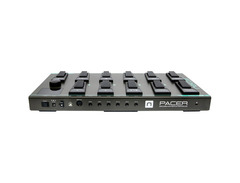
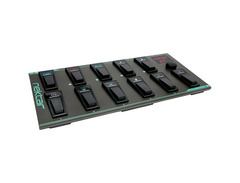
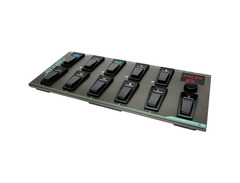
Experience hands-free, seamless control with the Nektar Pacer MIDI Foot Controller—a game-changer for musicians and producers alike. Designed for both the studio and the stage, the Pacer offers unparalleled control of your DAW and guitar rig, all while keeping your hands free to focus on your performance. Housed in a robust metal casing, this foot controller is built to withstand the rigors of live gigs and demanding studio sessions.
With 10 programmable LED foot switches and support for up to four external foot switches and two expression pedals, the Pacer provides an impressive array of customizable control options. Each foot switch can trigger up to 16 MIDI messages, allowing you to instantly reconfigure your setup with a single tap. The Pacer also features four programmable relays for controlling amp channels and effects, making it a versatile tool for any musician.
Compatibility is key, and the Pacer doesn't disappoint. It supports a wide range of DAWs including Ableton Live, Logic, Cubase, and more, thanks to its integration with MCU (Mackie Control Universal). The dedicated RGB LED icons provide visual feedback, ensuring you always know what's happening at a glance.
Whether you're controlling a complex DAW setup or managing your guitar effects, the Nektar Pacer's flexibility, durability, and ease of use make it an indispensable part of any musician's arsenal.
Key Features:
- 10 programmable LED foot switches
- 24 presets with up to 16 MIDI commands each
- Supports 4 external foot switches and 2 expression pedals
- 4 programmable relays for amp and effect control
- MIDI Machine Control (MMC) and USB class compliant
- Compatible with major DAWs and guitar processors like Line 6, Kemper, and more
- Powered via USB or external 9V power supply
Product specs
| Type | Nektar MIDI Foot Controller |
| Pedal Inputs | 2 x 1/4" TRS (expression), 2 x 1/4" TRS (switching pedals 1-4), 2 x 1/4" TRS (relays/momentary 1-4) |
| MIDI I/O | Out |
| USB | 1 x Type B |
| Compatibility | Nektar DAW, Standard DAW's, Line 6, Kemper, Fractal, Avid Eleven Rack |
| Requirements - Mac | OS X 10.8 or later |
| Requirements - PC | Windows 7 SP1 or later |
| Power Source | 9V DC power supply (sold separately) |
| Height | 1.85" |
| Width | 19.6" |
| Depth | 9.0" |
| Weight | 7.7 lbs. |
FAQs
-
Is the Nektar Pacer compatible with popular DAWs like Ableton Live and Pro Tools?
-
Yes, the Nektar Pacer is compatible with standard DAWs including Ableton Live and Pro Tools, allowing for seamless integration and control.
-
What kind of pedals can I connect to the Nektar Pacer?
-
The Nektar Pacer supports 2 expression pedals and 4 switching pedals via 1/4" TRS inputs, providing versatile control options.
-
Does the Nektar Pacer require a separate power supply?
-
Yes, the Nektar Pacer requires a 9V DC power supply, which is sold separately.
-
Can the Nektar Pacer be used with guitar processors like Line 6 and Kemper?
-
Yes, the Nektar Pacer is compatible with guitar processors such as Line 6, Kemper, and others, making it suitable for guitarists needing MIDI control.
-
How does the Nektar Pacer connect to a computer?
-
The Nektar Pacer connects to a computer via USB Type B, facilitating easy integration with digital audio workstations.
Videos

NektarTechnology
Nektar Pacer MIDI Daw Footswitch Controller
Nektar Pacer MIDI Daw Footswitch Controller
NektarTechnology
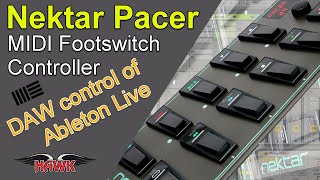
Nektar Pacer MIDI Footswitch Controller with Ableton Live

Erik Hawk
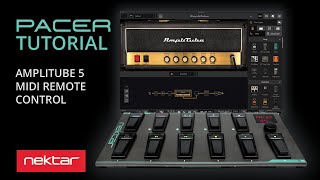
Using Amplitube 5 with the PACER MIDI Foot Controller – Nektar Pacer Tutorial
NektarTechnology
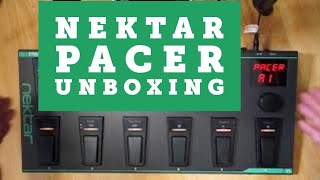
Nektar Pacer unboxing and quick programming

Citizen Warwick
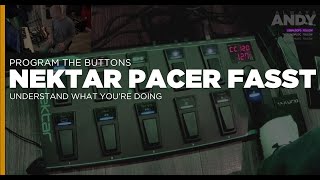
Learn to Program the Nektar Pacer FAST | Understand the Menus | Make it Work!!!

Andy Harper

TheKVB - Nektar Pacer GearTalk
NektarTechnology
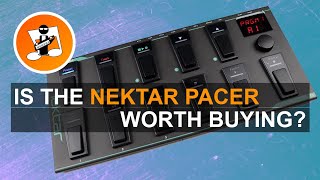
Is the Nektar Pacer worth buying?

IbandUK
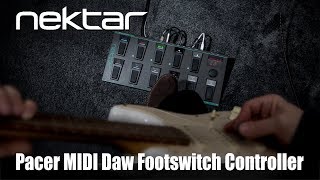
Nektar Pacer MIDI Daw Footswitch Controller

Мир Музыки
Nektar Pacer - Demo y Jam Session en Drunkat

Drunkat - Pro Audio e Instrumentos Musicales
Reviews
PROS
-
Extremely flexible and programmable for various needs
-
Built like a tank, durable for footwork
-
Direct integration with DAWs like Ableton Live
-
Works out of the box for certain setups
-
Supports a wide range of external pedals and devices
-
Color coding pedals for easy navigation
-
Presets available for popular software like Eleven Rack
-
Reasonably priced for its features and build quality
-
Can control DAW transports and switch patches easily
-
Compatible with various expression pedals for enhanced control
CONS
-
Not user-friendly for MIDI beginners without effort
-
Limited documentation and outdated support materials
-
Programming can be tedious and time-consuming
-
LED display lacks sufficient information during operation
-
Large data encoder appears less durable compared to other parts
-
No standalone software for DAW integration, complicating setup
Owner Insights
We analyzed real musician discussions from forums and Reddit to find what players love, question, and tweak about Nektar Pacer.
Features and functionality
-
The Pacer's footswitches can be programmed to output MIDI messages, enabling record, play, and undo functions on the RC505 MKII.
Source -
Users can program toggles and on/off LED states, but pressing a new toggle doesn't automatically turn off the previous one.
Source -
Program Change Preset mappings allow users to switch between custom presets like "X Song clean part" and "X Song distorted part" on channel 1.
Source
Software and compatibility
-
Users recommend using the Pacer Editor via Chrome for optimal performance and making sure both MIDI input and output are set to Pacer 1.
Source -
Using TRS cables for relay connections ensures compatibility between the Pacer and RC505 MKII’s control jacks.
Source -
The StudioCode.dev editor is highly regarded for its flexibility, allowing users to trigger samples and change virtual guitar pedals.
Source -
Users are interested in changing the selected Nektar profile via a MIDI message to the device, though it's unclear if this is possible.
Source -
Users found "Program Change" mappings effective for controlling Archetype Petrucci presets with the Pacer, while CC mappings were ineffective.
Source
Setup and maintenance
-
To fully utilize the Pacer with the RC505 MKII, firmware updates and proper CC# assignments are crucial for each memory.
Source
User experience
Use cases and applications
-
By using the Pacer’s relay outputs and RC505’s CTL functions, users can add four more MIDI controls beyond the standard 16 assignments.
Source -
The Pacer can be used to trigger playback of live loop scenes in Logic through "CC Trigger" functions.
Source -
Expression pedals can successfully control volume on standalone plugins when properly mapped through MIDI learning.
Source
Critic Reviews
5.0 out of 5
Based on 0 Reviews and 2 Ratings
Artist usage
Add artist

In the beginning of this video Marcin explains how he uses the Nektar Pacer Footswitch Pedal in his live performances and how much of a useful device it is.

Genre Usage
Based on how artists on Equipboard use this gear, it is most commonly found in the following genres.
Used With
Based on how musicians on Equipboard use Nektar Pacer, it is most commonly used with the following gear.

More Nektar MIDI Foot Controllers

$427.50 - $484.00
in MIDI Foot Controllers Rank


$19.95 - $139.00
in MIDI Foot Controllers Rank


$381.00 - $679.99
in MIDI Foot Controllers Rank


$119.00 - $153.00
in MIDI Foot Controllers Rank


in MIDI Foot Controllers Rank


$441.00 - $699.95
in MIDI Foot Controllers Rank


$300.00 - $319.00
in MIDI Foot Controllers Rank


$129.99 - $249.99
in MIDI Foot Controllers Rank


$2,250.00
in MIDI Foot Controllers Rank


$395.99 - $427.50
in MIDI Foot Controllers Rank


in MIDI Foot Controllers Rank


$139.99
in MIDI Foot Controllers Rank


in MIDI Foot Controllers Rank


$150.00
in MIDI Foot Controllers Rank


$50.00 - $219.00
in MIDI Foot Controllers Rank


$89.89 - $119.99
in MIDI Foot Controllers Rank


$489.00
in MIDI Foot Controllers Rank


$67.89 - $80.00
in MIDI Foot Controllers Rank

$174.00 - $300.00
in MIDI Foot Controllers Rank

$190.53 - $499.99
in MIDI Foot Controllers Rank


$299.00
in MIDI Foot Controllers Rank


$1,880.00 - $3,087.00
in MIDI Foot Controllers Rank


$34.99
in MIDI Foot Controllers Rank


$179.00
in MIDI Foot Controllers Rank

$209.99
in MIDI Foot Controllers Rank


$79.99 - $309.00
in MIDI Foot Controllers Rank

$200.00
in MIDI Foot Controllers Rank


$79.99 - $111.00
in MIDI Foot Controllers Rank

$189.99
in MIDI Foot Controllers Rank


$236.97 - $420.00
in MIDI Foot Controllers Rank


$470.00
in MIDI Foot Controllers Rank


$400.00
in MIDI Foot Controllers Rank


.jpg?v=1782699666)

$427.50
in MIDI Foot Controllers Rank


$60.00
in MIDI Foot Controllers Rank


$489.00 - $999.95
in MIDI Foot Controllers Rank
.jpeg?v=1782849320)


$269.99 - $349.00
in MIDI Foot Controllers Rank

Accessories & Related Items


-s.webp?v=1782826137)


Community setups


Similar


Most Popular MIDI Foot Controllers
Most Popular Brands
-
Added to Equipboard on by
 orcoaffamato
Gear IQ 126
-


