
Pricing and availability
We compare 600+ stores and found this item at 2 stores. Prices updated .
Store
Reviews
Price




Average Price: $100
Budget/Beginner
$200
$501+
Price Tier
Budget
Standard
High-end
Price History
Based on price data from 1 merchant for "Nektar Impact LX61". Prices shown reflect NEW condition. Tracking began Apr 2, 2026.
* Product prices and availability are updated by Equipboard every 24hrs and are subject to change. Equipboard may receive compensation for purchases made at participating retailers linked on this site. This compensation does not affect what products or prices are displayed, or the order of prices listed. For more information, please refer to our affiliate disclosure.
Description
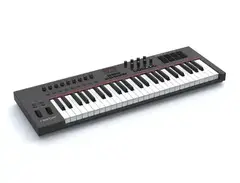
Unleash your creative potential with the Nektar Impact LX61, a 61-key USB MIDI controller designed to seamlessly integrate with your favorite DAW. Whether you're a budding producer or a seasoned musician, this controller offers a hands-on approach to music production, ensuring you stay in the creative zone. The intelligent mapping feature means you can control your software with ease, without getting bogged down by complex setups. Switch effortlessly between Mixer, Instrument, and Preset modes to enjoy a fluid and productive workflow.
The LX61's synth-action keys provide a responsive and tactile experience, making it ideal for both live performances and studio sessions. With its velocity-sensitive keys, four velocity curves, and three fixed velocities, you can tailor your playing dynamics to match any musical style. The pitch and modulation wheels are strategically placed for intuitive control, while the full transport controls keep your production process flowing smoothly.
This controller also comes with a powerful software package, including Bitwig 8-Track, allowing you to dive straight into composing and arranging. The 8 performance pads are color-assignable and can be easily configured to send MIDI notes or messages, enhancing your live performance capabilities. With 9 control faders and 8 control pots, the Nektar Impact LX61 offers substantial hands-on control, making it a versatile tool for any musician.
Key Features:
- 61-key USB MIDI controller with intelligent mapping for major DAWs
- Pre-mapped and configured for immediate use
- DAW integration with Bitwig Studio, Cubase, Logic Pro, and more
- 8 assignable performance pads with color options
- 9 control faders and 8 control pots for comprehensive hands-on control
- Full transport controls for a seamless workflow
Product specs
| Brand | Nektar |
| Model | Impact LX61+ USB MIDI Keyboard Controller |
| Finish | Black |
| Year | 2016 - 2021 |
| Categories | Keyboard MIDI Controllers, Pad MIDI Controllers |
| Analog / Digital | Digital |
| Key Size | Full Size |
| Keyboard Action | Synth Action |
| MIDI I/O | USB MIDI |
| Number of Keys | 61 Keys |
| Number of Pads | 8 Pads |
FAQs
-
Does the Nektar Impact LX61+ have velocity-sensitive keys?
-
Yes, the Nektar Impact LX61+ features 61 full-size, velocity-sensitive keys, which allow for expressive playing dynamics.
-
How does the Nektar Impact LX61+ integrate with DAW software?
-
The Nektar Impact LX61+ is designed to integrate seamlessly with most major DAWs, including Ableton Live, FL Studio, and Logic Pro, offering pre-mapped controls for easy setup and use.
-
What type of action does the Nektar Impact LX61+ keyboard have?
-
The Nektar Impact LX61+ is equipped with a synth-action keyboard, providing a smooth and responsive playing experience suitable for various music styles.
-
How many pads are included on the Nektar Impact LX61+?
-
The Nektar Impact LX61+ includes 8 velocity-sensitive pads, allowing for dynamic beat-making and triggering of samples.
-
Does the Nektar Impact LX61+ require an external power supply?
-
No, the Nektar Impact LX61+ is powered via USB, eliminating the need for an external power supply when connected to a computer.
-
Can the Nektar Impact LX61+ be used with iOS devices?
-
Yes, the Nektar Impact LX61+ can be used with iOS devices via a compatible USB adapter, making it versatile for mobile music production.
Videos

Sean Divine
Nektar Impact LX61+ Midi Controller Review and Demo
Nektar Impact LX61+ Midi Controller Review and Demo
Sean Divine
The Truth About The Nektar Impact LX61(One Year Later)

John Mike
Nektar LX+ Series Demo by Sweetwater

Sweetwater
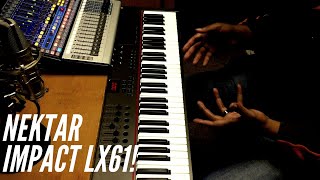
Nektar Impact LX61 Review!
John Mike
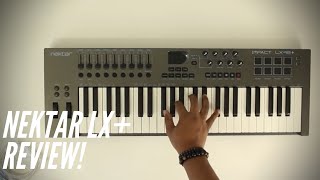
This Is For Control Freaks! |Nektar Impact LX+ Review|
John Mike
Nektar Impact LX61 VELOCITY TEST

Adrian Tester
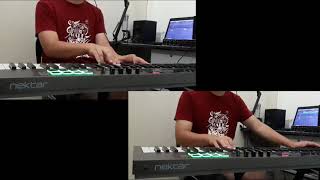
Nektar Impact LX61 Midi Keyboard Test

Rento Music
Reviews
PROS
-
Elegant, modern design fits well in any setup
-
Comprehensive features including presets, velocity settings, and drawbar
-
Deep DAW integration for seamless music production
-
Versatile control with numerous buttons, faders, and knobs
-
Ideal for live performances with DAW or synths
-
Good build quality at a low price point
-
Responsive pads suitable for beginner musicians
CONS
-
Synth-action keys may not satisfy classical pianists
-
Disparity in weight between white and black keys affects playability
-
Material inconsistency in octave and mute buttons
Owner Insights
We analyzed real musician discussions from forums and Reddit to find what players love, question, and tweak about Nektar Impact LX61.
Features and functionality
-
The LX61+ offers a synth-action keybed, which is lighter and more suitable for electronic music, unlike the LX88's semi-weighted keybed for a piano-like feel.
Source -
Both the LX61+ and LX88 offer similar controls, including pads, knobs, sliders, and transport buttons, making them versatile for various production needs.
Source -
The LX61+ offers seamless integration with Logic, making it a time-saver for users needing efficient DAW control.
Source
Software and compatibility
Use cases and applications
-
The LX61+ is ideal for those into electronic music or synth-based genres, especially with limited space, while the LX88 suits pianists needing a more authentic feel.
Source
Comparisons
User experience
-
Some owners report issues with latency and note triggering over time, suggesting potential reliability concerns.
Source
Build quality
-
Older models may experience sun bleaching, with keys turning from white to yellow when exposed to sunlight.
Source
4.5 out of 5
Based on 4 Reviews and 18 Ratings

Best for Value
All things necessary are all contained in this elegant, yet modern styled machinery. From presets and banks to advanced settings such as velocity settings and drawbar feature, this MIDI Keyboard has all it takes to create the perfect music you can think of. My complaints will go for the keys, as they are a little bit too much of a synth-action type keys. As a classical piano player, this issue is limiting the capability of one's great piano performance. To put it simple, a slightly more weighted keys would be nice. The weight of the white and the black keys are very different as the black keys carries much less weight than the whites, so when playing a certain scale with black keys i can't seem to level the velocity well. Overall, i'd say that it is the best for its value. It has a very good build quality for it's low price tag, although still confused on why the material for the octave button and the mute button for each mixer track are different. It is worth buying.

Great and affordable midi controller keyboard
Well built midi keyboard for a beginner musicians with DAW deep integration support makes it easy to use from the first touch. Good quality synth keybed, a little bit springy when it comes to the black keys, with good response pads. In its price range a must to consider, and probably this product gonna meet your own needs if you don't prefer semi-weighted or fully weighted keybed or more pads.

Probably the best for the price
A really good MIDI controller, with the DAW integration is very fluid to use (I personally use Studio One 3). Lots of buttons, faders and knobs make it perfect for controlling mixers, parameters, synths. Also very useful to use live with a DAW or a synth, you can control pretty much everything from the controller. Nektar knows what they're doing

277
Awesome midi keyboard...
very powerful controller and keyboard...use it with fl and work like charm...awesome...
Genre Usage
Based on how artists on Equipboard use this gear, it is most commonly found in the following genres.
Community setups
Show yours
More Nektar MIDI Keyboard Controllers

$20.00 - $599.99
in MIDI Keyboard Controllers Rank


$80.00 - $109.99
in MIDI Keyboard Controllers Rank


$172.00 - $199.99
in MIDI Keyboard Controllers Rank

$5.00 - $499.99
in MIDI Keyboard Controllers Rank


$25.00 - $129.99
in MIDI Keyboard Controllers Rank


$5.00 - $299.99
in MIDI Keyboard Controllers Rank

$159.99 - $179.99


$30.00 - $189.99


$124.95 - $179.99


$89.60 - $99.99


$88.00 - $179.00

$10.00 - $319.99


$136.00 - $189.99

$10.00 - $289.99


-m.webp?v=1784813313)


$248.00 - $279.99
in MIDI Keyboard Controllers Rank
-m.webp?v=1784819051)
$85.00 - $149.50
in MIDI Keyboard Controllers Rank


.jpeg?v=1784640200)

$174.45 - $712.00
in MIDI Keyboard Controllers Rank


$135.00 - $678.00
in MIDI Keyboard Controllers Rank


$32.72 - $59.00
in MIDI Keyboard Controllers Rank


$46.41
in MIDI Keyboard Controllers Rank


-m.webp?v=1784818827)
$406.30 - $469.00
in MIDI Keyboard Controllers Rank


$76.07 - $89.00
in MIDI Keyboard Controllers Rank


Accessories & Related Items


Artist usage


Similar


Gear Guides







Most Popular MIDI Keyboard Controllers
Most Popular Brands
-
Added to Equipboard on by
 robam_markus
GearIQ 62
-


