

Pricing and availability
We compare 600+ stores and found this item at 7 stores. Prices updated .
Store
Reviews
Price








Average Price: $143
Budget/Beginner
$200
$501+
Price Tier
Budget
Standard
High-end
Price History
Based on price data from 4 merchants for "Nektar Impact LX49+ USB Keyboard Controller". Prices shown reflect NEW condition. Tracking began Apr 2, 2026.
* Product prices and availability are updated by Equipboard every 24hrs and are subject to change. Equipboard may receive compensation for purchases made at participating retailers linked on this site. This compensation does not affect what products or prices are displayed, or the order of prices listed. For more information, please refer to our affiliate disclosure.
Description
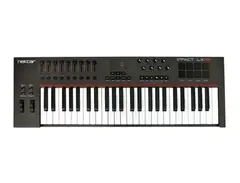
Nektar Impact LX49+ USB Keyboard Controller
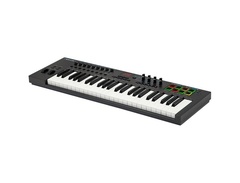
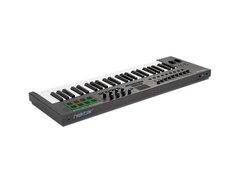
Unleash your creativity with the Nektar Impact LX49+ USB Keyboard Controller. This versatile controller is designed to deliver superior performance and seamless integration with popular DAWs, offering a level of control that is unsurpassed in its class. Its 49-note velocity-sensitive keyboard features a synth action with medium tension, accommodating a wide range of playing styles. The octave and transpose buttons, pitch bend and modulation wheels are within easy reach, allowing you to adjust your performance on the fly.
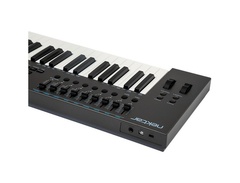
The Impact LX49+ also features 8 performance pads, offering an additional layer of control. These pads can be easily assigned to MIDI notes or messages, allowing you to trigger or toggle sounds with a simple touch. The controller also comes equipped with 9 control faders and 8 control pots, providing hands-on control for an immersive music creation experience.
The controller's extensive DAW integration offers a smooth workflow, with support for popular DAWs such as Cubase, Digital Performer, Garageband, Logic, Nuendo, Reaper, Reason, Sonar and Studio One. The Impact LX49+ is also bundled with Bitwig 8-Track DAW software, making it a complete package for music production.
Key Features:
- 49-note velocity-sensitive keyboard with synth action and medium tension
- 8 Performance pads for MIDI note assignment or toggle buttons
- Extensive DAW integration, compatible with most popular DAWs
- 9 Control faders and 8 control pots for hands-on control
- Comes with Bitwig 8-Track DAW software
- 4 velocity curves and 3 fixed velocities for versatile playing
- Octave and transpose buttons for easy adjustments
- Pitch bend and modulation wheels for additional articulation
- 6 Dedicated transport buttons for easy navigation and control
- Class Compliant for true plug-and-play
- Powered via USB
- User-defined parameter assignments with 5 user presets
Owner's manual
Nektar Impact LX49+ USB Keyboard Controller User ManualProduct specs
| Type | Keyboard Controller |
| Number of Keys | 49 |
| Type of Keys | Synth Action |
| Velocity Sensitive | Yes |
| Pads | 8 LED Backlit |
| Other Controllers | Pitchbend, Mod Wheel |
| Encoders/Pots | 8 |
| Faders | 8 plus volume |
| Dedicated Transport Control | Yes, full integration for major DAWs |
| Pedal Inputs | 1 x 1/4" (assignable) |
| MIDI I/O | USB |
| USB | 1 x Type B |
| Computer Connectivity | USB |
| Software | Bitwig 8-Track (VST plug-in compatible) |
| OS Requirements - Mac | OS X 10.7 or later, iOS (Apple Camera Connection kit required for iPad) |
| OS Requirements - PC | Windows 7 or later |
| Height | 3.00" |
| Width | 31.60" |
| Depth | 10.50" |
| Weight | 7.0 lbs. |
FAQs
-
Is the Nektar Impact LX49+ compatible with all major DAWs?
-
Yes, the Nektar Impact LX49+ offers full integration with major DAWs such as Ableton Live, Logic Pro, Cubase, and more, providing seamless control over your music production software.
-
Does the Nektar Impact LX49+ require any special drivers to work with my computer?
-
No special drivers are required. The Nektar Impact LX49+ is class-compliant, meaning it connects via USB and works with both Mac and PC without additional drivers.
-
What type of keys does the Nektar Impact LX49+ have?
-
The Nektar Impact LX49+ features 49 synth-action keys that are velocity-sensitive, allowing for expressive playing dynamics.
-
Can I use the Nektar Impact LX49+ with an iPad?
-
Yes, the Nektar Impact LX49+ can be used with an iPad, but it requires an Apple Camera Connection Kit to connect via USB.
-
Does the Nektar Impact LX49+ have assignable controls?
-
Yes, the Nektar Impact LX49+ includes 8 pads, 8 encoders, and 8 faders, all of which are assignable to various functions within your DAW for customized control.
-
What software is included with the Nektar Impact LX49+?
-
The Nektar Impact LX49+ comes with Bitwig 8-Track, which is VST plug-in compatible, providing a great starting point for music production.
Videos

sonicstate
Nektar IMPACT LX 49+ Controller
Nektar IMPACT LX 49+ Controller
sonicstate
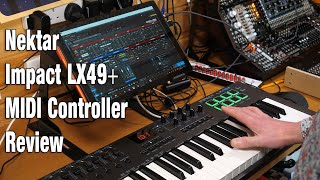
Nektar Impact LX49+ MIDI Controller Review

Molten Music Technology
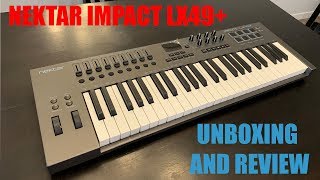
Nektar Impact LX49 + Unboxing and quick test.

Danboarding
Nektar Impact LX49+

Musician's Friend

Nektar Impact LX49+ Making Smooth Beat in Fl Studio 20

Suce
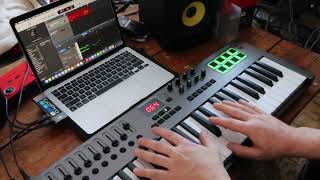
AKAI MPK KILLER!! Nektar Impact LX49+ in 2022!

STEF
Reviews
PROS
-
Seamless DAW integration across multiple platforms
-
Easy setup with downloadable drivers from Nektar site
-
Excellent build quality relative to its price point
-
Comes with a variety of controls including faders, pads, and knobs
-
Keys have a good feel, suitable for beginners and intermediates
-
Drum pads are velocity-sensitive and highly responsive
-
Offers real-time response to knob and slider movements for immersive control
-
Affordable price for a full-featured MIDI controller
-
Positive impact on workflow with transport controls and digital display
-
Sturdy design with a contemporary aesthetic and matte finish
CONS
-
Lack of aftertouch feature noted by some users
-
Keys and pads may have an aggressive velocity curve that requires adjustment
-
Limited I/O with only USB port and sustain pedal input, lacking MIDI out
-
The keybed feels "clicky" and lacks springy resistance for rapid note triggering
-
Some users find the initial DAW configuration process to be less intuitive than expected
-
The keys are not perfectly aligned, which may affect playability
-
The drum pads require a hard amount of pressure for full velocity
Owner Insights
We analyzed real musician discussions from forums and Reddit to find what players love, question, and tweak about Nektar Impact LX49+ USB Keyboard Controller.
Build quality
User experience
Comparisons
-
The Nektar LX49+ is generally considered a slight upgrade over Akai keyboards but falls short of newer Arturia and Novation models.
Source
Use cases and applications
Critic Reviews
4.0 out of 5
Based on 3 Reviews and 11 Ratings

83
Does many stuff and works fine with your DAW
- has many properties which overcomes its price (has many buttons to play with yay!)
- so easy to install and works perfectly fine with many of the DAW's around (even with Garage Band)
- It adds new stuff to your DAW. Has many cool UI short cuts, I can edit Garage Band's preset sounds with its synthesizer even more that Garage Band allows me to do.
- It has a weirdly aggressive velocity curve on keyboard and the opposite on pads. Looks like some engineer mixed their data. You need to get used to it.

308
So much quantity for the price!
I immediatly fell in love with it after reading several reviews. Not only the attractive price, but also the implemented controls for various DAW's. The product is actually aimed to use with Bitwig Studio / 8 Track. But it also have macro's for FL Studio, Cubase and plenty of others, EXCEPT Ableton. Thanks to these implementations, the keyboard is great for performance play. Just what I wanted. The knobs and faders all feel very solid, just like the pads. Velocity for the keys sounds good too. And I love that the pads are velocity sensitive as well.
Downsides:
The keys could use improvement. When I got the keyboard, the first thing I noticed was that all the keys where not exactly alligned with eachother. Something you see on very old piano's. Also, it took a while to get the keys smoother. ( Eventually after playing a lot, the keys are now smooth enough to comfortably play it. ) The velocity of the drumpads could use a bit more settings. Tapping with one finger requires a hard amount of pressure to get full velocity. ( Even after setting the velocity to the max settings ) Always need two fingers to press one pad. Ofcourse, you can disable the velocity feature on the pads, but that takes away a precious ( and needed ) functionality.
Overall, for this price you can't expect that much. But taking away the few downsides, you have an excellent midi keyboard. You don't see so much midi keyboards with so much features for that price. And quality wise: It's actually not that bad! It feels like it will last a long time.
If Nektar decides to make another upgrade of the LX, please add a MIDI IN / OUT / THRU port and aftertouch. If so, Nektar will have me as a loyal customer.

3007
Instant connectability
My Nektar Impact LX49+ landed today and it was simple to install. It has proven in it's first night to be as versatile as I needed it to be, allowing me drum pads, seamless octave jumping, live adjustments to synth parameters, a working and accurate transport bar and 8 channels of mixer sliders that got me straight into recording and mixing without really having to touch the laptop or the mouse. All on the first night. Reviews say the keys are a bit weird, they are high but they are completely usable. A great addition to my setup.
Artist usage
Add artist

Genre Usage
Based on how artists on Equipboard use this gear, it is most commonly found in the following genres.
Used With
Based on how musicians on Equipboard use Nektar Impact LX49+ USB Keyboard Controller, it is most commonly used with the following gear.


Community setups
Show yours
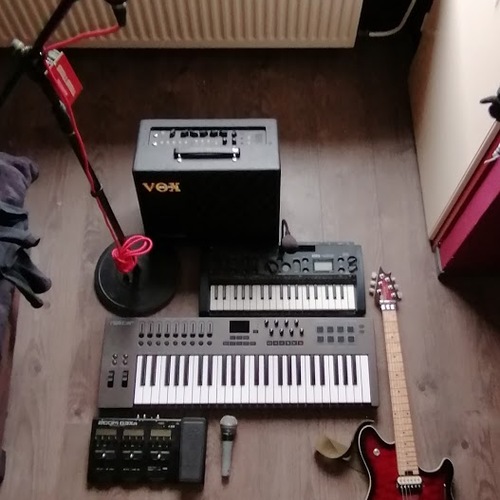

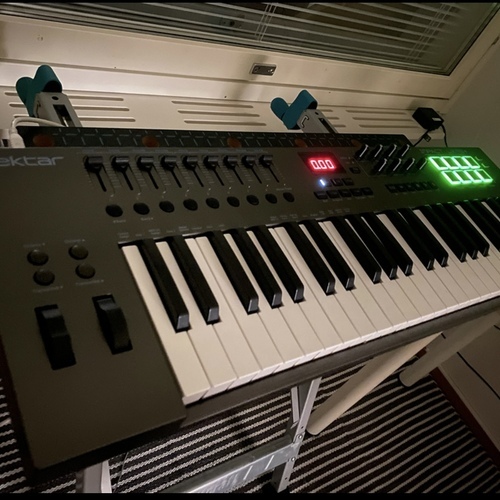

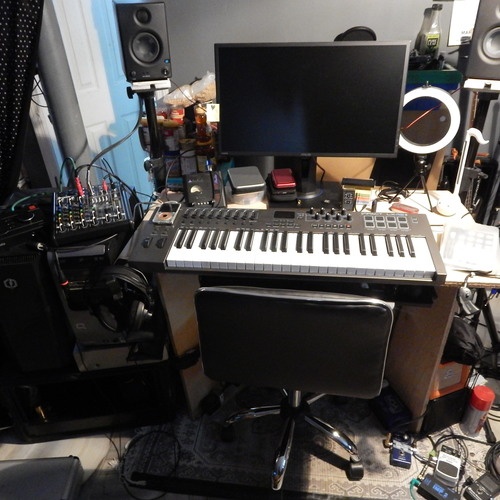
More Nektar MIDI Keyboard Controllers

$20.00 - $599.99
in MIDI Keyboard Controllers Rank


$80.00 - $109.99
in MIDI Keyboard Controllers Rank


$172.00 - $199.99
in MIDI Keyboard Controllers Rank

$5.00 - $499.99
in MIDI Keyboard Controllers Rank


$25.00 - $129.99
in MIDI Keyboard Controllers Rank


$5.00 - $299.99
in MIDI Keyboard Controllers Rank

$159.99 - $179.99


$30.00 - $189.99


$89.60 - $99.99


$88.00 - $179.00

$10.00 - $319.99


$136.00 - $189.99

$10.00 - $289.99


-m.webp?v=1784899745)


$248.00 - $279.99
in MIDI Keyboard Controllers Rank
-m.webp?v=1784905460)
$85.00 - $149.50
in MIDI Keyboard Controllers Rank


.jpeg?v=1784917540)

$174.44 - $712.00
in MIDI Keyboard Controllers Rank


$135.00 - $678.00
in MIDI Keyboard Controllers Rank


$32.76 - $59.00
in MIDI Keyboard Controllers Rank


$46.47
in MIDI Keyboard Controllers Rank


-m.webp?v=1784905236)
$398.88 - $469.00
in MIDI Keyboard Controllers Rank


$76.07 - $89.00
in MIDI Keyboard Controllers Rank


Accessories & Related Items






Similar


Gear Guides







Most Popular MIDI Keyboard Controllers
Most Popular Brands
-
Added to Equipboard on by
 chillizard
GearIQ 313
-


