


Pricing and availability
We compare 600+ stores and found this item at 7 stores. Prices updated .
Store
Reviews
Price








Average Price: $145
Budget/Beginner
$200
$501+
Price Tier
Budget
Standard
High-end
Price History
Based on price data from 4 merchants for "Nektar Impact LX61+". Prices shown reflect NEW condition. Tracking began Apr 2, 2026.
* Product prices and availability are updated by Equipboard every 24hrs and are subject to change. Equipboard may receive compensation for purchases made at participating retailers linked on this site. This compensation does not affect what products or prices are displayed, or the order of prices listed. For more information, please refer to our affiliate disclosure.
Description
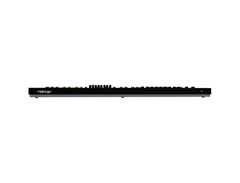
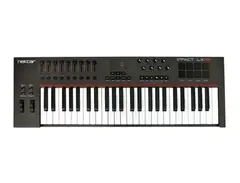
Discover the Nektar Impact LX61+, the ultimate tool for musicians and producers seeking hands-on control and seamless integration with their favorite DAWs. This 61-key velocity-sensitive synth-action keyboard delivers a tactile experience that’s both responsive and intuitive, making it a perfect choice for musicians of all skill levels. Whether you're laying down complex compositions or simply jamming, the Impact LX61+ provides you with the versatility and precision you need.
Designed with intelligent mapping, this MIDI controller ensures effortless connectivity with major DAWs like Logic Pro, Cubase, and Reason. The 8 performance pads are not just visually striking with their four-color illumination but also highly functional, allowing you to assign MIDI notes or messages with ease. You can save your favorite settings, thanks to the 5 user presets, letting you switch between projects without missing a beat.
Navigate your sessions with the Impact LX61+'s nine 30mm faders, eight encoders, and full transport controls, all of which are fully programmable. The pitch and modulation wheels, along with octave and transpose buttons, are strategically positioned for quick access, ensuring that your creative flow is never interrupted.
Beyond its physical features, the Impact LX61+ comes bundled with Bitwig 8-Track DAW software, giving you a powerful platform to sketch, arrange, and perform your musical ideas. This controller’s sleek design and professional-grade functionality make it a standout choice for any studio setup.
Key Features:
- 61-key velocity-sensitive synth-action keyboard
- Intelligent DAW integration with major platforms
- 8 backlit, assignable performance pads
- 9 faders and 8 encoders for in-depth control
- Full transport controls for easy navigation
- Includes Bitwig 8-Track DAW software
- USB-powered with plug-and-play capabilities
- Class-compliant for use with Windows and macOS
Owner's manual
Nektar Impact LX61+ User ManualProduct specs
| Type | Keyboard Controller |
| Number of Keys | 61 |
| Type of Keys | Synth Action |
| Velocity Sensitive | Yes |
| Pads | 8 LED Backlit |
| Other Controllers | Pitchbend, Mod Wheel |
| Encoders/Pots | 8 |
| Faders | 8 plus volume |
| Dedicated Transport Control | Yes, full integration for major DAWs |
| Pedal Inputs | 1 x 1/4" (assignable) |
| MIDI I/O | USB |
| USB | 1 x Type B |
| Computer Connectivity | USB |
| Software | Bitwig 8-Track (VST plug-in compatible) |
| OS Requirements - Mac | OS X 10.7 or later, iOS (Apple Camera Connection kit required for iPad) |
| OS Requirements - PC | Windows 7 or later |
| Height | 3.00" |
| Width | 38.00" |
| Depth | 10.50" |
| Weight | 9.0 lbs. |
FAQs
-
Does the Nektar Impact LX61+ have aftertouch?
-
No, the Nektar Impact LX61+ does not feature aftertouch. It is equipped with 61 synth-action, velocity-sensitive keys.
-
What DAWs are compatible with the Nektar Impact LX61+?
-
The Nektar Impact LX61+ offers full integration with major DAWs including Ableton Live, Logic Pro X, Cubase, and more, allowing for seamless control and workflow enhancement.
-
Can the Nektar Impact LX61+ be used with an iPad?
-
Yes, the Nektar Impact LX61+ can connect to an iPad using an Apple Camera Connection Kit, making it versatile for mobile music production.
-
What are the key features of the Nektar Impact LX61+?
-
The Nektar Impact LX61+ features 61 velocity-sensitive keys, 8 LED backlit pads, 8 encoders, 8 faders, and dedicated transport controls, providing comprehensive control for music production.
-
Does the Nektar Impact LX61+ come with any software?
-
Yes, the Nektar Impact LX61+ includes Bitwig 8-Track, which is VST plug-in compatible, offering a robust starting point for music creation.
Videos

AUDIO TECHNIQUE
Nektar Impact LX61+ || MIDI Keyboard Indian Tones VST for live play
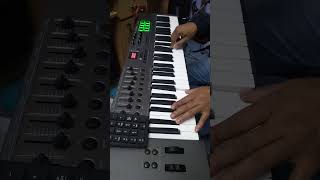
Nektar Impact LX61+ || MIDI Keyboard Indian Tones VST for live play
AUDIO TECHNIQUE
Reviews
PROS
-
Integrates well with Logic Pro X and Propellerhead's Reason
-
Easy-to-understand manual, simplifying setup and use
-
Responsive and assignable pots, enhancing DAW control
-
Synth-type key action suits certain play styles
-
Abundance of controls (wheels, faders, knobs, buttons, pads) for versatile operation
-
Clear layout and labeled knobs aid quick learning and use
-
Compatible across Windows 10, MacOS, and iOS without issues
CONS
-
Drum pads lack expressiveness and responsiveness
-
Keys feel light and cheap, with potential alignment issues
-
Some users report keys can overlap when played sideways
-
Not natively compatible with Ableton, requiring extra setup steps
-
Lacks 5-pin DIN connections for traditional MIDI setups
-
Overall build feels somewhat flimsy, raising durability concerns
Owner Insights
We analyzed real musician discussions from forums and Reddit to find what players love, question, and tweak about Nektar Impact LX61+.
Features and functionality
-
The LX88 has 88 full-sized, semi-weighted keys, ideal for a more authentic piano feel, especially for classical music, compared to the synth-action keys on LX61+.
Source
Comparisons
-
Both models offer similar controls, including pads, knobs, sliders, and transport buttons, but differ in their keybed action and number of keys.
Source
Use cases and applications
-
LX61+ is recommended for electronic music or synth-based genres due to its lighter, synth-action keybed, making it suitable for producers with limited space.
Source
Value and pricing
-
LX88 generally costs more than LX61+ because of its larger number of keys and weighted action, making it more suitable for piano-oriented users.
Source -
A seller's discount on a nearly new LX61+ model has been found, making it an attractive option for budget-conscious buyers seeking a larger keyboard.
Source
Software and compatibility
-
Both models integrate with Nektarine software, providing DAW integration and customization, enhancing their value for digital music production.
Source -
Integration with Logic is often highlighted as seamless, with users appreciating the pre-built mappings that save setup time.
Source -
Owners working with Sylenth find the LX61+ well-suited for mapping and efficient control, enhancing workflow in compatible DAWs.
Source
User experience
-
Some owners note that the LX61+ does not include aftertouch, which may limit expressive performance options compared to other MIDI controllers with this feature.
Source -
Some owners have noted that keys may become slightly discolored if exposed to sunlight for prolonged periods, suggesting a need for careful placement.
Source -
Reports from users indicate occasional latency and note-triggering issues, suggesting thorough testing for potential bugs might be necessary during initial use.
Source
4.5 out of 5
Based on 2 Reviews and 4 Ratings

174
Nice gear, but the keys could be better...
Works really great as a controller surface in both Logic Pro X and in Propellerhead's Reason 10 that I use, but the quality of the keys feels a bit on the cheap side. Not accurately aligned in height and just feels too light and cheap for a Nektar product. But it functions great as is expected from Nektar, and the DAW integration is one of a kind.

1536
Great controller
A variety of controls (wheels, faders, knobs, buttons, pads, etc.), a clear layout, keys feel decent. Only complaints include that it isn't natively compatible with Ableton (you can use it, it just requires additional setup) and no 5-pin DIN connections, both of which were features I overlooked when I bought it. But I am happy with it. I appreciate that the knobs have labels suggesting what controls they should be assigned to, it makes it feel more like a hardware synth rather than a totally blank slate where you are left trying to commit to memory which control you assigned to which knob...
Artist usage
Add artist

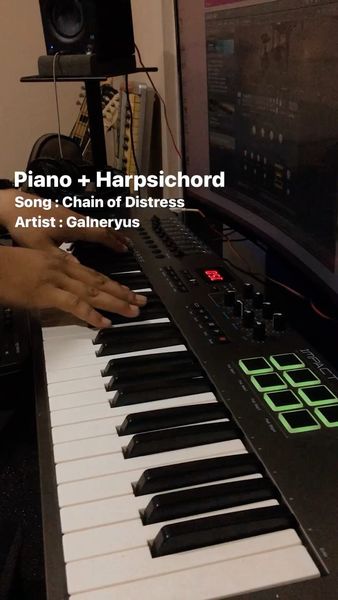
Used for Haywyre’s flip of Post Malone’s “Circles”, as can be seen in the video starting at 0:06.


In this YouTube video at 14:09, Christopher Bowes can be seen using a Nektar Impact LX61+ to play his keyboard solo Sam Totman and Herman Li (both from DragonForce) requested him to do while livestreaming to complete a song the guitarists had been making as an Alestorm style one.

Genre Usage
Based on how artists on Equipboard use this gear, it is most commonly found in the following genres.
Used With
Based on how musicians on Equipboard use Nektar Impact LX61+, it is most commonly used with the following gear.


-s.webp?v=1784905109)
-s.webp?v=1784905109)


Community setups
Show yours
More Nektar MIDI Keyboard Controllers

$20.00 - $599.99
in MIDI Keyboard Controllers Rank


$80.00 - $109.99
in MIDI Keyboard Controllers Rank


$172.00 - $199.99
in MIDI Keyboard Controllers Rank

$5.00 - $499.99
in MIDI Keyboard Controllers Rank


$25.00 - $129.99
in MIDI Keyboard Controllers Rank


$5.00 - $299.99
in MIDI Keyboard Controllers Rank

$159.99 - $179.99


$124.95 - $179.99


$89.60 - $99.99


$88.00 - $179.00

$10.00 - $319.99


$136.00 - $189.99

$10.00 - $289.99


-m.webp?v=1784899745)


$248.00 - $279.99
in MIDI Keyboard Controllers Rank
-m.webp?v=1784905460)
$85.00 - $149.50
in MIDI Keyboard Controllers Rank


.jpeg?v=1784860561)

$174.44 - $712.00
in MIDI Keyboard Controllers Rank


$135.00 - $678.00
in MIDI Keyboard Controllers Rank


$32.76 - $59.00
in MIDI Keyboard Controllers Rank


$46.47
in MIDI Keyboard Controllers Rank


-m.webp?v=1784905236)
$398.88 - $469.00
in MIDI Keyboard Controllers Rank


$76.07 - $89.00
in MIDI Keyboard Controllers Rank


Accessories & Related Items






Similar


Gear Guides







Most Popular MIDI Keyboard Controllers
Most Popular Brands
-
Added to Equipboard on by
freezeetchGearIQ 1536
-


