

Pricing and availability
We compare 600+ stores and found this item at 5 stores. Prices updated .
Store
Reviews
Price


Average Price: $322
Standard/Professional
$149
$400+
Price Tier
Budget
Standard
High-end
Price History
Based on price data from 5 merchants for "Steinberg Cubase Artist 15 DAW Software". Prices shown reflect NEW condition. Tracking began Apr 2, 2026.
* Product prices and availability are updated by Equipboard every 24hrs and are subject to change. Equipboard may receive compensation for purchases made at participating retailers linked on this site. This compensation does not affect what products or prices are displayed, or the order of prices listed. For more information, please refer to our affiliate disclosure.
Description
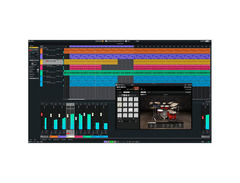
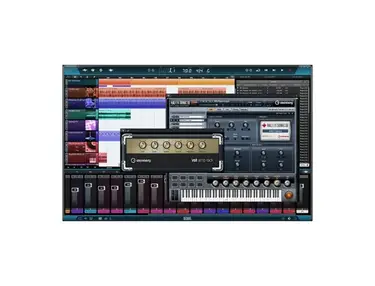
Welcome to the future of music creation with the Steinberg Cubase Artist 15 DAW Software. Whether you're a seasoned producer or just starting your journey, this powerful digital audio workstation is equipped to transform your musical ideas into polished tracks. With its real-time PitchShifter, you can manipulate pitch with precision, while the Melodic Pattern Editor helps craft intricate melodic sequences effortlessly.
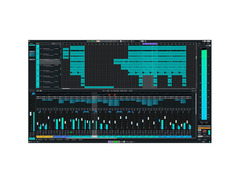
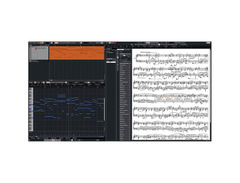
Cubase Artist 15 isn't just about sound; it's about seamless workflow and intuitive design. The revamped Hub accelerates project startup, and the native full-screen mode on macOS ensures you have the space to focus on what's important: your music. The updated Score Editor and advanced comping tools make notation and editing a breeze, while the robust MixConsole delivers professional-grade mixing capabilities.
Dive into an expansive library of virtual instruments, from the analog-rich Writing Room Synths to the atmospheric Padshop. The software's creative tools, like Chord Pads and the new Songstarter Packs, provide endless inspiration for any genre. Whether you're producing EDM, scoring a film, or just jamming, Cubase Artist 15 is the ultimate platform to bring your musical vision to life.
Key Features:
- Real-time PitchShifter with formant control and saturation
- Melodic Pattern Editor with polyphonic and monophonic modes
- Revamped Hub for faster project initiation
- Native full-screen support on macOS
- Updated Score Editor and advanced comping workflows
- Extensive library of virtual instruments, including Retrologue and Padshop
- Chord Pads and Songstarter Packs for instant inspiration
- Professional MixConsole for high-quality mixing
- VariAudio pitch correction and multi-track AudioWarp
Product specs
| Software Type | DAW |
| Platform | Mac, PC |
| Upgrade/Full | Full |
| Download/Boxed | Download |
| Bit Depth | 64-bit |
| Plug-in Formats | VST |
| Hardware Requirements - Mac | Apple Silicon or Intel Core i5 or later |
| Hardware Requirements - PC | Intel Core i5 or AMD Ryzen Series-3000 or later |
| Hard Drive Requirements | 85 GB Disk Space |
| OS Requirements - Mac | macOS 14 or later |
| OS Requirements - PC | Windows 10 or later |
FAQs
-
What are the system requirements for Steinberg Cubase Artist 15?
-
Steinberg Cubase Artist 15 requires a Mac with macOS 14 or later and an Apple Silicon or Intel Core i5 processor, or a PC with Windows 10 or later and an Intel Core i5 or AMD Ryzen Series-3000 processor. It also requires 85 GB of hard drive space.
-
Is Steinberg Cubase Artist 15 compatible with VST plugins?
-
Yes, Steinberg Cubase Artist 15 supports VST plugin formats, allowing you to integrate a wide range of virtual instruments and effects into your projects.
-
Does Steinberg Cubase Artist 15 support both Mac and PC platforms?
-
Yes, Steinberg Cubase Artist 15 is compatible with both Mac and PC platforms, making it a versatile choice for music production on different operating systems.
-
Can I download Steinberg Cubase Artist 15, or is it only available as a physical copy?
-
Steinberg Cubase Artist 15 is available as a software download, allowing for easy installation and immediate access to its features without needing a physical copy.
-
What distinguishes Steinberg Cubase Artist 15 from other versions of Cubase?
-
Steinberg Cubase Artist 15 offers a robust set of features tailored for music production, including advanced audio and MIDI editing capabilities, while being more streamlined than the Pro version, making it ideal for serious musicians and producers.


Reviews
Owner Insights
We analyzed real musician discussions from forums and Reddit to find what players love, question, and tweak about Steinberg Cubase Artist 15 DAW Software.
Use cases and applications
-
Expression maps update is significant for media and orchestral composers, addressing a long-standing request since Cubase 8.
Source -
Cubase is praised for its film scoring capabilities due to solid project management and a rigid interface, appealing to users in media composition.
Source -
MediaBay is highlighted as a powerful asset catalog system, ideal for managing large sample libraries, with over 50,000 samples organized efficiently.
Source -
The ability to audition samples in situ on the sample track streamlines the workflow for users familiar with hardware samplers like the Akai S3000xl.
Source -
Cubase's stock plugins and channel strip in the Pro version are highly praised, offering strong reverb and mixing capabilities suited for professional projects without additional plugins.
Source
Features and functionality
-
Official YouTube tutorials from Cubase are frequently recommended as a valuable resource for mastering the DAW’s features and capabilities.
Source -
The Cubase Elements version is noted for being beginner-friendly and comparable to GarageBand in simplicity, allowing new users to learn comfortably.
Source -
The Cubase Pro version includes an advanced tuning function and phase alignment, making it ideal for detailed mixing and mastering tasks.
Source -
Quick Audio Export function defaults to 44.1 kHz for MP3, which may confuse users expecting their project’s sample rate to be maintained.
Source -
The melody pattern editor in Cubase 15, though expanded, requires further development to match the utility of the drum pattern editor from Cubase 14.
Source -
"Last Touched First" automation feature in Cubase 15 allows instant visibility of manipulated automation parameters, a crucial addition missing in previous versions.
Source -
Control Room in Cubase Pro allows for multiple output routings, beneficial for users who require separate headphone and monitor mixes without affecting the final mixdown.
Source
User experience
-
Multiple owners suggest using two monitors for an enhanced workflow in Cubase, emphasizing the DAW's complex interface.
Source -
Cubase is described as having a steep learning curve, even in the LE version, making it potentially overwhelming for complete beginners.
Source -
Some users report the Steinberg Hub has become less user-friendly, even though it now includes features like previewing songs.
Source -
The Cubase trial is extensive, allowing users to thoroughly test the DAW before committing, particularly recommended for those transitioning from Ableton due to UI differences.
Source
Value and pricing
Based on 0 Reviews and 0 Ratings
Genre Usage
Based on how artists on Equipboard use this gear, it is most commonly found in the following genres.
More Steinberg DAW Software

$209.00 - $329.99
in DAW Software Rank


$515.00 - $579.99
in DAW Software Rank


$366.00 - $579.99
in DAW Software Rank


$579.99
in DAW Software Rank


$579.99
in DAW Software Rank


$249.99 - $499.99
in DAW Software Rank


.png?v=1784755332)


$131.00 - $199.99
in DAW Software Rank


$899.00 - $999.99
in DAW Software Rank

$88.00 - $99.99
in DAW Software Rank

$524.00 - $580.00
in DAW Software Rank






$225.00 - $599.00
in DAW Software Rank


$268.00 - $349.00
in DAW Software Rank


-m.webp?v=1784455242)
$99.99 - $344.00
in DAW Software Rank


$99.00 - $399.99
in DAW Software Rank


$139.00 - $179.00
in DAW Software Rank


$398.00
in DAW Software Rank
-m.webp?v=1784455238)
$409.00 - $499.00
in DAW Software Rank


$119.00 - $295.00
in DAW Software Rank


$199.00
in DAW Software Rank


$0.00
in DAW Software Rank

Accessories & Related Items


Artist usage


Community setups


Similar


Gear Guides










Most Popular DAW Software
Most Popular Brands
-
Added to Equipboard on by
 galaxyjames
GearIQ 170
-


