

Pricing and availability


* Product prices and availability are updated by Equipboard every 24hrs and are subject to change. Equipboard may receive compensation for purchases made at participating retailers linked on this site. This compensation does not affect what products or prices are displayed, or the order of prices listed. For more information, please refer to our affiliate disclosure.
Description
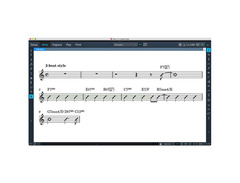
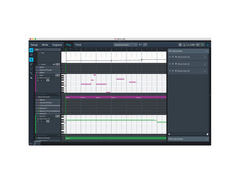
Steinberg Dorico 2 is the ultimate ally for composers, arrangers, and music educators seeking a seamless blend of creativity and precision. This powerful DAW software redefines the way you write and share music by offering unparalleled notation capabilities alongside breathtaking playback realism. Whether you're crafting a symphony or composing a pop tune, Dorico 2's intuitive interface and cutting-edge features ensure you spend more time creating and less time correcting.
The software's artificial intelligence intelligently adjusts your compositions on the fly, while its wizard-like workflow breaks down complex arrangements into manageable segments. With support for open meter and smart staff management tools, Dorico 2 caters to both modern and classical compositions. Plus, the included HALion Sonic SE 2 workstation and Symphonic Orchestra library breathe life into your scores, delivering high-quality instrument sounds for every genre.
Dorico 2's integration with third-party VST3 instruments and effects, alongside its DTP-quality page layout features, makes it a versatile tool for both live performances and publishing. Whether you’re a seasoned professional or an enthusiastic student, Dorico 2 provides a comprehensive platform to explore, innovate, and perfect your musical vision.
Key Features:
- Advanced artificial intelligence for automatic notation adjustments
- HALion Sonic SE 2 and Symphonic Orchestra library for realistic playback
- Smart staff management and open meter support
- Integration with third-party VST3 virtual instruments and effects
- Wizard-like workflow with five distinct modes
- DTP-quality page layout and engraving capabilities
- Multipaste and Explode/Reduce tools for efficient arrangement
- Imports/exports in MusicXML, MIDI, and graphical formats
FAQs
-
What are the main input methods for Steinberg Dorico 2?
-
Steinberg Dorico 2 allows input via mouse, computer keyboard, or MIDI keyboard, offering flexibility for different user preferences and workflows.
-
Can Steinberg Dorico 2 handle large orchestral scores?
-
Yes, Steinberg Dorico 2 can write for unlimited instruments, making it suitable for large orchestral compositions and complex arrangements.
-
Does Steinberg Dorico 2 include any orchestral sounds?
-
Steinberg Dorico 2 includes the HALion Symphonic Orchestra, providing a wide range of orchestral sounds for realistic playback.
-
How does Steinberg Dorico 2 assist with music publication?
-
Steinberg Dorico 2 features built-in desktop publishing and customizable options, enabling users to create publication-quality music scores with ease.
-
What tools does Steinberg Dorico 2 offer for arranging music?
-
Steinberg Dorico 2 includes Explode and Reduce arranging tools, which help streamline the process of creating and adjusting arrangements for different ensembles.
Videos

Dorico
How to Score to Video in Dorico | Getting Started with Dorico 2
How to Score to Video in Dorico | Getting Started with Dorico 2
Dorico
The Music Notation Software for the 21st Century | Introducing Dorico 2
Dorico
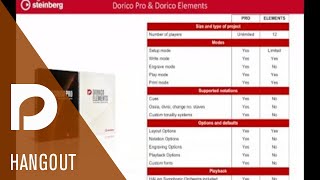
A Look at the New Features in Dorico 2 | Discover Dorico
Dorico
Is Dorico 2 Worth It?

Saher Galt
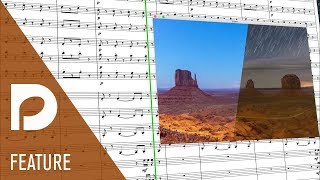
Scoring to Video in Dorico | New Features in Dorico 2
Dorico
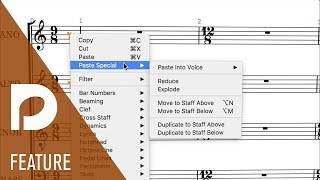
Essential Tools for Arrangers in Dorico 2 | New Features in Dorico 2
Dorico
Reviews
Owner Insights
We analyzed real musician discussions from forums and Reddit to find what players love, question, and tweak about Steinberg Dorico 2.
User experience
-
Dorico requires users to adapt to its unique workflow, which is distinct from other notation software, potentially leading to frustration for those accustomed to alternative methods.
Source -
Learning Dorico often involves "unlearning" habits from other software like Finale or Sibelius, which can initially hinder workflow efficiency for long-time users of those programs.
Source -
Users transitioning from other notation software report a steep learning curve, with some taking months to adapt and feeling overwhelmed by the software's complexity.
Source -
Dorico's popover input system is described as smoother and contributes to a better workflow despite some initial learning curve challenges.
Source
Software and compatibility
-
Dorico's automation excels in standard notation tasks, but users find manual adjustments for non-standard notations, like rhythmic slashes, cumbersome due to its automation focus.
Source -
The transition from other software like Sibelius to Dorico involves a steep learning curve but can lead to significant workflow improvements once mastered.
Source -
Dorico can automatically handle parts extraction, eliminating manual extraction tasks required in other software like Finale.
Source -
Dorico's lack of cross-compatibility with industry-standard software like Finale poses challenges in collaborative environments, particularly in educational contexts.
Source -
Dorico's crossgrade pricing allows retaining Finale licenses, enabling parallel use of both software for only $260.
Source
Setup and maintenance
-
Certain global settings, such as measurement units, may require adjustment to align with tutorial instructions, potentially causing initial confusion during the learning process.
Source -
Users report the installation process is cumbersome, with errors like missing instrument libraries, impacting initial setup and confidence.
Source
Features and functionality
-
Users familiar with graphic design software like InDesign may find Dorico's page layout concepts more intuitive, as it adopts similar professional publishing features.
Source -
Dorico's layout system can be complex, involving terms like "first master" and "default master," which some users find unintuitive compared to simpler terminology like "first" and "subsequent."
Source -
Dorico separates music entry from engraving, ensuring data integrity by preventing unintended alterations in musical content during visual adjustments.
Source -
Dorico's 'frame' system drastically reduces score/part editing time, cutting a 10-hour session with Finale to 5 hours in Dorico.
Source -
Dorico’s flow system allows users to experiment with ideas in separate sections, offering a sandbox feature for drafting without affecting main projects.
Source -
Dorico's engraving capabilities are praised for being intuitive and making the process enjoyable compared to Finale's cumbersome approach.
Source
Use cases and applications
-
Dorico's layout flexibility supports multiple output configurations, such as different score sizes and condensing levels, accommodating diverse printing and presentation needs.
Source
Critic Reviews
5.0 out of 5
Based on 0 Reviews and 1 Rating
Genre Usage
Based on how artists on Equipboard use this gear, it is most commonly found in the following genres.
More Steinberg DAW Software

$209.00 - $329.99
in DAW Software Rank


$524.00 - $579.99
in DAW Software Rank


$366.00 - $579.99
in DAW Software Rank


$579.99
in DAW Software Rank


$579.99
in DAW Software Rank


$249.99 - $499.99
in DAW Software Rank

$286.00 - $329.99
in DAW Software Rank


.png?v=1783819465)


$131.00 - $199.99
in DAW Software Rank

$899.00 - $999.99
in DAW Software Rank


$527.00 - $580.00
in DAW Software Rank

$91.00 - $99.99
in DAW Software Rank






$225.00 - $599.00
in DAW Software Rank


$398.00
in DAW Software Rank

$268.00 - $349.00
in DAW Software Rank


-m.webp?v=1783777405)
$99.99 - $344.00
in DAW Software Rank


$99.00 - $399.99
in DAW Software Rank


$179.00
in DAW Software Rank


-m.webp?v=1783777405)
$409.00 - $499.00
in DAW Software Rank


$119.00 - $295.00
in DAW Software Rank


$199.99
in DAW Software Rank
.jpg?v=1783709979)


$199.00
in DAW Software Rank


Accessories & Related Items

Artist usage


Community setups


Similar


Gear Guides










Most Popular DAW Software
Most Popular Brands
-
Added to Equipboard on by
 heikeghost
GearIQ 1858
-


