

Pricing and availability
We compare 600+ stores and found this item at 5 stores. Prices updated .
Store
Reviews
Price


Price History
Based on price data from 4 merchants for "Waves IR-L Convolution Reverb Plugin". Prices shown reflect NEW condition. Tracking began Apr 2, 2026.
* Product prices and availability are updated by Equipboard every 24hrs and are subject to change. Equipboard may receive compensation for purchases made at participating retailers linked on this site. This compensation does not affect what products or prices are displayed, or the order of prices listed. For more information, please refer to our affiliate disclosure.
Description
Dive into the world of pristine audio landscapes with the Waves IR-L Convolution Reverb Plugin, your gateway to crafting immersive soundscapes with minimal fuss. Tailored for musicians and producers who crave the iconic sound of the original IR-1 but in a streamlined package, the IR-L offers unmatched sound quality with intuitive simplicity.
Built on the foundation of high-resolution 24-bit/96kHz audio support, this plugin effortlessly transforms your tracks with a rich array of impulse response samples. Whether you're emulating the grandeur of the Sydney Opera House or the intimacy of a jazz club, IR-L's expansive library brings the world’s most revered acoustic spaces right to your digital workstation.
The IR-L is engineered for efficiency, featuring a Convolution Start Control to fine-tune your reverb without unwanted predelay, and a Dry Gain Mode for precise wet/dry signal balancing. Its Dynamic Preset Handling system makes navigating through impulse responses a breeze, and the CPU Usage Control ensures your computer runs smoothly without sacrificing audio fidelity.
Unlock the potential of your music with unique impulse response manipulation techniques, allowing you to adjust reverb times while maintaining acoustic integrity. From subtle ambience to lush, enveloping reverbs, the IR-L adapts to your creative vision, all while conserving processing power with intelligent algorithms.
Key Features:
- High-resolution 24-bit/96kHz audio support
- Convolution Start Control and Dry Gain Mode for enhanced sound shaping
- Extensive library of impulse responses from renowned venues
- Dynamic Preset Handling for easy management of samples and presets
- Unique impulse response manipulation for adjustable reverb times
- CPU Usage Control with efficient modes for reduced processing load
Product specs
| Software Type | Convolution Reverb |
| Platform | Mac, PC |
| Upgrade/Full | Full |
| Download/Boxed | Download |
| Bit Depth | 64-bit |
| Format | AAX Native, AudioSuite, VST, AU |
| Hardware Requirements - Mac | Intel Core i7 or higher (M1 support), 8GB RAM minimum |
| Hardware Requirements - PC | Intel Core i5 / AMD Quad-core or higher (AVX required), 8GB RAM minimum |
| OS Requirements - Mac | macOS 10.15.7 or later |
| OS Requirements - PC | Windows 10 or later (21H2), 64-bit |
FAQs
-
What are the key features of the Waves IR-L Convolution Reverb Plugin?
-
The Waves IR-L Convolution Reverb Plugin offers realistic reverb spaces through convolution technology, supporting formats like AAX Native, AudioSuite, VST, and AU. It is compatible with both Mac and PC, requiring at least an Intel Core i7 or i5 processor and 8GB of RAM.
-
Is the Waves IR-L Convolution Reverb Plugin compatible with my DAW?
-
The Waves IR-L Convolution Reverb Plugin is compatible with most major DAWs that support AAX Native, AudioSuite, VST, and AU formats. Ensure your DAW supports these formats for optimal integration.
-
Can the Waves IR-L Convolution Reverb Plugin run on an Apple M1 Mac?
-
Yes, the Waves IR-L Convolution Reverb Plugin supports Apple M1 Macs, provided you have macOS 10.15.7 or later and meet the minimum hardware requirements of an Intel Core i7 or equivalent processor and 8GB RAM.
-
What type of reverb spaces can I achieve with the Waves IR-L Convolution Reverb Plugin?
-
The Waves IR-L Convolution Reverb Plugin provides a range of realistic reverb spaces, ideal for emulating real-world environments for instruments and vocals, making it suitable for creating authentic acoustic spaces in your mixes.
-
Does the Waves IR-L Convolution Reverb Plugin require an internet connection for installation?
-
The Waves IR-L Convolution Reverb Plugin is available as a download and requires an internet connection for initial installation and activation. Once installed, it does not require an internet connection for regular use.
Videos

Pro Audio Files
Reverb: Convolution vs Algorithmic (Waves IR-L vs TrueVerb)
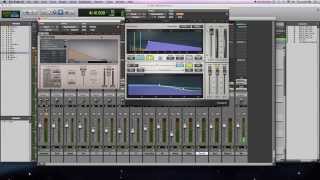
Reverb: Convolution vs Algorithmic (Waves IR-L vs TrueVerb)
Pro Audio Files
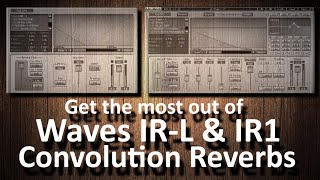
Get the most out of Waves IR-L & IR1 Convolution Reverbs

Andrei Martinez Agras

Plugins A to Z 'I' is IR L from Waves

Warrior Sound - Unders

Waves IR-L Convolution Reverb - World's Best Sounding Spaces

Recording Studio Forum
Reviews
Owner Insights
We analyzed real musician discussions from forums and Reddit to find what players love, question, and tweak about Waves IR-L Convolution Reverb Plugin.
Other
-
For those seeking unique IRs, echothief is highlighted as an off-the-wall option worth exploring.
Source
User experience
-
Owners report that Waves' marketing model, often involving perpetual sales and update plans, can be frustrating, leading some to avoid purchasing despite free offers.
Source -
Some users experienced issues receiving the free plugin code via email, but contacting support resolved the problem quickly.
Source
Use cases and applications
Comparisons
-
Liquidsonics Reverberate v3 offers more convincing impulse responses, particularly Bricasti M7, making it a preferred choice over Waves IR-L for some users.
Source -
Users find Waves IR's sound quality inferior, describing it as "cheap" and "trash can like," compared to other IR solutions like Altiverb and Liquidsonics.
Source -
Mconvolutionez is noted for being easier to use and visually appealing, though it lacks convolution scaling, which isn't a deal-breaker for users seeking realistic sound.
Source
Software and compatibility
-
Mac users face potential plugin breakage after OS updates unless Waves releases timely compatibility patches, unlike Windows where older plugins maintain better functionality.
Source -
Combining older and newer Waves plugins may cause DRM-related issues, particularly on Windows setups with mixed version installations.
Source -
A trick to save on expensive IR plugins involves sending short white noise bursts into Altiverb, recording the result, and using it with Ableton’s free convolution plugin.
Source -
For FL Studio users, it's recommended to use FL Convolver, while Max Convolution Reverb is suggested for Ableton Live users as alternatives.
Source
Value and pricing
-
While marketed as a $149 plugin, it's often bundled for free with other Waves products, questioning its standalone value.
Source
Features and functionality
-
Users can record and use their own impulse responses with the provided sweep file, allowing for customization beyond the default library.
Source -
The Waves IR-L includes a 4.8GB preset bundle, which might be excessive for smaller laptops but adds value to the free offer.
Source -
The IR-L Convolution Reverb's interface doesn't scale well on high DPI screens, limiting usability and visual appeal for modern setups.
Source -
Altiverb is praised for its ability to tune IR size with minimal artifacts, crucial for matching spaces in post-production.
Source -
Users need to select impulse responses using a standard file manager, preventing quick previewing or flicking through IRs efficiently.
Source
4.0 out of 5
Based on 0 Reviews and 1 Rating
Artist usage
Add artist

Genre Usage
Based on how artists on Equipboard use this gear, it is most commonly found in the following genres.
Used With
Based on how musicians on Equipboard use Waves IR-L Convolution Reverb Plugin, it is most commonly used with the following gear.


More Waves Reverb Plugins

$37.00 - $39.99
in Reverb Plugins Rank


$33.00 - $39.99
in Reverb Plugins Rank


$37.00 - $39.99
in Reverb Plugins Rank


$34.99
in Reverb Plugins Rank


$33.00 - $39.99
in Reverb Plugins Rank


$32.00 - $249.00
in Reverb Plugins Rank


$34.99 - $39.99
in Reverb Plugins Rank

$267.00
in Reverb Plugins Rank


$37.00 - $349.00
in Reverb Plugins Rank


$29.99 - $49.00
in Reverb Plugins Rank


$179.00 - $199.00
in Reverb Plugins Rank


$0.00
in Reverb Plugins Rank


$149.00
in Reverb Plugins Rank


-m.webp?v=1783581851)

$75.00 - $282.00
in Reverb Plugins Rank


$29.99 - $30.00
in Reverb Plugins Rank

$58.00 - $69.00
in Reverb Plugins Rank


$139.00 - $149.00
in Reverb Plugins Rank


$62.00 - $69.00
in Reverb Plugins Rank

$0.00
in Reverb Plugins Rank

$49.00 - $199.00
in Reverb Plugins Rank


$47.00 - $49.00
in Reverb Plugins Rank

$0.00
in Reverb Plugins Rank

$95.00 - $99.00
in Reverb Plugins Rank

$29.00 - $38.00
in Reverb Plugins Rank

$99.00
in Reverb Plugins Rank


$94.00 - $99.00
in Reverb Plugins Rank

$93.00 - $99.00
in Reverb Plugins Rank

$47.00 - $199.00
in Reverb Plugins Rank

$69.00 - $169.00
in Reverb Plugins Rank
-m.webp?v=1783807275)

$99.00 - $104.00
in Reverb Plugins Rank

$99.00
in Reverb Plugins Rank


$43.00 - $45.00
in Reverb Plugins Rank
Accessories & Related Items


-s.webp?v=1784124131)


-s.webp?v=1784094965)
-s.webp?v=1784124154)


Community setups


Similar


Gear Guides









Most Popular Reverb Plugins
Most Popular Brands
-
Added to Equipboard on by
 equipboard
GearIQ 4934
-