

Pricing and availability
We compare 600+ stores and found this item at 4 stores. Prices updated .
Store
Reviews
Price


Price History
Based on price data from 3 merchants for "Waves S1 Stereo Imager". Prices shown reflect NEW condition. Tracking began Apr 2, 2026.
* Product prices and availability are updated by Equipboard every 24hrs and are subject to change. Equipboard may receive compensation for purchases made at participating retailers linked on this site. This compensation does not affect what products or prices are displayed, or the order of prices listed. For more information, please refer to our affiliate disclosure.
Description
Achieve unparalleled control over your mix with the Waves S1 Stereo Imager, a plugin designed to redefine your stereo field with precision and ease. Whether you're a seasoned audio engineer or a budding producer, the S1 empowers you to widen or narrow your mix with its intuitive Width control. The Rotation and Asymmetry controls offer nuanced adjustments to correct unbalanced stereo signals, all while avoiding those pesky phasing issues.
Beyond mere stereo widening, the S1 acts as a versatile mid-side matrix, enabling seamless conversion to and from M/S recordings. This dual functionality makes it a staple in both mastering and post-production, providing the flexibility needed to tackle any audio challenge. The plugin's clean, straightforward interface ensures that you can make quick, effective adjustments without getting lost in a sea of controls.
The S1 Stereo Imager is not just about expanding your stereo field; it’s also about providing the clarity needed for professional-grade soundscapes. With precision output metering, you can trust the visual feedback to guide your auditory decisions, ensuring every mix is polished to perfection.
Key Features:
- 3 Components: Shuffler, Imager, and M/S Matrix
- Up to 24-bit/192kHz with double precision bit resolution processing
- Stereo and Mono-to-stereo operation
- Bass Trim to counter imaging issues from unbalanced low frequencies
- Perfect for enhancing top-notch recordings and fixing flaws in imperfect mixes
Product specs
| Software Type | Stereo Imager |
| Platform | Mac, PC |
| Upgrade/Full | Full |
| Download/Boxed | Download |
| Bit Depth | 64-bit |
| Format | AAX Native, AudioSuite, VST, AU, SoundGrid |
| Hardware Requirements - Mac | Intel Core i7 or higher (M1 support), 8GB RAM minimum |
| Hardware Requirements - PC | Intel Core i5 / AMD Quad-core or higher (AVX required), 8GB RAM minimum |
| OS Requirements - Mac | macOS 10.15.7 or later |
| OS Requirements - PC | Windows 10 or later (21H2), 64-bit |
FAQs
-
What are the key features of the Waves S1 Stereo Imager?
-
The Waves S1 Stereo Imager offers advanced stereo imaging controls, allowing you to widen or narrow the stereo field. It includes features like shuffling and asymmetrical panning to enhance spatial effects in your mix.
-
Is the Waves S1 Stereo Imager compatible with my DAW?
-
The Waves S1 Stereo Imager is compatible with major DAWs that support AAX Native, AudioSuite, VST, AU, or SoundGrid formats, including Ableton Live, Pro Tools, Logic Pro, and more.
-
What are the system requirements for running the Waves S1 Stereo Imager on a Mac?
-
To run the Waves S1 Stereo Imager on a Mac, you need macOS 10.15.7 or later, an Intel Core i7 or higher (M1 support), and a minimum of 8GB RAM.
-
Can the Waves S1 Stereo Imager be used on both Mac and PC?
-
Yes, the Waves S1 Stereo Imager is compatible with both Mac and PC platforms, requiring macOS 10.15.7 or later or Windows 10 or later (21H2), and a minimum of 8GB RAM.
-
How does the Waves S1 Stereo Imager affect the stereo field of a mix?
-
The Waves S1 Stereo Imager allows you to manipulate the stereo field by widening or narrowing it, providing greater depth and spatial clarity in your mix.
Videos

Waves Audio
Intro to Stereo Imaging with the Waves S1 Plugin
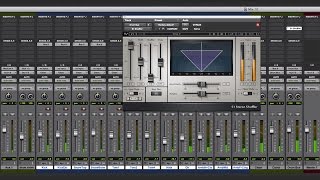
Intro to Stereo Imaging with the Waves S1 Plugin
Waves Audio
How To Use The S1 Stereo Imager

Ryan Demaree
Waves s1 stereo imager vocals - how to use waves s1 imager

Warrior Sound - Unders
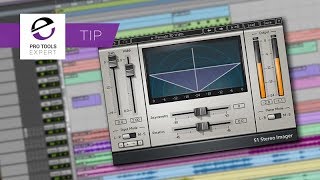
Broaden The Width Of Backing Vocal Arrangements With A Dash Of Waves S1 Stereo Imager

Production Expert
Reviews
Owner Insights
We analyzed real musician discussions from forums and Reddit to find what players love, question, and tweak about Waves S1 Stereo Imager.
Use cases and applications
-
Engineers use the Waves S1 Stereo Imager to subtly adjust stereo width during verses and choruses for enhanced impact without mono compatibility risks.
Source -
The S1 is particularly effective when used on tracks that already possess a stereo image, enhancing the existing width rather than creating it from scratch.
Source
Features and functionality
Comparisons
-
Waves S1 is preferred over Izotope for its stereo imaging capabilities by some users, although Mid-Side EQ might be a safer choice in certain situations.
Source -
Users highlight that the Ozone Imager is a multiband stereo tool, while the Waves S1 allows for precise stereo field manipulation, offering unique capabilities between them.
Source
Software and compatibility
-
The Waves S1 is praised for being mono-compatible, crucial for mixes intended for mono playback environments like phones and TV.
Source -
The A1 Stereo Control plugin, mentioned as an alternative, cannot convert mono to stereo, only enhance existing stereo width, highlighting a limitation compared to other tools.
Source
4.5 out of 5
Based on 2 Reviews and 26 Ratings

2111
Awesome. Wish I'd bought it sooner!
I love the S1 Imager! I spent so many years using alternatives like the PSP StereoPack, Flux Stereo Tool, Auburn Panagement, and I should have just bought the S1 all along. The S1 has something extra (maybe the Shuffler feature) that makes it feel like I'm positioning the sound, not just panning it. The stereo widening is excellent, but I'm mostly using the S1 to narrow stereo channels in the mix & position them so the instruments don't overlap and are distinct, but without reducing them to little mono dots. Of course you can also automate the width, to get pulsing narrow/wide synth sounds. If you absolutely can't afford the S1, the free Flux Stereo Tool is a good alternative, but I'm so glad I switched to the S1 and the Waves Silver/Gold pack.

Artist usage
Add artist

In his video If it Wasn't For You, at 0:12, there is an shot of Alesso using the S1 Stereo Imager plug-in.


In This "Breaking the Mix Rules" Interview Rob Kinelski mentions that he uses the S1 stereo Imager
Rob Kinelski:
"I liked using the S1 stereo imager for some width on the vocal doubles, both gently and sometimes aggressively to the point of absurd. I love it when you push a sample out of phase and make it weird."

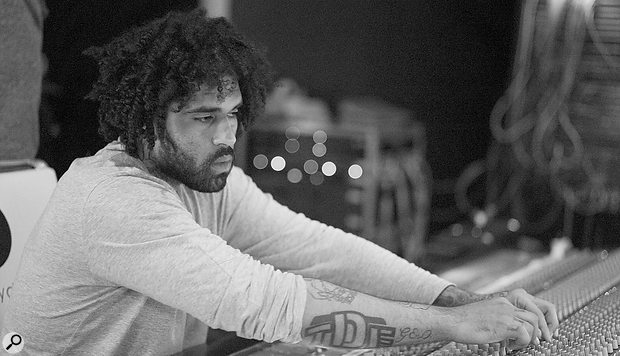
"I also like to use the S1 Imager, again because of his voice being so raspy and mid-rangey, and the Imager opens it up. A perfect analogy is to think of a blanket on a bed which is tied in a knot, and then you open it up and spread the blanket over the bed. The Imager opens up his vocals and allows it sit on top of the track in a similar way. "


He says: "... or you could get the Sonalksis StereoTools or the Waves S1 Imager. They are all good."

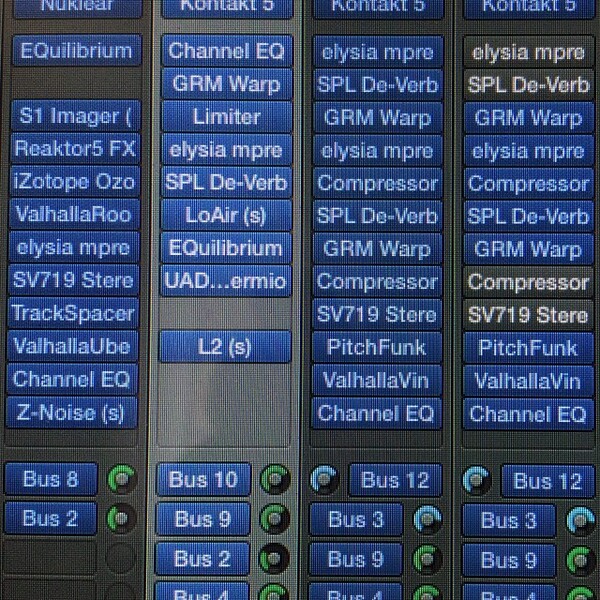
Tim Hecker is confirmed to use the Waves S1 Stereo Imager plugin, as demonstrated by a photo posted on Instagram by user sunblindstudios on March 18, 2015. The image, captioned "Today's Chains," clearly shows the plugin in use by Hecker.


From Imogen Heap's interview with Sound On Sound: "Imogen's workhorse plug-ins at the mixing stage were the Focusrite D2 EQ and D3 compressor, along with the Waves Renaissance Compressor. The Waves S1 was also used for stereo spreading."


In this video at 23:50 we can see Waves S1 Stereo Imager


Used for "How to Talk", as stated by mix engineer Kesha Lee in this December 2017 Sound on Sound article.
“The intro track was a voice note Uzi had recorded on his phone, and he played it in the booth on his phone, and we recorded it through the mic like that. It sounded really telephone-y, which we wanted, but I tried to take out some of the highs with the Waves OneKnob. All audio vocal tracks apart from the intro have Antares Auto-Tune as the first plug-in. Uzi hears his Auto-Tuned vocals in his headphones while singing. We used to just have it on default, with a Retune speed of 20, but lately he has been like: ‘Give me more Auto-Tune!’ so now we have the Retune Speed set to anywhere from 12 to 5. The ‘D’ after Auto-Tune is the Waves De-Esser, the ‘Q’ the Avid EQ3 seven-band, and the ‘1’ is the Waves C1 gate. All vocal audio tracks also have sends to the delay and the reverb aux tracks. The delay aux track has the Avid Mod Delay II set to half notes, with feedback at 43 percent, the Waves Renaissance Reverberator, set to ‘Hall 1’ reverb, with the highs cut on the reverb EQ, and the Waves S1 stereo imager. The reverb aux has the Renaissance Reverberator.
“All audio vocal tracks go to the vocal aux track. I had two vocal aux tracks in this session, because I wanted to try something different, using plug-ins I don’t normally use. That’s why one of the aux tracks is muted. The vocal aux track that I did use has the Waves De-Esser acting around 4230Hz, then the EQ3 seven-band which has a high-pass at 96.4Hz, and I’m dipping out muddiness at 200 and 500 Hz. I’m also adding some high end at 6.52kHz. I don’t normally add EQ with the seven-band, but Seth would add some high end on Future’s voice and that worked well, so I tried it here. Next is the Waves Renaissance Compressor, to keep the dynamics in check, and then the Waves SSL E-channel, on which I am again dipping out various frequencies. The latter plug-in is more for colour and character. The Waves CLA-3A is more for the sound, and the RN Digital Detailer made Uzi’s vocals sound fuller and wider.
"The final plug-in in the chain is the Nomad Factory MCL-2269 limiter and compressor, again for the sound and for more volume. We always go for a warm, full, loud, in-your-face vocal sound, also because we like the vocals to be louder than the beat. I always turn the beat down 1-2 dB. There are no plug-ins on the master track, because I used to work for a producer who didn’t want that, as the mix would go to the mastering engineer. So I’m still used to doing it like that. I turn the master volume down anywhere between -7 to -9 dB before it goes to mastering, so they have room to work with.”


0:57 - S1 Imager can be seen in an effects channel


“The S1 is my go-to plugin for extra stereo separation where necessary - on certain pads or percussion loops, or maybe on the master out – to give your track a touch more width. It’s extremely simple to use and the results are always impressive.”


In this video at 31:29 minutes see Waves S1 Stereo Imager

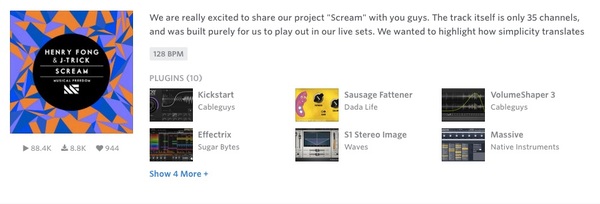
Henry Fong is seen using Waves' plugin in this Splice track.
Album Usage
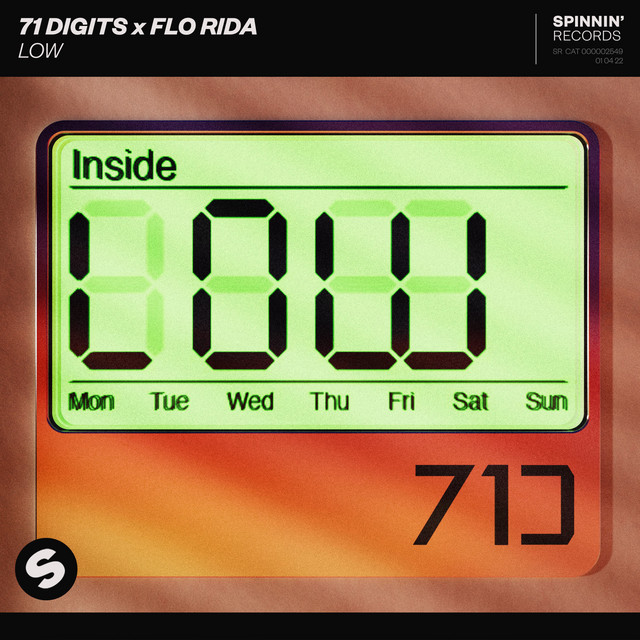
The Waves S1 Stereo Imager has been featured on the following albums:




Genre Usage
Based on how artists on Equipboard use this gear, it is most commonly found in the following genres.
Used With
Based on how musicians on Equipboard use Waves S1 Stereo Imager, it is most commonly used with the following gear.



-s.webp?v=1784728936)
-s.webp?v=1784728942)

More Waves Stereo Width Plugins

$37.00 - $39.99
in Stereo Width Plugins Rank


$37.00 - $39.99
in Stereo Width Plugins Rank


$33.00 - $34.99
in Stereo Width Plugins Rank


$33.00 - $34.99
in Stereo Width Plugins Rank


$14.90
in Stereo Width Plugins Rank

$80.00 - $99.00
in Stereo Width Plugins Rank

.jpg?v=1784733415)


$83.50 - $99.00
in Stereo Width Plugins Rank


$60.00
in Stereo Width Plugins Rank

$0.00
in Stereo Width Plugins Rank


$20.00
in Stereo Width Plugins Rank


$59.00
in Stereo Width Plugins Rank


$0.00
in Stereo Width Plugins Rank


$0.00
in Stereo Width Plugins Rank


$49.00
in Stereo Width Plugins Rank

$0.00
in Stereo Width Plugins Rank

![time off audio dime[ms]](https://images.equipboard.com/uploads/item/image/171470/time-off-audio-dime-ms-m.webp?v=1784455290)
$29.00 - $33.00
in Stereo Width Plugins Rank

$69.00
in Stereo Width Plugins Rank


$191.00 - $199.00
in Stereo Width Plugins Rank

$54.00 - $55.00
in Stereo Width Plugins Rank

$85.00 - $87.00
in Stereo Width Plugins Rank

$59.99
in Stereo Width Plugins Rank

$16.00 - $39.00
in Stereo Width Plugins Rank

$0.00
in Stereo Width Plugins Rank

$91.00 - $109.00
in Stereo Width Plugins Rank

$181.00
in Stereo Width Plugins Rank

$89.00 - $129.60
in Stereo Width Plugins Rank


$0.00
in Stereo Width Plugins Rank

$49.99 - $148.00
in Stereo Width Plugins Rank

$0.00
in Stereo Width Plugins Rank

$19.00
in Stereo Width Plugins Rank


$399.00 - $699.00
in Stereo Width Plugins Rank


$33.00 - $39.99
in Stereo Width Plugins Rank

$29.00
in Stereo Width Plugins Rank

$85.00 - $87.00
in Stereo Width Plugins Rank

$59.90
in Stereo Width Plugins Rank

$249.00
in Stereo Width Plugins Rank

$109.00
in Stereo Width Plugins Rank

$43.00 - $45.00
in Stereo Width Plugins Rank
Accessories & Related Items




-s.webp?v=1784728908)
-s.webp?v=1784728869)




-s.webp?v=1784699100)


Community setups


Similar


Gear Guides









Most Popular Stereo Width Plugins
Most Popular Brands
-
Added to Equipboard on by
.jpg?v=1784736721) gchiaren
gchiarenGearIQ 37848
-