
Pricing and availability
We compare 600+ stores and found this item at 1 store. Prices updated .




* Product prices and availability are updated by Equipboard every 24hrs and are subject to change. Equipboard may receive compensation for purchases made at participating retailers linked on this site. This compensation does not affect what products or prices are displayed, or the order of prices listed. For more information, please refer to our affiliate disclosure.
Description
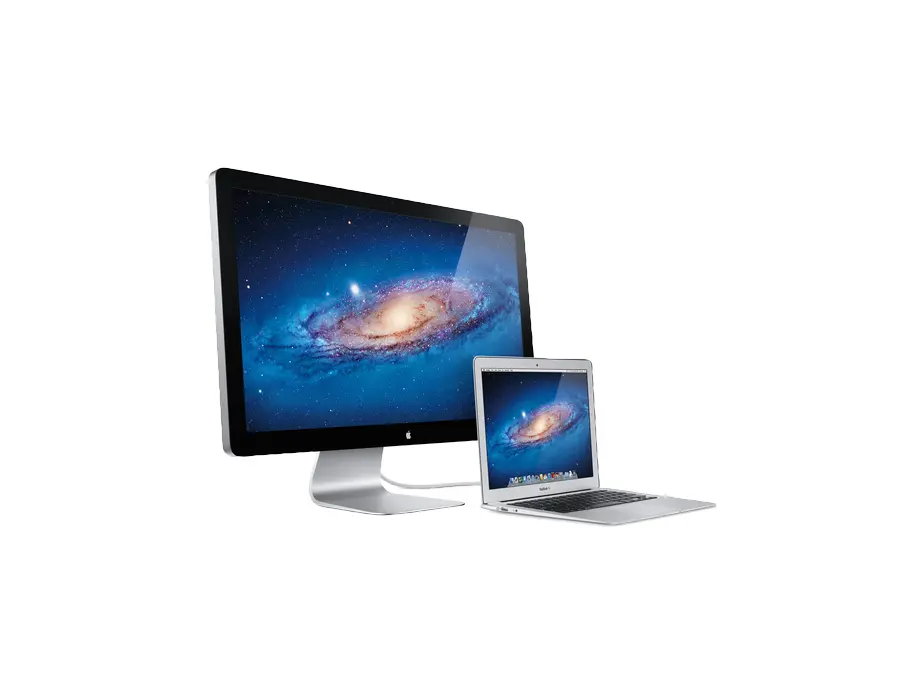
Dive into the world of seamless audio production with the Apple Thunderbolt Display, a powerhouse peripheral designed to enhance your music creation experience. This display is more than just a monitor; it's a hub that brings together advanced connectivity and stunning visuals to complement your musical journey. With Thunderbolt technology, this display offers ultra-fast data transfer, allowing you to connect multiple high-speed peripherals with minimal clutter. It's ideal for musicians who demand high performance and efficiency in their setups.
The Apple Thunderbolt Display features a vibrant 27-inch screen that delivers crisp and clear visuals, making it perfect for detailed audio editing sessions. The built-in FaceTime HD camera and high-quality audio system ensure you stay connected and sound great during virtual collaborations or live streaming sessions. Its sleek and minimalist design adds a touch of elegance to any studio, while its versatile connectivity options, including USB, FireWire, and Ethernet, provide comprehensive support for a wide range of musical equipment and devices.
Key Features:
- 27-inch LED-backlit display with 2560-by-1440 resolution
- Thunderbolt technology for high-speed data transfer and connectivity
- Built-in FaceTime HD camera and microphone for seamless communication
- Integrated stereo speakers for high-quality audio output
- Multiple ports including USB 2.0, FireWire 800, and Gigabit Ethernet
- MagSafe power connector to charge your MacBook
- Sleek, minimalist design that complements any studio setup
Videos

DetroitBORG
Apple Thunderbolt Display: Unboxing & Review
Apple Thunderbolt Display: Unboxing & Review
DetroitBORG

5 Reasons Why You Need an Apple Thunderbolt Display!

Johnny McPro

The Best Apple Display From 2011 You Can Still Use Today!

TechDaily

WHY I BOUGHT A MAC THUNDERBOLT DISPLAY IN 2023

No Confidence Gamer
Reviews
Owner Insights
We analyzed real musician discussions from forums and Reddit to find what players love, question, and tweak about Apple Thunderbolt Display.
Features and functionality
-
The Apple Thunderbolt Display includes built-in speakers which users find surprisingly good for an integrated option, though they could be easily outperformed by a $50 separate speaker.
Source -
The Thunderbolt Display includes a convenient dock for Ethernet and other peripherals, making it a versatile option for users needing connectivity.
Source -
Users appreciate the Thunderbolt Display's inclusion of FireWire 800, which allows creating a FireWire loop for flexible connectivity without disconnecting other devices.
Source
Build quality
-
Some users report a noticeable adhesive or plastic smell when the display is turned on, even after cleaning, suggesting it might be a common issue with this monitor model.
Source
Software and compatibility
-
Users need a Thunderbolt 2 to Thunderbolt 3 adapter for modern Mac connections, as regular adapters won't support non-Thunderbolt sources.
Source -
The display works well with FaceTime and other apps, but users have reported issues with the webcam on Google Meet post-software updates.
Source -
The Thunderbolt Display often faces compatibility issues with Macs featuring Thunderbolt 4 certification due to security level zero and DMA attack vulnerabilities.
Source -
The display often requires a "Trust/Don't Trust" prompt on macOS when connected via Thunderbolt 3, reminiscent of Windows 10's Thunderbolt 3 authorization utility.
Source
Comparisons
-
A 27" Thunderbolt Display with 1440p resolution offers a visually sharp image but is not comparable to modern 4K displays, which offer better clarity and brightness.
Source -
Users transitioning from Apple’s 30” Cinema Display to the Thunderbolt Display found the latter still provides a great experience, despite lacking 4K or 5K resolution.
Source
User experience
-
Owners appreciate the Thunderbolt Display's robust construction and aesthetics, but note the brightness does not compare to newer models, requiring adjustment for bright environments.
Source -
Some owners have noticed their Thunderbolt Displays dimming over time, which becomes apparent when compared directly to a newer or less-used unit.
Source -
Owners report that daisy-chaining two Thunderbolt Displays is effective but limited to two per chain, maintaining additional Thunderbolt 1/2 port functionality on the last display.
Source
Setup and maintenance
-
Finding a reliable USB-C to Thunderbolt 1 converter can be challenging; Apple's official adapter is recommended over third-party options due to compatibility issues.
Source -
A common workaround for faulty built-in cables is using a separate Thunderbolt 2 male-to-male cable connected to the display's port, resolving connectivity issues with newer Macs.
Source
4.5 out of 5
Based on 5 Reviews and 26 Ratings


510
Ideal display for MacBook Pro and iMac in the studio
The best display for hooking up their MacBook Pro and there iMac in the studio.
14
Big screen boosts productivity with MacBook integration
Big screen means more productivity. I power it with my macbook retina computer.


Artist usage
Add artist


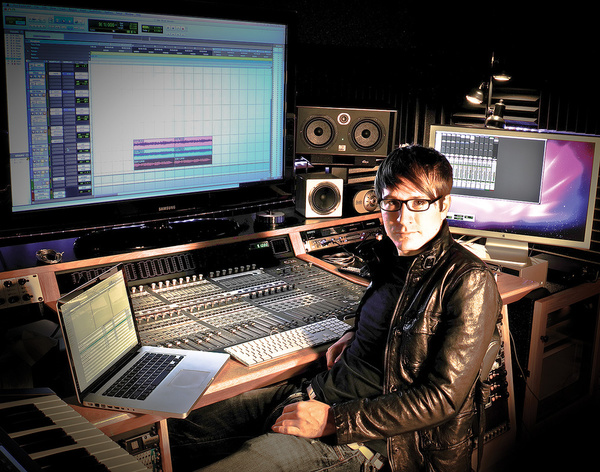
A photo of Nicky Romero's studio shows he uses the Apple Thunderbolt Display.

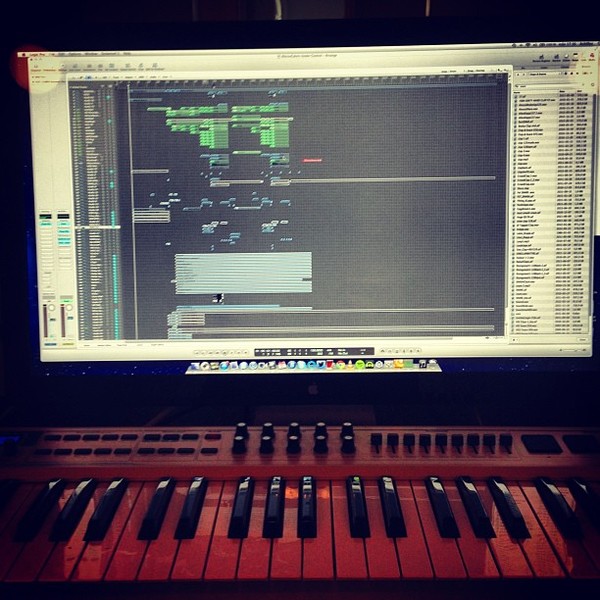
Apple Thunderbolt display spotted in this photo Alesso posted to Instagram of his studio setup.


At the very beginning of this video, we can see Sebastians Macbook connected to a Thunderbolt display.


Dr. Dre is recording in his home studio ''Talking to my diary'' for his third and last last album ''Compton''. The item can be seen at 1:20 in this video.
Ps : I don't think it's 27 inch.


This pic of Sander Van Doorn's studio gear setup shows he uses a pair of Apple Thunderbolt Displays. The left screen displays his arrangement view in Logic, while the right screen shows the mixer view in the DAW.


Twin Thunderbolt displays can be seen in Dannic's studio in this interview.

.jpg)
Bingo players are seen using an Apple Thunderbolt Display in this picture

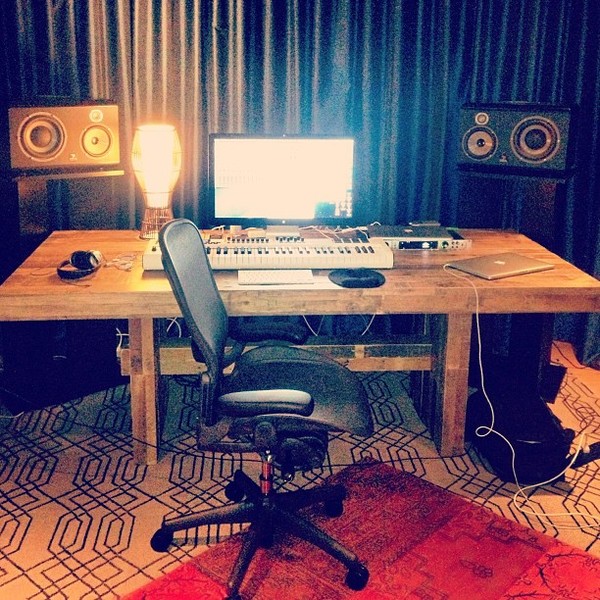
In a photo of his music studio setup, an Apple Thunderbolt Display can be spotted hooked up to his MacBook Pro. The large, high quality monitor helps to be able to see more of the track at once when he is working in Ableton.


The Apple Thunderbolt Display can be seen in a photo Headhunterz posted of his studio setup.


Zomboy uses an Apple Thunderbolt Display, as shown in his Instagram post captioned "Always start with da riddem."

Album Usage
The Apple Thunderbolt Display has been featured on the following albums:


Genre Usage
Based on how artists on Equipboard use this gear, it is most commonly found in the following genres.
Used With
Based on how musicians on Equipboard use Apple Thunderbolt Display, it is most commonly used with the following gear.





More Apple Computers & Peripherals

$1,319.55
in Computers & Peripherals Rank


$69.59 - $79.00
in Computers & Peripherals Rank


$579.99 - $799.00
in Computers & Peripherals Rank


$54.99
in Computers & Peripherals Rank


$83.83 - $99.00
in Computers & Peripherals Rank


$109.99 - $129.99
in Computers & Peripherals Rank


$1,299.00
in Computers & Peripherals Rank


$112.64
in Computers & Peripherals Rank


$1,399.00 - $1,699.00
in Computers & Peripherals Rank


$1,488.71 - $1,999.00
in Computers & Peripherals Rank


$87.00 - $199.00
in Computers & Peripherals Rank


$497.79
in Computers & Peripherals Rank
.png?v=1783447610)


$23.00
in Computers & Peripherals Rank


$334.00 - $334.99
in Computers & Peripherals Rank

$4,699.00 - $4,999.00
in Computers & Peripherals Rank


$999.00 - $1,151.81
in Computers & Peripherals Rank


$277.19
in Computers & Peripherals Rank


$1,360.15 - $1,599.00


-m.webp?v=1783152138)


Community setups


Similar


Gear Guides









Most Popular Computers & Peripherals
Most Popular Brands
-
Added to Equipboard on by
 james_the_great
Gear IQ 79
-

