

Pricing and availability
We compare 600+ stores and found this item at 1 store. Prices updated .


Price History
Based on price data from 1 merchant for "Digidesign ReVibe". Prices shown reflect NEW condition. Tracking began Apr 2, 2026.
* Product prices and availability are updated by Equipboard every 24hrs and are subject to change. Equipboard may receive compensation for purchases made at participating retailers linked on this site. This compensation does not affect what products or prices are displayed, or the order of prices listed. For more information, please refer to our affiliate disclosure.
Description
Unlock a world of sonic possibilities with the Digidesign ReVibe reverb plugin, a must-have tool for Pro Tools enthusiasts looking to elevate their audio projects. ReVibe stands out as a reverb-modeling powerhouse that offers nine innovative algorithms, allowing you to craft the perfect atmospheric touch to any track. Whether you're working with stereo or multi-channel setups, ReVibe adapts seamlessly, offering high-definition reverbs that cater to the most demanding studio environments.
This plugin doesn’t just stop at creating lush reverbs; it provides a comprehensive room modeling experience with over 200 early room reflection and coloration models. The interactive interface makes it intuitive to visualize and tweak reverb characteristics, ensuring you have full control over the sound's ambiance. With native 96 kHz processing, ReVibe ensures pristine audio quality without compromising on performance, harnessing the power of the new 321 DSP chips.
Designed for both novices and seasoned professionals, ReVibe is incredibly flexible yet straightforward to use. Its user interface combines interactive displays with reverb EQ and coloration, offering an engaging and efficient workflow. Whether you're looking to recreate the acoustics of a grand hall or the intimacy of a studio booth, ReVibe provides the tools to bring your auditory vision to life, all while maintaining the high standards synonymous with Digidesign's professional plugins.
Key Features:
- Nine advanced reverb algorithms
- Over 200 early reflection and room coloration models
- Mono, stereo, and surround sound capabilities
- Interactive displays for room characteristics
- Supports up to 5.1 multi-channel Pro Tools formats
- Native 96 kHz processing for superior sound quality
Product specs
| Software Type | Room Modeling Reverb |
| Platform | Mac, PC |
| Upgrade/Full | Full |
| Download/Boxed | Download |
| Format | AAX Native, AAX DSP, TDM, AudioSuite |
| Hardware Requirements - Mac | Intel Core 2 Duo, 1GB RAM |
| Hardware Requirements - PC | Intel Core 2 Duo, 1GB RAM |
| OS Requirements - Mac | OS X 10.7 or later |
| OS Requirements - PC | Windows 7 SP1 or later |
FAQs
-
What platforms is the Digidesign ReVibe compatible with?
-
The Digidesign ReVibe is compatible with both Mac and PC platforms.
-
What type of reverb does the Digidesign ReVibe offer?
-
The Digidesign ReVibe is a room modeling reverb plugin, designed to simulate various acoustic environments.
-
What are the format options available for the Digidesign ReVibe plugin?
-
The Digidesign ReVibe is available in AAX Native, AAX DSP, TDM, and AudioSuite formats.
-
What are the system requirements for running Digidesign ReVibe on a Mac?
-
To run Digidesign ReVibe on a Mac, you need an Intel Core 2 Duo processor, 1GB RAM, and OS X 10.7 or later.
-
Can the Digidesign ReVibe be used with Pro Tools?
-
Yes, the Digidesign ReVibe is compatible with Pro Tools, as it supports AAX Native and AAX DSP formats.
Videos

Avid Japan
Pro Tools 11 - 拡張されたメータ表示(日本語字幕)
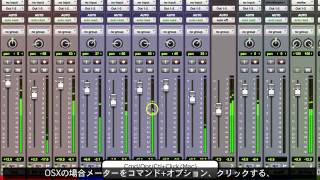
Pro Tools 11 - 拡張されたメータ表示(日本語字幕)
Avid Japan
Reviews
PROS
-
Exceptional sound quality, highly preferred over other reverb plugins
-
Incredibly flexible, ideal for both film work and music mixing
-
Excellent for making ADR match seamlessly in projects
-
Easy automation features enhance workflow efficiency
-
Supports a wide range of musical styles effectively
CONS
-
Not available as a VST 3 plugin, limiting compatibility
-
Requires a powerful computer for optimal performance
Critic Reviews
Based on 0 Reviews and 0 Ratings
Artist usage
Add artist
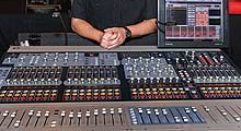
Mentioned in this March 2009 Mix Online article about the Hello Katy Tour.
Both front-of-house engineer Fern Alvarez Jr. (who is also production manager) and monitor engineer Dave “Supa” Rupsch are working on Digidesign Profile consoles. For effects, Alvarez relies on a Bomb Factory BF76 compressor and a Franklin d2 EQ for Perry's vocals; Smack on background vocals; Purple Audio comp for bass guitar; Joemeek comp for acoustics; ReVibe reverb on Perry and background vocals; and Reverb one for all instruments. (...) On all the in-ear mix outputs, I am using the Focusrite 6-band parametric EQ and a limiter; on the band I use UE-7 Pros, non-ambient. Katy likes reverb in her ears; for that, I use the ReVibe plug-in with a medium hall 'verb return: 2.5-second decay time, 28ms pre-delay.”
Note that ReVibe II was not yet released in 2009.


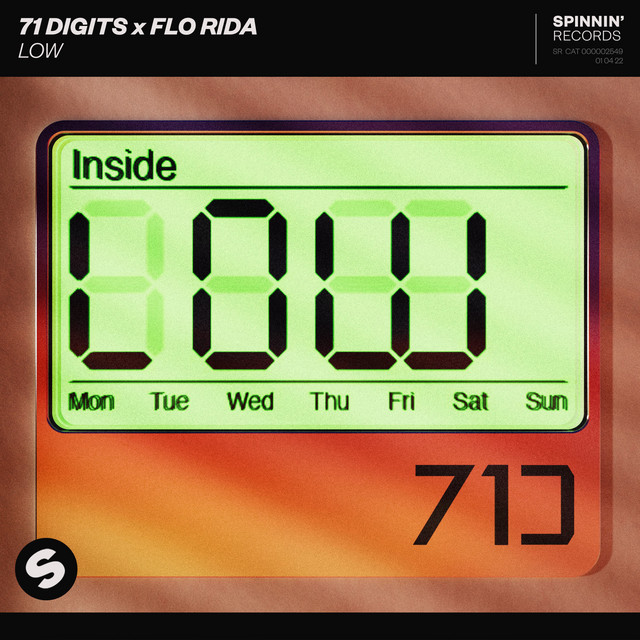
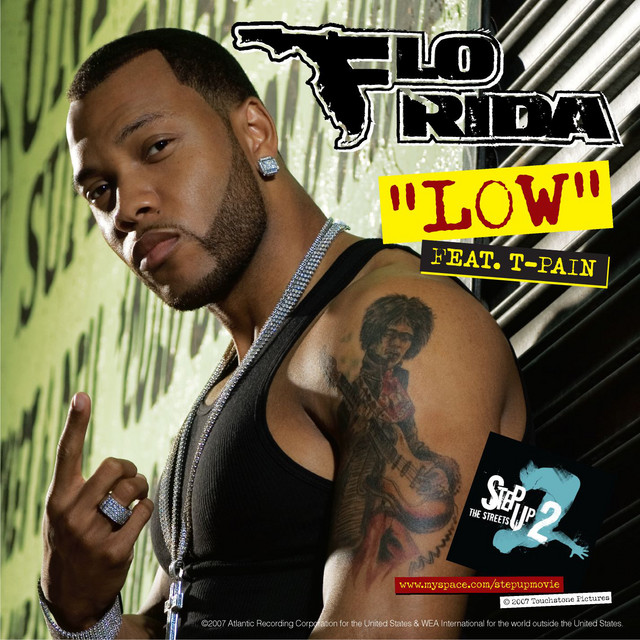
Used on Flo Rida and T-Pain's vocals for "Low", as stated by mixer Fabian Marasciullo in this Sound on Sound interview.
"For space around the vocals I used the Digidesign Revibe, and the Echo Farm delay and Waves S1 Imager on the Aux tracks called '1/4', '1/8', 'Tape1/4' and 'Tape 1/8'. Oh, and there was a Metaflanger spread on the 'Spread' aux track, affecting the hook. The '1/4' denotes quarter–note delay and '1/8' eighth–note delay, using the Echo Farm. I use that a lot. It's cool because it simulates tape delay and it gives this kind of old Beatle–esque delay. Basically, '1/4' and '1/8' are the clean–sounding delays, and 'Tape 1/4' and 'Tape 1/8' are dirty–sounding delays. I put the S1 Stereo Imager straight after the Echo Farm, to get the delay just a little bit out of phase, so you're feeling it more than hearing it. I do this pretty much on every record that I do.

Used on Flo Rida and T-Pain's vocals for "Low", as stated by mixer Fabian Marasciullo in this Sound on Sound interview.
"For space around the vocals I used the Digidesign Revibe, and the Echo Farm delay and Waves S1 Imager on the Aux tracks called '1/4', '1/8', 'Tape1/4' and 'Tape 1/8'. Oh, and there was a Metaflanger spread on the 'Spread' aux track, affecting the hook. The '1/4' denotes quarter–note delay and '1/8' eighth–note delay, using the Echo Farm. I use that a lot. It's cool because it simulates tape delay and it gives this kind of old Beatle–esque delay. Basically, '1/4' and '1/8' are the clean–sounding delays, and 'Tape 1/4' and 'Tape 1/8' are dirty–sounding delays. I put the S1 Stereo Imager straight after the Echo Farm, to get the delay just a little bit out of phase, so you're feeling it more than hearing it. I do this pretty much on every record that I do.


Album Usage
The Digidesign ReVibe has been featured on the following albums:

Genre Usage
Based on how artists on Equipboard use this gear, it is most commonly found in the following genres.
Used With
Based on how musicians on Equipboard use Digidesign ReVibe, it is most commonly used with the following gear.


More Digidesign Reverb Plugins


$37.00 - $349.00
in Reverb Plugins Rank


$29.99 - $49.00
in Reverb Plugins Rank


$179.00 - $199.00
in Reverb Plugins Rank


$37.00 - $39.99
in Reverb Plugins Rank


$0.00
in Reverb Plugins Rank


$33.00 - $39.99
in Reverb Plugins Rank


$149.00
in Reverb Plugins Rank


-m.webp?v=1783581851)

$75.00 - $282.00
in Reverb Plugins Rank


$29.99 - $30.00
in Reverb Plugins Rank

$58.00 - $69.00
in Reverb Plugins Rank


$139.00 - $149.00
in Reverb Plugins Rank


$62.00 - $69.00
in Reverb Plugins Rank

$0.00
in Reverb Plugins Rank

$49.00 - $199.00
in Reverb Plugins Rank


$47.00 - $49.00
in Reverb Plugins Rank

$0.00
in Reverb Plugins Rank

$37.00 - $39.99
in Reverb Plugins Rank


$95.00 - $99.00
in Reverb Plugins Rank

$29.00 - $38.00
in Reverb Plugins Rank

$34.99
in Reverb Plugins Rank


$99.00
in Reverb Plugins Rank


$33.00 - $39.99
in Reverb Plugins Rank


$94.00 - $99.00
in Reverb Plugins Rank

$93.00 - $99.00
in Reverb Plugins Rank

$47.00 - $199.00
in Reverb Plugins Rank

$69.00 - $169.00
in Reverb Plugins Rank
-m.webp?v=1783807275)

$99.00 - $104.00
in Reverb Plugins Rank

$99.00
in Reverb Plugins Rank


$32.00 - $249.00
in Reverb Plugins Rank


$43.00 - $45.00
in Reverb Plugins Rank


$59.00
in Reverb Plugins Rank

$59.00
in Reverb Plugins Rank


$68.00 - $299.00
in Reverb Plugins Rank
Accessories & Related Items


-s.webp?v=1784094101)

Community setups


Similar


Gear Guides









Most Popular Reverb Plugins
Most Popular Brands
-
Added to Equipboard on by
 eyeseeofficial
GearIQ 161592
-

