

Pricing and availability
We compare 600+ stores and found this item at 1 store. Prices updated .
Store
Reviews
Price




Average Price: $849
Standard/Professional
$200
$1001+
Price Tier
Budget
Standard
High-end
* Product prices and availability are updated by Equipboard every 24hrs and are subject to change. Equipboard may receive compensation for purchases made at participating retailers linked on this site. This compensation does not affect what products or prices are displayed, or the order of prices listed. For more information, please refer to our affiliate disclosure.
Description
Designed to meet the versatile needs of musicians and audio professionals, the Mackie ProFX30v2 30-Channel 4-Bus Effects Mixer is a powerhouse of functionality and reliability. Whether you’re mixing live performances or setting up a studio session, this mixer provides the tools needed for a seamless audio experience. Equipped with Mackie's Vita preamps, the ProFX30v2 ensures pristine audio quality, capturing every nuance of your sound with clarity.
The mixer offers an expansive array of 30 channels, allowing for extensive connectivity options and flexibility in handling multiple audio sources. With 4 buses, you can manage complex routing and sub-mixing tasks effortlessly. The built-in GigFX effects engine provides 24 different effects, giving you the creative freedom to enhance your audio with professional-grade reverbs, delays, and more.
The robust design of the ProFX30v2 is complemented by practical features such as a built-in USB interface for direct recording and playback to and from your computer. This makes it an ideal choice for both live sound reinforcement and recording applications. The user-friendly layout and intuitive controls ensure a smooth workflow, making this mixer suitable for both beginners and seasoned professionals.
Key Features:
- 30 channels for comprehensive connectivity
- 4-bus architecture for flexible routing
- Mackie's proprietary Vita preamps for high-quality sound
- Built-in GigFX effects engine with 24 different effects
- USB interface for direct recording and playback
- User-friendly layout with intuitive controls
Product specs
| Brand | Mackie |
| Model | ProFX30v2 30-Channel 4-Bus Effects Mixer |
| Year | 2015 - 2019 |
| Categories | Audio Mixers, Consoles and Summing Boxes |
| Electronics | Analog, Digital, Solid State |
| Format | Desktop Standalone |
| Number of Analog Inputs | 34 |
| Number of Analog Outputs | 12 |
| Number of Channels | 30 |
| Number of Digital Inputs | 0 |
| Number of Digital Outputs | 0 |
| Number of Headphone Outputs | 1 |
| Number of MIDI Inputs | 0 |
| Number of MIDI Outputs | 0 |
FAQs
-
What kind of effects does the Mackie ProFX30v2 mixer offer?
-
The Mackie ProFX30v2 includes a built-in effects engine with a variety of effects such as reverb, delay, and chorus, providing versatile options for live sound and recording applications.
-
How many microphone preamps are included in the Mackie ProFX30v2?
-
The Mackie ProFX30v2 features 24 low-noise Mackie Vita microphone preamps, designed to deliver high-quality sound for live and studio environments.
-
Is the Mackie ProFX30v2 suitable for live performances?
-
Yes, the Mackie ProFX30v2 is designed for live sound applications with its 30 channels and built-in effects, making it ideal for bands, venues, and events.
-
Can the Mackie ProFX30v2 be used for recording purposes?
-
While primarily designed for live sound, the Mackie ProFX30v2 can also be used for recording thanks to its high-quality preamps and effects, though it does not feature digital recording outputs.
-
Does the Mackie ProFX30v2 support USB connectivity for audio streaming?
-
No, the Mackie ProFX30v2 does not have USB connectivity for audio streaming; it focuses on analog input and output for live sound mixing.
Videos

expert island
Review the Features of the Mackie ProFX30v2 How to Setup 4 bus and 3 monitors on the Audio Mixer
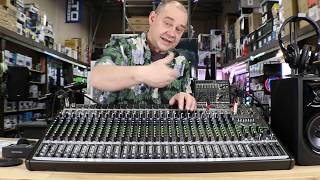
Review the Features of the Mackie ProFX30v2 How to Setup 4 bus and 3 monitors on the Audio Mixer
expert island

MACKIE profx30v2 USB mixer

Sudio art
Reviews
Based on 0 Reviews and 0 Ratings
More Mackie Mixers

$175.00 - $449.99
in Mixers Rank


$222.00 - $329.99
in Mixers Rank


$180.25 - $219.99
in Mixers Rank


$75.00 - $329.99
in Mixers Rank


$849.99 - $1,049.99
in Mixers Rank


$368.00 - $449.99
in Mixers Rank


$99.90 - $149.99
in Mixers Rank


$399.95
in Mixers Rank


$743.96 - $749.99
in Mixers Rank

$143.30 - $379.99
in Mixers Rank


$114.52 - $159.99
in Mixers Rank


$25.00 - $1,049.99
in Mixers Rank


$630.00 - $799.99
in Mixers Rank

$437.80
in Mixers Rank


.png?v=1782922288)


$25.00 - $1,049.99
in Mixers Rank


$114.52 - $159.99


$1,249.99 - $1,499.99

Artist usage


Community setups


Similar


Gear Guides





Most Popular Mixers
Most Popular Brands
-
Added to Equipboard on by
 equipboard
Gear IQ 4934
-


