

Pricing and availability
We compare 600+ stores and found this item at 8 stores. Prices updated .
Store
Reviews
Price








Average Price: $351
Standard/Professional
$200
$1001+
Price Tier
Budget
Standard
High-end
Price History
Based on price data from 5 merchants for "Mackie ProFX12 v3". Prices shown reflect NEW condition. Tracking began Apr 2, 2026.
* Product prices and availability are updated by Equipboard every 24hrs and are subject to change. Equipboard may receive compensation for purchases made at participating retailers linked on this site. This compensation does not affect what products or prices are displayed, or the order of prices listed. For more information, please refer to our affiliate disclosure.
Description
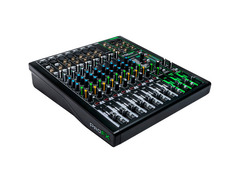
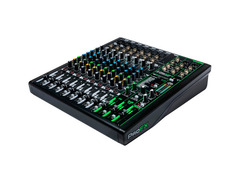
Introducing the Mackie ProFX12 v3, an exceptional 12-Channel Professional Effects Mixer with USB. Primed as the ultimate economical choice for live sound, home recording, and content creation, this device surpasses expectations. The ProFX12 v3 is equipped with the famous Onyx mic preamps, boasting 60db of headroom, allowing your gain-hungry mics and guitars to sound better than ever. It also features an easy-to-use single-knob compression for keeping everything in check.
This mixer doesn't skimp on effects either, with its high-resolution GigFX effects engine offering a palette of 24 built-in FX to add the perfect finishing touch. Its 24-Bit/192kHz quality 2x4 USB I/O ensures your tracks are recorded in the highest quality possible, while zero-latency hardware monitoring enables easy overdubs. It's also bundled with the Waveform OEM DAW Essentials Plug-In for extra dynamics.
Key Features:
- Onyx Mic Preamps with up to 60db of gain
- High-Resolution GigFX Effects Engine with 24 FX options
- 24-Bit/192kHz 2x4 USB Recording Interface
- Zero-latency hardware monitoring
- Single-Knob Compression
- 3-band EQ on all channels
- Channels 5-10 featuring mic inputs and stereo line inputs
- Hi-Z switches for direct connection of instruments
- 100Hz low-cut filter and 48V phantom power on all mic channels
- Aux/Monitor output with dedicated per-channel send control
- Stereo Subgroup output bus with per-channel assignment
- Waveform OEM DAW Essentials Plug-In Bundle included
Owner's manual
Mackie ProFX12 v3 User ManualProduct specs
| Type | Analog Mixer with USB Interface |
| Channels | 12 (8 x mono, 1 x stereo) |
| Computer Connectivity | USB (2 x 4) |
| A/D Resolution | 24-bit/192kHz |
| Faders | 11 x 60mm Faders |
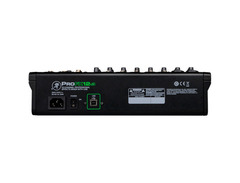
| Inputs - Mic Preamps | 2 x XLR-1/4" combo (mic/line/Hi-Z), 5 x XLR (mic) |
| Phantom Power | Yes |
| Inputs - Line | 2 x 1/4", 6 x 1/4" (3 x stereo), 1 x 1/8" (stereo) |
| Outputs - Main | 2 x XLR, 2 x 1/4" (L/R), 2 x 1/4" (control room) |
| Outputs - Other | 2 x 1/4" (subgroup out) |
| Aux Sends | 1 x FX Send (post), 1 x Monitor Send (pre) |
| Send/Return I/O | 1 x 1/4" (FX send), 1 x 1/4" (monitor send) |
| Busses/Groups | 1 x Subgroup |
| Inserts | 4 x 1/4" (channel) |
| Headphones | 1 x 1/4" |
| USB | 1 x Type B |
| Other I/O | 1 x 1/4" (footswitch) |
| EQ Bands | 3-band EQ, 100Hz Low-cut Filter |
| Signal Processing | 4 x Channel Compressors |
| Effects | GigFX Engine: Reverbs, Chorus, Delay, Flange, Auto-Wah |
| Software | Waveform OEM DAW, FX Plug-in Collection |
| Power Source | Standard IEC AC cable |
| Height | 4" |
| Width | 13" |
| Depth | 14.8" |
| Weight | 7.9 lbs. |
FAQs
-
Does the Mackie ProFX12v3 support USB connectivity for recording?
-
Yes, the Mackie ProFX12v3 features a USB interface that allows you to connect directly to your computer for recording, offering 2 x 4 USB connectivity with 24-bit/192kHz A/D resolution.
-
What kind of built-in effects does the Mackie ProFX12v3 offer?
-
The Mackie ProFX12v3 includes a GigFX effects engine with 24 built-in effects, such as reverb, chorus, delay, flange, and auto-wah, providing versatile sound processing options.
-
How many microphone preamps are available on the Mackie ProFX12v3?
-
The Mackie ProFX12v3 is equipped with seven Onyx microphone preamps, delivering up to 60 dB of headroom for clear and detailed audio capture.
-
Is phantom power available on the Mackie ProFX12v3 for condenser microphones?
-
Yes, the Mackie ProFX12v3 provides 48V phantom power, which is essential for powering condenser microphones.
-
Can the Mackie ProFX12v3 be used for live sound as well as studio recording?
-
Absolutely, the Mackie ProFX12v3 is designed for both live sound and studio recording, offering flexible channel options, built-in effects, and USB connectivity for versatile use.
-
What are the main output options on the Mackie ProFX12v3?
-
The Mackie ProFX12v3 offers multiple output options, including 2 x XLR and 2 x 1/4" main outputs, as well as 2 x 1/4" control room outputs for comprehensive audio routing.
Videos

expert island
Sound Test of the Mackie ProFX12v3 12-Channel Pro Effects Mixer with USB
Sound Test of the Mackie ProFX12v3 12-Channel Pro Effects Mixer with USB
expert island

New! Mackie ProFx12v3 ProFX v3 Professional Effects Mixers with USB
expert island
Mackie ProFX12v3 Audio Mixer | UNBOXING #unboxing #mackie #audio #mixer

Istoryahe TV Vlogs
Mackie Profx12v3 Mixer - Unboxing and First Look

Matthew Stratton
Yamaha MG12XU vs Mackie ProFX12v3 Audio Mixer | Comparison & Review

Kettner Creative
Mackie PROFX12 V3 Unboxing and Demo

Marcus Curtis Music

Mackie ProFX12v3 Review | My Favorite Analog Mixer

The Angry Sound Tech
Reviews
PROS
-
Compact and lightweight, ideal for small setups
-
Excellent sound quality with ONYX preamps
-
Versatile USB interface for recording and playback
-
Offers four stereo inputs, rare at this price point
-
Built-in effects (like ping-pong delay) enhance live performances
-
Easy to use for beginners with straightforward controls
-
Good build quality and reliable performance
-
Offers clean sound and top-notch effects included
-
Provides a lot of features and routing options
-
Effective channel compression and EQ for each channel
CONS
-
Some units have quality control issues with soldering
-
Customer service and warranty support can be problematic
-
Channel 11/12 limited to a 3.5mm analog input, lacking versatility
-
PCBs inside some units poorly assembled, affecting longevity
-
Signal routing can be confusing for some users
-
Not suited for integrating external effect devices
-
Mixer’s software and manual might be challenging for non-English speakers
-
Smooth knobs can be difficult to grip and adjust
-
AD/DA conversion quality not on par with high-end interfaces
-
Some users reported channel failures shortly after warranty expired
Owner Insights
We analyzed real musician discussions from forums and Reddit to find what players love, question, and tweak about Mackie ProFX12 v3.
Features and functionality
-
The Mackie ProFX12v3 offers stereo output over USB, allowing only two unique tracks to be recorded simultaneously, similar to a Focusrite 2i2.
Source -
The Mackie ProFX12v3's "Sub Out" is not filtered for subwoofers, and effects can be applied to it without affecting other outputs, impacting sound quality.
Source -
The "Mon Send" jack is controlled by the "Aux Master" knob above the Fx fader, which can be useful if the Control Room output is faulty.
Source -
The Mackie ProFX12v3 is capable of a 2x4 USB audio interface setup, appearing as separate outputs and an input on Windows systems for versatile routing.
Source
Setup and maintenance
-
Connecting a MacBook to studio monitors requires a male-to-male 3.5mm headphone cable and powered monitors; adapters may be needed based on monitor inputs.
Source -
The "Control Room" phono jacks are prone to a distinct buzz, potentially due to a bad capacitor, despite the manual's claim of clarity.
Source
User experience
Comparisons
Use cases and applications
-
For band rehearsals, the mixer can output vocals and keyboards through PAs while recording the entire session, though users need creative routing.
Source -
Using the headphones output for powered speakers like the JBL EON615 can lead to impedance mismatch issues, potentially causing audio problems.
Source -
Owners find the mixer useful for setting multiple mix-minus configurations with chat apps, ideal for complex audio setups beyond music recording.
Source
Critic Reviews
4.5 out of 5
Based on 1 Review and 3 Ratings

Artist usage
Add artist

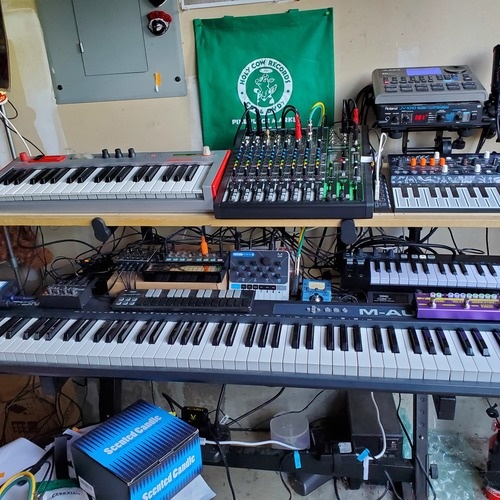
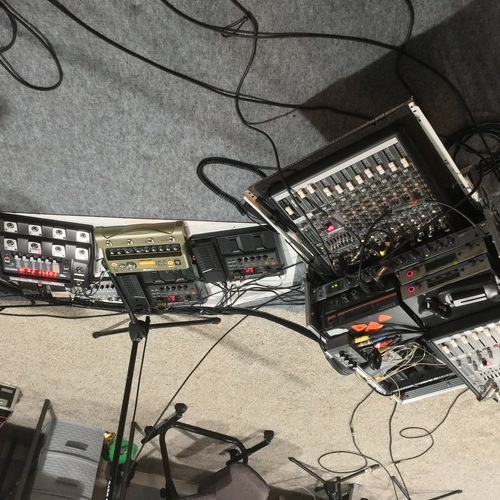
Carlos Nilmmns utilizes the Mackie ProFX12 v3 mixer in his home studio, as evidenced by an Instagram post where he is seen working with the equipment alongside Roland boutique synths. This setup is highlighted in the context of preparing music for upcoming releases with Distangled and Frame Of Mind Records. In the accompanying caption, Nilmmns hints at the new music's direction with the phrase, "Coming soon. ❤️ Back with some machine funk," indicating the active use of this gear in his production process. This post serves as direct proof of Carlos Nilmmns' choice of the Mackie ProFX12 v3 for his music creation.
Genre Usage
Based on how artists on Equipboard use this gear, it is most commonly found in the following genres.
Used With
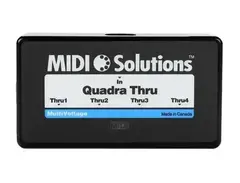
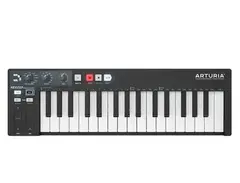
Based on how musicians on Equipboard use Mackie ProFX12 v3, it is most commonly used with the following gear.




Community setups
Show yours

More Mackie Mixers

$120.00 - $449.99
in Mixers Rank


$219.00 - $329.99
in Mixers Rank


$180.25 - $219.99
in Mixers Rank


$75.00 - $329.99
in Mixers Rank


$999.00 - $1,049.99
in Mixers Rank


$363.00 - $449.99
in Mixers Rank


$99.90 - $149.99
in Mixers Rank


$399.95
in Mixers Rank


$142.79 - $379.99
in Mixers Rank


$114.11 - $159.99
in Mixers Rank


$712.49 - $749.99
in Mixers Rank

$25.00 - $1,049.99
in Mixers Rank

.png?v=1784755332)


$440.35
in Mixers Rank


$630.00 - $799.99
in Mixers Rank


.png?v=1784755332)


$25.00 - $1,049.99
in Mixers Rank


$114.11 - $159.99


$419.99 - $439.99

$269.99 - $329.99
Accessories & Related Items

-s.webp?v=1784818680)


-s.webp?v=1784818854)



Similar


Gear Guides








Most Popular Mixers
Most Popular Brands
-
Added to Equipboard on by
 wcchristian
GearIQ 131
-


