

Pricing and availability
We compare 600+ stores and found this item at 4 stores. Prices updated .
Store
Reviews
Price


Price History
Based on price data from 3 merchants for "Waves S1 Stereo Imager". Prices shown reflect NEW condition. Tracking began Apr 2, 2026.
* Product prices and availability are updated by Equipboard every 24hrs and are subject to change. Equipboard may receive compensation for purchases made at participating retailers linked on this site. This compensation does not affect what products or prices are displayed, or the order of prices listed. For more information, please refer to our affiliate disclosure.
Description
Achieve unparalleled control over your mix with the Waves S1 Stereo Imager, a plugin designed to redefine your stereo field with precision and ease. Whether you're a seasoned audio engineer or a budding producer, the S1 empowers you to widen or narrow your mix with its intuitive Width control. The Rotation and Asymmetry controls offer nuanced adjustments to correct unbalanced stereo signals, all while avoiding those pesky phasing issues.
Beyond mere stereo widening, the S1 acts as a versatile mid-side matrix, enabling seamless conversion to and from M/S recordings. This dual functionality makes it a staple in both mastering and post-production, providing the flexibility needed to tackle any audio challenge. The plugin's clean, straightforward interface ensures that you can make quick, effective adjustments without getting lost in a sea of controls.
The S1 Stereo Imager is not just about expanding your stereo field; it’s also about providing the clarity needed for professional-grade soundscapes. With precision output metering, you can trust the visual feedback to guide your auditory decisions, ensuring every mix is polished to perfection.
Key Features:
- 3 Components: Shuffler, Imager, and M/S Matrix
- Up to 24-bit/192kHz with double precision bit resolution processing
- Stereo and Mono-to-stereo operation
- Bass Trim to counter imaging issues from unbalanced low frequencies
- Perfect for enhancing top-notch recordings and fixing flaws in imperfect mixes
Product specs
| Software Type | Stereo Imager |
| Platform | Mac, PC |
| Upgrade/Full | Full |
| Download/Boxed | Download |
| Bit Depth | 64-bit |
| Format | AAX Native, AudioSuite, VST, AU, SoundGrid |
| Hardware Requirements - Mac | Intel Core i7 or higher (M1 support), 8GB RAM minimum |
| Hardware Requirements - PC | Intel Core i5 / AMD Quad-core or higher (AVX required), 8GB RAM minimum |
| OS Requirements - Mac | macOS 10.15.7 or later |
| OS Requirements - PC | Windows 10 or later (21H2), 64-bit |
FAQs
-
What are the key features of the Waves S1 Stereo Imager?
-
The Waves S1 Stereo Imager offers advanced stereo imaging controls, allowing you to widen or narrow the stereo field. It includes features like shuffling and asymmetrical panning to enhance spatial effects in your mix.
-
Is the Waves S1 Stereo Imager compatible with my DAW?
-
The Waves S1 Stereo Imager is compatible with major DAWs that support AAX Native, AudioSuite, VST, AU, or SoundGrid formats, including Ableton Live, Pro Tools, Logic Pro, and more.
-
What are the system requirements for running the Waves S1 Stereo Imager on a Mac?
-
To run the Waves S1 Stereo Imager on a Mac, you need macOS 10.15.7 or later, an Intel Core i7 or higher (M1 support), and a minimum of 8GB RAM.
-
Can the Waves S1 Stereo Imager be used on both Mac and PC?
-
Yes, the Waves S1 Stereo Imager is compatible with both Mac and PC platforms, requiring macOS 10.15.7 or later or Windows 10 or later (21H2), and a minimum of 8GB RAM.
-
How does the Waves S1 Stereo Imager affect the stereo field of a mix?
-
The Waves S1 Stereo Imager allows you to manipulate the stereo field by widening or narrowing it, providing greater depth and spatial clarity in your mix.
Videos

Waves Audio
Intro to Stereo Imaging with the Waves S1 Plugin
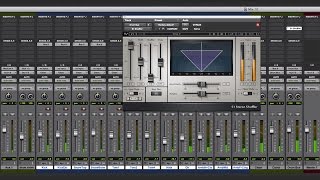
Intro to Stereo Imaging with the Waves S1 Plugin
Waves Audio
How To Use The S1 Stereo Imager

Ryan Demaree
Waves s1 stereo imager vocals - how to use waves s1 imager

Warrior Sound - Unders
Broaden The Width Of Backing Vocal Arrangements With A Dash Of Waves S1 Stereo Imager

Production Expert
Reviews
Owner Insights
We analyzed real musician discussions from forums and Reddit to find what players love, question, and tweak about Waves S1 Stereo Imager.
Use cases and applications
-
Engineers use the Waves S1 Stereo Imager to subtly adjust stereo width during verses and choruses for enhanced impact without mono compatibility risks.
Source -
The S1 is particularly effective when used on tracks that already possess a stereo image, enhancing the existing width rather than creating it from scratch.
Source
Features and functionality
Comparisons
-
Waves S1 is preferred over Izotope for its stereo imaging capabilities by some users, although Mid-Side EQ might be a safer choice in certain situations.
Source -
Users highlight that the Ozone Imager is a multiband stereo tool, while the Waves S1 allows for precise stereo field manipulation, offering unique capabilities between them.
Source
Software and compatibility
-
The Waves S1 is praised for being mono-compatible, crucial for mixes intended for mono playback environments like phones and TV.
Source -
The A1 Stereo Control plugin, mentioned as an alternative, cannot convert mono to stereo, only enhance existing stereo width, highlighting a limitation compared to other tools.
Source
4.5 out of 5
Based on 2 Reviews and 26 Ratings

2113
Awesome. Wish I'd bought it sooner!
I love the S1 Imager! I spent so many years using alternatives like the PSP StereoPack, Flux Stereo Tool, Auburn Panagement, and I should have just bought the S1 all along. The S1 has something extra (maybe the Shuffler feature) that makes it feel like I'm positioning the sound, not just panning it. The stereo widening is excellent, but I'm mostly using the S1 to narrow stereo channels in the mix & position them so the instruments don't overlap and are distinct, but without reducing them to little mono dots. Of course you can also automate the width, to get pulsing narrow/wide synth sounds. If you absolutely can't afford the S1, the free Flux Stereo Tool is a good alternative, but I'm so glad I switched to the S1 and the Waves Silver/Gold pack.

Artist usage
Add artist

on the second Club Academy Tutorials, they show a 'Waves S1 Stereo Imager' plugin sound


In a livestream on STMPD Records' YouTube channel, Taska Black mentions at 3:10 that his favorite plugin is the Waves S1 Stereo Imager.

.jpg)


In this YouTube video, at timestamp 48:17, Habstrakt is seen opening the Waves S1 Stereo Imager plugin.

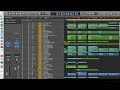


Used for the backing "welelel" vocals on "Time Flies", as stated by mix engineer Jesse Ray Ernster in this June 2021 Sound on Sound interview.
“The song already felt great after a few minutes of mixing,” Ernster continues. “The reference mix felt good, the beat was solid too. As I mentioned earlier, after that it was a matter of getting the vocals to shine. Dialling in the vocals took quite a bit of time on this song, because there were so many of them. This song was all about the backing vocals, getting them to sit in a place where they can shine and sparkle and just sit perfectly.
“Pretty much every background vocal on the song has the CLA Mix Hub channel strip, doing some high‑pass filtering, some EQ, and compression. I approached this mix a bit like a console mix, and dialling in every background vocal with the Mix Hub got them where I wanted them to be. I did not need 10 plug‑ins to make the background vocals sound good. This plug‑in just lit them up.
“One interesting moment with the backing vocals is in the bridge of the song. Diddy had a vision that these ‘welelel’ vocals would not only be wide but would also be wrapping around, with the panning going from left to right. So I put on the Waves S1 Shuffler, turned up the width knob and then automated the panning. It was a bold Diddy move that really paid off. It became a special moment, and is one of my favourite spots in the song.
“Underneath the ‘welelel’ track are nine backing vocal aux effect tracks, which are a ModDelay 3; 16th‑note, eighth‑note, quarter‑note and half‑note delays (all the Valhalla Delay); a ping‑pong delay (Waves H‑Delay); and all those tracks have sends to a Valhalla Vintage Verb plate and the FabFilfter Pro‑R. And all those feed the BGV FX bus. I was just moving these effects all around until they felt right.
“Burna’s main lead vocal is in red. One technique I learned from my dad is to ride the fader on vocals, so you don’t get the anomalies that you can get when compression is applied to a recorded voice. As I don’t have a fader, I chopped up the vocal and then adjusted the Clip Gain for each phrase. As for processing, I added the Gullfoss EQ, that kind of rides the frequencies, and which I love. I used it on Burna’s voice on most of the album. There’s also a Pro‑Q 3 to notch out some frequencies, and the Acustica Amber 3 EQ, which adds the most gorgeous top end.
“There’s a send on the main lead vocal to an aux with the Soundtoys Devil‑Loc, adding parallel distortion. It’s a bus I try once in a while. If the vocal is sitting where I want it to sit in the mix volume‑wise, but it needs a little bit more glue, body and warmth, I’ll go for the Devil‑Loc. It brings the vocal straight up into your face. If you want a pop vocal that is right on top of everything, this is it.
“I also have other vocal aux effect tracks, ie. different delays, reverbs, pitch‑shifts. I generally do not use reverbs on the lead vocal, but only delays, because they take up less space. Then I’ll have a delay to feed a reverb that can sit in the background. The pre‑delay creates this ocean of ambience that does not take away from the intimacy and upfront nature of the lead vocal.
“There are a couple of tracks called ‘Throw’, and I create those by dragging duplicate audio to a separate track, and then putting an effect on with the mix at 100 percent, in this case Valhalla Delays. I don’t really like using automation on sends and muting and so on, as it’s a really slow workflow. It takes one second to drag down some audio, add a delay and done.
“Below the ‘Throw’ tracks are two Time Adjuster aux tracks and a Valhalla Space Modulator aux track. Together they recreate the Eventide H3000 wide vocal effect. The Time Adjuster plug‑in delays the left and right channels a bit, and one channel has the CLA MixHub to add some distortion and the other channel has the lo‑fi. The Valhalla Space Modulator is followed by a Cranesong Phoenix II, driving really hard in Dark Essence mode. These three go to an aux called ‘SHIFT M’, and it turns a mono vocal into a wide, enveloping, beautiful vocal. Also, there’s a ‘Lead Vocal All FX’ aux with the Pro‑Q 3 EQ that takes out all top and bottom, which you don’t need on vocal effects.”

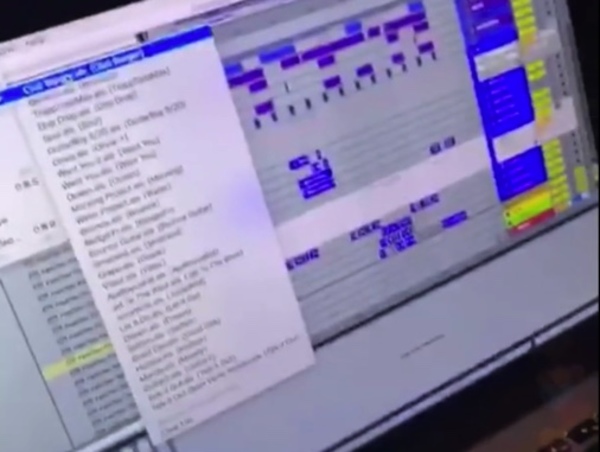
In a Lil Mosey YT vlog that is no longer up, Royce can be seen using S1 on a melody.

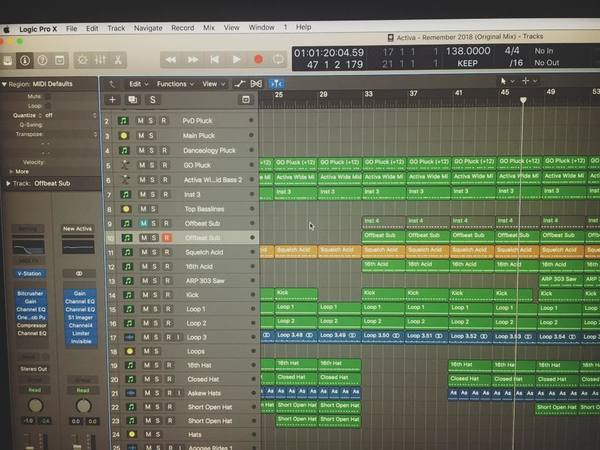
Activa utilizes the Waves S1 Stereo Imager, as evidenced by a user-uploaded photo on Fbcdn.


F1y Syn shared his project files with Logic Pro X at Splice, In the list of plugins, we can see that F1y Syn uses Waves S1 Stereo Imager


Album Usage
The Waves S1 Stereo Imager has been featured on the following albums:




Genre Usage
Based on how artists on Equipboard use this gear, it is most commonly found in the following genres.
Used With
Based on how musicians on Equipboard use Waves S1 Stereo Imager, it is most commonly used with the following gear.


-s.webp?v=1783316928)



More Waves Stereo Width Plugins

$33.00 - $39.99
in Stereo Width Plugins Rank


$33.00 - $39.99
in Stereo Width Plugins Rank


$33.00 - $34.99
in Stereo Width Plugins Rank


$33.00 - $34.99
in Stereo Width Plugins Rank


$80.00 - $99.00
in Stereo Width Plugins Rank

.jpg?v=1783082401)


$83.50 - $99.00
in Stereo Width Plugins Rank


$69.00
in Stereo Width Plugins Rank

$49.00
in Stereo Width Plugins Rank


$92.00 - $109.00
in Stereo Width Plugins Rank

$141.00
in Stereo Width Plugins Rank

$129.00 - $129.60
in Stereo Width Plugins Rank


$349.00 - $699.00
in Stereo Width Plugins Rank


$29.00
in Stereo Width Plugins Rank

$149.40
in Stereo Width Plugins Rank

$59.90
in Stereo Width Plugins Rank

$109.00
in Stereo Width Plugins Rank

$85.00 - $87.00
in Stereo Width Plugins Rank

$43.00 - $45.00
in Stereo Width Plugins Rank

$67.00 - $99.00
in Stereo Width Plugins Rank

$49.00 - $55.00
in Stereo Width Plugins Rank

$10.00 - $39.00
in Stereo Width Plugins Rank


$119.40 - $183.00
in Stereo Width Plugins Rank

$114.99 - $129.00
in Stereo Width Plugins Rank


$0.00
in Stereo Width Plugins Rank


$14.90
in Stereo Width Plugins Rank

$96.00 - $99.00
in Stereo Width Plugins Rank

$66.00 - $85.00
in Stereo Width Plugins Rank

$49.00 - $89.99
in Stereo Width Plugins Rank

$299.00 - $399.00
in Stereo Width Plugins Rank

$19.00
in Stereo Width Plugins Rank
![time off audio dime[ms]](https://images.equipboard.com/uploads/item/image/171470/time-off-audio-dime-ms-m.webp?v=1782900090)
$29.00 - $33.00
in Stereo Width Plugins Rank

in Stereo Width Plugins Rank
.jpeg?v=1783323499)


$94.00 - $99.00
in Stereo Width Plugins Rank

$96.00 - $99.00
in Stereo Width Plugins Rank
Accessories & Related Items


-s.webp?v=1783316979)
-s.webp?v=1783316602)


-s.webp?v=1783316885)


-s.webp?v=1783317036)


Community setups


Similar


Most Popular Stereo Width Plugins
Most Popular Brands
-
Added to Equipboard on by
.jpg?v=1782968794) gchiaren
gchiarenGear IQ 37552
-