

Pricing and availability
We compare 600+ stores and found this item at 6 stores. Prices updated .
Store
Reviews
Price






Price History
Based on price data from 5 merchants for "Waves DeBreath". Prices shown reflect NEW condition. Tracking began Apr 2, 2026.
* Product prices and availability are updated by Equipboard every 24hrs and are subject to change. Equipboard may receive compensation for purchases made at participating retailers linked on this site. This compensation does not affect what products or prices are displayed, or the order of prices listed. For more information, please refer to our affiliate disclosure.
Description
In the world of vocal production, every breath counts—except when it interferes with your pristine track. Enter the Waves DeBreath, a revolutionary vocal processing plug-in designed to enhance your vocal takes by reducing unwanted breath sounds without sacrificing the natural essence of your recording. This intuitive tool smartly distinguishes between voice and breath components, giving you precise control to adjust or eliminate breaths as needed.
Perfect for music production, voiceovers, and multimedia projects, DeBreath offers a seamless workflow solution. It allows you to monitor either voice-only or breath-only tracks, providing an unparalleled level of control over your mix. If you find the breath removal too stark, add room tone to maintain the continuity of your recording. Whether you’re perfecting a solo track or mixing a full performance, DeBreath ensures that your vocals are always in focus, saving you time while maintaining quality.
Key Features:
- Unique template-matching algorithm for breath detection
- Voice-only or breath-only monitoring for precise control
- Adjustable breath reduction with room tone addition
- Supports up to 24-bit/96kHz resolution
- Compatible with SoundGrid, MultiRack Native, and StudioRack Native
- Ideal for music, voiceovers, and multimedia applications
Owner's manual
Waves DeBreath User ManualProduct specs
| Software Type | Vocal Processor |
| Platform | Mac, PC |
| Upgrade/Full | Full |
| Download/Boxed | Download |
| Bit Depth | 64-bit |
| Format | AAX Native, AudioSuite, VST, AU |
| Hardware Requirements - Mac | Intel Core i7 or higher (M1 support), 8GB RAM minimum |
| Hardware Requirements - PC | Intel Core i5 / AMD Quad-core or higher (AVX required), 8GB RAM minimum |
| OS Requirements - Mac | macOS 10.15.7 or later |
| OS Requirements - PC | Windows 10 or later (21H2), 64-bit |
FAQs
-
What is the primary function of the Waves DeBreath plugin?
-
The Waves DeBreath plugin is designed to automatically detect and reduce breath sounds in vocal recordings, enhancing the clarity and professionalism of voiceovers and vocal tracks.
-
Is the Waves DeBreath plugin compatible with my DAW?
-
Waves DeBreath is compatible with DAWs that support AAX Native, AudioSuite, VST, and AU formats, making it versatile for use with popular software like Pro Tools, Logic Pro, and Ableton Live.
-
What are the system requirements for running Waves DeBreath on a Mac?
-
To run Waves DeBreath on a Mac, you need macOS 10.15.7 or later, an Intel Core i7 processor or higher (M1 support included), and a minimum of 8GB RAM.
-
Can Waves DeBreath be used on both Mac and PC?
-
Yes, Waves DeBreath is compatible with both Mac and PC platforms, requiring macOS 10.15.7 or later or Windows 10 (21H2) or later, respectively.
-
How does Waves DeBreath improve vocal recordings?
-
Waves DeBreath automatically detects and reduces breath sounds in vocal tracks, resulting in a cleaner and more polished audio output, ideal for professional voiceovers and music production.
Videos

Waves Audio
Eliminating Vocal Breaths with Waves DeBreath
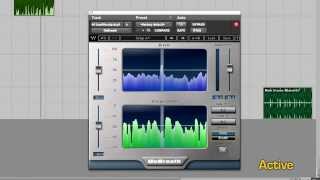
Eliminating Vocal Breaths with Waves DeBreath
Waves Audio
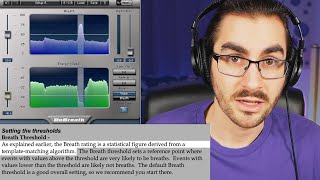
Waves DeBreath made easy: Tutorial, Walkthrough, and Demo

Audio for Content Creators
How to adjust Waves DeBreath

Andrei Martinez Agras
Should you remove all the breaths from a vocal? Featuring Waves DeBreath

Czar
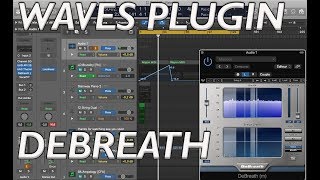
WAVES DEBREATH plugin test and review

RBA-PRODUCTION
Reviews
PROS
-
Offers clear separation and adjustable levels between speech and breathing
-
Highly effective for male narration with less pronounced breathing
-
Best DeBreath plugin available according to some users
-
Intuitive interface with minimal learning curve for Waves users
-
Complements well with other Waves plugins for comprehensive vocal processing
CONS
-
Inconsistent performance, may leave breaths in or cut off words unexpectedly
-
Not effective for all vocal types, struggles with pronounced or treble-heavy breaths
-
Misleading name; doesn't always remove breaths entirely
-
Can cause DAW lag, especially noted in Ableton
-
Requires experimentation and adjustment for optimal results
-
Ineffective for certain music genres like hip-hop
Critic Reviews
4.0 out of 5
Based on 0 Reviews and 2 Ratings
Genre Usage
Based on how artists on Equipboard use this gear, it is most commonly found in the following genres.
More Waves Vocal Processing Plugins

$32.00 - $39.99
in Vocal Processing Plugins Rank


$32.00 - $34.99
in Vocal Processing Plugins Rank

.jpeg?v=1784733415)


$34.99 - $37.00
in Vocal Processing Plugins Rank


$34.99
in Vocal Processing Plugins Rank
.png?v=1784580320)


$32.00 - $39.99
in Vocal Processing Plugins Rank


$37.00 - $49.99
in Vocal Processing Plugins Rank


$39.99 - $47.00
in Vocal Processing Plugins Rank


$29.99 - $34.99
in Vocal Processing Plugins Rank


$32.00 - $39.99
in Vocal Processing Plugins Rank

$34.99 - $37.00
in Vocal Processing Plugins Rank


$29.99 - $34.99
in Vocal Processing Plugins Rank


$29.99 - $39.99
in Vocal Processing Plugins Rank

$29.99 - $34.99
in Vocal Processing Plugins Rank


$29.99 - $34.99
in Vocal Processing Plugins Rank


$29.99 - $39.99
in Vocal Processing Plugins Rank


$32.00 - $39.99
in Vocal Processing Plugins Rank

$33.00 - $34.99
in Vocal Processing Plugins Rank


$34.99
in Vocal Processing Plugins Rank

$33.00 - $34.99
in Vocal Processing Plugins Rank


$29.99 - $34.99


-m.webp?v=1784815446)
-m.webp?v=1784815472)
$49.00 - $99.00
in Vocal Processing Plugins Rank


$33.00
in Vocal Processing Plugins Rank


$199.00 - $207.00
in Vocal Processing Plugins Rank


$250.00 - $500.00
in Vocal Processing Plugins Rank


$309.00 - $399.00
in Vocal Processing Plugins Rank


$0.00
in Vocal Processing Plugins Rank

$122.00 - $330.00
in Vocal Processing Plugins Rank


in Vocal Processing Plugins Rank


$115.00 - $230.00
in Vocal Processing Plugins Rank


$205.00 - $349.00
in Vocal Processing Plugins Rank


$70.00 - $79.00
in Vocal Processing Plugins Rank

$37.00 - $39.00
in Vocal Processing Plugins Rank

$199.00
in Vocal Processing Plugins Rank

$87.00 - $169.00
in Vocal Processing Plugins Rank


Accessories & Related Items




Artist usage


Community setups


Similar


Gear Guides









Most Popular Vocal Processing Plugins
Most Popular Brands
-
Added to Equipboard on by
 michael
GearIQ 43622
-