

Pricing and availability
We compare 600+ stores and found this item at 5 stores. Prices updated .
Store
Reviews
Price






Price History
Based on price data from 3 merchants for "Waves MaxxBass". Prices shown reflect NEW condition. Tracking began Apr 2, 2026.
* Product prices and availability are updated by Equipboard every 24hrs and are subject to change. Equipboard may receive compensation for purchases made at participating retailers linked on this site. This compensation does not affect what products or prices are displayed, or the order of prices listed. For more information, please refer to our affiliate disclosure.
Description
Unleash the full potential of your bass tracks with the Waves MaxxBass plugin, a game-changer in bass enhancement technology. This intuitive software uses revolutionary psycho-acoustic processing to enhance bass perception by generating harmonics related to your audio's fundamental frequencies. As a result, your mixes will resonate with a rich, full-bodied bass sound that captivates listeners, even on smaller speaker systems.
Ideal for producers, sound designers, and post-production engineers, MaxxBass ensures that your bass remains punchy and deep without compromising the dynamic range or character of your original signal. The plugin extends the perceived bass response by up to 1.5 octaves, offering unparalleled control over your low-end frequencies. Whether you're working on music production or sound design, this versatile tool will add power and intensity to your projects.
The MaxxBass plugin's user-friendly interface allows for effortless sound sculpting, making it easy to achieve the perfect bass sound with minimal tweaking. With support for up to 24-bit/192kHz resolution, your mixes will maintain transparency and clarity throughout the process. Compatible with both mono and stereo components, MaxxBass seamlessly integrates into your existing workflow, ensuring that your bass translates beautifully across all playback systems.
Key Features:
- Psycho-acoustic processor for enhanced bass perception
- Extends perceived bass response by up to 1.5 octaves
- Preserves dynamic range and character of original signal
- Up to 24-bit/192kHz resolution for transparent processing
- Mono and stereo components
- Compatible with SoundGrid license for MultiRack and StudioRack
Owner's manual
Waves MaxxBass User ManualProduct specs
| Software Type | Stereo Imaging |
| Platform | Mac, PC |
| Upgrade/Full | Full |
| Download/Boxed | Download |
| Bit Depth | 64-bit |
| Format | AAX Native, AudioSuite, VST, AU, SoundGrid |
| Hardware Requirements - Mac | Intel Core i7 or higher (M1 support), 8GB RAM minimum |
| Hardware Requirements - PC | Intel Core i5 / AMD Quad-core or higher (AVX required), 8GB RAM minimum |
| OS Requirements - Mac | macOS 12 or later |
| OS Requirements - PC | Windows 10 or later (21H2), 64-bit |
FAQs
-
What does Waves MaxxBass do for my audio tracks?
-
Waves MaxxBass enhances the perceived bass response by generating harmonics that create the illusion of deeper bass, even on speakers that can't reproduce low frequencies well.
-
Is Waves MaxxBass compatible with my DAW?
-
Waves MaxxBass supports AAX Native, AudioSuite, VST, AU, and SoundGrid formats, making it compatible with most major DAWs like Pro Tools, Logic Pro, and Ableton Live.
-
Can Waves MaxxBass be used on both Mac and PC?
-
Yes, Waves MaxxBass is compatible with both Mac (macOS 12 or later) and PC (Windows 10 or later, 64-bit) systems.
-
What are the system requirements for running Waves MaxxBass on a Mac?
-
To run Waves MaxxBass on a Mac, you need an Intel Core i7 or higher (M1 support), 8GB RAM minimum, and macOS 12 or later.
-
How does Waves MaxxBass differ from Waves RBass?
-
While both plugins enhance bass, Waves MaxxBass offers greater control over input signal, original bass, and harmonic generation, making it more versatile for detailed bass enhancement.
Videos

Waves Audio
How to Make Low Frequencies Sound Deeper with the Waves MaxxBass Plugin
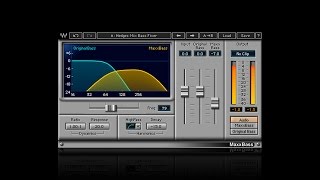
How to Make Low Frequencies Sound Deeper with the Waves MaxxBass Plugin
Waves Audio
Mixing 201 -- Differences between Waves MaxxBass, RBass and LoAir

ahjteam
Pro Tools Tutorial: Using Waves MaxxBass In Audio Post Production

Production Expert
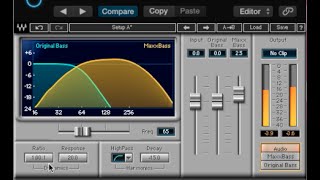
Waves MaxxBass: Review & Test

Zed Marty
How to Get Best Bass for Your Songs (Waves MaxxBass Overview)

Distinct Mastering
Bass Enhancement Episode 3 - Waves MaxxBass
Production Expert
Reviews
PROS
-
Enhances bass tones to be rich and full
-
Makes bass audible on small speakers and devices
-
Offers a range of bass adjustments from deep subs to mid-range slaps
-
Encourages creative experimentation with sound
-
Simple and user-friendly interface despite initial complexity
-
Adds smooth and round bass tones effortlessly
CONS
-
Can lead to distortion if not carefully managed
Owner Insights
We analyzed real musician discussions from forums and Reddit to find what players love, question, and tweak about Waves MaxxBass.
Features and functionality
-
Setting MaxxBass frequency to 85 Hz enhances kick drum punch and natural sound, avoiding artificial tones at lower frequencies like 50 Hz.
Source
Use cases and applications
Comparisons
-
Renaissance Bass uses similar technology but offers fewer options; LoAir complements MaxxBass by boosting sub frequencies.
Source -
Brainworx bx_subsynth and reFuse Lowender are mentioned as alternatives, but users note distinct tonal differences compared to MaxxBass.
Source -
Voxengo LF Max Punch and BBE Harmonic Maximizer use similar saturation techniques but differ in bass frequency generation compared to MaxxBass.
Source
Critic Reviews
4.5 out of 5
Based on 1 Review and 21 Ratings


41029
its actually a higher harmonics, not sub harmonics bass added, helps it cut on small systems.... try it on non bass isntruments to add upper midrange weight. Interesting on hip hop vocals for instance.
Artist usage
Add artist
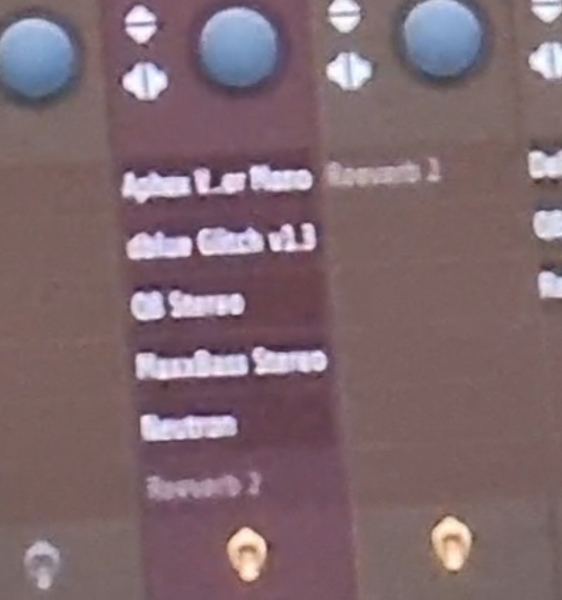
In the Avicii Museum they showcased the project file for 'Friend Of Mine'. In the mixer track you can see he used this plugin.




In this Instagram Video, You can see Slushii making a track and at 0:42 you can see Waves MaxxBass in the plugin list.


"As software processing goes, I like the Waves processing plug-ins and I have used their Maxx Bass to reprocess an album I recorded that I felt was lacking at the bass end, probably due to my monitoring environment at the time. I'm from the old school of outboard gear so I particularly like their Renaissance-series plug-ins and their new convolution reverb is just incredible. I use virtual effects much more than virtual instruments."

.jpg)
Ashley Wallbridge uses the Waves MaxxBass plugin on his master channel, as shown in his Instagram post while preparing a new track for a performance in Ottawa.


In this photo of Vanic's screen, posted to his Facebook one can see that he uses MaxxBass.


"When I was doing Let Go with Frou Frou, the whole bass sound on that song was heavily processed through MaxxBass. It has this dinky little preset called PC Laptop to try and make your bass sound like it's going to sound good on really weedy little speakers." - at 16:30 in the Waves webinar with Guy Sigsworth


Genre Usage
Based on how artists on Equipboard use this gear, it is most commonly found in the following genres.
Used With
Based on how musicians on Equipboard use Waves MaxxBass, it is most commonly used with the following gear.



-s.webp?v=1783519228)


-s.webp?v=1783519255)
More Waves Enhancer Plugins

$37.00 - $39.99
in Enhancer Plugins Rank


$37.00 - $39.99
in Enhancer Plugins Rank


$37.00 - $39.99
in Enhancer Plugins Rank


$33.00 - $34.99
in Enhancer Plugins Rank


$12.00 - $34.99
in Enhancer Plugins Rank

$33.00 - $34.99
in Enhancer Plugins Rank

$33.00 - $34.99
in Enhancer Plugins Rank


$29.99
in Enhancer Plugins Rank


$39.99 - $41.00
in Enhancer Plugins Rank
.jpg?v=1783346559)


$49.99
in Enhancer Plugins Rank


$37.00 - $79.00
in Enhancer Plugins Rank

$75.00 - $87.00
in Enhancer Plugins Rank


$49.00 - $129.00
in Enhancer Plugins Rank

$149.00 - $169.00
in Enhancer Plugins Rank


$72.00 - $85.00
in Enhancer Plugins Rank


$99.00
in Enhancer Plugins Rank

$65.00 - $72.00
in Enhancer Plugins Rank

$24.00 - $49.00
in Enhancer Plugins Rank


$18.70 - $25.00
in Enhancer Plugins Rank


$49.00
in Enhancer Plugins Rank


$29.99 - $74.00
in Enhancer Plugins Rank


$20.00 - $74.00
in Enhancer Plugins Rank

$19.90
in Enhancer Plugins Rank


$34.00 - $199.00
in Enhancer Plugins Rank

$159.00 - $165.00
in Enhancer Plugins Rank

$92.00 - $99.00
in Enhancer Plugins Rank


$29.99 - $30.00
in Enhancer Plugins Rank


$29.99 - $74.00
in Enhancer Plugins Rank
Accessories & Related Items


-s.webp?v=1783519342)


-s.webp?v=1783519315)

-s.webp?v=1783489797)


-s.webp?v=1783489561)

Community setups


Similar


Most Popular Enhancer Plugins
Most Popular Brands
-
Added to Equipboard on by
 waves_audio
Gear IQ 120
-