
Pricing and availability


* Product prices and availability are updated by Equipboard every 24hrs and are subject to change. Equipboard may receive compensation for purchases made at participating retailers linked on this site. This compensation does not affect what products or prices are displayed, or the order of prices listed. For more information, please refer to our affiliate disclosure.
Description
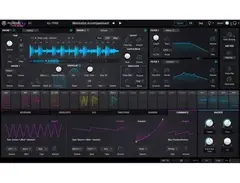
In the world of virtual instruments, Arturia Pigments 2 stands out as a masterful blend of innovation and musical expression. This cutting-edge software synth merges modern wavetable synthesis, granular synthesis, and authentic analog modeling, providing a versatile sonic palette for musicians and producers. Whether you're crafting a cinematic score, designing intricate soundscapes, or laying down the foundation for the next big hit, Pigments 2 offers you the tools to explore and expand your creativity.
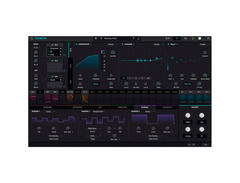
With Pigments 2, you can operate two sound engines simultaneously, allowing for an enriched and layered sound experience. The interface is designed for intuitive use, making complex modulations and sound design a breeze. The synth's visual feedback system ensures that you have an immediate understanding of how each tweak alters your sound, providing a seamless workflow for both beginners and seasoned professionals.
Explore endless possibilities with Pigments 2's extensive range of filters and effects, from classic to cutting-edge. Its advanced modulation capabilities include enveloping, LFOs, and unique random generators, giving you the freedom to push boundaries and create distinct, dynamic compositions. Effortless integration into any setup, combined with its powerful performance features, makes Arturia Pigments 2 a must-have tool for any modern musician or producer looking to make their mark.
Key Features:
- Combines wavetable, granular, and virtual analog synthesis
- Dual sound engines for layered sound design
- Intuitive visual interface with real-time feedback
- Extensive modulation options, including unique random generators
- Built-in studio-grade effects for rich, evolving patches
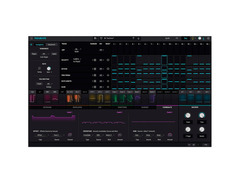
- Integrated polyrhythmic step sequencer and arpeggiator
- Comprehensive factory preset library from top artists and sound designers
Product specs
| Apple | 10.11+: 4GB RAM; 2.5 GHz CPU |
| Win 7+ (64-bit) PC | 4GB RAM; 2.5 GHz CPU |
FAQs
-
What are the main synthesis engines available in Arturia Pigments 2?
-
Arturia Pigments 2 features a complex wavetable engine, a virtual analog engine with 3 oscillators per voice, a granular synth engine, and a harmonic synth engine for additive synthesis, allowing for diverse sound creation.
-
Is Arturia Pigments 2 compatible with my current operating system?
-
Arturia Pigments 2 is compatible with macOS 10.11+ and Windows 7+ (64-bit), requiring at least 4GB of RAM and a 2.5 GHz CPU.
-
How does the modulation system in Arturia Pigments 2 work?
-
Arturia Pigments 2 offers a versatile modulation system including MIDI, envelopes, LFOs, random sources, and complex function generators, enabling dynamic sound design possibilities.
-
Can I use Arturia Pigments 2 for creating complex sequences and arpeggios?
-
Yes, Arturia Pigments 2 includes an integrated polyrhythmic step sequencer and arpeggiator, which facilitate the creation of complex, evolving sequences and arpeggios.
-
Does Arturia Pigments 2 come with preset sounds?
-
Yes, Arturia Pigments 2 includes an extensive factory preset library with hundreds of sounds from renowned artists and sound designers.
Videos

Arturia
Pigments 2 | Polychrome Software Synthesizer

Pigments 2 | Polychrome Software Synthesizer
Arturia
NEW Arturia Pigments 2.0 Presets Demo

once upon a synth
The BEST Omnisphere Alternative?! Arturia Pigments 2 🎹🔥

RELIK

PIGMENTS 2!! TOP 25 BANGER MELODIES & PRESETS!!! WOW!!! VST REVIEW & DEMO PIGMENTS BY ARTURIA

- SweetScale TV -
Arturia's Pigments 2 complete guided tour

Nu-Trix The Synth Guy
Arturia Pigments 2! New Granular/Sampler, Buchla-style Filter and Tape Echo

Dash Glitch
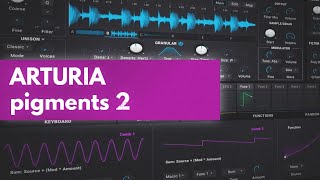
Arturia Pigments 2 | Let's Check It Out!

Venus Theory
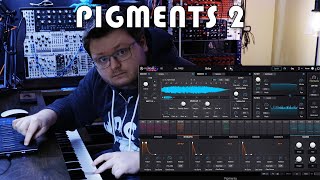
Arturia Pigments 2 \\ Exploring The Sounds (No Talking)

Andrew Southworth
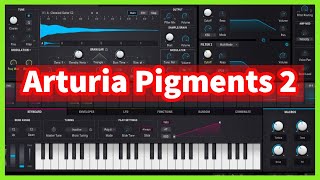
ARTURIA PIGMENTS 2 | Updates Features and Presets Demo

Inflightmuzik
Reviews
PROS
-
Multi-engine capabilities: wavetable, analog, and sample/granular for diverse sound creation
-
Extensive modulation options with envelopes, LFOs, and user-drawn functions
-
Dual-engine operation allows for unique sound layering and creative possibilities
-
Wide array of filters with various styles for advanced sound shaping
-
Rich onboard effects including choruses, delays, and distortions for expanded creativity
-
Intuitive visual feedback on patch operations for easier sound design
-
Capable of creating anything from vintage analog sounds to experimental digital noise
-
Offers nine effects per patch, enhancing sound design flexibility
CONS
-
Modulation workflow can feel slower compared to competitors like Serum
-
Requires tutorials for beginners to fully grasp its complex capabilities
Owner Insights
We analyzed real musician discussions from forums and Reddit to find what players love, question, and tweak about Arturia Pigments 2.
Features and functionality
-
The modulation section allows users to visualize patch modulation at a glance, which significantly enhances ease of use and programming.
Source -
Pigments supports audio input as an oscillator, providing flexibility for creative sound design not typically found in soft synths.
Source -
Pigments 2 can be a resource hog, which may affect its usability on less powerful systems, despite its strong feature set.
Source
Comparisons
User experience
-
Owners highlight that the generative sequencer and audio input utility are highly appreciated features, especially when integrating with older hardware synths.
Source -
Some users find Pigments 2's sound uninspiring, comparing it unfavorably with the Novation Peak and preferring alternatives like Hive 2.
Source
Use cases and applications
-
Pigments is praised for its ability to cover a wide sonic territory, making it a go-to choice for professionals needing versatile sound design tools.
Source -
It's suggested that mastering one synth, such as Pigments 2, can lead to a deeper understanding and appreciation of its capabilities.
Source -
Pigments 2 is highlighted as a versatile tool for those who enjoy combining wavetables, samples, and synthesis for unique sound design.
Source
Value and pricing
Software and compatibility
Critic Reviews
4.5 out of 5
Based on 3 Reviews and 17 Ratings

544
Instant source of inspiration (once you learn it)
If you just got this, or if you're planning to get it, I will heavily recommend giving tutorials a watch. It's what made me go from an absolute novice and having no clue how to use it, to really knowing my way 'round it, and honestly for how much this synth can do, I'd say it's necessary. Personally, Red Means Recording's tutorials are very good and quick to grasp.
Let's see - this synth has a wavetable, analog and sample/granular engine. Wavetable is your typical fare, load in a file and it'll turn it into cycles that you can morph between. This works great if you're just trying to get a funky sound, and there's dozens of included preset wavetables, and you can use several modulation methods to shape up the sound even more. The analog engine is basically just a Minimoog Model D, with extra features. It's really good if you're just trying to get a more retro analog sound, and it works well for other things too, perhaps the simplest out of the three available engines. The sample/granular engine is the most interesting and complex one, as it can both play samples like you'd expect, and ALSO turn them into granular bits and pieces that really turn a simple sound into something either gritty and harsh, or soft and mellow, or anything in between.
Best of all - you can use any two engines together. If you want 6 oscillator madness, you can go for two Analogs. If you want granular playback, but also wavetable rhythmic percussion or whatever, that's totally doable. Best of all, though, you can route this to two independent filters (there's a TON of filters on this thing, Model D style, SEM style, Matrix-12 style, basic ones, and so on), and they can be panned wherever you want, to get some really cool stereo patches.
It gets even better - you have a dozen little envelopes and LFOs and whatnot going on at the bottom. You've got keyboard features (velocity, modwheel, pitch wheel, etc), envelopes, LFOs, functions (basically very complex LFO shapes, you can draw yourself), randoms, combinations and macros. You can map any of these to most anything in the synth. This opens a LOT of possibilities up for great and easy sound design. I've been able to get sounds ranging from really basic but pleasing analog string patches, to literally TV static with the tuning antennae going nuts, to literally just bleeps and bloops you'd hear out of chiptune or something. ANYTHING GOES with Pigments.
Last, but not least, the effects - There's seriously a lot of nice effects available to you to just use. Choruses, delays, reverbs, distortions, phasers - it's really great to see this many onboard FX available, it further expands the sound shaping possibilities. You have two FX busses that you can either route in parallel, or serial, and also a send bus that works more like a traditional mixer's send bus. Each bus can load 3 effects. That's 9 FX you can load total per patch. Madness, I'm telling you.
And despite the length of this wall of text, it's barely scraping anything. Again, heavily recommend following along with a tutorial if you're planning to get it, because once you can find your way around it's seriously an awesome piece of software. Every time I open this plugin up, I either just have fun playing the presets on board, either have fun playing whatever I've made myself, or have a lot of fun making my own things to use in the future. I can see some people not liking it as much if they've already got things like Serum, or the newly released and equally awesome Vital (which is free, by the way!), but for me this is an absolutely amazing synth, and I seriously can't get enough of it.


Artist usage
Add artist

In his YouTube tutorial titled "HOW TO MAKE A MELODY AND BEAT FROM SCRATCH BEGINNERS TUTORIAL | How To Make a Beat Without Loops," Nick Mira demonstrates using Arturia Pigments 2.


Mr. Bill uses Pigments 2 in this livestream starting at 4:40


In a user-uploaded photo on the Arturia website, Guy Sigsworth is shown using Arturia Pigments 2, highlighting its role in his music production.


Janus Rasmussen mentions using Arturia Pigments 2 in an article on the Arturia website.

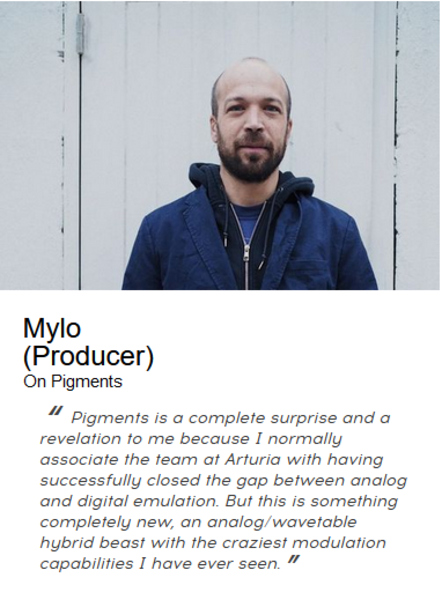
In a user-uploaded photo on the Arturia website, Mylo is shown using Arturia Pigments 2.

.jpg)
In an Instagram post by Alawn, he showcases the Arturia Pigments 2 as part of his setup, highlighting its seamless integration with his DAW and its extensive sound library.

.jpg)
A "normal" day in the job... In @theresistance_soundlab_studio ▪️ #BraulioMorales #theresistancesoundlabandstudio #synthwave #DarkSynth #shredwave #Outrun #retrowave #electronicmusic #synth #SynthPop #rock #metal #edm #arturia #audiofusestudio #audiotechnica #athm50x #mixing #tracking #rec #mastering #musicproducer #music
Genre Usage
Based on how artists on Equipboard use this gear, it is most commonly found in the following genres.
Used With
Based on how musicians on Equipboard use Arturia Pigments 2, it is most commonly used with the following gear.
-s.webp?v=1784958386)


Similar
Add recommendation2 alternative and related items for Arturia Pigments 2, curated by the Equipboard community.


$199.00
Pigments 3 was released by Arturia in April 2021, and supersedes the previous versions 1 & 2 as a free upgrade.
More Arturia Synth Plugins

$99.00 - $149.00
in Synth Plugins Rank


-m.webp?v=1784958386)
$99.00 - $149.00
in Synth Plugins Rank


$149.00
in Synth Plugins Rank


-m.webp?v=1784958624)
$99.00 - $149.00
in Synth Plugins Rank


$129.00 - $199.00
in Synth Plugins Rank
$199.00
in Synth Plugins Rank


$99.00 - $149.00
in Synth Plugins Rank


in Synth Plugins Rank


-m.webp?v=1784958634)
$99.00 - $149.00
in Synth Plugins Rank


-m.webp?v=1784958632)
$99.00 - $149.00
in Synth Plugins Rank


$99.00 - $149.00
in Synth Plugins Rank


$99.00 - $149.00


$69.00 - $149.00


$69.00 - $149.00


$69.00 - $149.00


-m.webp?v=1784958614)
$99.00 - $149.00


Accessories & Related Items


Community setups


Gear Guides









Most Popular Synth Plugins
Most Popular Brands
-
Added to Equipboard on by
Iincubus_lunaGearIQ 55
-


