
Pricing and availability


* Product prices and availability are updated by Equipboard every 24hrs and are subject to change. Equipboard may receive compensation for purchases made at participating retailers linked on this site. This compensation does not affect what products or prices are displayed, or the order of prices listed. For more information, please refer to our affiliate disclosure.
Description
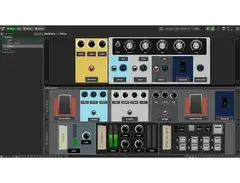
Unlock the full potential of your live performances with Deskew Technologies' Gig Performer, an innovative DAW software designed specifically for gigging musicians. Whether you're a solo artist or part of a band, this powerful software provides you with the flexibility to manage your entire setup seamlessly. Gig Performer is compatible with both Windows and macOS, offering intuitive control over your virtual instruments and effects through an easy-to-use interface.
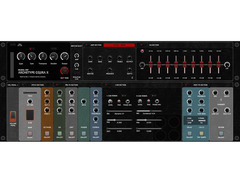
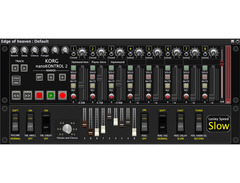
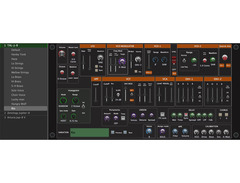
Designed to eliminate the technical hassles of live performance, Gig Performer allows you to create custom rackspaces that house your instruments and plugins. This enables you to switch between complex setups in an instant, ensuring smooth transitions between songs or even sections of a song. The software's robust MIDI capabilities allow you to map controls to your hardware, providing tactile control over your performance.
One of Gig Performer's standout features is its predictive loading technology, which pre-loads parts of your set to reduce latency and ensure that you can deliver a flawless performance without any hiccups. With its powerful scripting language, you can customize the behavior of your setup, making it as unique as your musical style. Gig Performer also supports VST, VST3, and AU plugins, giving you access to a vast universe of sounds and effects.
Key Features:
- Customizable rackspaces for seamless transitions
- Predictive loading technology for reduced latency
- Comprehensive MIDI control and mapping
- Supports VST, VST3, and AU plugins
- Cross-platform compatibility with Windows and macOS
- Built-in scripting language for advanced customization
Owner's manual
Deskew Technologies Gig Performer User ManualProduct specs
| Operating Systems | Mac, Windows |
Videos

Gig Performer
Build It With Gig Performer - Making The Most Out Of Simple Sounds, Layers, And Splits
Build It With Gig Performer - Making The Most Out Of Simple Sounds, Layers, And Splits
Gig Performer
Backstage With Gig Performer - How To Use Setlist View
Gig Performer
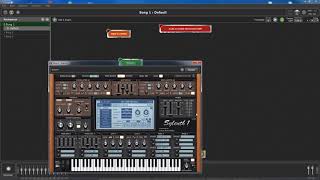
Deskew Technologies Gig Performer Grundlegende Bedienung

RECORDING.de
Deskew Technologies Gig Performer Audio File Player
RECORDING.de
Top 10 Reasons To Build Your Live Guitar Rig In Gig Performer

Gig Performer
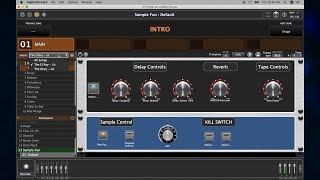
Deskew Technologies Gig Performer 3 - NAMM 2019

Sound On Sound magazine
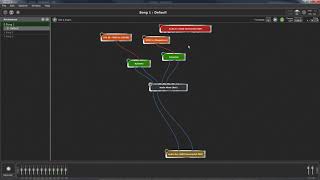
Deskew Technologies Gig Performer Mehrere Keyboards und Splits
RECORDING.de
How to Make a Keyboard Split using Gig Performer
Gig Performer
Reviews
Critic Reviews
5.0 out of 5
Based on 2 Reviews and 2 Ratings
47
Absolute Game Changer for Live Musicians (but not only)
I am using Gig Performer since 2018 and would never go back to my previous solution. Coming from only hardware, then using Ableton Live for backing tracks and light control, then using MainStage I discovered Gig Performer.
The flexibility in building signal chains is outstanding. Outstanding - and that is very important - is the support from Deskew and the community. The developers are listening to their users and feature requests are taken seriously.
Sure some concepts you can find in other solutions, but the overall design is superior. Scripting, OSC-Support, Multi-Instances you will not find so clever in other solutions.
What also is very flexible is the Rig Manager. Just a few clicks and you can use a total different controller without the need to adjust complex MIDI mappings.
By the way: With Gig Performer and OSC I can integrate the display of the NI S88 to show the name of the current rackspace on the display of S88. And I can use the Knobs on the S88 to control widgets in Gig Performer and vice versa. This way I can use the S88 to completely control Ableton Live with integrated informations and control from Gig Performer.
You have to see https://youtu.be/Ib3SSDJkl0I

1926
Premium VST host for live performance
For me, the best features are:
it allows me to switch sounds and presets instantly. For example, when you switch some Neural DSP or S-Gear presets, you can hear a noticeable delay. With Gig Performer's 'rackspace' mechanism, all changes are zero latency.
It allows me to configure audio tails so when I change the preset, so the sound doesn't cut off immediately.
When I practice, I play different songs with different tunings. I use plugins to change tunings and the changes between tunings are instant and glitch free.
It doesn't tax my computer resources. One of my computers is a laptop from 2009 and I can use my favorite guitar plugins there (plus the installer is bundled with the Overould TH-U Essentials plugin).
I can easily record my dry or wet sound (or both at the same time) in mono or stereo. Additionally, I can record any sound for any signal chain. Very good for practicing and see where I make mistakes.

26907
Good writeup! Re: #3, I don't understand how the plugin helps you switch between tunings. I'm not a guitarist, so I'm ignorant. Is the app pitch-shifting your standard-tuning input into drop-D and whatnot?
1926
@pkennethk Gig Performer is a live VST host and by itself cannot do pitch shifting; it hosts plugins that either have pitch-shifting capabilities, such as NeuralDSP Archetype Gojira or plugins that do pitch shifting such as Aegean Music's Pitch Proof. Gig Performer's 'rackspace' mechanism allows change of the tunings on the fly. For example, in this video there is a comparison between hardware (Digitech Drop Pedal) and the Petrucci plugin hosted on Gig Performer: https://www.youtube.com/live/AvfCb-38KeU?si=xCWc_lF4Vr3ks4xg&t=2916
26907
So the rackspace mechanism allows for seamless switching between groups of hosted plugins, some of which can be sophisticaed stuff like NeuralDSP Archetype that can digitally alter the tuning of live standard-tuning input... do I have that right?
1926
@pkennethk Yes, conceptually true. Since you are interested in this concept, here is an example that shows how instantly the sounds change. Here are 3 rackspaces (Clean, Overdrive and Made 4 TV) and this Youtuber is changing them instantly with his MIDI pedalboard: https://youtu.be/DbxEraU-sN0?si=dt5Z9YtI9JzY5y_X&t=250
As for the tunings, if you have a dedicated pitch-shifting plugin (such as PitchProof) the best practice (according to my testing) is to put it immediately after the audio input and before any effects (distortion, reverb, delay, etc). Gig Performer includes the 'Wiring view' where you simply wire different plugin blocks, so it is easy to see how the plugin chain looks like. With one guitar I can instantly re-tune it from say D to standard E tuning. This is really great for me as a hobby guitarist, because I can easily play a bunch of songs without needing to have either two or more different guitars with different tunings or buy a 7-string guitar. I can go lower, for example to C tuning instantly. All with the same guitar.
26907
@nemanja many thanks for the tips!
Artist usage
Add artist

In a video on YouTube titled "How To Use Gig Performer For Saxophone," musician Joachim Schäfer demonstrates the use of Deskew Technologies Gig Performer to enhance his live performances. He utilizes two instances of this software to manage and process both his saxophone and keyboard inputs.


In a YouTube interview titled "How To Move Your Hardware Rig To Software Using Gig Performer with Jeremy Knorr," keyboardist Jeremy Knorr discusses his transition from a hardware-based setup to a software-based configuration centered around Deskew Technologies Gig Performer.

On his YouTube channel, Harry Triendl explains how he uses Deskew Technologies Gig Performer in his setup, as detailed in the video "Harry Triendl - Gig Performer Setup 2025".

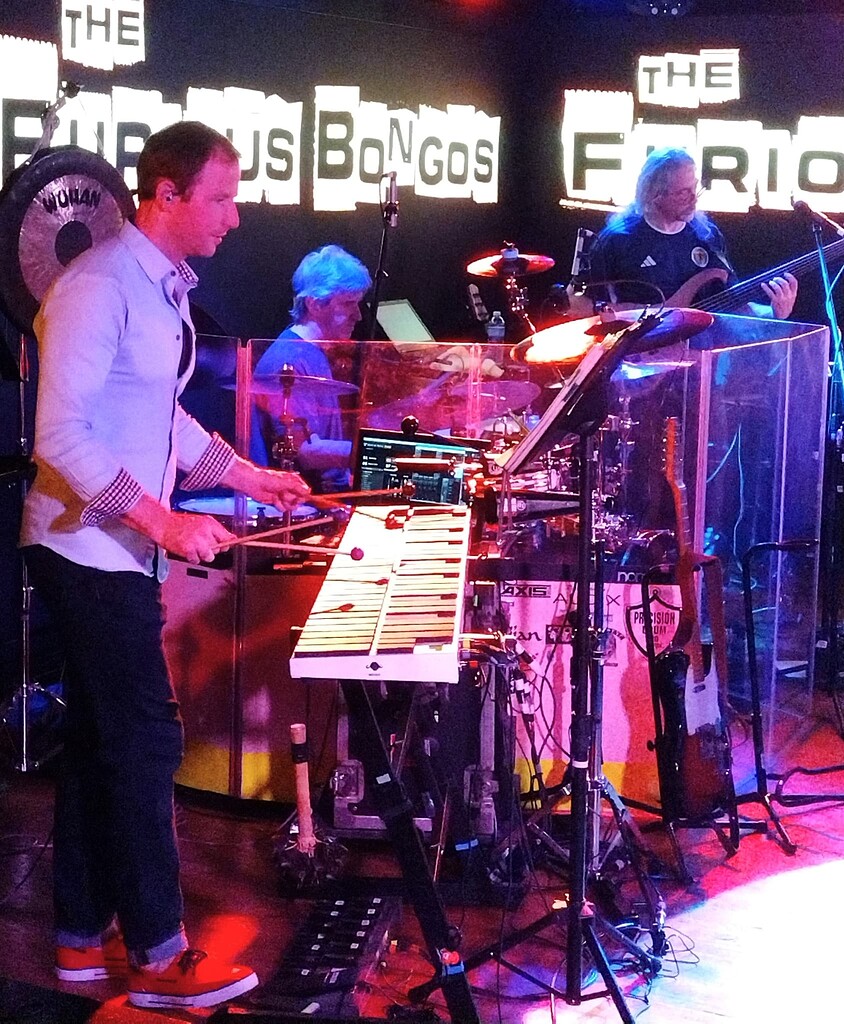
In the Gig Performer Community thread titled "GP meets Frank Zappa," Conrad St. Clair shares his photos, videos, and experiences using Deskew Technologies Gig Performer.


In a YouTube video titled "How Karl Ludwigsen uses Variations to Supercharge His Gig Performer Cover Band Rig," Karl Ludwigsen explains his use of Deskew Technologies Gig Performer, specifically detailing how he utilizes rackspaces and variations to enhance his cover band setup.


In a YouTube video titled "How To Use Gig Performer for Cover Songs," Amos Def, the keyboardist for The Amish Outlaws, demonstrates how he uses his Korg Kronos Keyboard to control Deskew Technologies Gig Performer. The video provides an in-depth look at his process for creating patches for cover songs, offering viewers insight into his setup and techniques.


In a video on his YouTube channel, keyboardist and music producer Bob Luna demonstrates his use of Deskew Technologies Gig Performer for live shows, providing direct insight into his setup and techniques. This is confirmed by the video titled "Keyboardist/Music Director, Bob Luna demonstrates his use of Gig Performer for live shows".


In an Instagram post by Kwame Yeboah, he mentions using Deskew Technologies Gig Performer, stating: "Big shoutout to @gigperformer. I’ve been using this software since 2017, and I’ve even converted most of my friends to it. It's rock solid." The post includes an image showing the Wiring view on his computer, further confirming his use of the software.

In an interview titled "Backstage With Gig Performer - Genre Series - Special Guest Bruce Moore" on YouTube, Bruce Moore demonstrates his use of Deskew Technologies Gig Performer to operate his guitar setup for the band The Fringe Benefits.


In the interview titled "Backstage with Gig Performer featuring Brodie Stewart," Brodie Stewart demonstrates how he uses Deskew Technologies Gig Performer for his Fleetwood Mac tribute band, Seventh Wonder.

Jeffrey "Keytar Jeff" Abbott is confirmed to use Deskew Technologies Gig Performer, as evidenced by a YouTube video titled "NAMM 24 Keytarjeff & Real 8 & Les Paul Virtual Guitars," where the Wiring View of Gig Performer is visible during his performance at NAMM 2024.

Urs Müller is keyboardist and backing vocalist with Sundaze, a band from Switzerland. In this YouTube video from his YouTube channel you can see that he uses Gig Performer.
https://www.youtube.com/watch?v=rTcRW3Rd1CA
Gig Performer is in the title as well as in the description of this video.
Album Usage
The Deskew Technologies Gig Performer has been featured on the following albums:
Genre Usage
Based on how artists on Equipboard use this gear, it is most commonly found in the following genres.
More DAW Software

$225.00 - $599.00
in DAW Software Rank


$398.00
in DAW Software Rank

$266.00 - $439.00
in DAW Software Rank


-m.webp?v=1782900043)
$99.99 - $344.00
in DAW Software Rank


$99.00 - $399.99
in DAW Software Rank


$179.00
in DAW Software Rank


-m.webp?v=1782900039)
$409.00 - $499.00
in DAW Software Rank


$119.00 - $299.00
in DAW Software Rank


$209.00 - $329.99
in DAW Software Rank


$199.99
in DAW Software Rank
.jpg?v=1783318437)


$199.00
in DAW Software Rank


$524.00 - $579.99
in DAW Software Rank


$75.00
in DAW Software Rank


$449.00 - $485.00
in DAW Software Rank


$129.00 - $195.00
in DAW Software Rank


$395.00 - $499.00
in DAW Software Rank


$485.00 - $528.00
in DAW Software Rank

$136.00 - $179.00
in DAW Software Rank

$139.99 - $199.99
in DAW Software Rank


$366.00 - $579.99
in DAW Software Rank


$579.99
in DAW Software Rank


$245.00 - $285.00
in DAW Software Rank


$149.00 - $201.00
in DAW Software Rank


$375.00 - $399.95
in DAW Software Rank

$579.99
in DAW Software Rank


$149.00 - $249.00
in DAW Software Rank


$208.00
in DAW Software Rank


$47.00 - $59.99
in DAW Software Rank


$249.99 - $499.99
in DAW Software Rank
Community setups


Similar


Gear Guides








Most Popular Brands
-
Added to Equipboard on by
pkennethkGear IQ 26907
-


