

Pricing and availability
We compare 600+ stores and found this item at 9 stores. Prices updated .
Store
Reviews
Price









Average Price: $70
Budget/Beginner
$200
$501+
Price Tier
Budget
Standard
High-end
Price History
Based on price data from 5 merchants for "Korg nanoKEY2 USB Keyboard Controller". Prices shown reflect NEW condition. Tracking began Apr 2, 2026.
* Product prices and availability are updated by Equipboard every 24hrs and are subject to change. Equipboard may receive compensation for purchases made at participating retailers linked on this site. This compensation does not affect what products or prices are displayed, or the order of prices listed. For more information, please refer to our affiliate disclosure.
Description
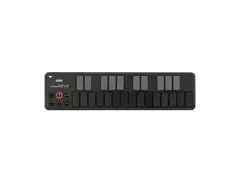
Discover the exceptional response and performance quality of the Korg nanoKEY2 USB Keyboard Controller. Merging Korg's professional MIDI keyboard expertise with innovative computer keyboard technology, this product offers superior keyboard response within a compact, low-profile design. The carefully spaced keys allow for precision playing, minimizing any risk of hitting the wrong notes.
The nanoKEY2 comes with Octave Shift buttons, borrowed from Korg's professional MIDI controllers, allowing you to shift the overall pitch four levels either up or down in octave increments. Additional Pitch Bend buttons, a Modulation button, and a crucial Sustain button make this controller indispensible for any piano or electric piano performance.
Furthermore, the nanoKEY2 is designed to work in harmony with the "Korg Kontrol Editor" software. This software allows you to customize your controller to your exact needs, with four velocity settings and specific control change messages for the modulation and sustain buttons.
With just a single USB cable, the nanoKEY2 becomes a portable music production system, allowing power and USB-MIDI data to travel down the same wire for a neat, efficient workspace. Take your music anywhere with the compact, reliable and efficient Korg nanoKEY2 USB Keyboard Controller.
Key Features:
- 25-key keyboard with velocity sensitivity and 4 velocity-curves
- Octave-Shift-Button (octave range -4 to +4)
- Modulation and Sustain buttons
- Control via Korg Kontrol Editor software
- USB powered for portability and easy setup
- Includes USB-Cable and software bundle
- Support for Apple iPad upwards from OS 4.2.1, with the use of an Apple Camera Connection Kit (not included)
Owner's manual
Korg nanoKEY2 USB Keyboard Controller User ManualProduct specs
| Type | Nano Keyboard Controller |
| Number of Keys | 25 |
| Velocity Sensitive | Yes |
| Other Controllers | Pitch, Modulation, Sustain |
| MIDI I/O | USB |
| USB | 1 x Type Mini-B |
| Software | Korg Kontrol Editor |
| OS Requirements - Mac | OS X 10.8.5 or later |
| OS Requirements - PC | Windows 7 SP1 or later |
| Power Supply | USB Powered |
| Height | 0.65" |
| Width | 12.80" |
| Depth | 3.27" |
| Weight | 8.64 oz |
FAQs
-
Is the Korg nanoKEY2 suitable for music production on the go?
-
Yes, the Korg nanoKEY2 is highly portable due to its slim design and USB power, making it ideal for mobile music production setups.
-
Does the Korg nanoKEY2 support velocity sensitivity?
-
Yes, the Korg nanoKEY2 features velocity-sensitive keys, allowing for expressive playing dynamics.
-
Can the Korg nanoKEY2 be used with both Mac and Windows operating systems?
-
Yes, the Korg nanoKEY2 is compatible with Mac OS X 10.8.5 or later and Windows 7 SP1 or later.
-
What type of connectivity does the Korg nanoKEY2 offer?
-
The Korg nanoKEY2 connects via a USB Type Mini-B port, which also powers the device.
-
Does the Korg nanoKEY2 come with any software for customization?
-
Yes, the Korg nanoKEY2 includes the Korg Kontrol Editor software for customizing controller assignments and settings.
Videos

Mulperi Music & Synth Demos
Korg nanoKEY2 - Quick demo

Korg nanoKEY2 - Quick demo
Mulperi Music & Synth Demos
Korg nanoKEY Review

sonicstate
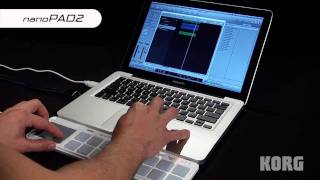
KORG nanoSERIES 2 Slim-line USB-MIDI Controllers (nanoPAD2, nanoKEY2, nanoKONTROL2): Video Overview

Korg
nanoKEY 2 review from Tapspace

Tapspace Publications
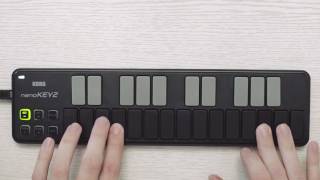
Korg NanoKey2

MrPashee

Korg NanoKEY 2 Slim-Line USB Keyboard - HANDS ON REVIEW

JordanHumble
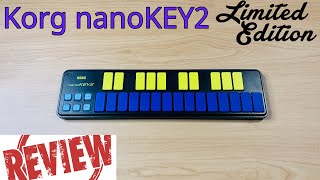
Korg nanoKEY2 Review & Melody Creation | Great Slim Midi Keyboard!

DJ Unprotected
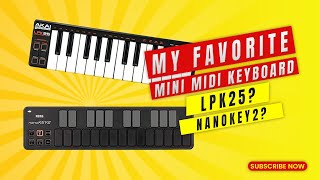
Akai LPK25 vs Korg Nanokey2 - My Favorite Mini Midi Keyboard

Lion Tech X
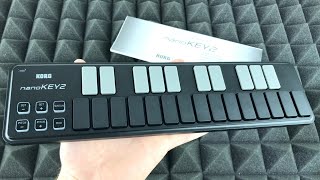
KORG nanoKEY2 Slim-line USB Keyboard Unboxing

Tech & Design
Reviews
PROS
-
Compact and highly portable, fits easily next to laptops
-
Plug-and-play with multiple operating systems including Linux
-
Ideal for travel and small studio spaces
-
Useful for entering music into notation programs like Sibelius
-
Velocity-sensitive keys allow for expressive playing
-
Can be used alongside other controllers for expanded setup
-
Comes with bundled software enhancing value
-
Durable build quality suitable for mobile use
-
No-fuss connectivity and setup
-
Affordable and offers good functionality for the price
CONS
-
Keys have a shallow, uninspiring feel
-
Modulation and pitch controls are not sensitive, limiting expressivity
-
Key caps can be noisy, especially during quiet parts
-
Plastic keys feel too slippery and 'cold'
-
Lacks Bluetooth connectivity for wireless use
-
USB MICRO B port considered too large for device size
-
Velocity sensitivity not as refined, impacting dynamic play
-
The underside might be slightly bent, affecting stability on flat surfaces
-
Non-sensitive pitch and modulation buttons disappoint some users
-
Some find it slightly expensive for its features
Owner Insights
We analyzed real musician discussions from forums and Reddit to find what players love, question, and tweak about Korg nanoKEY2 USB Keyboard Controller.
Software and compatibility
-
The nanoKEY2 may not control Korg Drumlogue via USB due to MIDI channel mismatches; setting Drumlogue to channel 7-2 and nanoKEY2 to 1 can resolve this.
Source
Features and functionality
Setup and maintenance
-
Connecting the nanoKEY2 before powering on the Drumlogue is crucial for proper MIDI recognition and functionality.
Source
User experience
-
Some users found the nanoKEY2 less reliable compared to other controllers like the Akai MPK mini MK3 for MIDI mapping and functionality with Drumlogue.
Source -
Some users only find the NanoKey2 suitable for step-entry of single melodic lines, suggesting limited functionality for more complex tasks.
Source
Comparisons
Use cases and applications
-
The K-Board is recommended for travel due to its slim profile and durability, making it a more practical choice over NanoKey2.
Source
Critic Reviews
4.0 out of 5
Based on 20 Reviews and 83 Ratings

413
Space saver, but overpriced for what it is.
I needed to make some space on my small desk for a 3D controller I use with blender. So, I replaced my MPK mini, where I only use the keys (because my Maschine Mikro has better pads and my APC 40 has better knobs) with something smaller to fit a keyboard right in front of my laptop. The nanoKey2 fits the bill, because it is small and flat.
The piano keys feel okay, but the key caps are as loud as the keys of my old Commodore 64 home computer. Sometimes it bothers me - especially when I work on silent parts. As I ordered it, I was really excited about having pitch and modulation control. Unfortunately, there is no fine control these are just simple click buttons. This was disappointing. I wish they have had added ribbon controllers instead.
The case is plastic but feels pretty sturdy and the keys are flat. You don't have to worry about breaking it when slipping it into your laptop bag.
It comes with a standard USB Type-A to Mini USB cable, some bundled software and software as well as a discount for the Ableton store. The VST bundle is nice, but may not rock the world of a producer, who has already a vast VST collection. An overview of the bundled software can be found here: https://www.korg-license-center.com (retrieved on Feb. 21, 2021)
I installed it under Windows 10. It's straight forward, if you have less than 10 MIDI devices. If you have more than MIDI 10 devices (which in my case included some built-in sound and graphic cards), it gets a little tricky. I blame Microsoft for this. So, if you have problems with the installation, you may watch the following video: https://youtu.be/rVy2aqQm3U8 (retrieved on Feb. 21, 2021)
Pros: + small + feels solid + velocity sensitive piano keys + sustain button + buttons to shift octaves + bundled software and coupon
Cons: - non sensitive pitch buttons - non sensitive modulation button
.png?v=1768759501)
239
Great controller. Sometimes I use it in my live and DJ sets.
Just a midi keyboard that I play around with sometimes. Since the setup was then inspired by Mujuice setup from 2012, the keyboard played the role of the analog synth Pocket Piano from Critter & Guitari.

100
Lightweight and ideal for the mobile musician.
This nano sized midi keyboard is perfect for when I wanna go to the park and chill, and maybe produce a beat on my iPad or phone. Sits on my desktop as well, to be a sort of back-up controller that won't take up much space. It's nifty.

846
Nice for Desktop
A nice small desktop-sized keyboard. It allows me to quickly sketch out melodies and easily stores beneath my monitor when not in use. Much nicer than using the computer keyboard and with controls on the left side to go up and down octaves, change pitch, and a mod button. Very low cost for the utility it provides. Great for music producers that are space-limited and want to quickly create without the bulkiness and hassle of a big set of keys.

467
Versatile tool for MIDI writing and Ableton shortcuts
I originally bought it for portable MIDI writing but then turned it upside down and reprogrammed to be an Ableton shortcut controller.

Well done
Obviously isn't like a real keyboard, but it fits nice on a desk and is extremely portable
Write most stuff with this. Easy to give velocity to any simple melody


1064
Very helpful.
Nice and cheap yet good quality controller. Not necessary, but definitely very helpful when I'm feeling creative. Also very portable. Good for people who aren't the best keyboard players, but who just need to test and enter melodies and chords.
Artist usage
Add artist

At around the 3 minute mark In Porter Robinson's "The Language Tour 2012 Mini Documentary", you can see a black Korg nanoKEY2 which he uses as a keyboard controller.

.jpg)
The very portable Korg nanoKEY2 is the keyboard controller Dimitri Vegas & Like Mike travel with.


"I use @ableton and I use a Korg Nano Key"


In his Facebook page, Deorro can be see from the beginning of the video and throughout using the Korg nanoKEY2 USB Keyboard Controller. He appears to be working on a project in the video and the keyboard has custom labels after looking much closer.


In an Instagram photo titled "Making music in the tour bus!" Deniz Koyu can be seen playing the Korg nanoKEY2 USB Keyboard Controller (in white).

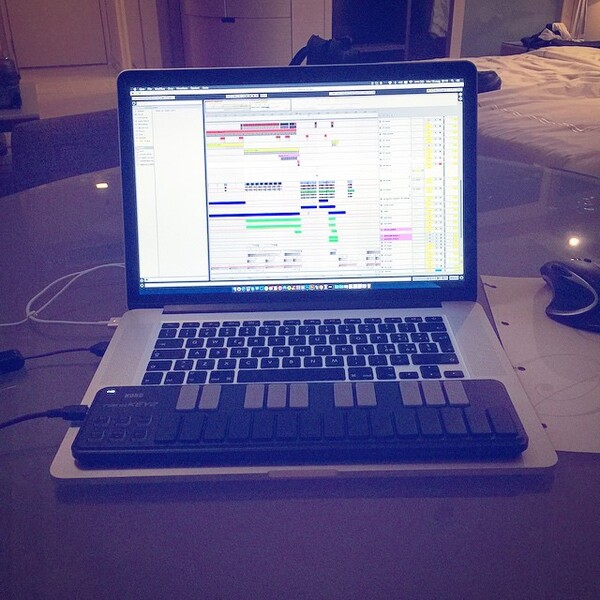
in this Vinai's instagram pict, you can see very clearly there's a Korg nanoKEY2 connected to macbook via USB

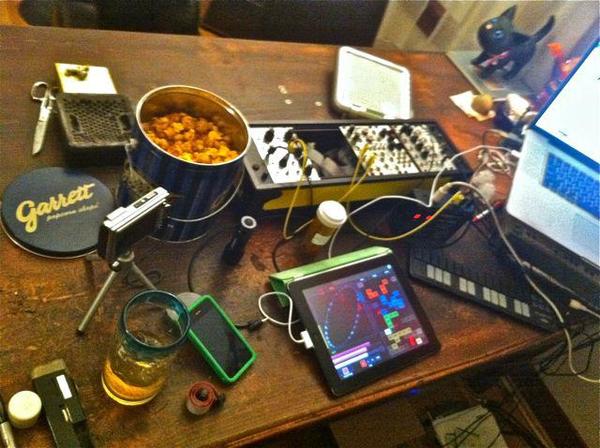
can be seen in this post from January 9, 2012

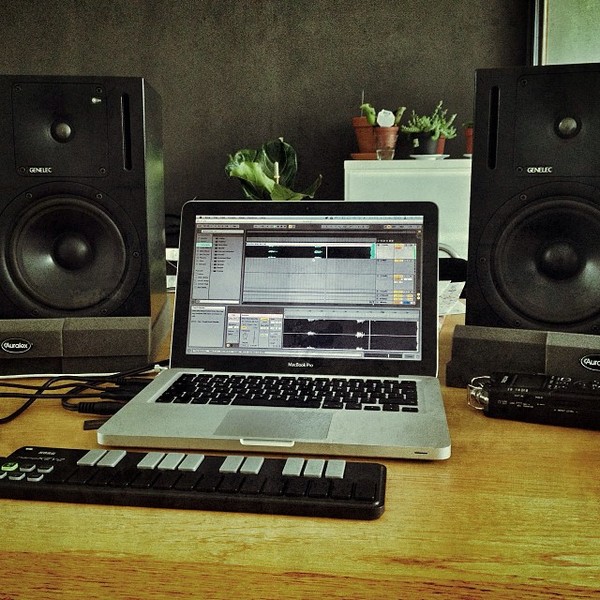
In this Facebook photo, Chocolate Puma is using the nanoKEY 2 while "Doing some kitchen table edits for tonights ADE gigs @ Blinq & Heinekenhoek".



The photo shows Andy C using a Korg nanoKEY2 USB Keyboard Controller, as uploaded by an Equipboard user.


Nicolai can be seen using a nanoKEY2 in this photo from his Facebook page.


Genre Usage
Based on how artists on Equipboard use this gear, it is most commonly found in the following genres.
Used With
Based on how musicians on Equipboard use Korg nanoKEY2 USB Keyboard Controller, it is most commonly used with the following gear.
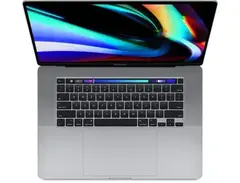





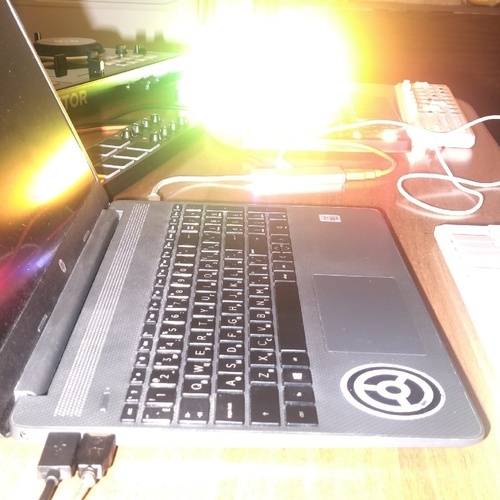
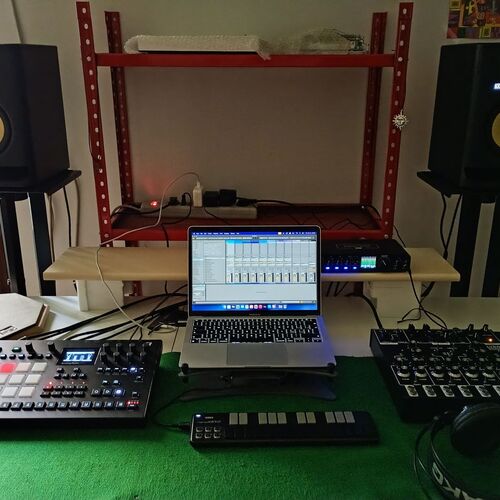
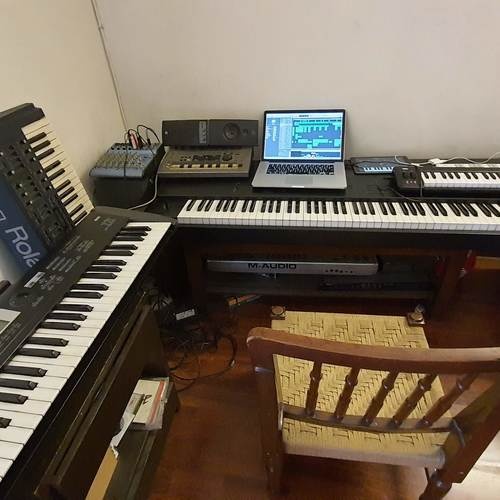
Community setups
Show yours

.jpg?v=1767833554)


More Korg MIDI Keyboard Controllers

$119.00 - $199.99
in MIDI Keyboard Controllers Rank


$56.00 - $139.99
in MIDI Keyboard Controllers Rank


$120.00 - $249.99


$140.63 - $239.99


$128.50 - $219.99


$93.42 - $199.99


$83.00 - $179.99


$80.90 - $169.99


$93.00 - $219.99

$120.00 - $249.99


$499.00 - $1,150.00


-m.webp?v=1784338155)


$248.00 - $279.99
in MIDI Keyboard Controllers Rank
-m.webp?v=1784819051)
$85.00 - $149.50
in MIDI Keyboard Controllers Rank


.jpeg?v=1784831401)

$174.45 - $712.00
in MIDI Keyboard Controllers Rank


$135.00 - $678.00
in MIDI Keyboard Controllers Rank


$32.72 - $59.00
in MIDI Keyboard Controllers Rank


$46.41
in MIDI Keyboard Controllers Rank


-m.webp?v=1784818827)
$406.30 - $469.00
in MIDI Keyboard Controllers Rank


$76.07 - $89.00
in MIDI Keyboard Controllers Rank


Accessories & Related Items


-s.webp?v=1784819425)


Similar


Gear Guides







Most Popular MIDI Keyboard Controllers
Most Popular Brands
-
Added to Equipboard on by
 equipboard
GearIQ 4934
-


