

By Gear Experts
Table of Contents

Equipboard
Equipboard is the world's largest community of artists and their gear. Read our review process.
We are reader-supported. When you buy through links on our site, we may earn an affiliate commission. Learn more.
A MIDI keyboard can be confusing to a beginner. After all, it looks and feels like an instrument, but by itself it doesn't make any sound. MIDI keyboards come in dozens of different configurations - different controls, different numbers of keys, different DAW mappings - it can be overwhelming!
Before checking out our top MIDI keyboard picks, familiarize yourself with the terminology and available features by reading through this guide.
Faders, Buttons, Pads & Knobs - What Are They All For?
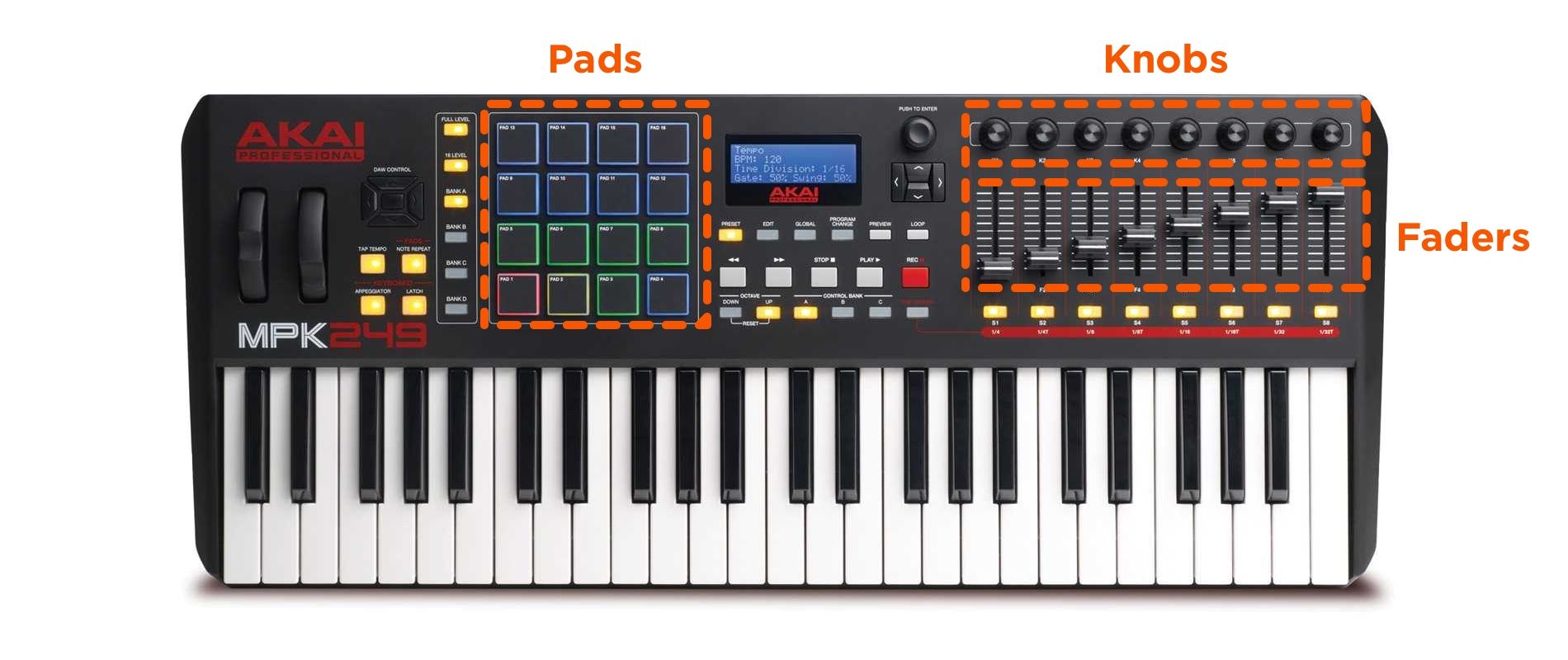
Two of the best things about MIDI keyboard controllers are their adaptability and versatility. The MIDI keyboard is so much more than just a piano for your DAW; it can control one of the thousands of parameters that can be tweaked inside your DAW using faders, buttons, pads, and knobs.
Faders & Knobs
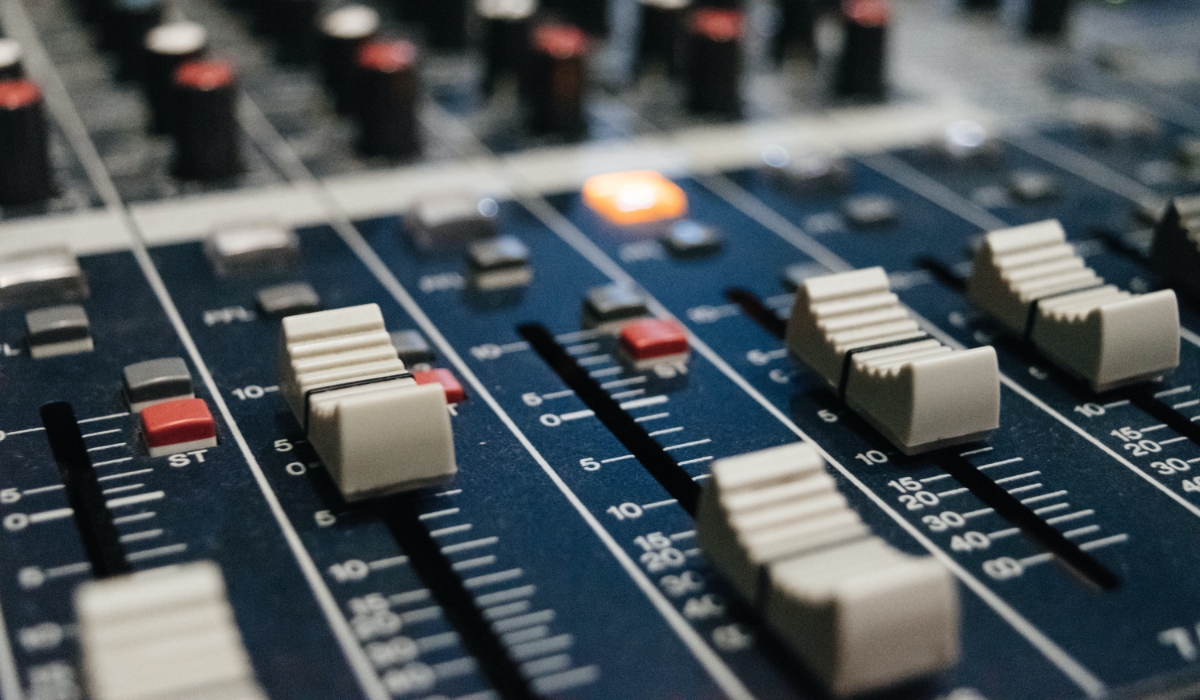
Traditionally faders on a mixing console control volume levels of each channel. If your MIDI keyboard has faders, by default they might be set up as volume faders or EQ controllers for the individual tracks, but you can change their operation to whatever you need. You can even have groups of faders doing different types of things. The possibilities are endless. Operation is as simple as sliding up to increase a parameter's value and sliding down to decrease it.
A knob is essentially just a fader in a different format. Turn clockwise to increase a parameter's value, and counterclockwise to decrease. Knobs are especially helpful for tweaking EQ in a mixdown, or bringing a tactile feel to tweaking a synth plugin.
Pads
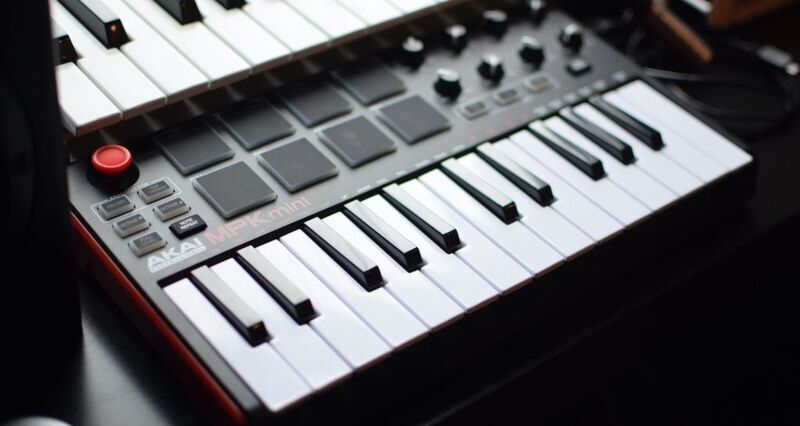
These are the cool backlit square shaped rubber pads usually numbering between 8 and 16 (but can be less or more), and are another versatile feature of MIDI keyboards. You can use them as simple MIDI buttons were each pad will execute a MIDI function like starting or stopping a loop. You can also map each pad to a specific sound and use the pads as a sampler or musical interface. This is especially great if you want to simulate drums, as the touch responsiveness of the pads can come in really handy. Most DAWs allow up to four functions to be assigned to each pad and yes, everything is customizable.
How Many Keys Do I Need? Compact, 49, 61, or 88 Keys?
Most MIDI keyboards come in different sizes, which is a common source of confusion for prospective buyers. Unsurprisingly, more keys make the price go up (also because more keys create more room for more bells and whistles like faders and pads). Understanding how many keys you need is easier when you think about your intended use.
It's important to remember that all MIDI keyboards allow you to change the octave of each key which means that you will still be able to play the highest and lowest note possible on a piano, albeit with a bit of tweaking.
49-Keys
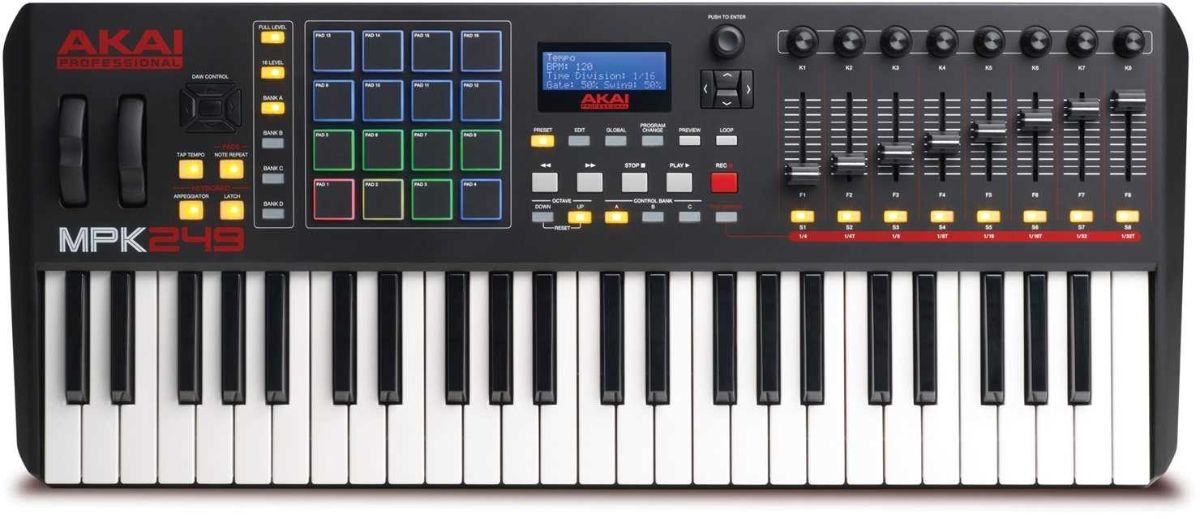
The 49-key MIDI keyboard is one of the more popular choices, since it's a good compromise of "playability," functionality, price, and portability. 49 keys gives you 4 octaves to work with, which means you can still create complicated pieces of music, but you will occasionally need to track the left-hand and the right-hand sections of certain parts separately to get enough octave range.
On the 49-key version you might start seeing fewer faders, buttons, and pads. This version is mostly meant for music creators who aren't primarily pianists or keyboardists, and those that don't have a ton of space to spare. If you think 4 octaves won't limit your playing style, you will save some money by choosing a 49-key MIDI keyboard over a 61-key.
61-Keys
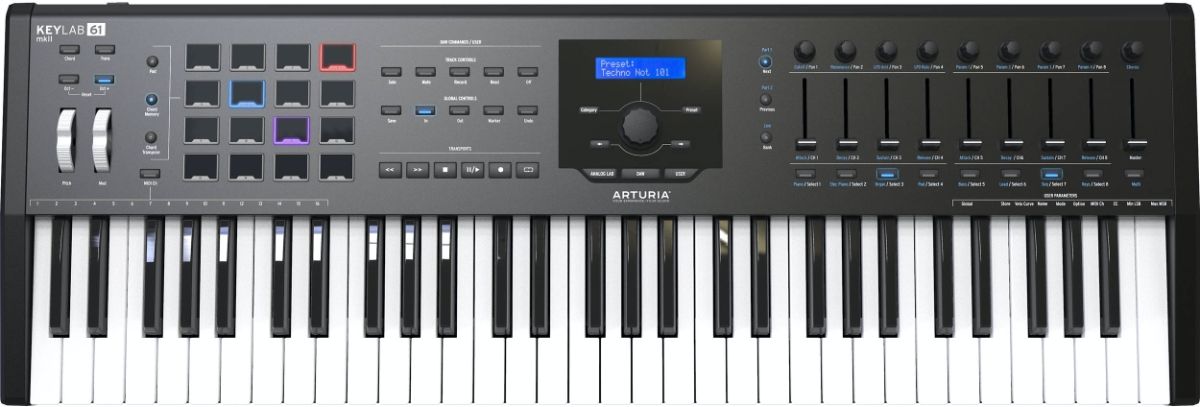
61-key MIDI keyboards give you 5 octaves, which won't limit you for the majority of pieces you play (unless you're a serious pianist, then nothing but 88-keys will do). If you don't have space constraints, don't want to limit your functionality as a musician while still being able to reasonably transport the keyboard to gigs, and if budget allows, 61-keys is the way to go.
88-Keys
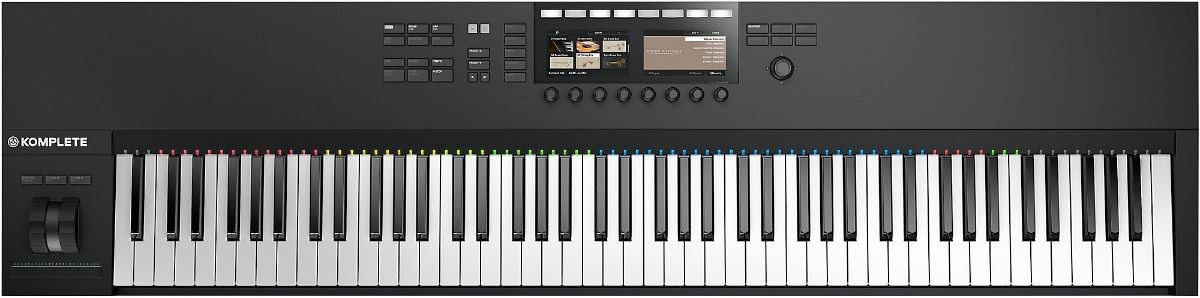
If you're primarily into creating professional level piano music or the type of music that would need the massive octave range of 88 keys, then this is your only option. As you might have guessed these are the most expensive variants, will take up a lot of space and are a huge headache to transport.
88-key controllers are usually the only ones that offer weighted hammer action keys to replicate the feel of a real piano.
25-Keys/Compact
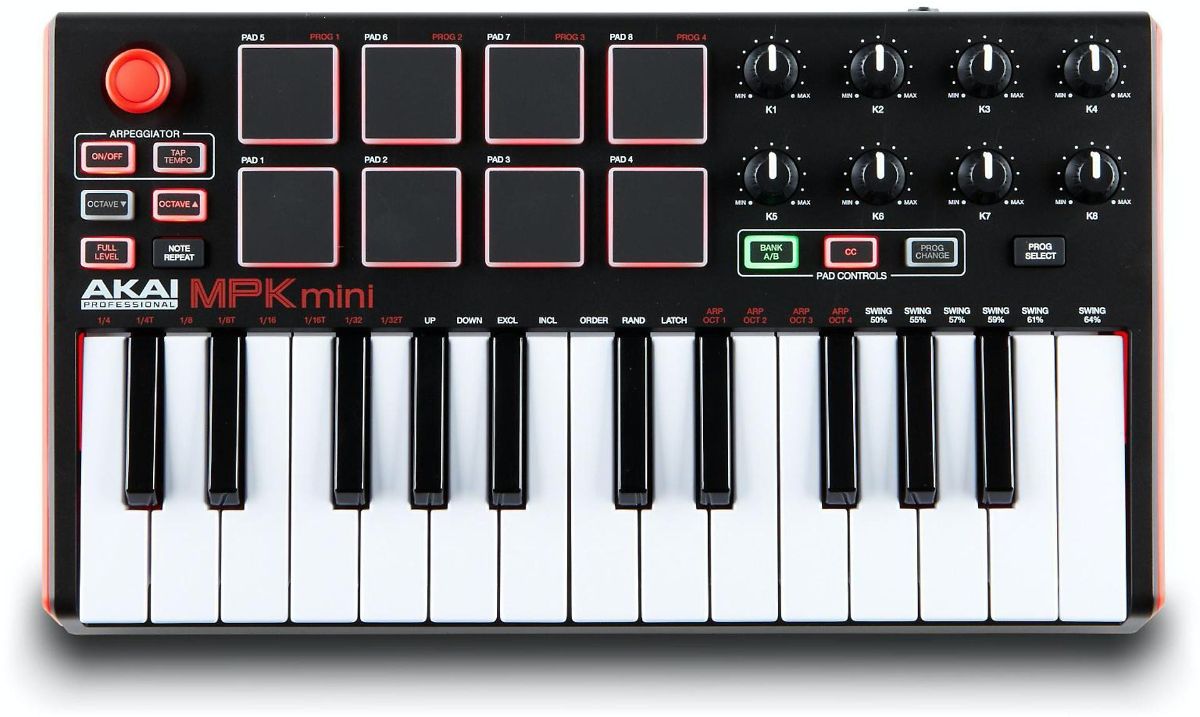
Most often, compact MIDI keyboards offer 25 keys (2 octaves). The main selling point of compact keyboards is their small footprint and portability. These days you can produce music using nothing but your laptop (or even your smart phone), a set of headphones, and an audio interface. The addition of a MIDI controller to your portable arsenal is the icing on the cake, and makes playing stuff into the DAW much easier than drawing in notes using just your mouse.
If you're not producing music on-the-go and work mostly in one place, think twice before getting a compact MIDI keyboard. Unless you have absolutely no free desk space to work with, only having 2 octaves may end up being a headache.
A counterargument could be made that constraints breed creativity. That is, being limited to only 2 octaves means you'll be playing simpler stuff that requires one hand, so it could force you to focus more on making a catchy riff.
Key Action
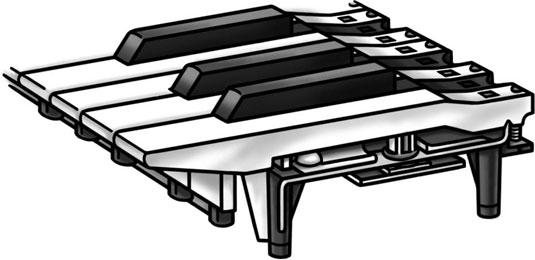
Once you press a key and release it, it comes back to its original position by itself. The mechanism that helps it do this is called action and each type feels different from how it reacts to your touch.
Synth Action
This is the simplest and usually the most affordable option and employs a spring mechanism to return keys to their original position. This feels quite linear and quick to the touch and is best for non-piano music or people who haven't trained on an acoustic piano. The downside is the keys can feel a bit cheap.
Semi-Weighted Action
These combine the springs with some light weights that are added to the back end of each key. This results in a key that is slightly slower to return to its original position. Semi-weighted keys still offer the springiness of synth-action, with some added heft which is more reminiscent of a real piano key. Because of their lightweight feel and quick movement, both trained and untrained pianist might find it easier to play fast passages on semi-weighted keys.
Weighted Hammer Action
This one replicates the motion of a traditional piano and is meant for the trained pianist. In addition to being weighted, the keys offer different levels of resistance. The lower keys feel heavier than the higher keys. You'll typically only find fully weighted keys on 88-key MIDI keyboard controllers.
In short, if you aren't a trained pianist or organ player then go for the synth-action or semi-weighted option.
What Is Aftertouch, and Do I Need It?
This is something that is specific to MIDI keyboards. From a computer's point of view, MIDI keyboards are nothing more than data transmitters that the DAW then has to make sense of. When you press a key, the MIDI keyboard sends MIDI data that tells which key you played and how much pressure you applied.
Aftertouch is the feature in which you can send some additional data that can help create some cool effects after the key has already been pressed.
Say you press a key but do not release it. Now you start varying the pressure; pressing harder or softer or alternating between the two. The effect this has on the sound can be set in the DAW. For example, let's say you assign volume as the parameter that aftertouch controls and then play a synth sound. The initial press will start the sound, but you can then make it go louder or softer depending on how much pressure you are applying.
Whether you need it or not depends on whether you can see yourself using it. If you are a trained keyboard or piano player and record your playing into the DAW in real-time, you could utilize aftertouch to get more expressive with your playing. Most music creators we've talked to rarely if ever use it, since there are other ways to get the same effect within the DAW or using the MIDI keyboard's pads, knobs, and faders.
How Do MIDI Keyboard Controllers Connect to My Computer, Tablet, Etc?
Every modern MIDI keyboard uses USB to connect to a computer or laptop. If you're connecting to a tablet or smart phone then you will need a USB to MicroUSB or Lightning connector cable. If you want to connect to a device that only accepts the traditional MIDI interface then there are converters available for that as well.
Most MIDI keyboards have other I/O as well. Unless they're fully USB bus-powered, they'll have a jack for a power adapter. It's also not uncommon to see one or more expression pedal inputs, and some even have traditional MIDI in & out ports.

What's the Best MIDI Keyboard for [Your DAW]?
You can get any MIDI keyboard to work with any DAW. However, certain manufacturers have specific mappings which make their MIDI keyboards work especially well with certain DAWs without much configuration. Here are a few examples:
FL Studio
The Nektar Impact LX+ MIDI keyboard comes with an intelligent mapping feature that allows you to configure everything on the keyboard itself without having to do any tweaks in FL Studio.
The Nektar Impact LX+ DAW integration does not stop at FL studio. It supports Cubase, Digital Performer, Garageband, Logic, Nuendo, Reaper, Reason, Sonar and Studio One as well.
GarageBand / Logic Pro
The M-Audio Oxygen Pro series is versatile, and can help you get the maximum out of GarageBand or Logic Pro. The Arturia KeyLab maps out very well to Logic also.
Ableton
The AKAI MPK series is a match made in heaven with Ableton, as both follow similar design philosophies and integrate well with each other. Novation's Launchkey series is also optimized for Ableton.
Cubase
The Nektar Panorama has built-in support for Cubase and is one of the coolest looking MIDI keyboards out there.
Top Ranked MIDI Keyboard Controllers on Equipboard
-m.webp?v=1784375275)

$110.00
4.5 (80)
4.5 (80)


$135.00 - $678.00
4.5 (129)
4.5 (129)

About the authors
Michael R. Pierce is the co-founder of Equipboard and a lifelong musician with over 25 years of experience as a guitarist and gear enthusiast. He blends solid music theory chops (thanks to formal training in guitar, piano, and trumpet) with real-world experience, always exploring and experimenting across genres like rock, blues, and hip-hop. Michael launched Equipboard in 2013 after graduating from The University of Texas at Austin, leveraging his unique blend of musical passion, technological acumen, and community building. His current go-to rig features a Fender American Original ‘50s Telecaster, Analogman King of Tone, Strymon Flint, and a Fender ‘57 Custom Champ. Read more
Giulio Chiarenza is the co-founder of Equipboard and a lifelong multi-instrumentalist with a deep passion for music gear. Born in Italy and raised in the U.S., he holds a Computer Science degree from The University of Texas at Austin and blends technical acumen with decades of hands-on experience across guitar, piano, drums, and electronic production. Early in his career, Giulio was signed to a San Francisco-based EDM label, releasing both remixes and original tracks. These days, he helps steer Equipboard’s vision while personally testing and reviewing gear. He's never too far from his go-to guitar: a vintage 1978 Fender Telecaster Custom. Read more
New in MIDI Keyboard Controllers


$133.00 - $149.00
in MIDI Keyboard Controllers Rank

$172.00 - $199.99
in MIDI Keyboard Controllers Rank

$159.00 - $199.00
in MIDI Keyboard Controllers Rank


$99.00 - $99.99
in MIDI Keyboard Controllers Rank


$49.00 - $69.00