

Pricing and availability
We compare 600+ stores and found this item at 1 store. Prices updated .


* Product prices and availability are updated by Equipboard every 24hrs and are subject to change. Equipboard may receive compensation for purchases made at participating retailers linked on this site. This compensation does not affect what products or prices are displayed, or the order of prices listed. For more information, please refer to our affiliate disclosure.
Description
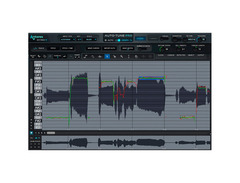
Transform your vocal tracks with the Antares Auto-Tune Pro X, a cutting-edge vocal processing plugin that sets a new benchmark in the music industry. This advanced edition elevates pitch correction with its redesigned Graph Mode, offering unparalleled precision for both pitch and time editing. Whether you’re after subtle pitch enhancements or the iconic Auto-Tune effect, the Pro X delivers with its fully adjustable Retune Speed, Flex-Tune, and Humanize parameters.
Designed with modern musicians and producers in mind, Auto-Tune Pro X integrates seamlessly into your digital audio workstation (DAW) with ARA 2.0 support, ensuring a fluid workflow across Logic Pro X, Cubase 12, and Studio One. The intuitive Auto Mode allows for real-time correction and effects, perfect for live performances or swift studio sessions. Plus, the new Multi-View feature lets you manage multiple Auto-Tune tracks within a single window, streamlining your vocal editing process and saving you precious time.
With a library of exclusive artist presets and an overhauled presets manager, creativity is always at your fingertips. Auto-Tune Pro X is also optimized for the latest Apple hardware, featuring native support for M1 processors for enhanced performance and efficiency. Whether you're a seasoned professional or an aspiring artist, this plugin is a powerful tool in your musical arsenal.
Key Features:
- Redesigned Graph Mode for detailed pitch and time editing
- Real-time correction and effects with Auto Mode
- Fully adjustable Retune Speed, Flex-Tune, and Humanize parameters
- ARA 2.0 support for seamless DAW integration
- Multi-View feature for managing multiple tracks in one window
- Exclusive artist presets and an overhauled presets manager
- Native support for Apple Silicon processors
FAQs
-
What are the main features of Antares Auto-Tune Pro X?
-
Antares Auto-Tune Pro X offers advanced Graph Mode for precise pitch correction, a new Multi-View workspace for streamlined workflow, and artist presets with a Presets Manager. It is also Apple Silicon native, ensuring optimized performance on M chip devices.
-
Is Antares Auto-Tune Pro X compatible with Apple Silicon Macs?
-
Yes, Antares Auto-Tune Pro X is Apple Silicon native, which means it is optimized for performance on Macs with M chips, ensuring seamless integration and efficient processing.
-
Can Antares Auto-Tune Pro X be used for live performances?
-
Yes, Antares Auto-Tune Pro X is suitable for live performances, offering real-time pitch correction and effects that can be adjusted on the fly, making it a versatile tool for both studio and stage use.
-
How does the Multi-View workspace in Auto-Tune Pro X enhance workflow?
-
The Multi-View workspace in Auto-Tune Pro X allows users to view and edit multiple tracks simultaneously, streamlining the workflow and making it easier to manage complex projects with multiple vocal layers.
-
Does Antares Auto-Tune Pro X include artist presets?
-
Yes, Antares Auto-Tune Pro X includes artist presets, allowing users to quickly access professionally crafted settings for a variety of vocal styles and genres, enhancing creativity and efficiency in music production.
Videos

Auto-Tune® / Antares Audio Technologies
Auto Tune Pro X Tutorial Video
Auto Tune Pro X Tutorial Video
Auto-Tune® / Antares Audio Technologies
Introducing NEW Auto-Tune® Pro X | The most powerful Auto-Tune Ever
Auto-Tune® / Antares Audio Technologies
New Auto-Tune Pro X Review

Wayne.wav

AutoTune Pro X Settings GUIDE 2023 // How To Use AUTOTUNE PRO X

Sky Jordxn
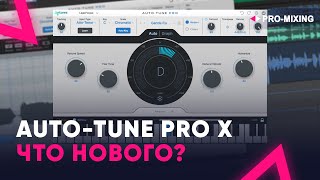
Auto Tune Pro X ЧТО НОВОГО?

PRO-MIXING
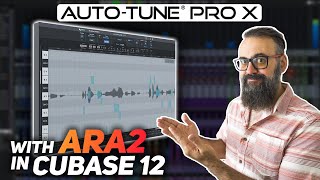
Master VOCAL TUNING with Auto Tune Pro X with ARA2 in CUBASE 12

Chris Selim - Mixdown Online
Reviews
Owner Insights
We analyzed real musician discussions from forums and Reddit to find what players love, question, and tweak about Antares Auto-Tune Pro X.
Features and functionality
-
The graph mode in Auto-Tune Pro X reportedly loses edits after project reopening and causes playback glitches, affecting note accuracy and playback consistency.
Source -
Enabling "use low latency" in the settings can improve live recording issues related to significant latency when using Auto-Tune Pro X.
Source -
Users are unable to alt-copy Auto-Tune Pro X settings to other tracks; settings reset to default on new tracks.
Source
User experience
-
Users report severe lag and low FPS when creating notes and stretching audio, even on high-spec MacBook Pro setups, contrasting with smooth performance in Melodyne.
Source -
Antares customer support is criticized for slow, unhelpful responses and case closures due to unresolved issues, impacting problem resolution.
Source -
Some users experienced better performance and sound quality with Auto-Tune 9 compared to Pro X, indicating potential regressions in UI and sound with the newer version.
Source -
Some users received a workaround from Antares within 24 hours, although the fix is not definitive and involves license management changes.
Source
Software and compatibility
-
The plugin is described as CPU-intensive, generating processing errors in Pro Tools even at maximum buffer size, unlike other plugins and Melodyne.
Source -
Licensing issues with Antares Central include repeated error dialogs and missing licenses, requiring relogging to resolve, complicating license management.
Source -
On newer Mac systems, Auto-Tune Pro X may exhibit issues during live recording, where the tuning sounds off compared to pre-recording monitoring.
Source -
Auto-Tune Pro X settings fail to save and revert to default when reopening sessions, affecting users across Pro Tools and Logic Pro.
Source -
Switching from a Pro license to an Unlimited NFR license in Antares Central can temporarily resolve the settings recall issue.
Source
Comparisons
-
Melodyne is favored for its smooth interface, but its tuning and stretching algorithms are reportedly inferior to Auto-Tune's, especially with heavy tuning in pop music.
Source
Critic Reviews
Based on 0 Reviews and 0 Ratings
Artist usage
Add artist.png?v=1784891692)

Genre Usage
Based on how artists on Equipboard use this gear, it is most commonly found in the following genres.
More Antares Vocal Processing Plugins

$250.00 - $500.00
in Vocal Processing Plugins Rank


$122.00 - $330.00
in Vocal Processing Plugins Rank


in Vocal Processing Plugins Rank

.jpeg?v=1784733415)


$115.00 - $230.00
in Vocal Processing Plugins Rank


$205.00 - $349.00
in Vocal Processing Plugins Rank


$75.00 - $80.00
in Vocal Processing Plugins Rank


$143.00 - $160.00
in Vocal Processing Plugins Rank

$41.00
in Vocal Processing Plugins Rank
.png?v=1784891692)

$77.00 - $80.00
in Vocal Processing Plugins Rank


$150.00 - $180.00
in Vocal Processing Plugins Rank


.jpeg?v=1784888428)


.png?v=1784580320)


$32.00 - $39.99
in Vocal Processing Plugins Rank


-m.webp?v=1784872185)
$49.00 - $99.00
in Vocal Processing Plugins Rank


$33.00
in Vocal Processing Plugins Rank


Accessories & Related Items


Community setups


Similar


Gear Guides









Most Popular Vocal Processing Plugins
Most Popular Brands
-
Added to Equipboard on by
Jjohn_decelienGearIQ 2685
-

