

Pricing and availability
We compare 600+ stores and found this item at 4 stores. Prices updated .
Store
Reviews
Price



Price History
Based on price data from 2 merchants for "Celemony Melodyne Editor". Prices shown reflect NEW condition. Tracking began Apr 2, 2026.
* Product prices and availability are updated by Equipboard every 24hrs and are subject to change. Equipboard may receive compensation for purchases made at participating retailers linked on this site. This compensation does not affect what products or prices are displayed, or the order of prices listed. For more information, please refer to our affiliate disclosure.
Description
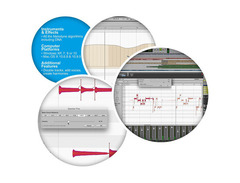
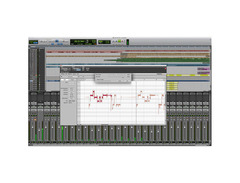
Discover the magic of pitch perfection with Celemony Melodyne Editor, the must-have software plugin for musicians and producers. Whether you're a seasoned professional or an aspiring artist, this Direct Note Access (DNA) tool lets you dive deep into your recordings, allowing you to tweak and transform audio with precision. Imagine having the ability to modify individual notes within chords, making your guitars, pianos, and multi-instrument tracks shine like never before. With its intuitive interface, Melodyne Editor is not just a plugin—it's your new studio partner.
Melodyne Editor boasts an advanced set of algorithms, including Melodic and Percussive Pitched algorithms, that deliver unparalleled pitch and time-correction capabilities. Tackle complex musical pieces with ease using the Chord Track and Chord Grid, which adapt notes and chords quickly to fit your song's scale. Fine-tune your vocals with the Sibilant Tool, adjust dynamics with the Leveling Macro, and create smooth transitions with the Fade Tool. The software's ARA compatibility allows seamless integration into your DAW, streamlining your creative workflow.
Whether you're editing a single track or handling a full orchestra, Melodyne Editor offers a comprehensive suite of tools to enhance your music's quality. Experience the freedom to explore diverse musical scales and customize your audio like never before.
Key Features:
- Direct Note Access (DNA) for editing individual notes within chords
- Advanced Melodic and Percussive Pitched algorithms
- Chord Track and Chord Grid for quick adaptation of notes and chords
- Sibilant Tool for per-note vocal adjustments
- Leveling Macro for balancing volume disparities
- Fade Tool for creating note-based fades
- ARA compatibility for seamless DAW integration
- Works standalone or as a plugin in your DAW
Product specs
| Software Type | Pitch/Time Correction |
| Platform | Mac, PC |
| Upgrade/Full | Full |
| Download/Boxed | Download |
| Bit Depth | 64-bit |
| Format | AAX, VST3, AU, ARA, Standalone |
| Hardware Requirements - Mac | Intel Core 2 Duo or higher, 8GB RAM or more recommended |
| Hardware Requirements - PC | Intel Core 2 Duo / AMD Athlon 64 X2 or higher, 8GB RAM or more recommended |
| OS Requirements - Mac | macOS 10.12 or later |
| OS Requirements - PC | Windows 10 or later |
FAQs
-
What are the key features of Celemony Melodyne Editor?
-
Celemony Melodyne Editor offers advanced pitch and time correction, polyphonic capabilities, and tempo editing. It supports formats like AAX, VST3, AU, and ARA, and can be used as a standalone application or within a DAW.
-
Is Celemony Melodyne Editor compatible with my DAW?
-
Melodyne Editor is compatible with most DAWs that support AAX, VST3, AU, or ARA formats, making it versatile for integration into your existing setup.
-
Can I use Celemony Melodyne Editor on both Mac and PC?
-
Yes, Celemony Melodyne Editor is compatible with both Mac (macOS 10.12 or later) and PC (Windows 10 or later) platforms.
-
What are the system requirements for running Celemony Melodyne Editor?
-
For Mac, an Intel Core 2 Duo or higher with macOS 10.12 or later is required. For PC, an Intel Core 2 Duo or AMD Athlon 64 X2 or higher with Windows 10 or later is necessary. In both cases, 8GB RAM or more is recommended.
-
Does Celemony Melodyne Editor support polyphonic audio editing?
-
Yes, Celemony Melodyne Editor supports polyphonic audio editing, allowing you to work with complex audio tracks and manipulate individual notes within chords.
Videos

DJ TechTools
Celemony Melodyne Editor Features for DJs
Celemony Melodyne Editor Features for DJs
DJ TechTools
Reviews
PROS
-
Exceptional for fixing pitch issues and generating harmonies
-
Provides natural-sounding edits, avoiding robotic effects
-
Great for both minor tweaks and major vocal overhauls
-
Allows focus on emotion and energy without worrying about perfect takes
-
Simplifies pitch correction with user-friendly interface
-
Popular choice among musicians for its effective results
-
Helpful online tutorials ease the learning curve
CONS
-
Some users may experience a learning curve when first using the software
Owner Insights
We analyzed real musician discussions from forums and Reddit to find what players love, question, and tweak about Celemony Melodyne Editor.
Features and functionality
-
Melodyne Editor offers polyphonic editing, allowing deconstruction of chords into individual intervals, which can be crucial for complex arrangements.
Source -
The Studio version's multi-track interface is particularly beneficial for handling multiple voices or instruments simultaneously.
Source -
The sibilants tool in certain Melodyne versions provides highly controlled de-essing, useful for refining vocal recordings.
Source -
The Leveling Macro in Melodyne 5 automatically adjusts the dynamic range of notes, making soft notes louder and loud notes quieter, even in polyphonic recordings.
Source -
Melodyne 5 introduces sibilance detection, allowing users to adjust sibilant levels without affecting the pitch of the main vocal.
Source -
Melodyne's ability to transpose vocal lines without introducing artifacts is highlighted, contrasting with issues seen in Logic's region inspector tool.
Source
Comparisons
-
Melodyne is noted for its transparency in vocal tuning compared to Waves Tune, which some find less invasive but less reliable on certain vocal tones.
Source -
Melodyne is considered a substantial upgrade over Logic's Flex Pitch due to fewer artifacts, and it offers more natural-sounding pitch correction.
Source
Software and compatibility
-
Installing Melodyne 5 overwrites Melodyne 4, potentially affecting existing projects as the previous version data might not carry over seamlessly.
Source -
Users have noted that pressing the spacebar in Melodyne 5 does not start playback from the Melodyne playhead but instead follows the DAW's timeline, which can disrupt workflow.
Source -
The ARA mode is reportedly broken on the Apple Silicon version of Logic, requiring Melodyne users to use Rosetta for seamless integration.
Source
User experience
-
Users report the zoom and navigation tools in Melodyne 5 as cumbersome, with imprecise control over zoom levels and scrolling.
Source
Value and pricing
-
Users have found significant savings by upgrading from Melodyne Essentials during sales, making higher-tier versions more accessible.
Source
5.0 out of 5
Based on 2 Reviews and 15 Ratings

183
Pitch-correction perfection!
While I definitely need to keep practicing with it, especially for creative reasons and not just pitch-correction, Melodyne is probably the most popular and well-known pitch correction software for a reason. While we all need to practice our pitch and not rely on software as a crutch, Melodyne does the best job in helping you stay on pitch and not sounding like an alien!
It works! if you're singing at all, than you need to get pitch-correction software. Make sure you try this out!

269
Excellent pitch corrector
Very good and professional pitch correction software!
Artist usage
Add artist


In a YouTube video by Mix with the Masters, titled "Behind the Track|« Neverender » by Justice & Tame Impala," Xavier de Rosnay of Justice mentions at approximately 6:57 that they frequently use the Celemony Melodyne Editor, particularly the Resynthesize feature, as it "gives things digital and future textures."

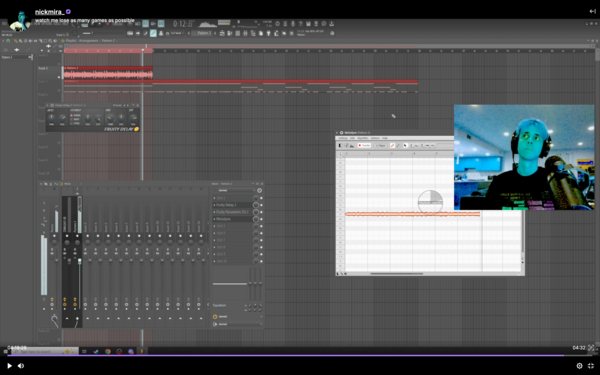
Nick Mira is confirmed to use the Celemony Melodyne Editor plugin. This is supported by a Twitch video where the plugin is clearly visible at the 04:19:29 mark, as corroborated by a screenshot from the video.

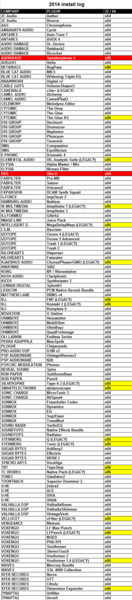

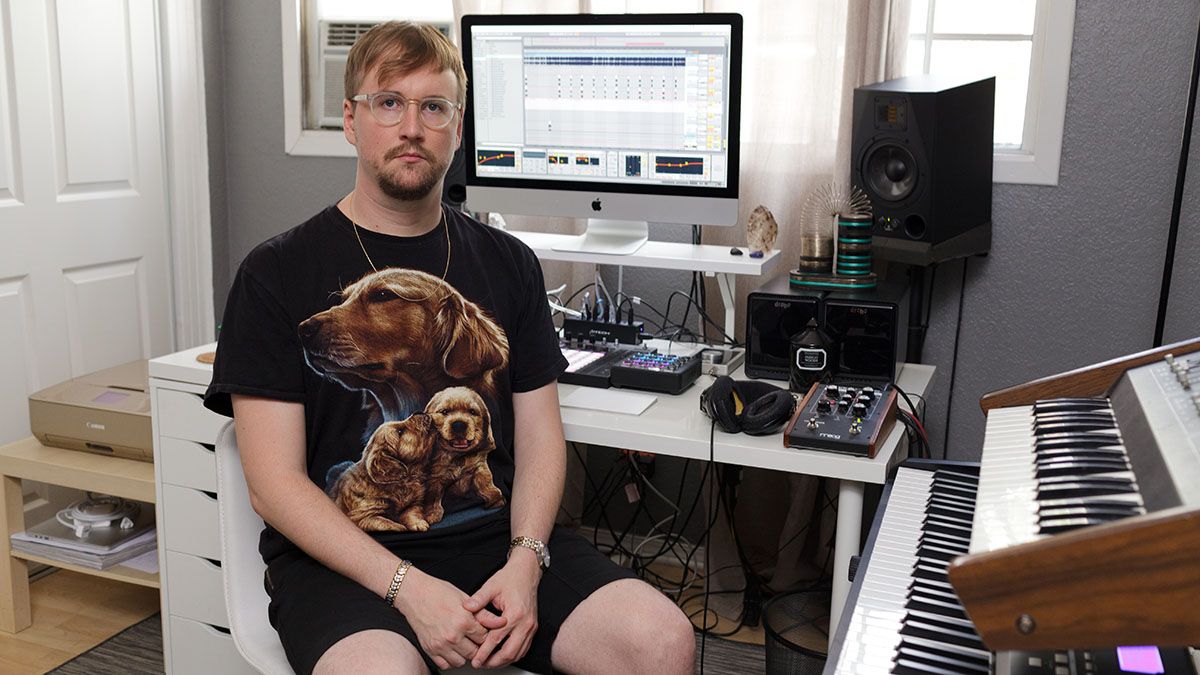
Per MusicRadar interview:
I use Audio Damage's Dub Station and Melodyne for vocal processing.


I do vocal tuning in Melodyne, and after that I add Antares Auto-Tune, very lightly, just to keep things tight. It's there just to make sure everything is locked in. Even after applying Melodyne there may be a note that strays a little. I know that many people think that Post Malone's vocals have a lot of Auto-Tune, but again, it's Melodyne, and I then throw Auto-Tune on specific lines, more as an effect, like a flanger or slap delay. It's not because he can't sing the part in tune, it's because it sounds cooler. People think that the shaking in his voice, for example in 'Rockstar', is Auto-Tune, but it's how he sings.



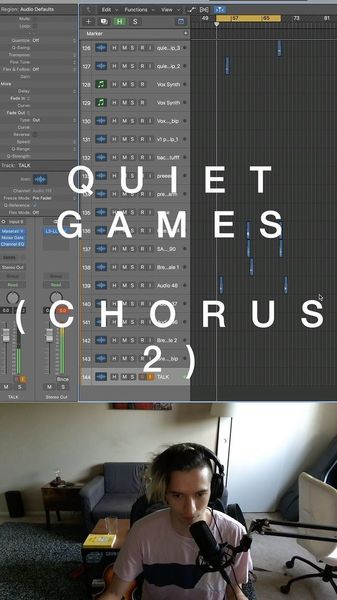
Guy Sigsworth discusses his use of Melodyne in this interview with Celemony Software. At 5:26 you can see on screen that he's using the Melodyne Editor edition.

Album Usage
The Celemony Melodyne Editor has been featured on the following albums:


Genre Usage
Based on how artists on Equipboard use this gear, it is most commonly found in the following genres.
Used With
Based on how musicians on Equipboard use Celemony Melodyne Editor, it is most commonly used with the following gear.




More Celemony Vocal Processing Plugins


$32.00 - $39.99
in Vocal Processing Plugins Rank


-m.webp?v=1784815472)
$49.00 - $99.00
in Vocal Processing Plugins Rank


$33.00
in Vocal Processing Plugins Rank


$199.00 - $207.00
in Vocal Processing Plugins Rank


$32.00 - $34.99
in Vocal Processing Plugins Rank

.jpeg?v=1784733415)


$34.99 - $37.00
in Vocal Processing Plugins Rank


$250.00 - $500.00
in Vocal Processing Plugins Rank


$34.99
in Vocal Processing Plugins Rank
.png?v=1784580320)


$32.00 - $39.99
in Vocal Processing Plugins Rank


$0.00
in Vocal Processing Plugins Rank

$37.00 - $49.99
in Vocal Processing Plugins Rank


$122.00 - $330.00
in Vocal Processing Plugins Rank


in Vocal Processing Plugins Rank


$115.00 - $230.00
in Vocal Processing Plugins Rank


$205.00 - $349.00
in Vocal Processing Plugins Rank


$39.99 - $47.00
in Vocal Processing Plugins Rank


$70.00 - $79.00
in Vocal Processing Plugins Rank

$37.00 - $39.00
in Vocal Processing Plugins Rank

$29.99 - $34.99
in Vocal Processing Plugins Rank


$199.00
in Vocal Processing Plugins Rank

$87.00 - $169.00
in Vocal Processing Plugins Rank


$144.00 - $199.00
in Vocal Processing Plugins Rank


$149.00
in Vocal Processing Plugins Rank


$32.00 - $39.99
in Vocal Processing Plugins Rank

$34.99 - $37.00
in Vocal Processing Plugins Rank


$95.00 - $99.00
in Vocal Processing Plugins Rank

$29.99 - $34.99
in Vocal Processing Plugins Rank


$49.00 - $198.00
in Vocal Processing Plugins Rank

$199.00
in Vocal Processing Plugins Rank

$14.99 - $17.00
in Vocal Processing Plugins Rank

$75.00 - $80.00
in Vocal Processing Plugins Rank


$29.99 - $39.99
in Vocal Processing Plugins Rank

$143.00 - $160.00
in Vocal Processing Plugins Rank

$39.00 - $69.00
in Vocal Processing Plugins Rank
Accessories & Related Items


Community setups


Similar


Gear Guides









Most Popular Vocal Processing Plugins
Most Popular Brands
-
Added to Equipboard on by
 michael
GearIQ 43610
-


