This page about Antares Auto-Tune 8 is a stub. You can help improve it:


Pricing and availability


* Product prices and availability are updated by Equipboard every 24hrs and are subject to change. Equipboard may receive compensation for purchases made at participating retailers linked on this site. This compensation does not affect what products or prices are displayed, or the order of prices listed. For more information, please refer to our affiliate disclosure.
Description
Unlock your vocal potential with the Antares Auto-Tune 8, the industry-leading vocal processing plugin that seamlessly combines innovation with renowned pitch correction. Designed for musicians and producers who demand precision without compromising the natural essence of their performances, Auto-Tune 8 introduces the revolutionary Flex-Tune technology. This allows your unique vocal expressions to shine while offering pitch-perfect results, whether you're in the studio or performing live.
For live performers and studio artists alike, the low-latency mode ensures that your performances remain smooth and responsive, eliminating any unwanted delays. This makes Auto-Tune 8 an indispensable tool for capturing the nuances of your voice in real-time. Additionally, a suite of workflow enhancements simplifies your creative process, allowing you to focus on crafting your art without technical distractions.
Whether you're looking to subtly correct pitch or create the iconic "Auto-Tune effect" popularized by artists like Cher and T-Pain, Auto-Tune 8 provides the flexibility you need. Its intuitive interface and advanced features such as adjustable throat length and enhanced graphical mode ensure you have complete control over your sound.
Key Features:
- Flex-Tune technology for natural, expressive vocal performance
- Low-latency mode ideal for live performances and tracking
- Enhanced Amplitude Envelope Display for precise time edits
- Adjustable Throat Length for timbre control
- Graphical Mode with MIDI note recording and Note Object creation
- Vibrato modification in original performances
- Graphical timeline display as bars and beats for easy time manipulation
Owner's manual
Antares Auto-Tune 8 User ManualProduct specs
| Plugin Format | VST, AU, AAX |
| Operating Systems | Mac, Windows |
Videos

PRO-MIXING
Autotune 8 ФИШКИ И ТРЮКИ ПРИ ТЮНИНГЕ ВОКАЛА [Арам Киракосян]
![Video thumbnail for Autotune 8 ФИШКИ И ТРЮКИ ПРИ ТЮНИНГЕ ВОКАЛА [Арам Киракосян] by PRO-MIXING](https://img.youtube.com/vi/Mq7S1mz5Wko/mqdefault.jpg)
Autotune 8 ФИШКИ И ТРЮКИ ПРИ ТЮНИНГЕ ВОКАЛА [Арам Киракосян]
PRO-MIXING
Antares AutoTune 8 Review - Flex-Tune And Low Latency Monitoring

Production Expert
Autotune 8: Plugin Top 10

Reid Stefan
How To Use Auto Tune - Auto tune 8 Versus Auto Tune Evo

All One Pro Studio
Reviews
Owner Insights
We analyzed real musician discussions from forums and Reddit to find what players love, question, and tweak about Antares Auto-Tune 8.
Software and compatibility
Features and functionality
-
Auto-Tune 8 requires a legitimate license for downloading updates from Antares' official site, ensuring continued functionality.
Source -
Auto-Tune Pro includes a "classic mode" which emulates the Auto-Tune 5 algorithm, favored for its distinct, noticeable effect.
Source -
Auto-Tune Pro's dark theme marks a visual update, differing from previous versions.
Source
User experience
-
Users report needing to disable 32 Lives to re-enable plugins directly, indicating a potential manual workaround for Catalina users.
Source
Comparisons
-
Users highlight minor algorithm changes between Auto-Tune 8 and Auto-Tune Pro, impacting sound subtly.
Source
Critic Reviews
5.0 out of 5
Based on 0 Reviews and 6 Ratings
Artist usage
Add artist

A staple of Bon Iver's vocal sound and also this plugin was used on 10 Death Breast on Bon Iver's album 22, A Million as stated in this article


Charlie uses AutoTune 8 for tuning on his background vocals in his song, "Attention."


In a livestream titled "4.5.20 - Quick CoronaJam!" on the Shinoda Livestreams YouTube channel, Mike Shinoda is seen using the Antares Auto-Tune 8 plugin for vocal processing.


Used on Lamar's vocals for "All the Stars" as stated by producer Matt Schaeffer in this May 2018 Sound on Sound interview. He previously states his use of "Antares Auto-Tune 8.1" with SZA.
Kendrick Lamar’s vocal audio tracks, named after his teenage stage name K.Dot, consist of his first verse rap track, ‘VS 1 LD’, and 10 tracks for three moments in the track where he sings the pre-hook in a robotic voice. The verse rap track only has the AIR Flanger on it, and is sent to the ‘Dot VS LD’ aux track, which has eight inserts and five sends. Nine of the 10 pre-hook tracks have Auto?Tune, while the top four have a number of plug-ins on the inserts, including the EQ3 seven-band, Waves RVox, UAD Galaxy Tape Echo, SoundToys Little AlterBoy, SoundToys MicroShift and Valhalla Vintage Verb. These four are sent to a ‘Hook Ref’ aux track higher up in the session with another four plug-ins on the inserts and five sends. The other six are backing vocals to the four other pre-hook tracks and have no other plug-ins, other than a Trim, and are sent to a ‘Hook Background’ aux, just below them, which itself also is sent to the ‘Hoof Ref’ track. It’s a pretty complicated vocal signal chain, as Schaeffer admits.
“The ‘Dot VS LD’ aux indeed has a lot of stuff on it! I did most of the processing on that bus. On the inserts there are the SSL E-Channel, Waves RComp, Waves Q10 EQ, Waves DeEsser, UAD LA2A, UAD Pultec EQP1A, SoundToys Decapitator and Pro?Q2. The SSL channel strip, Q10 and RCompressor remain from the tracking, and maybe the DeEsser as well, but I most likely messed with the settings more during mixing. The Q10 has a high-pass at 50Hz and I notched out a frequency that was bothering me around 8.5kHz with the Q2. I added the other plug-ins during mixing, and they all add something a bit different. I’m boosting 100Hz and 16kHz with the EQP1A. As I said, I like using several EQs on one thing.
“The sends go to a ‘FlangeVerb’ track, on which I put the RVerb and the UAD MXR Flanger, then the ‘Huge Verb’ with the [Audio Ease] Altiverb and EQ3, ‘Hook Valhalla’ with the Vintage Verb, and the SoundToys EchoBoy, the ‘EMT250’ aux with the UAD EMT250, Valhalla Plate and MicroShift, and then finally a send to the ‘Dot VS Delay’ track, with the EchoBoy, set to quarter note, the Reel Tape Flanger and the RCompressor. The EchoBoy is the main delay you can hear in the verse. The EMT250 is not set to a reverb, but to a phaser effect, which gives a cool stereo effect. The Valhalla adds a bit of reverb here, though it’s set to -12, so it only gives a tiny bit of ambience, and the MicroShift makes the whole thing a little wider. It probably still sounded a bit dry, which is why I sent the track to the ‘Huge Verb’ aux with the Altiverb, again taking out low end with the EQ3.
.png?v=1784580320)
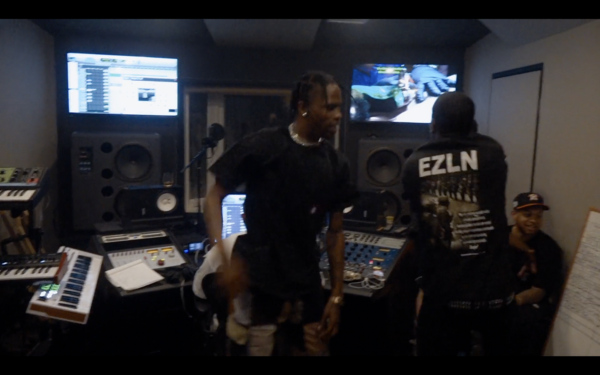
You can see Antares Auto-Tune 8.1 being used in the session for "Sicko Mode", you can find the second image below which shows a close up of the label "Auto-Tune 8.1" in the Pro Tools window.
Second image: https://imgur.com/a/SonvMKk


In the video titled "How Ryan Tedder Builds a Dark Pop Track from Scratch" by Studio on YouTube, at the 12:22 mark, Ryan Tedder is observed using the Antares Auto-Tune 8 plugin while working on his track.


Used on SZA's vocal for "All the Stars", as stated by producer Matt Schaeffer in this May 2018 Sound on Sound interview.
There are 12 SZA vocal audio tracks in total: two for the main hook, one second verse lead track, and nine verse backing tracks, which in fact provide emphasis and overdubs of single words. All SZA audio tracks have the Antares Auto?Tune 8.1 plug-in, the two hook tracks each also have the FabFilter Pro?Q2 equaliser, and the main SZA verse track also has a de-esser, while the backing vocals have two instances of the Waves RVerb and one of the same company’s H-Delay. Apart from Auto?Tune, most of the processing is done on the ‘SZA ?’ aux, to which all SZA audio tracks are sent.

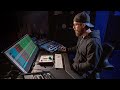
In this video at 1:38 we can see Antares Auto-Tune 8


Album Usage
The Antares Auto-Tune 8 has been featured on the following albums:

Genre Usage
Based on how artists on Equipboard use this gear, it is most commonly found in the following genres.
Used With
Based on how musicians on Equipboard use Antares Auto-Tune 8, it is most commonly used with the following gear.

-s.webp?v=1784815472)




More Antares Vocal Processing Plugins

$250.00 - $500.00
in Vocal Processing Plugins Rank


$122.00 - $330.00
in Vocal Processing Plugins Rank


in Vocal Processing Plugins Rank

.jpeg?v=1784733415)


$115.00 - $230.00
in Vocal Processing Plugins Rank


$205.00 - $349.00
in Vocal Processing Plugins Rank


$75.00 - $80.00
in Vocal Processing Plugins Rank


$143.00 - $160.00
in Vocal Processing Plugins Rank

$41.00
in Vocal Processing Plugins Rank
.png?v=1784580320)

$77.00 - $80.00
in Vocal Processing Plugins Rank


$150.00 - $180.00
in Vocal Processing Plugins Rank


$32.00 - $39.99
in Vocal Processing Plugins Rank

-m.webp?v=1784815472)
$49.00 - $99.00
in Vocal Processing Plugins Rank

$33.00
in Vocal Processing Plugins Rank


Accessories & Related Items


Community setups


Similar


Gear Guides









Most Popular Vocal Processing Plugins
Most Popular Brands
-
Added to Equipboard on by
 josephdbae
GearIQ 72
-


