This page about Antares Auto-Tune 5 is a stub. You can help improve it:



Pricing and availability


* Product prices and availability are updated by Equipboard every 24hrs and are subject to change. Equipboard may receive compensation for purchases made at participating retailers linked on this site. This compensation does not affect what products or prices are displayed, or the order of prices listed. For more information, please refer to our affiliate disclosure.
Description
Discover the power of pitch perfection with the Antares Auto-Tune 5, the industry-standard vocal processing plugin that’s redefined the art of audio refinement. Embraced by audio professionals worldwide, this plugin ensures your vocals and solo instruments are always in tune, without compromising the expressive nuances of your original performance. Whether you're a seasoned producer or an aspiring musician, Auto-Tune 5 provides an intuitive and efficient way to enhance your sound.
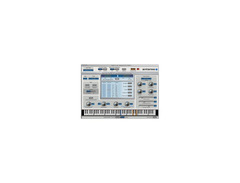
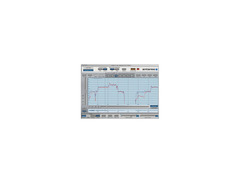
The plugin features a sleek, newly designed interface that makes navigation effortless, allowing you to focus on creativity rather than complexity. Choose between the Automatic Mode, which instantly corrects pitch issues based on user-specified scales, and the Graphical Mode for more detailed adjustments, letting you draw in desired pitch envelopes with precision.
A standout addition is the Humanize function, which retains natural variation in sustained notes, ensuring your sound doesn’t feel overly processed. For those who crave even more control, the real-time vibrato adjustment feature allows you to tweak vibrato depth dynamically, keeping your performances authentic and vibrant.
Key Features:
- Automatic pitch correction with user-specified scales (minor, major, chromatic, and more)
- Graphical Mode for detailed pitch envelope editing
- Humanize function for natural pitch correction on sustained notes
- Real-time vibrato depth adjustment
- Improved pitch detection algorithm for enhanced accuracy
- Sleek, user-friendly interface with consolidated controls
- Compatibility with pen tablet input for precise graphical adjustments
- Supports multiple simultaneous Graphical Mode instances (host dependent)
Product specs
| RTAS | Pro Tools HD or Pro Tools LE 6.2 or later: Pro Tools HD 7.2 or Pro Tools LE 7.3 or later required for Graphical Mode sync: Windows XP or Vista as required by your version of Pro Tools |
| VST | A host program that supports the VST format: Windows XP/Vista as required by your host |
| Audio Units | A host program that supports the Audio Units plug-in format: Mac OS 10.3.9 or later as required by your host |
FAQs
-
What are the compatibility requirements for Antares Auto-Tune 5?
-
Antares Auto-Tune 5 is compatible with RTAS, VST, and Audio Units formats. It requires Pro Tools HD or LE 6.2 or later for RTAS, and a host program supporting VST or Audio Units on Windows XP/Vista or Mac OS 10.3.9 or later, respectively.
-
Does Antares Auto-Tune 5 work in real-time?
-
Yes, Antares Auto-Tune 5 operates in real-time, allowing users to correct pitch and intonation issues instantly during live performance or recording.
-
Can Antares Auto-Tune 5 correct intonation without affecting the vocal's natural sound?
-
Antares Auto-Tune 5 is designed to correct intonation problems while preserving the original performance's nuance, ensuring minimal distortion or artifacts.
-
What is the Humanize function in Antares Auto-Tune 5?
-
The Humanize function in Antares Auto-Tune 5 allows for more natural-sounding pitch correction by adjusting the extent of correction applied, especially useful for sustained notes.
-
How does the graphical mode in Antares Auto-Tune 5 enhance pitch correction?
-
The graphical mode in Antares Auto-Tune 5 provides a large pitch edit display and enhanced envelope functionality, allowing precise manual pitch adjustments and real-time vibrato depth control.
Videos

John Ivory
How To Set Auto Tune 5 or Evo *BEST SETTINGS*
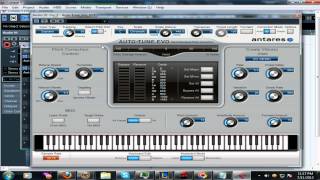
How To Set Auto Tune 5 or Evo *BEST SETTINGS*
John Ivory
![Video thumbnail for AUTOTUNE 5 - HOW TO USE IT (T-PAIN EFFECT) [READ DESCRIPTION FOR LINK TO SONG] by Jokafiend](https://img.youtube.com/vi/a3aL4NX2lzc/mqdefault.jpg)
AUTOTUNE 5 - HOW TO USE IT (T-PAIN EFFECT) [READ DESCRIPTION FOR LINK TO SONG]

Jokafiend
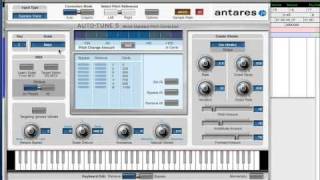
Antares AutoTune 5: About Scales

HowAudioTV
Reviews
Owner Insights
We analyzed real musician discussions from forums and Reddit to find what players love, question, and tweak about Antares Auto-Tune 5.
Comparisons
Features and functionality
Use cases and applications
-
Waves Real Time is preferred for tracking due to its zero-latency, while Antares Auto-Tune Pro is often used post-tracking for its algorithmic precision.
Source -
"Combining Auto-Tune Pro's 'Classic' mode with reverb and parallel distortion helps achieve the desired robotic sound."
Source -
"For distinct vocal chain effects, use a delay rack with separate chains for 1/2 or 1/4 note delay and slap delay, plus a reverb rack with long and short reverb chains."
Source
Software and compatibility
-
Newer Antares versions reportedly offer better pitch detection and smoother correction, reducing warbly effects and latency compared to older versions.
Source
Setup and maintenance
-
"Optimal settings for a hard auto-tune sound: return speed at 0, tracking above 90, with vibrato and humanize features turned off."
Source -
"Creating an Ableton rack with de-esser, EQ, heavy compression, and additional effects like phaser and chorus can enhance the vocal character for styles like Dom Corleo."
Source
Based on 0 Reviews and 0 Ratings
Artist usage
Add artist

Used for Luv Is Rage 2, as stated by mix engineer Kesha Lee in this December 2017 Sound on Sound article. An image of the settings for "Hook 1" of "How to Talk" can be found here.
The essential effect for today’s rapper: Antares Auto-Tune is, says Kesha Lee, invariably the first plug-in on every vocal track with Lil Uzi Vert.
“The intro track was a voice note Uzi had recorded on his phone, and he played it in the booth on his phone, and we recorded it through the mic like that. It sounded really telephone-y, which we wanted, but I tried to take out some of the highs with the Waves OneKnob. All audio vocal tracks apart from the intro have Antares Auto-Tune as the first plug-in. Uzi hears his Auto-Tuned vocals in his headphones while singing. We used to just have it on default, with a Retune speed of 20, but lately he has been like: ‘Give me more Auto-Tune!’ so now we have the Retune Speed set to anywhere from 12 to 5. The ‘D’ after Auto-Tune is the Waves De-Esser, the ‘Q’ the Avid EQ3 seven-band, and the ‘1’ is the Waves C1 gate. All vocal audio tracks also have sends to the delay and the reverb aux tracks. The delay aux track has the Avid Mod Delay II set to half notes, with feedback at 43 percent, the Waves Renaissance Reverberator, set to ‘Hall 1’ reverb, with the highs cut on the reverb EQ, and the Waves S1 stereo imager. The reverb aux has the Renaissance Reverberator."


At 1:29. You can catch a shot of an example of Antares Auto-Tune version 5 on the engineer's computer. This vlog was recorded during the recording of Chief Keef's song "Haha".


Tumay tweeted that he is a fan of Antares Auto-Tune 5, despite there being a newer version released.

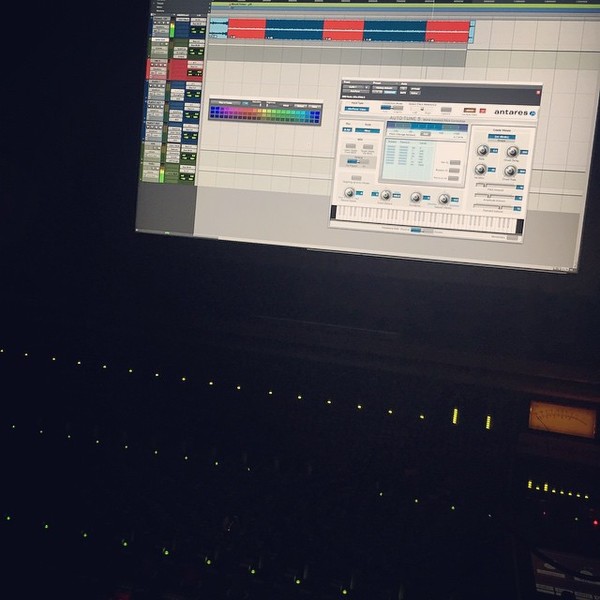
In this photograph you can see an instance of Antares Auto-Tune 5 open in Seth's session. A widely popular edition of Auto-Tune that engineers always come back to despite multiple updates since its release. This plugn used to be an essential in the engineer's collection.
Album Usage
The Antares Auto-Tune 5 has been featured on the following albums:

Genre Usage
Based on how artists on Equipboard use this gear, it is most commonly found in the following genres.
Used With
Based on how musicians on Equipboard use Antares Auto-Tune 5, it is most commonly used with the following gear.

-s.webp?v=1784804416)


-s.webp?v=1784804537)


More Antares Vocal Processing Plugins

$250.00 - $500.00
in Vocal Processing Plugins Rank


$122.00 - $330.00
in Vocal Processing Plugins Rank


in Vocal Processing Plugins Rank

.jpeg?v=1784733415)


$115.00 - $230.00
in Vocal Processing Plugins Rank


$205.00 - $349.00
in Vocal Processing Plugins Rank


$75.00 - $80.00
in Vocal Processing Plugins Rank


$143.00 - $160.00
in Vocal Processing Plugins Rank

$41.00
in Vocal Processing Plugins Rank
.png?v=1784580320)

$77.00 - $80.00
in Vocal Processing Plugins Rank


$150.00 - $180.00
in Vocal Processing Plugins Rank


$32.00 - $39.99
in Vocal Processing Plugins Rank

-m.webp?v=1784815472)
$49.00 - $99.00
in Vocal Processing Plugins Rank

$33.00
in Vocal Processing Plugins Rank


Accessories & Related Items


Community setups


Similar


Gear Guides









Most Popular Vocal Processing Plugins
Most Popular Brands
-
Added to Equipboard on by
 youngkico
GearIQ 738
-


