

Pricing and availability
We compare 600+ stores and found this item at 4 stores. Prices updated .
Store
Reviews
Price


Price History
Based on price data from 3 merchants for "Antares Auto-Tune Vocodist + 3 Months of Auto-Tune Unlimited FREE". Prices shown reflect NEW condition. Tracking began Apr 2, 2026.
* Product prices and availability are updated by Equipboard every 24hrs and are subject to change. Equipboard may receive compensation for purchases made at participating retailers linked on this site. This compensation does not affect what products or prices are displayed, or the order of prices listed. For more information, please refer to our affiliate disclosure.
Description
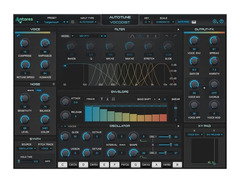
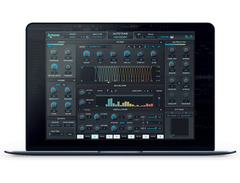
Unleash your vocal creativity with the Antares Auto-Tune Vocodist, a groundbreaking blend of vintage vocoder charm and modern Auto-Tune precision. This powerful plug-in is your gateway to the iconic sounds that have defined musical eras, from Daft Punk's futuristic hits to ELO's classic rock anthems. Whether you're crafting dancefloor bangers or exploring avant-garde soundscapes, Auto-Tune Vocodist is engineered to inspire and elevate your music productions.
With an intuitive design, this plugin offers a seamless experience that lets you control pitch with your voice or MIDI keyboard. Dive into an extensive library of artist presets, featuring contributions from talents like P-Thugg of Chromeo and producer Buddy Ross. The built-in 8-voice, dual oscillator synthesizer ensures you can start vocoding instantly, while the sidechain input invites endless exploration with external audio sources.
Enhance your sound with a suite of customizable vocal effects. Whether you want to add subtle warmth with analog tube saturation or push boundaries with lush choruses and ring modulation, the possibilities are as limitless as your imagination. And with Auto-Tune integrated directly into Vocodist, achieving pitch-perfect vocals has never been easier.
Key Features:
- Legendary sounds of classic vocoders
- Extensive collection of artist presets
- Built-in 8-voice dual-oscillator synthesizer
- Control vocoded sounds with a MIDI keyboard
- Customizable with built-in vocal effects
- Compatible with Auto-Key and Auto-Key Mobile
- Available for macOS and Windows systems
Product specs
| Software Type | Vocoder |
| Platform | Mac, PC |
| Upgrade/Full | Full |
| Download/Boxed | Download |
| Bit Depth | 64-bit |
| Format | AAX, AU, VST |
| Authorization Type | iLok Account |
| Hardware Requirements - Mac | Multi-core Processor, 4GB RAM or more recommended |
| Hardware Requirements - PC | Multi-core Processor, 4GB RAM or more recommended |
| OS Requirements - Mac | macOS 13 or later |
| OS Requirements - PC | Windows 10 or later |
FAQs
-
Is Antares Auto-Tune Vocodist compatible with my DAW?
-
Antares Auto-Tune Vocodist is compatible with DAWs that support AAX, AU, or VST formats. Ensure your DAW supports these formats for seamless integration.
-
What operating systems are supported by Antares Auto-Tune Vocodist?
-
Antares Auto-Tune Vocodist supports macOS 13 or later and Windows 10 or later, requiring a multi-core processor and at least 4GB of RAM.
-
How does Antares Auto-Tune Vocodist differ from standard Auto-Tune plugins?
-
Antares Auto-Tune Vocodist combines vocoding capabilities with the pitch correction features of Auto-Tune, offering unique vocal effects not available in standard Auto-Tune plugins.
-
Do I need an iLok account to use Antares Auto-Tune Vocodist?
-
Yes, Antares Auto-Tune Vocodist requires an iLok account for authorization, but it does not require a physical iLok USB dongle.
-
Can I use Antares Auto-Tune Vocodist on both Mac and PC?
-
Yes, Antares Auto-Tune Vocodist is available for both Mac and PC platforms, supporting 64-bit systems.
Videos

Jaunti
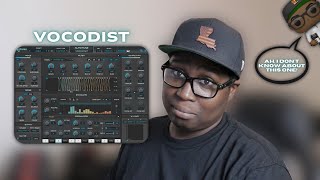
BUILT-IN VOCAL EFFECTS? | Vocodist | @Auto-Tune
BUILT-IN VOCAL EFFECTS? | Vocodist | @Auto-Tune
Jaunti
Reviews
Owner Insights
We analyzed real musician discussions from forums and Reddit to find what players love, question, and tweak about Antares Auto-Tune Vocodist + 3 Months of Auto-Tune Unlimited FREE.
Features and functionality
-
Antares AutoTune's algorithm excels in formant shifting and pitch graph adjustments, offering a user-friendly interface that simplifies vocal tuning.
Source -
To achieve the "hard" Auto-Tune sound, maximize Retune Speed and Tracking, and turn down Humanize. Adding EQ filtering, distortion, and reverb post-Auto-Tune can enhance the effect.
Source
Software and compatibility
-
Known bug in AutoTune causes key changes from minor to major when exporting from Ableton, requiring resampling of vocal tracks to maintain the correct key.
Source -
Some users experience issues with Auto-Tune not functioning on certain computers, potentially due to sound card compatibility. Switching devices resolved the issue for some.
Source
User experience
-
Subscription model issues include recurring monthly licensing errors, prompting some users to switch to a perpetual license for uninterrupted use.
Source -
Users note that stacking multiple instances of Auto-Tune with maxed settings can help achieve the desired effect for sections with less pronounced pitch correction.
Source
Value and pricing
-
Despite bugs, users who purchase a perpetual license find value in avoiding subscription-related hassles and having long-term access with reduced-cost upgrades.
Source
Setup and maintenance
-
Proper input gain is crucial. Users suggest keeping vocal levels around -12dB average to ensure Auto-Tune picks up the signal correctly.
Source
Mods and upgrades
-
Users recommend using Waves Maserati VX1 plugin after Auto-Tune for additional EQ filtering, distortion, and delay to achieve the desired vocal effects.
Source
Use cases and applications
-
Achieving the desired Auto-Tune effect might require intentionally singing slightly off-key to emphasize pitch correction artifacts, a technique noted from T-Pain’s approach.
Source
Critic Reviews
Based on 0 Reviews and 0 Ratings
Genre Usage
Based on how artists on Equipboard use this gear, it is most commonly found in the following genres.
More Antares Vocal Processing Plugins

$250.00 - $500.00
in Vocal Processing Plugins Rank


$122.00 - $330.00
in Vocal Processing Plugins Rank


in Vocal Processing Plugins Rank

.jpeg?v=1785102997)


$115.00 - $230.00
in Vocal Processing Plugins Rank


$205.00 - $349.00
in Vocal Processing Plugins Rank


$75.00 - $80.00
in Vocal Processing Plugins Rank


$142.00 - $160.00
in Vocal Processing Plugins Rank

$41.00
in Vocal Processing Plugins Rank
.png?v=1785238532)

$77.00 - $80.00
in Vocal Processing Plugins Rank


$150.00 - $180.00
in Vocal Processing Plugins Rank


$37.00 - $39.99
in Vocal Processing Plugins Rank

-m.webp?v=1785247331)
$47.00 - $83.50
in Vocal Processing Plugins Rank

$33.00
in Vocal Processing Plugins Rank


Accessories & Related Items


-s.webp?v=1785247331)


Artist usage


Community setups


Similar


Gear Guides





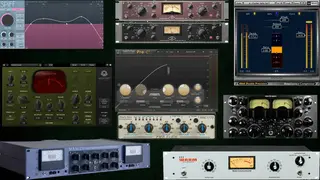


Most Popular Vocal Processing Plugins
Most Popular Brands
-
Added to Equipboard on by
 equipboard
GearIQ 4934
-


