


Pricing and availability
We compare 600+ stores and found this item at 2 stores. Prices updated .


Price History
Based on price data from 2 merchants for "iZotope Neutron 3". Prices shown reflect NEW condition. Tracking began Apr 2, 2026.
* Product prices and availability are updated by Equipboard every 24hrs and are subject to change. Equipboard may receive compensation for purchases made at participating retailers linked on this site. This compensation does not affect what products or prices are displayed, or the order of prices listed. For more information, please refer to our affiliate disclosure.
Description
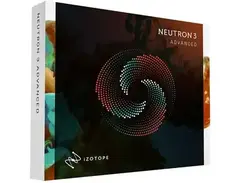
Looking for a powerhouse toolset to elevate your mixing game? The iZotope Neutron 3 is here to revolutionize your workflow with its arsenal of cutting-edge features. Designed to streamline and enhance your mixing process, Neutron 3 offers a Track Assistant that automatically analyzes your audio and suggests optimal starting points, saving you valuable time and effort. Dive deeper with the Masking Meter, an industry-first feature that visually identifies frequency collisions, allowing you to carve out sonic space effortlessly.
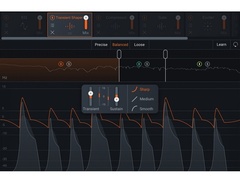
Neutron 3's Visual Mixer provides an intuitive interface to control pan, gain, and width across your entire mix, making it easier than ever to achieve the soundstage you envision. The Sculptor module offers advanced spectral shaping, adapting to any instrument profile to sweeten, fix, and shape your tracks with precision. Whether you're refining a single track or crafting a complex mix, Neutron 3's resizable interface and smooth visualizations ensure a seamless experience.
This versatile plugin includes eight powerful modules, from EQs and compressors to transient shapers and exciters, all designed to bring your audio to life. Neutron 3 not only promises significant performance boosts over previous versions but also integrates seamlessly with other iZotope plug-ins, making it an indispensable tool for modern musicians and producers.
Key Features:
- Track Assistant for intelligent starting points
- Sculptor module with spectral shaping
- Masking Meter for resolving frequency conflicts
- Visual Mixer to control mix elements
- Includes 8 modules: EQ, Compressor, Gate, and more
- Enhanced performance and workflow improvements
- Resizable interface with smooth visualizations
Product specs
| Plugin Format | VST, AU, AAX |
| Operating Systems | Mac, Windows |
FAQs
-
What are the main features of iZotope Neutron 3?
-
iZotope Neutron 3 offers features like Mix Assistant, Sculptor module, improved Masking Meter, and Visual Mixer. It includes eight modules such as EQ, Transient Shaper, and Exciter, providing a comprehensive channel strip solution for mixing.
-
How does the Mix Assistant in Neutron 3 work?
-
Mix Assistant in Neutron 3 helps set initial levels by choosing a focal point in your mix, allowing Neutron to automatically adjust levels before you start mixing manually.
-
Is iZotope Neutron 3 compatible with all major DAWs?
-
Yes, iZotope Neutron 3 is compatible with most major DAWs, including Ableton Live, Pro Tools, Logic Pro, and others, ensuring seamless integration into your mixing workflow.
-
What is the Sculptor module in iZotope Neutron 3?
-
The Sculptor module uses iZotope’s spectral shaping technology to enhance instrument tracks, allowing them to sound more defined or transformed according to your creative needs.
-
Does iZotope Neutron 3 support surround sound mixing?
-
Yes, Neutron 3 supports 7.1 surround sound and offers zero-latency processing in all modules, making it suitable for both audio post-production and surround music mixes.
Videos

iZotope, Inc.
How to Use Mix Assistant in Neutron 3 | iZotope
How to Use Mix Assistant in Neutron 3 | iZotope
iZotope, Inc.
iZotope Neutron 3 Mixing Suite Overview

Sweetwater
AN INTELLIGENT CHANNEL STRIP!? || Neutron 3

White Sea Studio
Introducing iZotope Neutron 3
iZotope, Inc.
How to Use Sculptor in Neutron 3 | iZotope
iZotope, Inc.
How To Use iZotope Neutron 3 For Beginners

This Is Onesto
A mixing CHEAT CODE using IZOTOPE neutron 3

Help Me Devvon
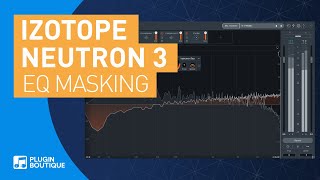
Neutron 3 by iZotope | EQ Masking Feature Tutorial & Review of Main Features

Plugin Boutique

Izotope Neutron 3 Review | IT'LL MIX YOUR SONG FOR YOU!!

Weaver Beats
Reviews
PROS
-
Comprehensive mix tools in one convenient interface
-
Visual Mixer plugin enhances final mixing stage
-
Excellent masking feature improves track clarity
-
Presets provide helpful starting points for sound creation
-
Powerful, high-quality editing capabilities
-
Significant improvement in production quality
-
Useful Track Assistant for setting initial mix settings
-
Frequency overlap feature ensures clean mixes
CONS
-
Expensive updates and initial price
-
High CPU and RAM usage, especially with multiple instances
-
Overly complex solutions for beginners
-
Suggestions can muddy the mix and require undoing
-
Not ideal for seasoned engineers due to unnecessary adjustments
Owner Insights
We analyzed real musician discussions from forums and Reddit to find what players love, question, and tweak about iZotope Neutron 3.
Features and functionality
-
Neutron 3's mix assistant may not make optimal decisions for orchestral VSTs, requiring manual tweaks for achieving desired sound.
Source -
Presets like "Big Brass Warmer" and "String Ensemble Massivizer" offer good starting points but require tweaking for custom sounds.
Source -
Neutron 3's transient shaper and EQ are frequently praised for their effectiveness, even though the AI features are often criticized.
Source -
Neutron 3's visual mixer and auto-mix features can serve as useful starting points, but require user refinement for optimal results.
Source -
Neutron 3 may miscategorize audio elements, such as labeling a hi-hat as "musical" instead of "percussive," requiring manual correction for optimal results.
Source
User experience
-
High CPU usage and latency in Neutron 3 can hinder live monitoring or VST recordings, making it less ideal for those setups.
Source -
Some users find Neutron 3's compressors and dynamic EQs overly aggressive, impacting mix integrity if left unchanged.
Source -
Some users employ Neutron 3's AI as a reference tool, observing its suggestions before manually fine-tuning for a balanced mix.
Source -
Some users express skepticism towards Neutron 3’s auto-mixing, preferring to rely on its EQ and other effects rather than fully trusting its AI capabilities.
Source
Use cases and applications
-
Neutron 3 is often used in orchestral group busses rather than individual instruments to effectively manage CPU load.
Source -
Users find the AI processing in Neutron 3 can create harsh, mid-focused mixes that lack depth if applied across all tracks indiscriminately.
Source -
Users find Neutron 3's transient shaping particularly effective for drum tracks, enhancing punch and clarity.
Source
Software and compatibility
Critic Reviews
4.5 out of 5
Based on 9 Reviews and 86 Ratings

5453
2 stars
Neutron- Essentially an iZotope channel strip. In practice?
Cumbersome, CPU hungry as all hell, superfluous for the experienced, & likely just dangerous for the beginner.
Neutron is marketed towards lots of it's features but none so heavy as this:
Track Assistant (and now the "visual mixer")
Track assistant is very similar to the machine learning in Ozone's "Mastering Assistant" for track by track vs the whole mix. For the record I found the Mastering Assistant was far more useful to a beginner and can even be handy for those who know what they're doing
So I took a look at it. Slapped it on all manner of sources and WOAH. The crap it came up with. It's incredibly over the top.
Kick drum (inside)
Gate, EQ, Dynamic EQ, Transient Shaper, Exciter, and a Compressor.
Little over the top, ya think? It was well captured but needed some shaping sure... but what a convoluted way to get there.
Without exception no matter the source I found Neutron came up with the most complicated "solutions". Not just because I'm not a fan of Exciters with a few rare exceptions. Not only did I find the "suggestions" didn't sound good- more importantly they muddied the waters. This is where I really take issue.
It could be argued a few ways:
1: It's not a product made for a seasoned engineer- This is a tool for people not as experienced
2: These are only starting points and you tweak from there
Ok so
1:
For the beginner this just far over complicates things. Adding a dynamic EQ where a regular EQ would have worked perfectly, etc. just adds more confusion and it's completely unnecessary. This could lead to someone to think they should try to learn by reverse engineering the "suggested" settings. With it always picking the most complicated solutions it's just another thing in the way- a hindrance not a "Assistant".
To say nothing of running it on multiple channels would require a seriously heavy duty computer- again, something the beginner isn't like to have...and how is it helpful to undo all the unnecessary work on multiple channels!
2:
I think that #1 answers #2 in large part as well. The same reasons that make this a cumbersome (possibly corrosive) utility for the beginner is the same reason it's a pain in the ass if you are an experienced engineer- you must 1st undo the unnecessary suggestions to arrive where you want to be- doesn't sound like much of an "Assistant", right?
I got my copy during a sale with a bundle or I'd never have bought it separately.
I STRONGLY recommend you pass on this if you're a beginner. HARD pass.
Version: iZotope Neutron 1
203
A truly interesting tool to throw into the mix!
This plugin has many mixing tools built in to one convenient place. Each module within Neutron is loaded with presets, which can be good as a place to start when trying to discover just how to create the sound you're looking to create. Another interesting feature with Neutron is the separate Visual Mixer plugin, which kind of gives just a little added tweak to various elements of the sound at the end of the mixing stage.
Version: iZotope Neutron 2
Another Life & Time Saver. This is the FUTURE
This is truly something special. This is the FUTURE! Im having trouble finding out where to begin. I can get creative or technical with this plugin and have MASSIVE control over all parameters and processing. The masking feature is one of my favorites.
Version: iZotope Neutron 2
289
Fantastic
By far the best isotope product I've bought thus far and there's a ton of good ones so that says something. The masking feature alone makes this epic but you get a great eq out of it, and all the other mix products that come with it are fantastic. The assistant is always useful at setting up a good starting point. Glad I got in on this early. This product is a time saver.
Version: iZotope Neutron 1.jpg?v=1733461848)
246
iZotope Neutron 2
Marcus Singletary uses iZotope Neutron in the recording studio. He has dialed in custom presets exclusively used for his podcasts using Neutron 2. #iZotope #Neutron
Version: iZotope Neutron 2


446
Powerhouse
Incredibly powerful vst, high quality editing that brings the track together.
Version: iZotope Neutron 1
152
Best mixing plugin.
Absolutely amazing. My production quality went from 45-100 because of this plugin.
Version: iZotope Neutron 1Artist usage
Add artist

In his YouTube video, "Charlie Puth's 30-Day Songwriting & Production Class," Charlie Puth uses the iZotope Neutron 3 plugin at the 0:31 mark.


Jacob showcases his use of Neutron 3 on his lead vocals in his 'All I Need' Logic Session Breakdown at 30:48. He used it to take out the low end to "leave room for the bass", as well as adding high-end/mids, a compressor, and an exciter.


In a livestream on April 7, 2020, Mike Shinoda uses iZotope Neutron 3 while creating a "Reanimation"-themed song, as shown on the Shinoda Livestreams YouTube channel.


Used for the bass drum on "Living", as shown in this July 11, 2019 video at 15:43.

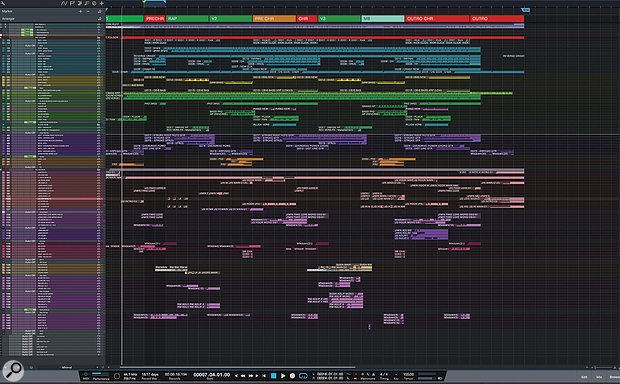
Used for Jimin's lead vocals on "Fake Love", as stated by producer James Reynolds in this August 2018 Sound on Sound interview. An image of the settings can be found here.
Jimin chorus lead vocal: iZotope Neutron, FabFilter Pro-MB, Empirical Labs Arousor, iZotope Trash 2 & FabFilter Pro-DS, plus sends to Slate VerbSuite Classics, FabFilter Pro-R, Soundtoys EchoBoy, Waves Factory Trackspacer & FabFilter Pro-DS.
“Welcome to my vocal world! BTS like bright, punchy vocals. There is not a lot of room in the mix because there is a lot of stuff going on, so I am not boosting low end on the vocals, because you are not going to hear that. Instead I’m trying to give the vocals more presence. The first thing I have in the chain is Neutron, which is a great EQ, and I love its dynamic mode. I boost high end with the Neutron, and band three is set to 4-6000 Hz, with the dynamic mode pulling down any loud ‘ess’ sounds or anything else too sharp. The Neutron is also tidying up the bottom end. After that is the Pro-MB multiband compressor just reining in a couple of frequencies to control the vocal.
“Next is the Arousor, adding some distortion so the vocal is very spitty and present, with lots of attack. After that there’s another instance of Trash 2 set to multiband, which I am using to give the vocal drive and really making it sit solidly in the mix. You have to know how to use Trash 2, otherwise vocals can get too harsh, but in general it is a very good way of saturating and really thickening a vocal and giving it presence. It does depend on the song, I am not always so full on with a vocal! At the end I have the Pro-DS de-esser just controlling the sibilance. Sometimes I used two instances of it, one at the beginning and one at the end, but the Neutron is already kind of doing a de-essing job.
“There also are many sends on that lead vocal. The first send is going to one of my favourites, the Slate VerbSuite Classics. It’s set to a hall-type reverb with 1.75s decay, and because I set quite high pre-delays it is almost like a slap on the vocal, which puts the vocal in a nice space. The next send is to the Pro-R for a longer, bigger reverb, which works for a chorus. I have cut low end and high end as you don’t want that floating around. The Pro-R is really good for controlling those things. Next is an EchoBoy quarter-note delay, saturated by setting it to ‘Splattered’ under ‘Style’ and that send then goes into the Trackspacer. I have a send from the lead vocal going to Trackspacer, so that whenever the lead vocal is singing the Trackspacer ducks the quarter-note delay out of the way. The Trackspacer is frequency-dependent, so it will duck whatever frequencies are dominant in the vocal, which makes it great for moving stuff out of the way. Then there’s another half-time EchoBoy delay setting, which is being automated for delay shots, and finally another Pro-DS.”



In this Instagram video clip posted by Hot Since 82, as the camera zooms closer to the computer screen, iZotope Neutron can clearly be seen. He used this plugin on his remix of Foals' track Into The Surf. He says:
My new remix for @foals is out today! ‘Into The Surf’ Enjoy!’ 🏄♂ #HotSince82 #Foals #IntoTheSurf #Remix


"Which iZotope plug-ins do you use, and how do you use them?
Oh man, do you have a week?
I've been a diehard fan since Vinyl. Beginning with my 2012 #digitalfreedom release, I've mastered all of my releases with Ozone Advanced; currently I don't even go take a leak without putting Ozone Maximizer on it first. I put Ozone Exciter into my morning coffee instead of sugar. Ozone Imager is literally my only friend, the only one who truly understands me and cares about my feelings.
And not to mention, I've been shamelessly cheating on FF Pro-Q 2 with the Neutron Equalizer lately, and I practically sleep with Neutron Transient Shaper now.
Oh and I almost forgot, if I have to communicate with people verbally, I only do it through VocalSynth.
But yeah, it's hard to find a channel in my session that's not being sent through an iZotope plug-in one way or another. My current master chain is Exciter, Neutron Equalizer, and Maximizer as separate units. I'm kind of obsessed with IRC IV Transient mode—the accuracy and transparency is fantastic. The first thing I do when I open a new Ableton session is put Ozone 7 Imager on two return channels with different band settings and compression; anything that needs expanding goes through them. I love using the Vintage Limiter for vocal group tracks and synth group tracks right before the sidechain compression; it really gives a thick warmth to the overall sound of your main melodic elements in the song.
I've been using Neutron Compressor for parallel compression on return channels a lot lately. Even though you can adjust the mix amount on the plug-in itself, I still prefer to do it that way. I used to use Alloy 2 Transient for my kicks and snares but, as you know, Neutron Transient Shaper just blew it out of the water; it works ridiculously well and you can fine-tune every little detail on multiple bands.
Neutron Track Assistant and the way it can communicate with other instances of itself through all of the channels you put it on is still blowing my mind. I mean seriously, what the f[***] guys?"


According to the official gear list on Darude's Website (Click on the studio tab), it says he owns a license for iZotope Neutron.


Appears at 17:57
"What's cool about Neutron's EQ is that it has these dynamic nodes that only work when a certain threshold is reached"

Album Usage
The iZotope Neutron 3 has been featured on the following albums:

All I Need (with Mahalia & Ty Dolla $ign)
TYDOLLA$IGN & Jacob Collier & Mahalia & Ty Dolla $ign (2020)
Into the Surf (Hot Since 82 Remix)
Foals & Hot Since 82 (2020)

Alabaster
Andrew Huang (2019)

C.Y.M
Jordan Suckley (2018)

Sober
Cat Dealers (2017)

#digitalfreedom EP
Gramatik (2012)
Reanimation
Linkin Park (2002)
Genre Usage
Based on how artists on Equipboard use this gear, it is most commonly found in the following genres.
Used With
Based on how musicians on Equipboard use iZotope Neutron 3, it is most commonly used with the following gear.


-s.webp?v=1784785881)

More iZotope Channel Strip Plugins


$49.00
in Channel Strip Plugins Rank

in Channel Strip Plugins Rank


$49.00 - $57.00
in Channel Strip Plugins Rank


$37.00 - $149.00
in Channel Strip Plugins Rank


.jpg?v=1784758771)

$39.99 - $172.00
in Channel Strip Plugins Rank


$33.00 - $34.99
in Channel Strip Plugins Rank


$37.00 - $39.99
in Channel Strip Plugins Rank


$91.00 - $249.00
in Channel Strip Plugins Rank


$33.00 - $34.99
in Channel Strip Plugins Rank


$39.99 - $40.00
in Channel Strip Plugins Rank


$49.00 - $216.00
in Channel Strip Plugins Rank


$39.99 - $149.00
in Channel Strip Plugins Rank


$39.99 - $172.00
in Channel Strip Plugins Rank

$39.99 - $172.00
in Channel Strip Plugins Rank

$38.00 - $39.00
in Channel Strip Plugins Rank


$99.00 - $169.00
in Channel Strip Plugins Rank


$37.00 - $79.00
in Channel Strip Plugins Rank


$99.00 - $199.99
in Channel Strip Plugins Rank

$37.00 - $39.99
in Channel Strip Plugins Rank


$19.99 - $159.00
in Channel Strip Plugins Rank

$19.99 - $75.00
in Channel Strip Plugins Rank


$37.00 - $39.99
in Channel Strip Plugins Rank

$39.00 - $149.00
in Channel Strip Plugins Rank


$33.00 - $34.99
in Channel Strip Plugins Rank


$29.99 - $34.99
in Channel Strip Plugins Rank


$29.99 - $34.99
in Channel Strip Plugins Rank


$181.00 - $199.00
in Channel Strip Plugins Rank

$39.99 - $172.00
in Channel Strip Plugins Rank

$149.00 - $162.00
in Channel Strip Plugins Rank

$29.99 - $34.99
in Channel Strip Plugins Rank


$74.25 - $99.00
in Channel Strip Plugins Rank

$95.00 - $99.00
in Channel Strip Plugins Rank


$38.00 - $99.00
in Channel Strip Plugins Rank

$95.00 - $99.00
in Channel Strip Plugins Rank
Accessories & Related Items

Community setups


Similar


Gear Guides









Most Popular Channel Strip Plugins
Most Popular Brands
-
Added to Equipboard on by
 3tokio
GearIQ 662
-


