

Pricing and availability
We compare 600+ stores and found this item at 6 stores. Prices updated .
Store
Reviews
Price




Average Price: $191
High-end/Boutique
$49
$150+
Price Tier
Budget
Standard
High-end
Price History
Based on price data from 6 merchants for "MeldaProduction MTurboComp". Prices shown reflect NEW condition. Tracking began Apr 2, 2026.
* Product prices and availability are updated by Equipboard every 24hrs and are subject to change. Equipboard may receive compensation for purchases made at participating retailers linked on this site. This compensation does not affect what products or prices are displayed, or the order of prices listed. For more information, please refer to our affiliate disclosure.
Description
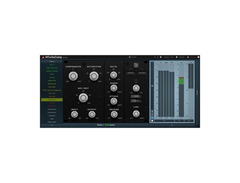
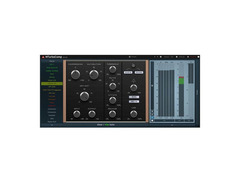
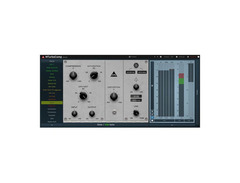
Experience the next evolution in audio dynamics with the MeldaProduction MTurboComp—an innovative compressor plugin that combines the allure of vintage analog emulation with groundbreaking digital flexibility. Designed for producers and audio engineers seeking both classic warmth and modern precision, MTurboComp is a powerhouse, offering a seamless workflow to transform your sound.
This plugin stands out by providing instant access to a suite of classic compressor emulations, all within a unified interface that simplifies even the most complex adjustments. Whether you're a novice seeking intuitive controls or a pro in need of advanced editing capabilities, MTurboComp caters to all. Its user-friendly design incorporates traditional controls alongside enhanced features like automatic gain compensation and a unique dry/wet control for parallel compression.
Beyond emulation, MTurboComp empowers you to craft your own distinct sound. With its dynamic processor, you can modify existing vintage models or innovate entirely new dynamics, thanks to its advanced modulation capabilities and dual saturators. The integrated side-chain input and adjustable filters allow for precise tuning, ensuring your audio material is both unique and professional.
Unlock the potential of machine learning-assisted emulations, offering more than a dozen classic compressors, and bring your creative visions to life with MTurboComp's dynamic and versatile toolkit.
Key Features:
- Stylable, resizable, GPU-accelerated interface
- Dual user interface with beginner and professional modes
- Unique visualization engine with classic meters and time graphs
- Parallel compression via dry/wet control
- 8 versatile modulators and 32 multiparameters
- M/S, single channel, and up to 8-channel surround processing
- Automatic gain compensation and safety limiter
- Supports VST, VST3, AU, and AAX interfaces on Windows & Mac
- Free-for-life updates, with no dongle or internet required for activation
Owner's manual
MeldaProduction MTurboComp User ManualProduct specs
| Software Type | Compressor |
| Platform | Mac, PC |
| Upgrade/Full | Full |
| Download/Boxed | Download |
| Bit Depth | 32-bit, 64-bit |
| Format | AAX, VST, VST3, AU |
| Hardware Requirements - Mac | Intel with SSE2 / Apple Silicon CPU, 4GB RAM minimum |
| Hardware Requirements - PC | Intel with SSE2 / AMD CPU, 4GB RAM minimum |
| OS Requirements - Mac | OS X 10.9.5 or later |
| OS Requirements - PC | Windows 7 SP1 or later |
FAQs
-
What DAWs is MeldaProduction MTurboComp compatible with?
-
MeldaProduction MTurboComp is compatible with DAWs that support AAX, VST, VST3, and AU formats, making it suitable for use with popular software like Ableton Live, Pro Tools, and Logic Pro.
-
Does the MeldaProduction MTurboComp require an internet connection for activation?
-
No, the MeldaProduction MTurboComp does not require an internet connection for activation, allowing for offline use and flexibility in various studio environments.
-
Can MeldaProduction MTurboComp handle multiband compression?
-
Yes, MeldaProduction MTurboComp offers multiband compression capabilities, allowing users to apply different compression settings to various frequency bands for more precise dynamic control.
-
What are the system requirements for installing MeldaProduction MTurboComp on a Mac?
-
To install MeldaProduction MTurboComp on a Mac, you need OS X 10.9.5 or later, an Intel CPU with SSE2 or Apple Silicon, and a minimum of 4GB RAM.
-
Does MeldaProduction MTurboComp support parallel compression?
-
Yes, MeldaProduction MTurboComp supports parallel compression through its dry/wet control, enabling users to blend compressed and uncompressed signals for more dynamic range control.
Videos

meldaproduction
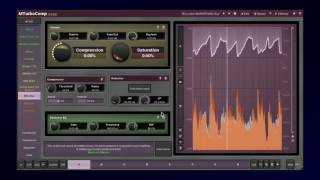
MTurboComp introduction
MTurboComp introduction
meldaproduction
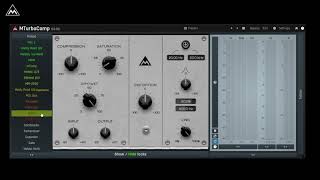
MTurboComp Quick Introduction
meldaproduction
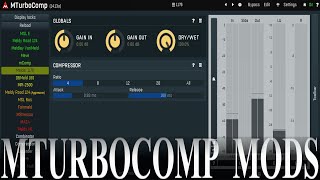
MTurboComp simple models

Chandler guitar
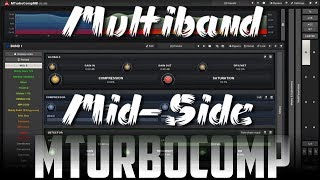
Mid-Side and Multiband using MTurboComp
Chandler guitar
Reviews
Owner Insights
We analyzed real musician discussions from forums and Reddit to find what players love, question, and tweak about MeldaProduction MTurboComp.
Features and functionality
-
MTurboComp offers multiple analog compressor emulations with advanced customization, accessible by hitting the edit button for deeper control.
Source -
The consistent UI across Melda plugins allows for quick learning and ease of use once familiar with one plugin's layout.
Source -
MTurboComp allows users to create custom compressors, offering flexibility for those who want to replicate or modify analog units like the API 550.
Source -
Melda's MXXX plugin acts as a modular environment, enabling users to design their own custom plugins, enhancing workflow creativity.
Source -
MTurboCompLE lacks standard compression parameters, displaying percentage values instead, which some users find less ideal for precise adjustments.
Source
User experience
-
Owners appreciate Melda plugins for their depth, citing the modular synth-like backend as both an asset and a potential distraction.
Source -
Users mention that MTurboCompLE's percentage-based controls necessitate a reliance on auditory judgment rather than visual precision, which can be beneficial for ear training.
Source
Use cases and applications
-
MAutoDynamicEq excels in dialogue processing, particularly for problematic recordings, by tracking pitch and dynamically adjusting EQ frequencies to target harmonics.
Source -
The MTurboComp's adaptability allows users to experiment, potentially discovering unexpected features or sounds that fit unique production needs.
Source -
Users find MTurboComp's Distressor and Fairchild emulations particularly impressive, suitable for diverse compression needs.
Source
Software and compatibility
-
Melda's GUI is customizable, resizable, and compatible with high contrast themes, catering to users with specific visual preferences.
Source -
There's a call for a graphical user interface update, suggesting that while functionality is strong, aesthetics may lag behind other modern plugins.
Source -
MTurboCompLE is not a demo; it offers functional classic compressor emulations despite lacking multiband capabilities and the Edit screen.
Source
Comparisons
Critic Reviews
Based on 0 Reviews and 0 Ratings
More MeldaProduction Compressor Plugins

$0.00
in Compressor Plugins Rank


$159.00 - $165.00
in Compressor Plugins Rank


$144.00 - $199.00
in Compressor Plugins Rank


.jpeg?v=1784574735)

$133.00 - $149.00
in Compressor Plugins Rank


-m.webp?v=1784556073)
$32.00 - $34.99
in Compressor Plugins Rank


-m.webp?v=1784556112)
$32.00 - $34.99
in Compressor Plugins Rank


$34.99 - $39.99
in Compressor Plugins Rank


$34.99 - $39.99
in Compressor Plugins Rank


$37.00 - $39.99
in Compressor Plugins Rank

-m.webp?v=1784556143)
$39.99
in Compressor Plugins Rank


$144.00 - $199.00
in Compressor Plugins Rank


$69.00
in Compressor Plugins Rank
-m.webp?v=1784556039)
$139.00 - $149.00
in Compressor Plugins Rank


$47.00 - $49.00
in Compressor Plugins Rank


$39.99 - $149.00
in Compressor Plugins Rank


$33.00 - $34.99
in Compressor Plugins Rank


$39.00 - $1,549.00
in Compressor Plugins Rank


$37.00 - $39.99
in Compressor Plugins Rank


$33.00 - $34.99
in Compressor Plugins Rank
.jpg?v=1784574735)


$35.99 - $39.99
in Compressor Plugins Rank


$89.00
in Compressor Plugins Rank


$33.00 - $34.99
in Compressor Plugins Rank


$34.99 - $39.99
in Compressor Plugins Rank

-m.webp?v=1784556069)
$33.00 - $39.99
in Compressor Plugins Rank


$29.99 - $49.00
in Compressor Plugins Rank


$33.00 - $34.99
in Compressor Plugins Rank


$65.00
in Compressor Plugins Rank


$49.00 - $149.00
in Compressor Plugins Rank


.jpg?v=1784495045)

$57.00 - $69.00
in Compressor Plugins Rank


$20.00 - $149.00
in Compressor Plugins Rank


$0.00
in Compressor Plugins Rank

$28.00 - $49.00
in Compressor Plugins Rank


$33.00 - $34.99
in Compressor Plugins Rank


$33.00 - $34.99
in Compressor Plugins Rank


Accessories & Related Items




Artist usage


Community setups


Similar


Gear Guides








Most Popular Compressor Plugins
Most Popular Brands
-
Added to Equipboard on by
 equipboard
GearIQ 4934
-


