

Pricing and availability


* Product prices and availability are updated by Equipboard every 24hrs and are subject to change. Equipboard may receive compensation for purchases made at participating retailers linked on this site. This compensation does not affect what products or prices are displayed, or the order of prices listed. For more information, please refer to our affiliate disclosure.
Description
Dive into the world of music production with OpenMPT (Modplug Tracker), a versatile Digital Audio Workstation (DAW) that caters to both beginners and seasoned musicians. This software is a modern incarnation of the classic tracker interface, perfect for those who appreciate a blend of retro charm and contemporary features. OpenMPT is renowned for its ability to handle a wide range of audio formats, making it a flexible choice for diverse musical projects.
OpenMPT offers an intuitive interface that allows users to create, edit, and manipulate music through its pattern-based music editor. The software supports a multitude of sample formats and VST plugins, ensuring you have all the tools you need to craft your unique sound. Whether you're composing chiptune tracks or experimenting with complex arrangements, OpenMPT provides the necessary functionality without overwhelming complexity.
Designed with the community in mind, OpenMPT is open-source, encouraging collaboration and innovation among musicians and developers. It's regularly updated with new features and bug fixes, ensuring a reliable and evolving tool for your musical creativity.
Key Features:
- Modern tracker interface with a classic feel
- Supports a wide range of audio formats and VST plugins
- Open-source and community-driven development
- Pattern-based music editor for intuitive music creation
- Regular updates with new features and improvements
Videos

Vectif
OpenMPT: the basics, and how to use trackers
OpenMPT: the basics, and how to use trackers
Vectif
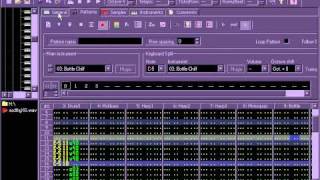
Making a song in OpenMPT

dust hill resident
OpenMPT and PdVST to make algorithmic tracker music (algorave)

mccormix
Reviews
PROS
-
Supports a wide range of tracker formats for versatile music creation
-
Integrates VSTs, eliminating the need for additional software
-
Offers unique FM synthesizer capabilities with OPL2 and OPL3 for creative sound design
-
Free to use, making it accessible for all users
-
Converts tracker files to various formats, broadening creative possibilities
-
Simple yet intuitive interface once mastered
-
Ideal for electronic and digital music production
-
Allows for extensive customization through a healthy sample library
-
Fun and engaging to experiment with, fostering creativity
CONS
-
Steep learning curve for new users unfamiliar with tracker software
-
Lacks native synthesizer capabilities, relying heavily on sample libraries
-
Only natively supports Windows, limiting accessibility for non-Windows users
Owner Insights
We analyzed real musician discussions from forums and Reddit to find what players love, question, and tweak about OpenMPT (Modplug Tracker).
Features and functionality
Comparisons
Mods and upgrades
-
Changing the default keyset to resemble other trackers, like Coda's mptIT, significantly improves workflow.
Source
Use cases and applications
User experience
-
Trackers use effects columns differently, focusing on pitch, volume, and pan changes rather than typical DAW effects like EQ and compression.
Source
Software and compatibility
4.0 out of 5
Based on 6 Reviews and 12 Ratings

546
Oldschool versatility for free
First and foremost - this is a tracker. Events are represented top-to-bottom, rather than left-to-right. This is an adaptation of a popular way to sequence music, which spawned a few subgenres of its own, and inspired other programs (like FamiTracker or Renoise).
This DAW doesn't really feature a synthesizer of its own (it kinda does, but also not really - I'll clarify this in a bit), so you do need to have a pretty healthy sample library to do basically everything. That pretty much opens it to anything, but it's still enough of a limitation that it's still fun. It also supports working with some of the most popular tracker formats, both reading and exporting them - Protracker MOD files, Fasttracker XM files, Screamtracker S3M files and Impulse Tracker IT files. It also has its own format, MPTM, which has a load of features not found in some of these legacy formats, and it can also read a BUNCH of other proprietary formats (but not write to them). Depending on which format you use, you have more or less limitations.
Let's elaborate on the synthesizer part - If you're working with S3M or MPTM formats, you have access to a synthesizer of sorts - The Yamaha OPL2 if you're working with S3M, and its successor (OPL3) if you're working with MPTM. The OPL series are very cheap 2-operator FM synthesizers, you might remember those being used in countless arcade games, and of course many late 80s and 90s IBM PC's (Adlib, Soundblaster). It's not exactly the world's greatest synthesizer, but the creativity lies within the limitation it offers.
If you're just used to working in a DAW which only has one project format, you're probably confused as to why there's a DAW that supports dozens of them, and even export to a couple, well you don't have to worry at all about those other formats, and just stick with MPTM instead. The reason there's so many really is because those files embed all the samples, sequence data and settings in one file, and as such was a pretty popular way to distribute music back then - it's basically MIDI, but instead of sounds being passed through a general MIDI soundfont or box, it just references its own sounds.
If you're willing to go a bit more esoteric, there's plenty, PLENTY of conversion tools for the many formats MPT supports, that converts a tracker file to an entirely different filetype. Want to create NES music and don't care to use FamiTracker? There's a tool for that. Want to create literal 1-bit music for the obscure Channel F consoles? There's a tool for that too. All this stuff isn't tied to OpenMPT, of course - any tool that can write to the above format(s) will do the trick for those converters, however since OpenMPT can pretty much support all of them, it's probably much easier in the long run to just keep using it, and the examples listed barely scratch the surface, too.
In short - it's an excellent tool, if you have some time to set aside to learn how it all gets put together and how it works.

A great and versatile tracker
I think the title explains itself pretty well, it's a really good piece of tracker software that can support a ton of different tracker module formats. Personally, I believe tracker software should be used for electronic music or if music you make involves electronic-based sounds or (DIGITAL) instruments. It also supports VSTs, so you don't have to use other software and try using it alongside this. This might be a downside for some, but it only natively supports Windows. It's not a downside for me as I do use Windows, but if you don't you might want to look for other alternatives or use software like Wine.

456
Its a module tracker.
Its a simple, yet intuitive, module tracker. Brilliant, awesome, fast, and great.
I'll stop praising it for now.
Would use again.
Preferred Settings + Usage:
Download it from their website https://openmpt.org/

89
High quality tracker
I reallly like this tracker. It's very easy to use and it's fun to toy around with it!


1608
It's OK...
For being free, it's a very effective DAW, but it's rather challenging to work with, as its functions are not terribly obvious, and I can be kind of a derp, so...
Artist usage
Add artist

Ren uses OpenMPT in various parts of this stream. (25:57, 1:01:13)


Genre Usage
Based on how artists on Equipboard use this gear, it is most commonly found in the following genres.
Used With
Based on how musicians on Equipboard use OpenMPT (Modplug Tracker), it is most commonly used with the following gear.


More DAW Software

$225.00 - $599.00
in DAW Software Rank


$398.00
in DAW Software Rank

$266.00 - $349.00
in DAW Software Rank


-m.webp?v=1783418446)
$99.99 - $344.00
in DAW Software Rank


$99.00 - $399.99
in DAW Software Rank


$179.00
in DAW Software Rank


-m.webp?v=1783418442)
$409.00 - $499.00
in DAW Software Rank


$119.00 - $295.00
in DAW Software Rank


$209.00 - $329.99
in DAW Software Rank


$199.99
in DAW Software Rank
.jpg?v=1783709979)


$199.00
in DAW Software Rank


$524.00 - $579.99
in DAW Software Rank


.png?v=1783711142)


$75.00
in DAW Software Rank


$449.00 - $477.00
in DAW Software Rank


$129.00 - $189.00
in DAW Software Rank


$395.00 - $499.00
in DAW Software Rank


$136.00 - $179.00
in DAW Software Rank

$139.99 - $199.99
in DAW Software Rank


$366.00 - $579.99
in DAW Software Rank


$477.00 - $528.00
in DAW Software Rank

$579.99
in DAW Software Rank


$245.00 - $285.00
in DAW Software Rank


$149.00 - $201.00
in DAW Software Rank


$579.99
in DAW Software Rank


$375.00 - $399.95
in DAW Software Rank

$149.00 - $249.00
in DAW Software Rank


$206.00
in DAW Software Rank


$47.00 - $59.99
in DAW Software Rank


$249.99 - $499.99
in DAW Software Rank
Community setups


Similar


Gear Guides











Most Popular Brands
-
Added to Equipboard on by
stringtoneGear IQ 1608
-


