

Pricing and availability
We compare 600+ stores and found this item at 2 stores. Prices updated .
Store
Reviews
Price




Average Price: $90
Budget/Beginner
$150
$501+
Price Tier
Budget
Standard
High-end
Price History
Based on price data from 1 merchant for "Creative Labs Sound Blaster Z SE". Prices shown reflect NEW condition. Tracking began Apr 22, 2026.
* Product prices and availability are updated by Equipboard every 24hrs and are subject to change. Equipboard may receive compensation for purchases made at participating retailers linked on this site. This compensation does not affect what products or prices are displayed, or the order of prices listed. For more information, please refer to our affiliate disclosure.
Description
Elevate your auditory experience with the Creative Sound Blaster Z SE audio interface, a versatile tool for both budding musicians and seasoned audiophiles. Designed to bridge the gap between gaming and studio recording, this sound card fits seamlessly into your creative workflow. Anchored by the powerful Sound Core3D audio processor, it provides pristine audio clarity without burdening your primary CPU—perfect for multitasking between gaming sessions and music production.
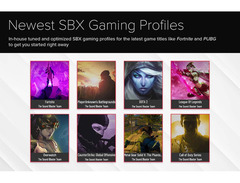
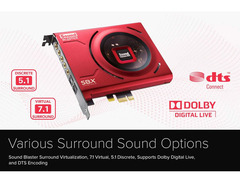
Whether you're fine-tuning your latest track or diving into an immersive gaming world, the Sound Blaster Z SE delivers with support for 5.1 Surround Sound and virtual 7.1 Channel sound. Gamers will appreciate the pre-tuned SBX Gaming Profiles tailored for popular titles like Fortnite and Apex Legends, while musicians will enjoy the low-latency recording capabilities made possible by ASIO support. The integrated 600-ohm headphone amplifier ensures you can drive even the most demanding studio-grade headsets.
With user-friendly customization through the Sound Blaster Command software, you can adjust settings like CrystalVoice for clear communication and tweak EQ settings for your specific headphones. Gold-plated connectors and TOSLINK S/PDIF input and output ports further enhance your audio setup, making the Creative Sound Blaster Z SE an essential addition to any creative's toolkit.
Key Features:
- PCIe x1 interface with 3.5mm ports and TOSLINK S/PDIF input/output
- Supports 5.1 Surround Sound and virtual 7.1 Channel on headphones
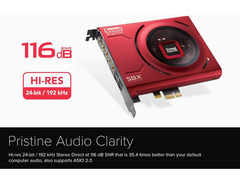
- Sample rates up to 24-bit/192 kHz with a 116 dB signal-to-noise ratio
- Integrated 600-ohm headphone amplifier for studio-grade headsets
- Pre-tuned SBX Gaming Profiles and customizable EQ settings
- Compatible with Windows 7 and later, requiring a minimum of 1GB RAM and 600MB drive space
Videos

Nicolas11x12 English
Do You NEED a Sound Card? -- Creative Sound Blaster Z SE

Do You NEED a Sound Card? -- Creative Sound Blaster Z SE
Nicolas11x12 English
BRAUCHEN wir eine Soundkarte? -- Creative Sound Blaster Z SE

Nicolas11x12 Deutsch
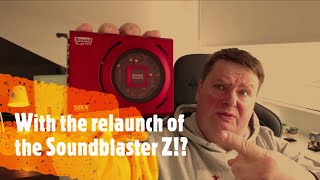
Is Creative being creative with the Soundblaster Z Special Edition?

Antons Hardware
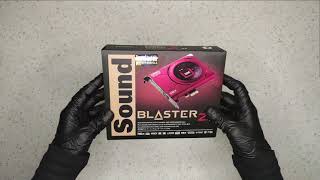
Unboxing Creative Sound Blaster Z SE Red Inner PCI-e Sound Card. Best Audio Card Ever?

PureUnboxing

Creative Sound Blaster Z And Z SE Unboxing

AON
Reviews
PROS
-
Excellent sound quality improvement over onboard audio
-
Offers customizable audio features with SBX profiles
-
Supports multi-audio setup with separate ports for headphones, microphone, and speakers
-
Effective audio post-processing options like surround, crystallizer, and bass enhancement
-
Scout mode enhances frequencies for better in-game audio awareness
-
Compatible with a wide range of headphones and can drive low-ohm models effectively
-
Allows simulation of discrete 5.1 and 7.1 surround sound
-
Clears up garbled human voices, beneficial for those with hearing impairments
-
Versatile mixing options, including the ability to sum external audio sources
CONS
-
Mic sidetone experiences serious input lag, causing speech slurring
-
Surround sound may stop working after a short period
-
Loud pops and crackles occur during system reboot or wake-up
-
Software updates can lead to unrecognized devices without careful reinstallation
-
Requires frequent driver downloads and lacks extensive technical guides
Owner Insights
We analyzed real musician discussions from forums and Reddit to find what players love, question, and tweak about Creative Labs Sound Blaster Z SE.
Software and compatibility
-
The Sound Blaster Z SE struggles with older SBX Pro Studio software, causing hollow, echoey audio; users recommend using Command software despite limited functionality.
Source -
Creative's hard-coded chips can confuse software recognition, even when the Z and Z SE cards are identical hardware-wise.
Source -
Some users experience issues with SPDIF optical connections, requiring frequent toggling between 2.0 and 5.1 speaker modes to maintain proper surround sound functionality.
Source
Setup and maintenance
-
Direct Mode on the Z SE requires a driver update, initially outputs only stereo, and significantly reduces sound volume when toggled off.
Source
Features and functionality
User experience
-
The Z SE's audio glitches and detection issues may relate to motherboard compatibility, with older third-party chip-controlled slots causing problems.
Source -
Users report that enabling the SBX Profile and adjusting the Surround dial to 50-60% can enhance the audio experience, particularly for centralizing vocals in stereo content.
Source
Critic Reviews
5.0 out of 5
Based on 0 Reviews and 1 Rating
More Creative Labs Audio Interfaces


$39.00 - $39.99


$159.99 - $224.99
in Audio Interfaces Rank


-m.webp?v=1784804580)
$749.99
in Audio Interfaces Rank


$59.57 - $239.00
in Audio Interfaces Rank


$79.00 - $299.99
in Audio Interfaces Rank


$360.00 - $799.00
in Audio Interfaces Rank


$239.00 - $495.00
in Audio Interfaces Rank


$84.00
in Audio Interfaces Rank


$49.00 - $149.99
in Audio Interfaces Rank
.jpg?v=1784763257)


$749.00 - $999.00
in Audio Interfaces Rank

.png?v=1784891692)


$799.00 - $1,299.00
in Audio Interfaces Rank


$1,000.00
in Audio Interfaces Rank


$239.00 - $799.00
in Audio Interfaces Rank


$85.00 - $391.13
in Audio Interfaces Rank


$118.00 - $189.99
in Audio Interfaces Rank


$190.00 - $872.49
in Audio Interfaces Rank


$689.00 - $899.00
in Audio Interfaces Rank


$224.99
in Audio Interfaces Rank


$1,468.00 - $1,999.00
in Audio Interfaces Rank

.jpeg?v=1784891088)

$83.73 - $299.99
in Audio Interfaces Rank


$866.00 - $1,199.00
in Audio Interfaces Rank

.png?v=1784921366)
.jpg?v=1784480765)
-m.webp?v=1784331838)
$70.00
in Audio Interfaces Rank


$69.78 - $159.99
in Audio Interfaces Rank


in Audio Interfaces Rank


$699.00 - $1,899.00
in Audio Interfaces Rank


$400.00
in Audio Interfaces Rank


$350.00
in Audio Interfaces Rank


$1,000.00
in Audio Interfaces Rank


$199.99 - $363.99
in Audio Interfaces Rank


$440.00
in Audio Interfaces Rank

.jpg?v=1784893209)


$144.53 - $279.00
in Audio Interfaces Rank


$20.00
in Audio Interfaces Rank


$1,990.00 - $2,799.00
in Audio Interfaces Rank


Artist usage


Community setups


Similar


Gear Guides







.webp)
Most Popular Audio Interfaces
Most Popular Brands
-
Added to Equipboard on by
 thatlkjguy
GearIQ 4716
-



