

Pricing and availability
We compare 600+ stores and found this item at 1 store. Prices updated .
Store
Reviews
Price




Average Price: $155
Standard/Professional
$99
$300+
Price Tier
Budget
Standard
High-end
* Product prices and availability are updated by Equipboard every 24hrs and are subject to change. Equipboard may receive compensation for purchases made at participating retailers linked on this site. This compensation does not affect what products or prices are displayed, or the order of prices listed. For more information, please refer to our affiliate disclosure.
Description
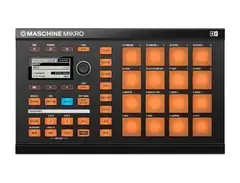
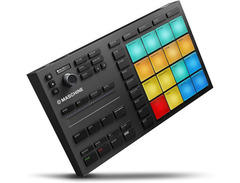
Dive into the rhythm with the Native Instruments Maschine Mikro, your compact companion in the universe of music production. Stripped back for simplicity but not skimping on power, this MIDI pad controller offers a seamless blend of tactile control and software integration. It's the perfect tool for those who want to make big beats in small spaces. Whether you're crafting the next EDM anthem or slicing beats with surgical precision, the Maschine Mikro stands ready to bring your music to life. With its 16 dynamic pads and intuitive interface, creativity flows unrestricted, making it an indispensable ally for modern musicians and producers on the move.
Key Features:
- Seamless integration with Maschine software for a unified production experience
- 16 ultra-responsive, velocity-sensitive pads ideal for beat-making and live performances
- Compact and portable design, perfect for producers on the go
- Versatile functionality, from sequencing synths to slicing samples, catering to a wide range of music production needs
Product specs
| Brand | Native Instruments |
| Model | Maschine Mikro |
| Finish | Black |
| Year | 2010s |
| Categories | Drum Machines, Samplers |
| Analog / Digital | Digital |
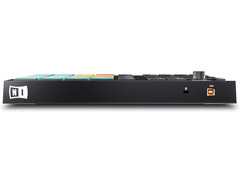
| MIDI I/O | USB MIDI |
| Number of Pads | 16 Pads |
| Polyphony | 64 Voices |
FAQs
-
What software is compatible with the Native Instruments Maschine Mikro?
-
The Native Instruments Maschine Mikro integrates seamlessly with major DAWs such as Ableton Live, Logic Pro, Cubase, GarageBand, FL Studio, Pro Tools, and PreSonus Studio One, allowing you to use it as a VST, Audio Units, or AAX plug-in.
-
How many pads does the Maschine Mikro have and what are they used for?
-
The Maschine Mikro features 16 responsive pads, which are used for triggering samples, loops, and creating beats, making it ideal for live performances and studio production.
-
Can the Maschine Mikro be used as a standalone device?
-
No, the Maschine Mikro requires connection to a computer and the Maschine software to function, as it does not have standalone capabilities.
-
What type of connectivity does the Maschine Mikro offer?
-
The Maschine Mikro connects via USB MIDI, providing straightforward integration with your computer and other MIDI-compatible devices.
-
Is the Native Instruments Maschine Mikro suitable for beginners?
-
Yes, the Maschine Mikro is user-friendly and includes intuitive controls and software, making it accessible for beginners while still offering advanced features for experienced producers.
Videos

Kosmic Sound
Native Instruments Maschine Mikro
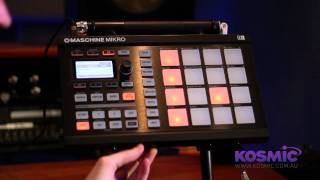
Native Instruments Maschine Mikro
Kosmic Sound
Reviews
PROS
-
Beautifully light-up pads and buttons for organized sample management
-
Highly velocity-sensitive pads enhance sound control
-
Seamless integration with Maschine software, improving workflow
-
Enables on-controller editing, reducing dependence on screen
-
Quick sample chopping into parts with a single button-click
-
Compact and portable design fits any setup
-
Robust software support with extensive sound libraries
-
Ideal for sequencing drums in various DAWs
-
Facilitates live music performance with easy beat syncing
CONS
-
Some features removed in software updates
-
Limited to viewing 8 groups at a time on the controller
-
Click dial for effects automation lacks smoothness
-
Compatibility issues with certain software and hardware setups
-
Requires software, which may be difficult to obtain for used units
Owner Insights
We analyzed real musician discussions from forums and Reddit to find what players love, question, and tweak about Native Instruments Maschine Mikro.
Features and functionality
-
The Maschine Mikro MK3 lacks the ability to chop samples directly on the controller without using a keyboard/mouse, unlike its full-sized counterpart.
Source
Software and compatibility
-
Using the Maschine Mikro MK3 with software other than Maschine 2 requires additional setup and is not plug-and-play, which can limit its usability.
Source -
Multiple users find Maschine's integration with Ableton cumbersome, suggesting that the transition to Ableton Push might be more efficient for seamless workflow.
Source -
It is noted that Maschine can function as a DAW within a DAW, which might not suit users aiming for straightforward music production workflows.
Source
Use cases and applications
-
For finger drumming, the Mikro MK3 can be set in MIDI mode, allowing for color-coded pad groups and integration with software like Ableton and GarageBand.
Source -
Experienced users suggest that those proficient in piano should consider a 49-key controller with pads instead of the M32 for more complete functionality.
Source
User experience
-
Some owners prefer using the Mikro MK3 as a travel companion or secondary controller in conjunction with the full-sized MK3 for a more versatile setup.
Source -
Owners note that Maschine Mikro can feel like an additional DAW layer, which might be overwhelming for beginners focusing on simplifying their production setup.
Source
Value and pricing
-
Purchasing a used Maschine Mikro MK3 can be very cost-effective, with prices reported as low as $100, making it an attractive option for budget-conscious buyers.
Source
4.5 out of 5
Based on 15 Reviews and 59 Ratings
I own a white NI Maschine Mikro, it was my first MIDI controller and I'll probably use Maschine as long as I make music.
The Native Instruments Maschine Mikro was the first sampler MIDI controller I owned. The first thing I noticed is it's got beautiful light up pads and buttons which you can color-assign to keep all of your samples, groups, patterns, and scenes color coded and organized for easy recognition during recording or performance. Another aspect I like is the highly velocity sensitive pads, which give you much more control over your sound when say playing notes or finger drumming live. I have a lot of issues with the Maschine program, mainly in the way they set it up, as well as there are some features that shouldn't have been removed during transition from the 1.0 to 2.0 softwares. Luckily using the Maschine Mikro controller with the 2.0 software is even easier and more fluid than it was with the 1.0, and even though I have issues with the software itself, Native Instruments did a good job of making their controller and programs work together seamlessly. Another thing I like about the mikro is that you can do anything that you could do on-screen in the software, with the controller and it's display pad, well besides adjusting levels in the mixer. One of my issues with maschine is that in the Group view you can only see 8 groups at a time, even though you have 16 pads. If they allowed to 16 group view at once then the user wouldn't have to scroll back and forth nearly as often to automate things like solo or mute commands or fx over groups.One last issue I have is that the dial is a click dial instead of smooth turning dial, so automating effects like a filter or ice doesn't fade smoothly. Overall the controller is a well made, easy to use, and innovative production tool, that greatly speeds the workflow in my production.

147
pretty dope.. got for an amazing price
The samples are great but i got lazy and MY workflow with this and Ableton just slowed me up. I would build some drums and record them into Ableton... I just cut out the middleman and used Simpler inside Ableton... Now I do almost all my sound design out of the box
I also don't like how all the cool new sample banks only work for the V2 of the software...

198
Just bought it, but I'm loving it so far
I can't really say to much about it yet, as I have just started using the Maschine Mikro and the Maschine software, but so far it's working great, especially for a used piece of hardware.

151
Maschine Mikro
i love this Maschine, don't think ill ever buy anything else. Except for sound expansions. I can sample quickly, I can create original ideas quickly.

176
Nice little jamming tool
First touch with that was not what i expected. But after a while it´s my to go for sequencing drums with cubase, otherwise in ableton it´s less needed.

.jpg?v=1773191340)
244
By backbone
This little pc of kit is the backbone of my music productions. The DAW is great to work with, and the possibilities are endless, really.....

106
Cool tool, really can fill out your live music, just need to keep the beat in sync.
Cool tool, really can fill out your live music, just need to keep the beat in sync.
Artist usage
Add artist

According to St Vincent's official Reverb shop, this was among one of the items that was sold in the shop.


At 0:20 on the video you can see him using it on the plane.

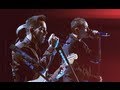
He is seen using it during this performance

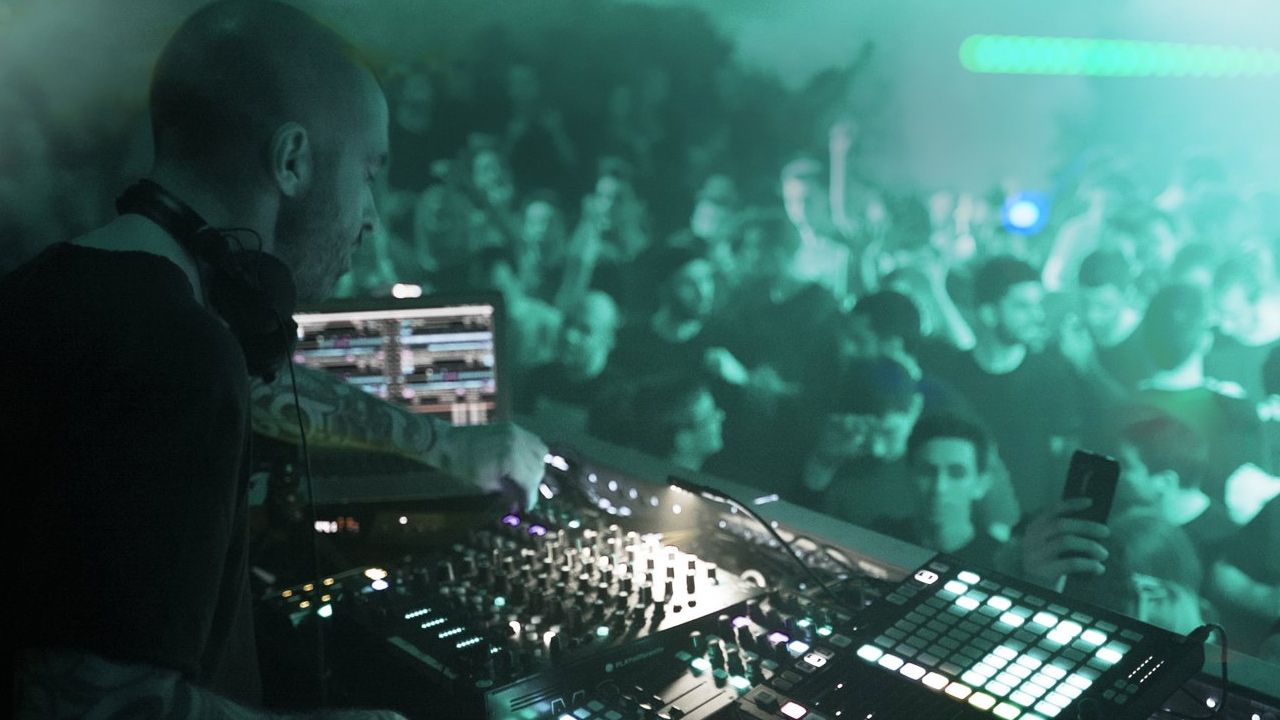
In an interview conducted by Dan White for DJ TechTools, Chris Liebing detailed his DJ setup, confirming that he incorporates one Native Instruments Maschine Mikro unit into his equipment arsenal.

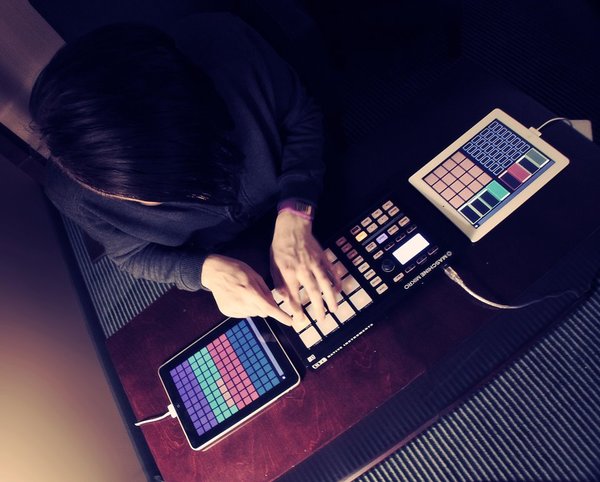
We spotted a photo of Mord Fustang using the Native Instruments Maschine Mikro.


The Maschine Mikro is shown in this Instagram ppost by George Daniel


In an Instagram post, Alvaro is seen in the studio with a Native Instruments Maschine Mikro, collaborating with DJ Dwayne.


In the video you can see Hooks using the Maschine Mikro with Maschine on his laptop.

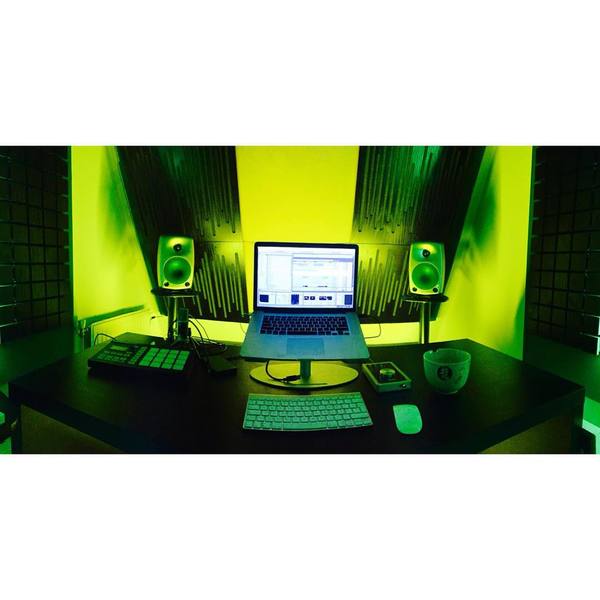
in this photo of his studio, you can see the pad controller standing on the left of his desk

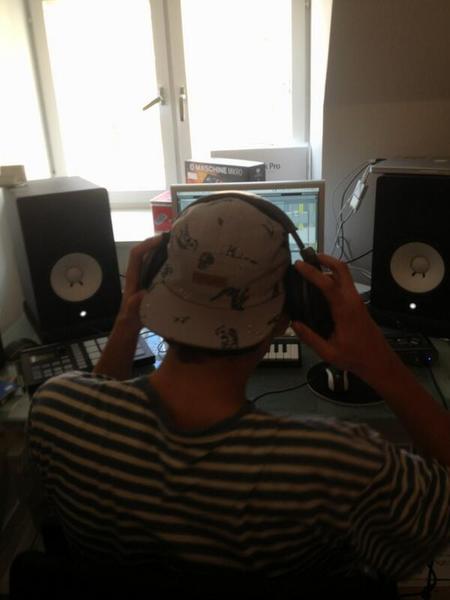
In this twitter post, Yung Gud can be seen with a Maschine Mikro.

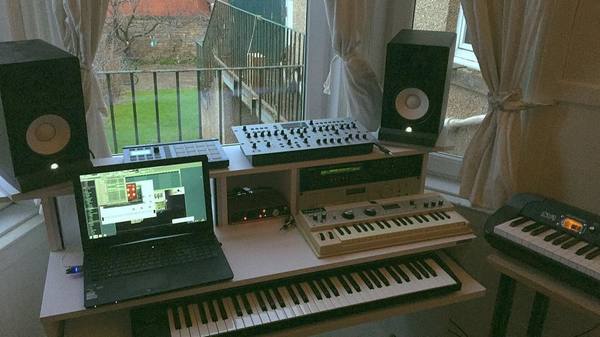
Above Sam's laptop you could see the white Maschine Mikro


Album Usage
The Native Instruments Maschine Mikro has been featured on the following albums:

Genre Usage
Based on how artists on Equipboard use this gear, it is most commonly found in the following genres.
Used With
Based on how musicians on Equipboard use Native Instruments Maschine Mikro, it is most commonly used with the following gear.





Community setups
Show yours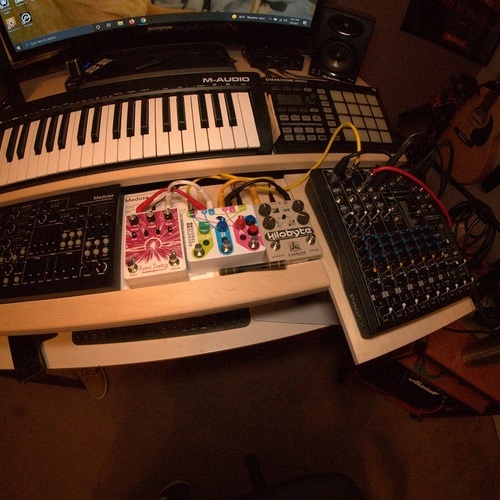
Similar
Add recommendation1 alternative for Native Instruments Maschine Mikro, curated by the Equipboard community.

$82.10 - $269.00
More Native Instruments MIDI Pad Controllers

$150.00 - $229.99
in MIDI Pad Controllers Rank


.jpeg?v=1784640200)

$40.00 - $299.00
in MIDI Pad Controllers Rank


$475.94
in MIDI Pad Controllers Rank


$180.00 - $777.00
in MIDI Pad Controllers Rank

$82.10 - $269.00
in MIDI Pad Controllers Rank


$40.00
in MIDI Pad Controllers Rank


-m.webp?v=1784818972)
$101.14 - $799.00
in MIDI Pad Controllers Rank


.jpg?v=1784640202)

$407.04
in MIDI Pad Controllers Rank


$237.97 - $349.99
in MIDI Pad Controllers Rank


$299.00 - $350.00
in MIDI Pad Controllers Rank


$23.80 - $215.22
in MIDI Pad Controllers Rank


-m.webp?v=1784818971)
$69.50 - $119.00
in MIDI Pad Controllers Rank


$30.94 - $129.99
in MIDI Pad Controllers Rank


$39.00 - $177.00
in MIDI Pad Controllers Rank


$91.80 - $275.77
in MIDI Pad Controllers Rank


$55.81 - $257.00
in MIDI Pad Controllers Rank


$29.95
in MIDI Pad Controllers Rank


$118.00 - $124.10
in MIDI Pad Controllers Rank


$25.00
in MIDI Pad Controllers Rank


$150.00 - $189.99
in MIDI Pad Controllers Rank


$140.00 - $269.99
in MIDI Pad Controllers Rank


$129.99 - $138.17
in MIDI Pad Controllers Rank


$95.19
in MIDI Pad Controllers Rank


$40.13 - $89.99
in MIDI Pad Controllers Rank


$80.69 - $129.99
in MIDI Pad Controllers Rank


$792.46 - $999.00
in MIDI Pad Controllers Rank


$65.00
in MIDI Pad Controllers Rank


$90.00 - $295.00
in MIDI Pad Controllers Rank


$152.00 - $219.99
in MIDI Pad Controllers Rank


$1,099.00 - $1,538.00
in MIDI Pad Controllers Rank


$266.00 - $349.99
in MIDI Pad Controllers Rank


$745.00 - $1,425.48
in MIDI Pad Controllers Rank


$64.00
in MIDI Pad Controllers Rank


$50.00
in MIDI Pad Controllers Rank


$327.22
in MIDI Pad Controllers Rank


$103.00 - $149.99
in MIDI Pad Controllers Rank


$215.00 - $299.00
in MIDI Pad Controllers Rank

$40.13 - $89.99
in MIDI Pad Controllers Rank

Gear Guides








Most Popular MIDI Pad Controllers
Most Popular Brands
-
Added to Equipboard on by
 owenegbert
GearIQ 123
-


